
Ebooks Are Thriving in 2026: My Winning Strategy

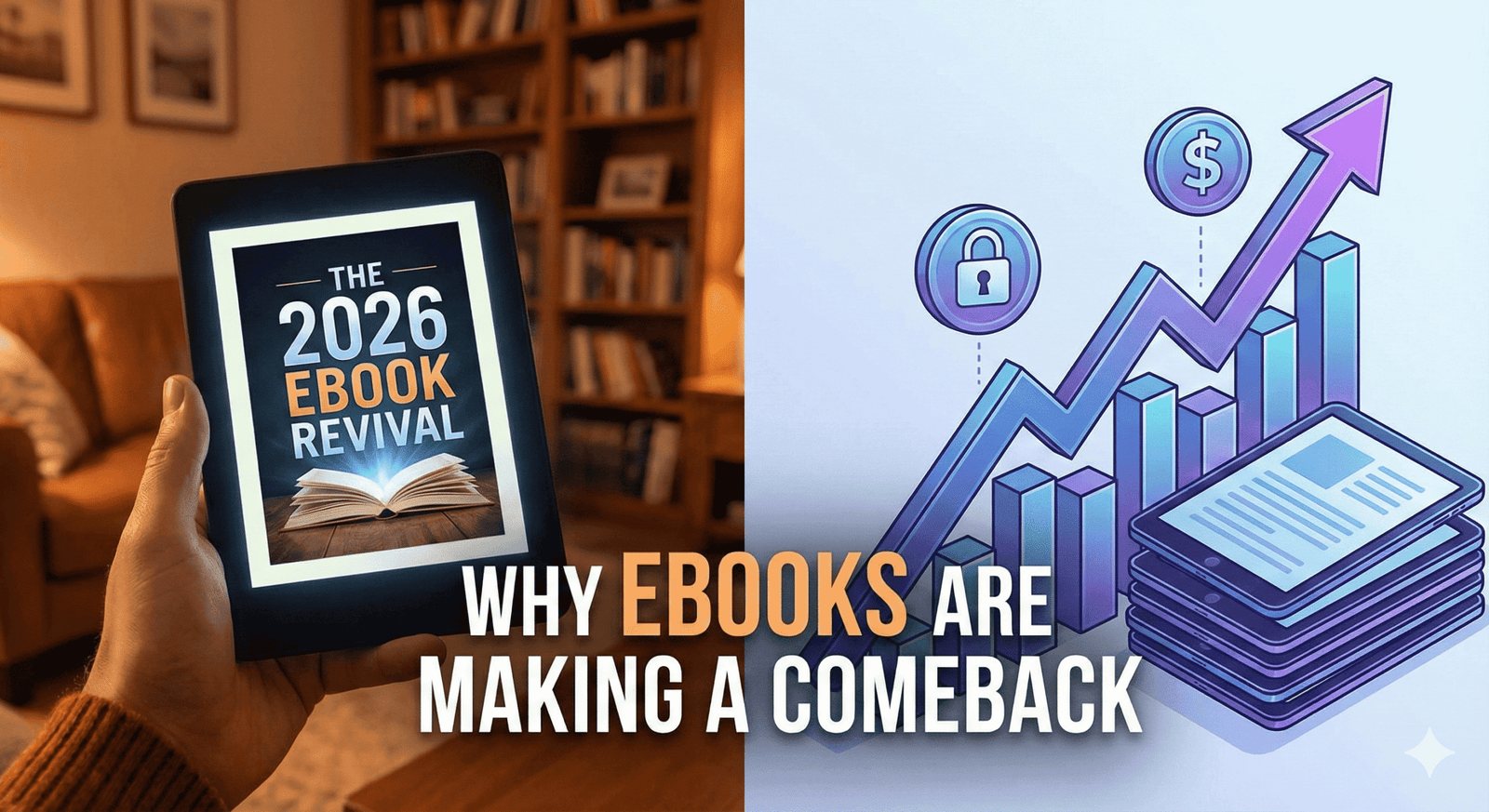
A futuristic yet cozy conceptual image representing the "Ebooks Comeback of 2026." In the foreground, a sleek, modern e-reader tablet displays the text "OWNERSHIP" on a warm, paper-like screen, resting on a rustic wooden table next to a steaming cup of coffee. In the blurred background, a laptop screen shows a chaotic, grayed-out list of "Subscription Cancelled" notifications, symbolizing the shift away from the subscription economy. The lighting is warm and inviting, highlighting the peace of digital disconnection.

You know the feeling. It usually hits you on a Sunday evening, or maybe the first of the month when you check your bank notification feed. You scroll down the list of transactions, and it’s a death by a thousand cuts. $14.99 for a streaming service you haven’t opened in weeks. $9.99 for a music app. $5.00 for a newsletter you meant to read but archived instead. $29.99 for software you used once for a specific project.

It’s called subscription fatigue, and if you are feeling it, you are not alone.

For the better part of a decade, we were told that “access” was better than “ownership.” We were sold the idea that renting our digital lives was convenient. But as we head into 2026, the wind is shifting. You are starting to realize that renting everything means you own nothing. You are tired of the monthly bleed. You are tired of price hikes for services that remove content without warning.

This collective exhaustion is fueling a quiet revolution: The return of the Ebook.

But this isn’t the Kindle Gold Rush of 2012. The landscape for ebooks in 2026 is different, smarter, and more profitable for creators who understand the shift. This year isn’t about churning out cheap content; it’s about digital sovereignty. It’s about paying once, keeping it forever, and solving specific problems without a login screen.

If you have been thinking about creating a digital product, or if you are just looking for a way to escape the subscription trap yourself, this is your wake-up call. Here is why ebooks are reclaiming the throne, and exactly how I position and sell mine in this new economy.
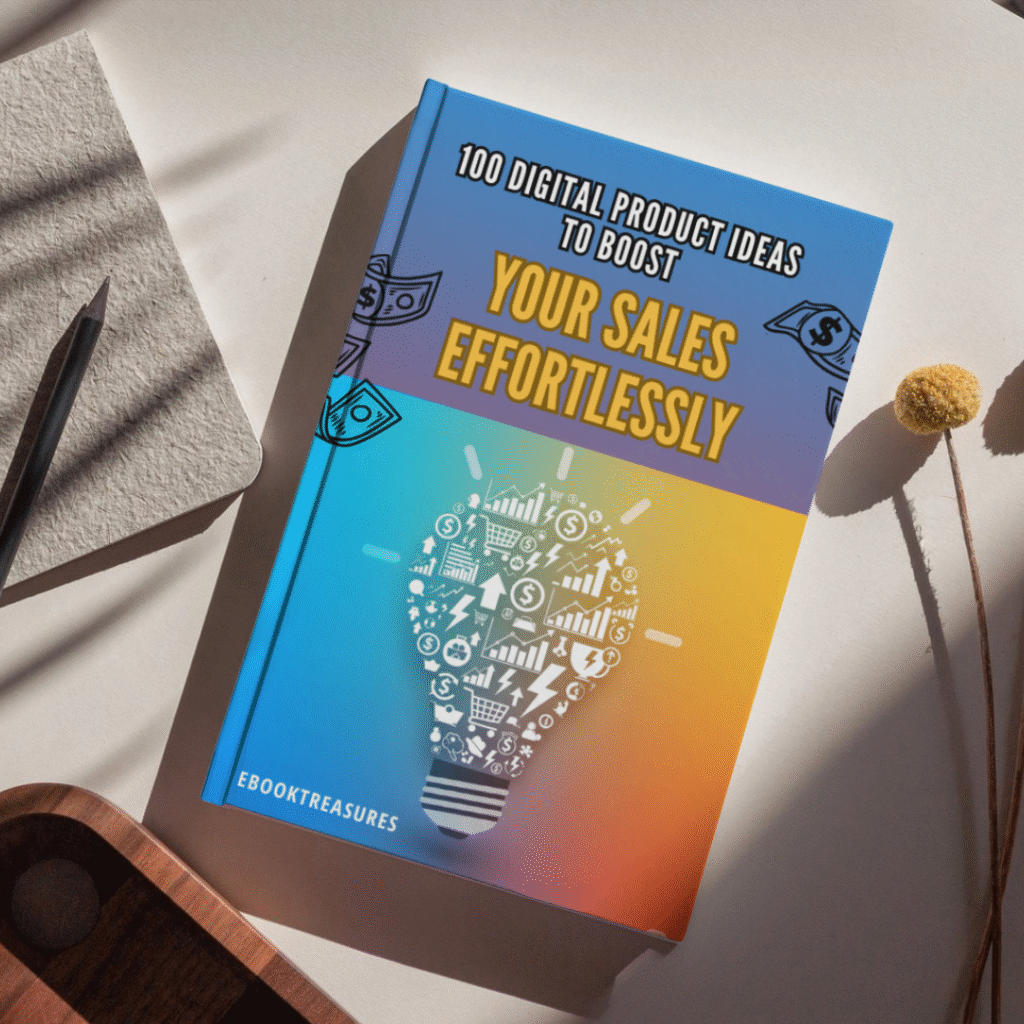
100 Digital Product Ideas to Boost Your Sales Effortlessly

Original price was: $ 19,99.Current price is: $ 1,99.

Feeling stuck in the “idea phase”? 🤔 Turn your creative passion into profit with this ultimate list of digital product ideas!

This guide is your secret weapon to finally stop brainstorming and start selling. 🚀


The “Great Unsubscribing”: Why 2026 is the Year of the Ebook

To understand why ebooks are making such a massive comeback, you have to look at the consumer psychology of 2026.

We have reached a saturation point. The average household is now juggling more subscriptions than they can keep track of, and the value proposition is crumbling. When every app, tool, and creator wants a monthly fee, the consumer’s natural reaction is to retreat. You are likely becoming more selective. You are cancelling the “nice-to-haves” and keeping only the “need-to-haves.”

The Craving for Ownership

In this climate, the one-time purchase has become a luxury feature. When you buy an ebook, you make a single transaction. There is no looming charge next month. That psychological safety is incredibly attractive right now. You pay $20, you get the file, and it lives on your device forever. It is yours. No server shutdowns can take it away from you.

The “Offline” Movement

There is another layer to this: the desire to disconnect. We are seeing a massive surge in “dumb phone” usage and offline hobbies. Ebooks—especially when read on dedicated e-ink devices—offer a way to learn and consume content without the distraction of notifications.

When you buy a subscription to an online course, you are often forced to log into a platform designed to distract you. When you buy a PDF or ePub file, you can take it to the park, turn off your Wi-Fi, and actually focus. As a creator, if you can package your knowledge into a format that respects the buyer’s desire for peace and ownership, you are already winning.


Niche is the New Viral: What Readers Are Actually Buying

So, the market is hungry for ownership. But what are they actually buying?

If you are planning to write “How to Get Rich” or a generic “Guide to Fitness,” stop. The 2026 market is allergic to generic advice. AI can generate generic advice in seconds for free. Why would anyone pay you for it?

The ebooks that are selling right now are hyper-specific. They address “micro-problems” or “micro-hobbies” that AI is too broad to handle effectively with human nuance.
Buckeye: A Read with Jenna Pick: A Novel

The Shift to “Micro-Mastery”

You need to drill down. Instead of a book on “Gardening,” successful sellers are releasing guides on “High-Yield Urban Gardening for North-Facing Balconies.” Instead of “Negotiation Skills,” they are selling “Scripted Responses for Freelance Graphic Designers Dealing with Scope Creep.”

Here are the hot niches I am seeing dominate in 2026:

  • AI-Proof Soft Skills: As automation takes over technical tasks, you are seeing a high demand for books on human-centric skills: emotional intelligence, conflict resolution, and community building.
  • Digital Detox & Analog Living: Ironically, people are buying digital books on how to live less digital lives. Guides on woodworking, film photography, and bread-making are exploding.
  • Specialized Health & Diet: Not generic weight loss, but very specific protocol-based guides (e.g., “The histamine-intolerance cookbook for busy parents”).

The key is to solve a specific pain point so effectively that the purchase feels like a no-brainer. If you can save someone ten hours of Googling or $500 in mistakes, a $25 ebook is a steal.


The “Secret Sauce” Recipe for a Best-Selling Ebook

You might think that writing an ebook requires you to be the next Hemingway. That is a myth that holds too many people back. Non-fiction ebooks are not literature; they are solutions.

When I plan a new product, I don’t treat it like writing a novel. I treat it like cooking a meal. It needs specific ingredients to work. If you leave one out, the result is bland. If you get the ratios right, customers will come back for seconds.

Here is the exact formula I use for every launch to ensure the product resonates with the 2026 buyer.

The Best-Seller Formula

IngredientQuantityWhy It Matters
Urgent Pain Point1 Major ProblemPeople do not pay for “information” anymore; information is free. They pay to make a specific pain go away. If your book doesn’t solve a burning problem, it’s just a nice-to-have.
Personal Experience2 CupsThis is your competitive advantage against AI. ChatGPT can list facts, but it cannot share your story of failure and redemption. Your scars are your credibility.
Scannable FormattingGenerous DashNobody reads walls of text on a screen. Use H2s, H3s, bullet points, and bold text liberally. Design for the scanner, not the scholar.
Bonus Resources1-2 ItemsA checklist, a spreadsheet, or a template included with the download increases the “perceived value” instantly. It turns a “book” into a “toolkit.”
Killer Title1 (Optimized)If they don’t click, they don’t buy. Your title must promise a benefit, not just describe the topic.

How I Sell Mine: A Simple Strategy That Works

Writing the book is only 20% of the work. The other 80% is getting it into the hands of the people who need it.

You might be dreading the idea of marketing. You picture yourself doing silly dances on TikTok or spamming your friends on Facebook. Let me stop you there. That is the old way. In 2026, the most effective way to sell ebooks is through passive trust, not active noise.

Here is the breakdown of the strategy I use to sell my ebooks on autopilot.
1. The “Freebie” Bridge

You cannot walk up to a stranger and ask for money. You have to buy them a drink first. In the digital world, this is your “Lead Magnet.”

I never ask for a sale immediately. Instead, I offer a free “slice” of the value. If my ebook is about “Urban Gardening,” my freebie might be a one-page PDF: “The Top 5 Plants That Won’t Die on Your Balcony.”

When you offer this for free in exchange for an email address, you do two things:

  • You filter for interest: Only people actually interested in gardening will download it.
  • You build trust: If your free stuff is good, they assume your paid stuff is amazing.

2. SEO Over Social Media (The Long Game)

Social media is a hamster wheel. You post today, and it’s gone tomorrow. I prefer to build assets that work for me while I sleep.

This is why I focus on SEO (Search Engine Optimization). I write blog posts—just like the one you are reading right now—that target the specific questions my potential customers are asking Google.

If someone searches “How to grow tomatoes in pots,” I want them to find my article. In that article, I give them great free advice, and then I gently mention: “If you want the full step-by-step system, check out my comprehensive guide.”

This traffic is high-intent. They were already looking for a solution. I didn’t have to interrupt their scrolling; I just answered their question.

3. The Power of Bundling

Here is a secret to doubling your revenue without doubling your customers: Bundling.

A $20 ebook is a great entry point. But many of your customers are “super-buyers.” They want the premium experience. So, I always offer a higher-tier version.

  • Tier 1 ($20): The Ebook (PDF/ePub).
  • Tier 2 ($45): The Ebook + Audiobook version (read by me) + A printable workbook + A database of resources.

You will be shocked at how many people opt for Tier 2. It increases your “Average Order Value” significantly, and it serves the customer better by giving them different ways to consume the content.


The Tech Stack You Need (Keep It Simple)

One of the biggest hurdles you face is probably the tech. You think you need a fancy website, a complex shopping cart, and a degree in coding.

You don’t. In fact, complexity is the enemy of execution. In 2026, the tools for selling digital products are incredibly streamlined.

Writing

  • Google Docs or Notion: You don’t need Scrivener. Just write. Export as a PDF. Done.

Design

  • Canva: This is non-negotiable. Use it to design your cover (make it look professional!) and to lay out the interior pages. They have thousands of “Ebook” templates.

Selling

  • Gumroad or Lemon Squeezy: These are my go-to platforms. They handle the payments, the file delivery, and the taxes. You just upload your file, set a price, and get a link.
  • Shopify: If you plan on building a larger brand with multiple products, Shopify is great, but for your first ebook, keep it simple.

FAQ: Common Questions About Selling Ebooks

I hear the same questions all the time from people who are hesitant to start. Let’s address the elephant in the room.

Q: Is the ebook market actually growing?

A: Yes. While the broader publishing industry has its ups and downs, the independent creator economy is thriving. As mentioned earlier, subscription fatigue is driving people back to one-off purchases. They want to own their library.

Q: Do I need to be an expert writer?

A: No. You need to be a clear communicator. People are not buying your book for your prose; they are buying it for your process. If you can explain how to get from Point A to Point B clearly, you are a good enough writer.

Q: How long should my ebook be?

A: Length does not equal value. Do not fluff it up. A 30-page guide that solves a painful, expensive problem is worth infinitely more than a 300-page book that meanders. Respect your reader’s time.

Q: Can I use AI to write my ebook?

A: You can use AI for outlining, brainstorming, and research. But please, write the voice yourself. In 2026, readers are sophisticated. They can smell “ChatGPT syntax” from a mile away. If your book feels robotic, you will lose trust, and you will never get a repeat customer.


Conclusion: The Best Time to Start Was Yesterday

The digital landscape is shifting under our feet. The era of mindless subscriptions is waning, and the era of intentional ownership is returning. This is good news for you.

It means you don’t need millions of followers to make a living. You don’t need to feed the content algorithm every single day. You just need to package your knowledge into a helpful, tangible asset that people can own.

You have experiences, skills, and solutions inside you right now that others are desperately Googling for. They are willing to pay for the shortcut you can provide. The only thing standing between you and a new income stream is the decision to start writing.

Don’t let another year of “renting” your life go by. Take control.

Why You Need Rank Math’s New “llms.txt” Feature to Rank in ChatGPT (2026 Guide)

SEO is no longer just about Google.

If you’ve noticed your organic click-through rates dropping even while your rankings stay stable, you aren’t imagining things. In 2025, over half of all searches end without a click, often because AI Overviews and chatbots like ChatGPT, Claude, and Perplexity are answering the user’s question before they ever visit your site.

Most website owners are panicking. But smart SEOs are pivoting.

Instead of fighting the AI revolution, you need to feed it. And Rank Math just released a “secret weapon” feature that allows you to do exactly that: the Advanced llms.txt Generator.

Here is why this tiny text file is going to be the most critical part of your SEO strategy in 2026, and how to set it up in minutes using Rank Math Pro.

What is an llms.txt File? (The “Robots.txt” for AI)

You already know what a robots.txt file is: it tells search engine crawlers where they can and cannot go.

An llms.txt file is the exact opposite. It is a lightweight, Markdown-formatted file that lives in the root of your website (e.g., yourdomain.com/llms.txt) designed specifically for Large Language Models (LLMs) like ChatGPT and Claude.

Instead of blocking bots, this file says: “Hey AI, here is my most important content, organized perfectly for you to read and cite.”

Without this file, AI crawlers have to guess what your site is about by scraping messy HTML code. With it, you are spoon-feeding them your best content, significantly increasing the chances of your brand being mentioned in AI-generated answers.

How Rank Math Pro Automates the Process

Until recently, creating an llms.txt file required manual coding or messing around with FTP uploads. But Rank Math has officially added a 1-click llms.txt generator to their suite of tools.

This feature is a game-changer because it dynamically updates your AI sitemap whenever you publish new content.

Step-by-Step: Setting It Up in Rank Math

If you are already using Rank Math Pro, you can enable this in seconds. If not, you should grab a license here: RANK MATH PRO.

  1. Enable the Module: Go to your WordPress Dashboard > Rank Math SEO > Dashboard. Scroll down and toggle on the “LLMS Txt” module.
  2. Configure Your Settings: Navigate to General Settings > Edit llms.txt.
  3. Select Your Content: You don’t want to feed everything to the AI—just your high-value assets. Rank Math allows you to select specific Post Types (like “Posts” or “Products”) and Taxonomies (like “Categories”) to include.
  4. Add Custom Context: There is a field to add a “Brief description,” which helps AI models understand your brand’s authority and niche.
  5. Save and Preview: Rank Math generates the file instantly. You can view it at yoursite.com/llms.txt.

Bonus: Tracking Your “Ghost” Traffic from AI

The biggest complaint about AI search is that it’s hard to measure. If ChatGPT answers a user’s question using your content, you don’t always get a click, so it doesn’t show up in Google Analytics.

Rank Math Pro has solved this with their new AI Search Traffic Tracker.

Inside the Rank Math Analytics dashboard, you can now filter your traffic sources to specifically see visitors coming from:

  • ChatGPT
  • Perplexity
  • Google Gemini
  • Claude

This lets you see exactly which AI platforms are sending you users, allowing you to double down on the content that performs best in the “AI Engine” ecosystem.

The 2026 Strategy: GEO (Generative Engine Optimization)

We are entering the era of GEO—Generative Engine Optimization. The goal isn’t just to rank #1 on Google; it’s to be the “cited source” in the AI’s answer.

By implementing llms.txt today, you are putting your site in the top 1% of the web that is “AI Friendly.” While your competitors are still obsessing over meta tags, you are building a direct pipeline to the future of search.

Don’t wait until 2026 to catch up.

You can get the Advanced llms.txt Generator, the AI Traffic Tracker, and their powerful Schema Generator all in one package.

👉 Upgrade to Rank Math Pro here: RANK MATH PRO

ebooktreasures/blog

The 2026 Roadmap to a “Faceless” YouTube Channel (Using Only Free AI Tools)

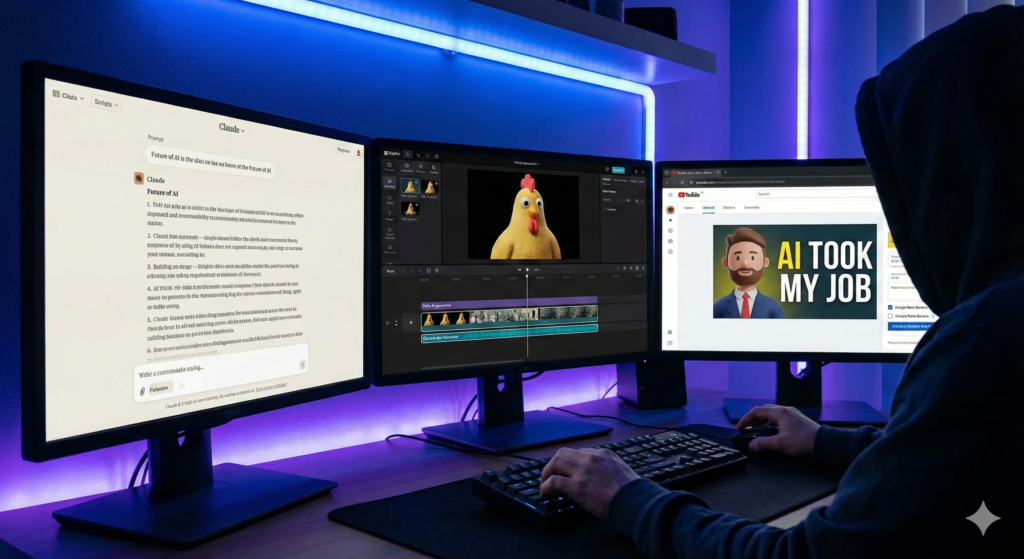
"A cinematic, high-contrast illustration of a 'faceless' content creator represented by a silhouette, working on a holographic video timeline surrounded by symbols of artificial intelligence and digital media."

When considering your options, think about creating a faceless channel that resonates with your audience.

Embrace the concept of a faceless creator and explore unique approaches to content delivery.

Introduction: The Art of Being Seen Without Being Watched

Exploring the world of a faceless creator allows you to share ideas without personal exposure.

You know that feeling. You have a brilliant idea for a video, a story you are dying to tell, or a skill you want to teach. You open your camera app, stare at the red “Record” button, and freeze.

A faceless identity in the digital space can foster authenticity without the pressure of personal exposure.

A faceless approach can open up new channels for creativity and expression.

Suddenly, you are hyper-aware of everything. The lighting looks bad. Your background is messy. You worry about your coworkers finding your channel, or strangers on the internet judging your appearance. The anxiety creeps in, and you close the app. The idea dies right there in your camera roll.

For years, the “creator economy” felt like an exclusive club for extroverts—people who loved the spotlight and didn’t mind pointing a lens at their face every single day. If you valued your privacy, you were told you couldn’t compete.

But as we head into 2026, the script has completely flipped.

With the right strategies, a faceless approach can streamline your creative process.

The “Faceless Channel” is no longer just a niche side hustle; it is the smartest digital asset you can build. We aren’t talking about the boring, robotic “stock footage and text-to-speech” videos that flooded YouTube in 2024. We are talking about a new wave of cinema.

Consider the advantages of running a faceless YouTube channel, where your focus can remain solely on content quality.

Thanks to a suite of powerful (and free) AI tools that have matured over the last year, you can now produce documentary-level content from your bedroom without ever showing your face, revealing your identity, or buying a $2,000 camera.

You don’t need a studio. You don’t need a production team. You just need a roadmap. Here is exactly how to build a profitable faceless YouTube channel in 2026.


Step 1: Choosing a Profitable Niche for Your Faceless YouTube Channel

Before you generate a single pixel of video, you need to understand the math behind the platform. Many beginners fail because they pick a niche based on “passion” alone, without checking the revenue potential.

In the YouTube world, not all views are created equal. Advertisers pay differently depending on who is watching. This is known as CPM (Cost Per Mille, or cost per 1,000 views). A gaming channel might earn $2 per 1,000 views, while a finance channel could earn $25 for the same number of views.

Since you are building a faceless YouTube channel, you have the flexibility to choose a high-value topic without needing to be an expert “guru” on camera.

“This roadmap focuses on strategy. If you want a complete list of the software needed to execute this (from editing to analytics), read our Ultimate Content Creator Toolkit 2026.”

1. The “Video Essayist” (High Retention)

Think about those 20-minute deep dives into “The Rise and Fall of Flappy Bird” or “Why Modern Architecture is Boring.” These videos dominate the algorithm because they tell a story.

  • Why it works: You don’t need original footage; you need a good script and editing.
  • Revenue potential: High, due to long watch times and mid-roll ads.

2. “Future Tech” Explainers (High CPM)

Irony is alive and well—using AI to explain AI is a massive market. Complex topics like quantum computing, space travel, or the latest LLM releases confuse the general public.

  • Why it works: You act as the translator. You take complex news and turn it into digestible, visual stories.
  • Revenue potential: Extremely high. Software companies are desperate to sponsor these channels.

3. Digital Zen & Ambience (High Replay Value)

This is the “set it and forget it” niche. “Cozy Coffee Shop 24/7” or “Cyberpunk Rain Sounds for Sleeping.”

  • Why it works: People don’t watch these once; they loop them for 8 hours while they work or sleep.
  • Revenue potential: Lower CPM, but massive volume and watch time hours.

Key Takeaway: Don’t just pick a topic. Pick a business model. If you want to replace your day job, aim for Finance, Tech, or Software Education niches where the ad revenue is substantial.


Step 2: The “Human-First” Scripting Recipe

The biggest mistake new creators make in 2026 is laziness. They go to ChatGPT, type “Write a script for a video about coffee,” and copy-paste the result.

The output is always the same: “In today’s fast-paced digital world, coffee is important…”

Viewer retention drops to zero instantly. Audiences have developed a “sixth sense” for AI writing. To win, you need to use AI as a collaborator, not a generator.

The Tool: Claude 3.5 (or latest)

While ChatGPT is great for coding, Claude has consistently proven to be the better creative writer. It understands nuance, tone, and pacing far better than its competitors.

Prompt Engineering for Retention

Stop asking for “scripts.” Ask for “stories.” Here is a prompt framework you can steal:

*”Act as a documentary filmmaker. I need a storyboard and narrative for a YouTube video about the history of the Sriracha hot sauce shortage.

The Goal: Make the viewer feel the stakes. Do not use cliché phrases like ‘In this video’ or ‘Let’s dive in.’

The Hook: Start the first 10 seconds with a surprising fact or a dramatic moment.

The Tone: Investigative, slightly humorous, and fast-paced.

Structure: Break it down into 3 acts.”*

By giving the AI a “role” (filmmaker) and setting strict constraints (no clichés), you get a script that sounds like it was written by a human.


The “Free AI Tech Stack” Ingredients

To run a successful faceless YouTube channel in 2026, you don’t need expensive monthly subscriptions to stock footage sites or hiring editors on Upwork. The tools have evolved.

Here is the exact “recipe” of free (or freemium) tools you will use to replace an entire production team:

Ingredient (Tool)Role in the ProcessWhy It’s Essential
Claude / ChatGPTThe ScreenwriterWrites scripts with human pacing, avoiding the “robotic” AI tone.
Pollo AI / SoraThe CinematographerGenerates unique, high-definition B-roll from text prompts.
ElevenLabs (Free)The NarratorProvides “Speech-to-Speech” for realistic inflection and emotion.
CapCut DesktopThe EditorOffers auto-captions, effects, and slick transitions for free.
Google Nano BananaThe Thumbnail ArtistCreates high-contrast, clickable viral images (3D/Stylized).

Step 3: Generating Cinematic Visuals (Forget Stock Footage)

In the “old days” of 2023, faceless channels relied on stock footage. You would search Pexels for “sad man” and get the same generic clip that 50 other channels were using.

In 2026, we generate our own reality.

Using video generation aggregators like Pollo AI (which taps into models like Kling or Sora), you can act as a director. If your script mentions “a futuristic city made of glass,” you don’t look for a clip of it; you create it.

How to Prompt for Consistency

The journey of building a faceless channel is filled with unique opportunities for storytelling.

The danger with AI video is that one clip looks like a cartoon and the next looks like a photograph. This jars the viewer and breaks immersion.

To fix this, establish a “Style String” in your prompts. This is a set of keywords you append to every single prompt for that video.

By utilizing AI tools, anyone can create compelling content for a faceless brand.

  • Example Style String: “…shot on 35mm film, grainy texture, moody lighting, cinematic aspect ratio, photorealistic 8k.”

Your Workflow:

  1. Take a sentence from your script: “The company crumbled under the weight of its own debt.”
  2. Convert it into a visual prompt: “A crumbling stone statue of a businessman in a suit, collapsing into dust, dark grey background, [Style String].”
  3. Generate 3-4 seconds of video.

This results in unique, never-before-seen footage that is copyrighted by you, protecting your channel from copyright strikes.


Step 4: The Voiceover—Passing the “Human Test”

Nothing kills a channel faster than that monotone, generic “AI TikTok Voice.” You know the one. It signals to the viewer: “This is low-effort content.”

For a faceless YouTube channel in 2026, the audio needs to have soul.

The Solution: “Speech-to-Speech”

Text-to-Speech (TTS) is fine, but Speech-to-Speech (STS) is the secret weapon. This feature, available in tools like ElevenLabs, allows you to act out the script yourself—even if you have a bad microphone or a heavy accent—and the AI will “reskin” your voice.

How it works:

  1. Record yourself reading the script into your phone’s voice memo app. Don’t worry about the audio quality; worry about the emotion. Whisper when it’s mysterious. Shout when it’s exciting. Speed up when it’s intense.
  2. Upload that audio file to the AI tool.
  3. Select a “Pro Narrator” voice.
  4. The AI will generate a new audio track that sounds like a professional voice actor, but it will keep your pacing, your pauses, and your intonation.

This bypasses the uncanny valley. The voice breathes. It hesitates. It feels real because the underlying performance was real.


Step 5: Packaging and Thumbnails (The Click Factor)

You can have the best script and the most beautiful AI video in the world, but if nobody clicks, the algorithm will bury you.

The thumbnail is not an afterthought; it is the most important asset.

For 2026, the trend has shifted away from “surprised faces” to “high-contrast storytelling.” You want an image that creates a “Curiosity Gap”—a gap between what the viewer knows and what they want to know.

Designing with Google’s “Nano Banana“

This is where Google’s viral tool shines. Because it understands complex spatial relationships, you can create thumbnails that look like high-budget 3D renders.

The “Rule of 3” for Thumbnails:

Don’t clutter the image. A viral thumbnail usually contains only three elements:

  1. The Subject: A clear, large focal point (e.g., a 3D character or object).
  2. The Action/Context: Something happening to the subject (e.g., it’s burning, falling, or glowing).
  3. The Text: Maximum 3 words. Big, bold, and readable on a phone screen.

Example Prompt for Nano Banana:

“A 3D vinyl toy figure of a hacker sitting in a dark room, glowing green screens surrounding him, looking back at the camera in fear. High contrast, saturated colors. 16:9 aspect ratio.”

Add text like “HE GOT CAUGHT” in bright yellow, and you have a click-magnet.


Frequently Asked Questions (FAQ)

Can a faceless YouTube channel actually get monetized?

Yes. There is a myth that YouTube demonetizes AI content. This is false. YouTube’s monetization policies require content to be original and add value. They strictly punish “programmatically generated” content (spam), but they welcome high-quality, story-driven content made with AI tools. You simply need to check the “Altered Content” box during upload if your content looks realistic but isn’t.

How long does it take to make a faceless video with AI?

In the past, editing a documentary could take weeks. With this AI workflow, a high-quality 8-10 minute video can be produced in 3 to 5 hours. The script takes 30 minutes, generating visuals takes 1 hour, and assembly/editing takes the rest.

Do I need a powerful PC for AI video generation?

No. This is the beauty of the 2026 ecosystem. Tools like Pollo AI, Claude, and ElevenLabs are all cloud-based. The heavy lifting is done on their servers, not your computer. You can literally run a media empire from a Chromebook, an iPad, or an older laptop.

Is it too late to start a YouTube channel in 2026?

Saturation is a myth. “Boring” content is saturated. High-quality, story-driven content is always in demand. The “faceless” niche is actually expanding because viewers are tired of influencer personalities and drama; they just want good information and good stories.


Conclusion: The Barrier to Entry Just Vanished

The era of needing a $3,000 Sony camera, a professional lighting rig, and a sound-treated studio is officially over.

The tools listed above have democratized creativity in a way we have never seen before. The only barrier left is your own willingness to start. You have the roadmap. You have the tech stack. You know the niches that pay.

A faceless YouTube channel is more than just a creative outlet; it is a vehicle for freedom. It allows you to build an audience, generate income, and share your voice without sacrificing your anonymity.

So, don’t wait for the “perfect” video idea. Don’t wait until you feel “ready.” Open Claude, generate that first script tonight, and let the AI handle the rest. Your audience is waiting to hear your story—even if they never see your face.

create a Faceless youtube channel, faceless youtube channel ideas, faceless youtube channel step, faceless youtube channels, How many views do you need to make $10,000 a month on YouTube?, Who is the most popular faceless YouTuber? Do faceless YouTube channels make money? Faceless

The freedom offered by a faceless YouTube channel allows for endless creative possibilities.

iPad 10 vs. The Rumored iPad A16 (11th Gen): Is the Performance Leap Worth the Wait?

"Side-by-side comparison of the iPad 10 and the rumored iPad 11 (A16), featuring floating holographic A14 and ipad a16 processor chips to symbolize the performance upgrade."

You know that specific, sinking feeling in the pit of your stomach. You walk into the store, swipe your credit card for a shiny new gadget, peel off the protective plastic, and set it up with excitement. You spend the weekend downloading apps and customizing your home screen.

Then, two weeks later, you see the headline: “Apple Announces New iPad with Faster Chip and Better Battery.”

Suddenly, your brand-new device feels obsolete. It’s the classic “Buyer’s Remorse” trap, and in the world of Apple technology, it is a constant fear. You are paralyzed by the analysis. You need a tablet now—perhaps for the upcoming semester, a new design project, or just because your old one finally gave up the ghost—but you are terrified of buying tech that is about to be replaced.

If you are currently hovering over the “Buy” button for the iPad 10 (10th Generation), pause for just a moment. Rumors of the iPad A16 (likely the iPad 11th Generation) are heating up.

In this guide, we are going to stop the guessing game. We will analyze whether the upcoming iPad A16 represents a massive leap forward or just a minor bump in specs, helping you decide if you should swipe your card today or hold onto your wallet for a few more months.


The Heart of the Beast: A14 Bionic vs. A16 Bionic

To understand if the upgrade is worth it, you have to look under the hood. The processor is the brain of the tablet. It dictates how long the device will last, how fast apps open, and how quickly your battery drains.

The Current Standard: iPad 10 (A14)

The current iPad 10 runs on the A14 Bionic chip. To put this in perspective, this is the same chip that powered the iPhone 12 lineup back in 2020. Is it slow? Absolutely not. For browsing the web, watching Netflix, and editing light PDFs, the A14 is still a capable workhorse in 2025.

However, technology ages like milk, not wine. The A14 is built on a 5-nanometer process. In the fast-moving world of silicon, that is starting to look a bit “retro.”

The Future Upgrade: iPad 11 (A16)

The rumored 11th Generation iPad is expected to jump straight to the A16 Bionic. This is the chip found in the iPhone 14 Pro and the base iPhone 15.

Why does this specific chip change matter for you?

  1. Efficiency over Raw Speed: The jump from A14 to A16 isn’t just about opening apps faster. It is about the architecture. The A16 is built on a more advanced 4-nanometer process. In plain English? It delivers more power while using less energy. This translates directly to better battery life during heavy tasks like gaming or rendering video.
  2. The “Updates” Clock: This is the most practical reason to wait. Apple typically supports its chips with iPadOS updates for about 6-7 years. By buying the A14 now, you are buying a chip that is already several years into its lifecycle. If you wait for the iPad A16, you are effectively buying yourself two extra years of future software updates.
  3. Benchmarks: In Geekbench testing, the A16 chip usually scores about 30-40% higher in multi-core performance compared to the A14. That is a noticeable difference if you plan on keeping this tablet for the long haul.

Display and Design: Will We Finally Get Lamination?

If you have ever used an iPad Air or iPad Pro, and then switched to the budget iPad, you noticed something felt “off.” That is the screen.

The “Air Gap” Issue

The iPad 10 features a non-laminated display. This means there is a tiny, visible gap of air between the cover glass (where your finger touches) and the LCD pixels underneath.

When you are watching a movie, you won’t notice it. But if you are an artist or a digital planner using an Apple Pencil, it feels like you are drawing above the paper rather than on it. It produces a hollow “thud” sound when you tap the screen with the stylus.

The Rumor Mill: Will the iPad A16 Fix It?

Here is the hard truth: Probably not.

Apple needs to differentiate the “budget” iPad from the more expensive iPad Air. Lamination is one of the main features they keep behind the “Pro/Air” paywall. While we all hope the iPad 11 brings a laminated screen, industry leaks suggest Apple will stick to the non-laminated design to keep costs down and repairability high (non-laminated screens are much cheaper to fix if you crack them).

The Apple Pencil Confusion

The biggest headache of the iPad 10 was the Apple Pencil situation. It required a USB-C adapter to pair the First Generation Pencil. It was clunky, easy to lose, and generally hated by users.

With the iPad A16 model, expectations are high that Apple will streamline this. The hope is full support for the Apple Pencil (USB-C) without dongles, or perhaps even magnetic support for the Pencil 2 (though this is less likely). If you hate cables and dongles, waiting for the 11th Gen to see how they handle the stylus might be necessary for your sanity.


The “Tech Ingredients” Spec Sheet

Sometimes you just need to see the numbers side-by-side. Think of this like a recipe. You are checking if the new dish has better ingredients than the one you already have in the fridge.

Table 1: The Upgrade Ingredients

Component (Ingredient)iPad 10 (Current Menu)iPad A16 (Expected Menu)
The Brain (Chip)A14 Bionic (6-core CPU)A16 Bionic (Faster, 4nm process)
The Memory (RAM)4GB RAM6GB RAM (Strongly Rumored)
The Canvas (Display)10.9″ Liquid Retina (Non-Laminated)10.9″ Liquid Retina (Likely Non-Laminated)
ConnectivityWi-Fi 6Wi-Fi 6E (Faster Downloads/Lower Latency)
Battery Life~10 Hours~11-12 Hours (Efficiency Gains)
Rear Camera12MP Wide12MP Wide (Potential for Photonic Engine)
Starting Price$349~$349 – $399

The most important, hidden spec in that table? RAM.

The jump from 4GB to 6GB of RAM is a game-changer for longevity. It means fewer apps reloading in the background when you switch tasks, and it is crucial for AI features (more on that later).


Real-World Performance: Who Needs the A16?

Specs are boring. Real-world usage is what matters. Let’s break down who actually needs the power of the iPad A16 and who would be perfectly fine saving money on the older model.

For the Gamer

If your idea of “using an iPad” involves dropping into Call of Duty: Mobile, exploring the massive world of Genshin Impact, or trying out the latest Apple Arcade titles, you should wait.

The GPU (Graphics Processing Unit) in the A16 chip is significantly stronger than the A14. Games that stutter on “High” settings on the iPad 10 will likely run smooth as butter on the iPad 11. Furthermore, the A16 runs cooler, meaning your screen won’t dim automatically after 20 minutes of intense gaming because the device got too hot.

For the Digital Planner & Student

Do you live your life in GoodNotes, Notion, or Apple Notes? Are you buying an iPad to organize your semester or track your habits using digital planners?

If so, the iPad 10 is enough. You do not need a Ferrari engine to drive to the grocery store. Digital planning is not a resource-heavy task. The A14 chip renders PDFs instantly and handles handwriting input with zero lag. Waiting for the A16 won’t make your digital planner feel any faster.

For the Content Creator (Procreate & Video)

This is where it gets tricky. If you are an artist or you edit videos for TikTok/Reels using CapCut, you might want to wait.

The “Layer Limit” Factor:

In apps like Procreate, the number of layers you can use depends on the device’s RAM.

  • iPad 10 (4GB RAM): You might hit a limit of 30-40 layers on a high-res canvas.
  • iPad A16 (6GB RAM): That extra RAM could bump your layer limit significantly, giving you more creative freedom without having to merge layers constantly.

If you are just starting out with digital design, check out the resources available to help you. Once you have your iPad, you can grab Premium Fonts and Assets to elevate your Procreate designs instantly, regardless of which model you choose.


Price vs. Value: The Inflation Factor

Here is the kicker that nobody likes to talk about: “Price Creep.”

Apple rarely lowers the launch price of a new product. The iPad 10 launched at a higher price than its predecessor ($449 originally, before dropping to $349).

There is a strong possibility that the iPad A16 (11th Gen) will launch at $399 or even $429.

  • The “Wait and Save” Strategy

Even if you don’t care about the new chip, waiting might still be the smartest financial move.

Why? Because the moment Apple announces the iPad 11, the price of the iPad 10 will crash. Retailers like Amazon, Best Buy, and Walmart will clear out their stock. You might be able to snag the iPad 10 for $299 or less.

So, by waiting, you give yourself two winning options:

  1. Buy the new iPad A16 if the reviews say it’s amazing.
  2. Buy the perfectly capable iPad 10 for a bargain-basement price.

Frequently Asked Questions (FAQ)

Q: When is the iPad A16 (11th Gen) expected to release?

A: Apple typically follows an October or November release cycle for its base-model iPads. If rumors hold true, we should see an announcement in late 2025 or very early 2026.

Q: Will the iPad A16 support “Apple Intelligence” (AI)?

A: This is the million-dollar question. Currently, Apple Intelligence features are restricted to devices with M-Series chips (M1, M2, M4) and the A17 Pro. It is very likely that the A16 chip will NOT support the full suite of Apple’s new generative AI features. If AI is a “must-have” for you, you need to look at the iPad Air (M1/M2), not the base iPad.

Q: Is the A16 chip overkill for a budget iPad?

A: For watching Netflix and checking email? Yes. But “overkill” today means “usable” five years from now. Buying a powerful chip ensures your iPad doesn’t feel slow and laggy in 2028.

Q: Does the A16 iPad have a better screen?

A: While the resolution will likely stay the same, the A16 chip allows for better image processing. However, don’t expect the 120Hz “ProMotion” display—that stays exclusive to the iPad Pro.


Conclusion

The decision to upgrade or wait ultimately comes down to your patience and your specific needs.

The iPad A16 (11th Gen) is shaping up to be a significant “under-the-hood” update. It won’t look much different on the outside, but the combination of the A16 chip, likely 6GB of RAM, and Wi-Fi 6E makes it a device that will last well into the late 2020s.

You should BUY the iPad 10 (A14) NOW if:

  • You need a tablet immediately for school or work.
  • You are on a strict budget and $349 is your limit.
  • Your main use cases are streaming, reading eBooks, and light digital planning.

You should WAIT for the iPad 11 (A16) if:

  • You are a mobile gamer who wants high frame rates.
  • You are a digital artist who needs more RAM for Procreate layers.
  • You keep your devices for 5+ years and want maximum software support longevity.
  • You want to see if the Apple Pencil situation gets less annoying.

Whether you decide to upgrade to the latest powerhouse or stick with the classic budget-friendly option, your iPad is essentially a blank canvas. It is what you put on it that matters.

Once you have your device in hand, stop by the eBook Treasures Shop. From productivity templates to premium fonts that make your designs pop, we have the digital tools to turn that slab of glass and metal into a true productivity powerhouse.

Don’t let the fear of missing out paralyze you. Weigh the specs, check your wallet, and make the choice that helps you create today.

ipad a16 tech specs, 13 or 11, How old is iPad version 16? Is the iPad A16 the same as the iPad 10th generation? What model iPad is A16?

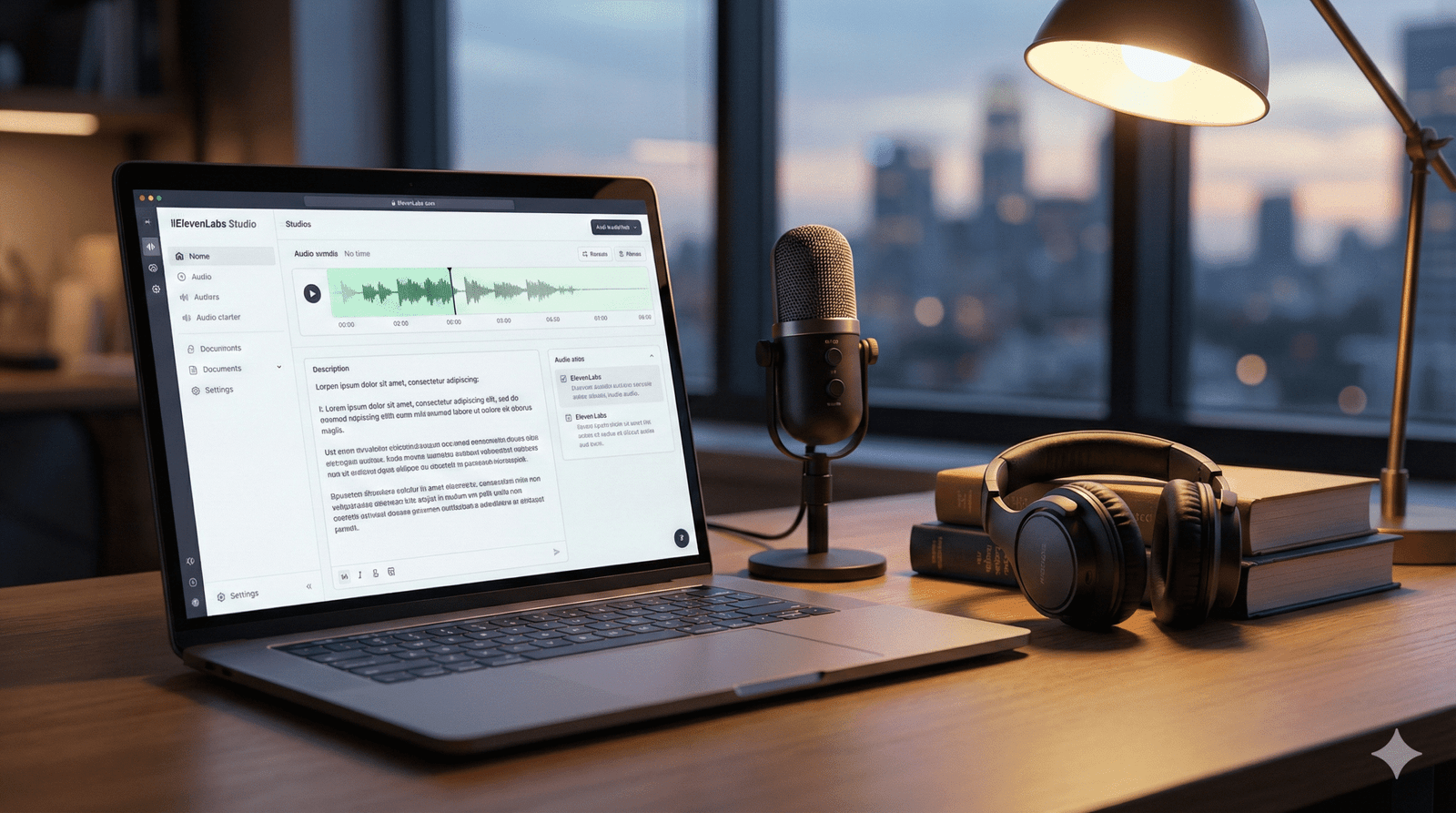
How to Use AI to Narrate Your Audiobook: A Guide to ElevenLabs (2025)

"A futuristic digital illustration of a sound wave transforming into an open book, symbolizing AI audiobook narration using ElevenLabs."

You have done a difficult job. You’ve spent months – maybe even years – struggling with plot holes, perfecting character arcs, and staring at a blinking cursor until your eyes water. Your manuscript is finished.

This has been edited. It has a killer cover. But there’s one nagging question your readers keep asking: “When is the audiobook coming out?” For most indie authors, this question is a sore one. You know the answer involves either spending $5,000 on a professional narrator or spending 60 hours in a closet trying to record it yourself without your dog barking in the background. So you keep quiet. You leave that revenue on the table.

But in 2025, silence is a choice, not a requirement. Enter ElevenLabs. We’re not talking about the robotic “GPS voices” of a few years ago. We’re talking about AI that breathes, pauses, whispers and acts. It may growl like a pirate or tremble like a broken lover. And the best? It costs less to produce a perfect novel than a fancy dinner. By the end of this guide, you’ll know exactly how to turn your manuscript into a broadcast-quality audiobook using ElevenLabs’ latest features.

Before you rush to generate your first chapter, we need to talk about the rules. The landscape of AI audio is a minefield of “Yes, but…” policies. Let’s clear them up so you don’t get your account banned.

The “Commercial Rights” Trap

This is the most common mistake authors make. You cannot use the “Free” plan on ElevenLabs to sell an audiobook.

  • Free Plan: Strictly for personal use or non-commercial demos.
  • Starter Plan ($5/mo) & Up: Includes a Commercial License. You own the rights to the audio files you generate, meaning you can sell them on your website, Google Play, or anywhere else that accepts AI audio.

The Golden Rule: If you plan to sell it, you must be on a paid tier while you are generating the audio. (You don’t need to stay subscribed forever, but you must be subscribed when you click “Generate.”)

Where Can You Actually Sell It?

Not every platform welcomes AI narrators with open arms.

  • The No-Go Zone: Amazon ACX / Audible. As of late 2025, they still strictly prohibit AI-narrated audiobooks (unless it is a clone of your own voice authorized through their specific beta program). Do not try to sneak it past them; they have detection tools.
  • The Green Light: Google Play Books, Kobo Writing Life, and direct sales platforms like Payhip or LemonSqueezy.
  • The “Yes, But” Zone: Voices by INaudio (formerly Findaway Voices) allows AI narration, but you must disclose it during the upload process. They distribute to dozens of retailers, including Spotify, that are AI-friendly.

Step 2: Choosing Your Narrator (Without Auditions)

You don’t need to listen to 50 audition tapes anymore. You just need to know what you are looking for. ElevenLabs gives you three powerful ways to find your voice.

Option A: The Voice Library (Fastest)

The library is massive. To avoid “analysis paralysis,” use the filters intelligently.

  • Filter by Use Case: Select “Narrative” or “Storytelling.” These voices are trained on long-form content, meaning they won’t sound bored after 5 minutes.
  • Check the Specs: Look for voices with a high “Stability” rating. You want a narrator who sounds consistent from Chapter 1 to Chapter 20.

Option B: Voice Design (Custom)

Can’t find the perfect gritty noir detective? Make him.

The Voice Design tool lets you prompt a new voice into existence.

  • The Prompt: “Middle-aged American male, deep gravelly voice, slow pacing, cynical but warm tone.”
  • The Result: ElevenLabs will generate a unique voice that nobody else has. This is perfect for giving your audiobook a signature sound that isn’t overused by other authors.

Option C: Voice Cloning (The Personal Touch)

  • Instant Cloning: You upload 1 minute of audio, and it mimics the voice. Great for quick character inserts.
  • Professional Voice Cloning (PVC): This is the “Gold Standard.” You upload 30+ minutes of clean audio (perhaps of you reading your book), and the AI creates a hyper-realistic replica. This allows you to narrate your book without spending 40 hours in a recording booth.

Step 3: Mastering the “Studio” (The Secret Weapon)

Do not—I repeat, do not—try to generate your audiobook in the standard “Speech Synthesis” box one paragraph at a time. You will lose your mind trying to stitch the files together.

Use the tool specifically designed for this: ElevenLabs Studio (formerly Projects).

Why Use Studio?

Studio acts like a Google Doc that speaks. It understands context. It knows that a sentence at the end of a paragraph should sound different than one in the middle.

The Workflow

  1. Import: You can upload your EPUB or PDF file directly. Studio will strip out the formatting and leave you with clean text.
  2. Assign Speakers: This is the killer feature. You can highlight a line of dialogue—say, “Get out of here!”—and assign it to a specific “Character Voice” (e.g., ‘Gruff Thug’). You can assign the rest of the text to your ‘Narrator’ voice. The AI handles the switching seamlessly.
  3. Pause Control: AI sometimes rushes. In Studio, you can manually insert pause blocks (0.5s, 1.0s) to create dramatic tension or signal a scene break.

Step 4: Breathing Life into AI (Advanced Emotions)

This is where you separate the amateurs from the pros. In 2025, the Eleven Multilingual V3 model introduced “Audio Tags.” These are like stage directions for your AI actor.

Instead of hoping the AI understands a scene is sad, you tell it.

How to Use Audio Tags

You type these commands directly into your text inside Studio. The AI reads the text but acts out the instruction.

Table 1: The “Audio Tag” Recipe Book

Emotion/ActionThe Tag PromptBest Used For
Secrets[whisper] "I found the key." [whisper]Thrillers, Mysteries, Intimate scenes
Relief[sigh] "Finally, it's over."Chapter endings, emotional climaxes
Joy[laugh] "You have to be kidding me!"Rom-Com banter, lighthearted moments
Anger[shout] "Get out!" [shout]Arguments, Action scenes
Hesitation[hesitates] "I... I don't know."Realistic dialogue, nervousness

Stability vs. Similarity Settings

If your narrator sounds too robotic, your settings are likely too high.

  • Stability: Turn this DOWN to 35-45%. Lower stability allows the AI to have more “inflection” and emotional range.
  • Similarity: Keep this HIGH (70-80%). This ensures the voice doesn’t accidentally morph into a different person halfway through a sentence.

Step 5: Post-Production & Exporting

You aren’t done when you click “Download.” To meet industry standards, you need to polish the files.

Export Settings

Always export your audio in MP3 192kbps (or higher). This is the standard quality requirement for almost every retail platform.

The “Human” Polish (Audacity Workflow)

Download the free software Audacity to do the final touches:

  1. Room Tone: Even though AI has no “background noise,” total digital silence feels unnatural to human ears. It can feel like your headphones died. Add a very faint “room tone” track underneath, or ensure you have 1-3 seconds of silence at the head and tail of every chapter.
  2. Speed Check: AI often reads about 10-15% faster than a professional human narrator. Select your entire track and use the “Change Tempo” effect to slow it down to 0.90x or 0.95x. This makes the listening experience more comfortable and “thoughtful.”

Frequently Asked Questions (FAQ)

Q: How much does it actually cost to narrate a full book?

A: Let’s do the math. An average novel is 60,000 words (~400,000 characters).

  • Creator Plan: You get ~100,000 characters per month for about $22.
  • The Strategy: You would need roughly 4 months of credits (or buy extra usage-based credits). Total cost is usually around $80 – $100. Compare that to the $3,000+ for a human narrator.

Q: Can I put my ElevenLabs audiobook on Spotify?

A: Yes! You can distribute to Spotify through Voices by INaudio (formerly Findaway). Just make sure you check the box that asks if the content is “AI Generated.” Honesty is the best policy here.

Q: Will listeners hate it?

A: Honest truth? Some will. There are purists who despise AI. However, for non-fiction, memoirs, and clean-cut genre fiction, the quality of the V3 model is now so high that casual listeners often cannot tell the difference. The key is in Step 4—using those emotional tags to stop it from sounding monotonous.

Conclusion

The gatekeeper left. You no longer need a studio, producers, or a four-figure budget to get your story across to your readers. ElevenLabs has democratized the audiobook industry, but the tool is only as good as the creator using it.

If you copy-paste your entire book and press “go”, you’ll get a mediocre product. But if you use a studio, direct the demo with audio tags, and improve the pace, you’ll create a comprehensive experience that rivals the big publishing houses. Your story is not only worth reading but also worth listening to.

Don’t let “perfect” be the enemy of “published.” Are you ready to hear your characters speak for the first time? Sign up for the ElevenLabs Starter Plan today and create your first chapter for less than the cost of a latte.

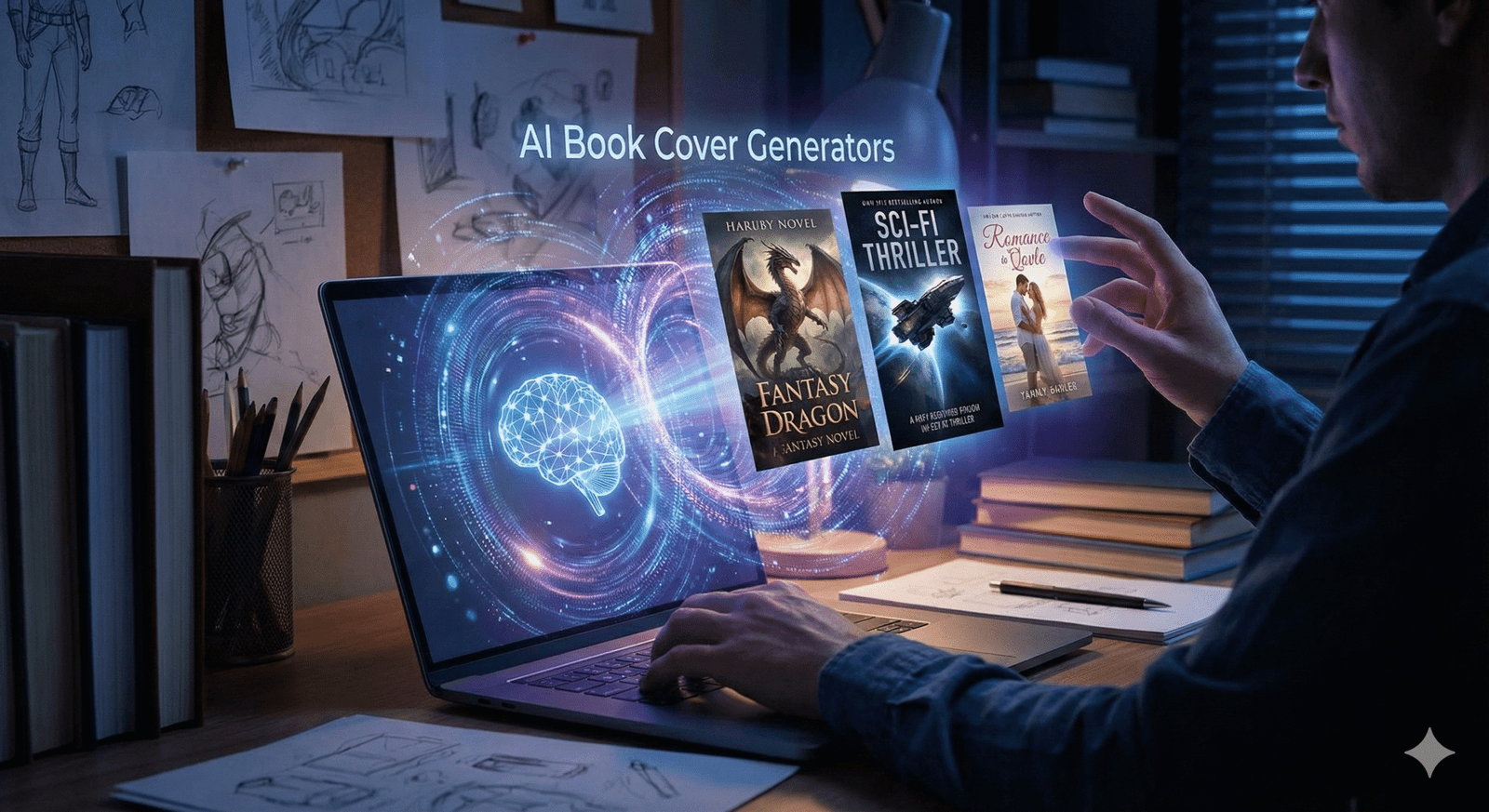
7 Best AI Book Cover Generators for Self-Publishers (Free & Paid)

A person at a desk uses a laptop with a futuristic holographic interface displaying a glowing brain icon and three distinct book covers for fantasy, sci-fi, and romance genres, illustrating AI book cover generators in action.

AI book cover generator… You know the feeling. You’ve spent months—maybe even years—pouring your soul into a Google Doc. You’ve survived plot holes, wrestled with character arcs, and finally typed out “The End.” Your manuscript is ready to be presented to the world. But then, you hit the wall that stops most indie authors dead in their tracks: the cover. 

They say, “Don’t judge a book by its cover,” but believe the truth—on Amazon, the cover is the only thing people judge. It’s the difference between a reader clicking “Buy Now” or scrolling past your masterpiece without a second glance.

 In the past, you had two painful choices: spend over $500 for a professional designer, or struggle with a DIY cover that looks like a DIY cover. But 2025 has changed the game. With the best AI book cover generator tools available today, you can create industry-standard, stunning art for a fraction of the cost. Whether you’re writing a sweeping epic fantasy or a cozy mystery, AI is the equalizer that puts the power of a design studio in your pocket. Let’s take a look at the tools that will turn your manuscript into a bestseller.

Before we dive into the fun tools, we need to have a serious talk about the rules. If you are publishing on Amazon Kindle Direct Publishing (KDP), you cannot just upload and pray. The landscape has shifted, and ignorance of these rules can get your account flagged.

  • You Must Disclose: Amazon KDP now requires you to check a specific box during the upload process stating if you used AI to create your content or cover. Always check “Yes.” It won’t hurt your ranking—readers generally care about the aesthetic, not the origin—but lying about it violates the Terms of Service and puts your entire author career at risk.
  • Copyright is Tricky: Here is the legal nuance you need to know. generally, you cannot copyright the raw image generated by AI because it lacks “human authorship.” However, you can claim copyright on the final composition. This means the specific arrangement of that image combined with your unique typography, title placement, and author name is protectable.
  • The “Uncanny Valley” Risk: Amazon is cracking down on low-effort content. If your cover has a character with seven fingers or text that looks like alien hieroglyphics, it signals “low quality” to Amazon’s algorithms. Quality control is your safety net.

Now that we are legal, let’s get creative.

The “Big Guns”: Top Paid AI Generators

If you want your book to look like it was published by a major house like Penguin Random House or Tor, you need the heavy hitters. These tools require a subscription, but they often pay for themselves from a single book sale.

1. MidJourney v6 (The Gold Standard) If you ask any professional AI artist what they use, the answer is almost always MidJourney. Currently in version 6 (v6), this tool understands textures, lighting and style better than anything else on the market. Vibe: It excels in high-concept genres like fantasy, science-fiction, and horror. It can create oil paintings that look as if they belong in a museum, watercolors that flow realistically, or hyper-realistic cinematic shots. The catch: It runs entirely inside Discord. Typing commands in a chat room full of other people feels clunky at first, but the results are unmatched in terms of artistic coherence. Why use it? If you need a specific aesthetic – like “cyberpunk noir” or “Victorian Gothic” – Midjourney nails the atmosphere every time.

2. DALL-E 3 (via ChatGPT Plus) If the Midjourney is the singular performer, the DALL-E 3 is the supporting assistant. Available directly inside ChatGPT Plus, you can talk to it in plain English, making it the most user-friendly option for beginners. Superpower: It listens. If you tell DALL-E, “Make the dragon red, not blue,” or “Put a lighthouse in the background,” it does exactly that. Midjourney often struggles with such specific spatial instructions. The downside: It has a distinct “shiny” look. You often need to be told “avoid shiny AI 3D rendered look” to get something that looks organic and gritty enough for a thriller or mystery.

Best Free (and Freemium) Alternatives

Best Free (and Freemium) Alternatives Budget tight? I understood. From editing to marketing, self-publishing is expensive. Here are the best AI book cover generator options that won’t break the bank.

3. Leonardo.AI (Best Free Alternative) This is arguably the best free alternative to MidJourney. Leonardo offers a generous amount of free credits daily, meaning you can generate dozens of ideas every day without spending a dime. Why authors like it: It has “sophisticated models.” You can select models specifically trained on “RPG Characters” or “ Vintage Photography ” to get the exact look without being an instant engineer. Feature: It creates incredible character portraits. If your romance novel hinges on the hero’s smoldering gaze, start here. This allows you to generate a consistent character format, which is extremely difficult with other tools.

4. Microsoft Designer (Bing Image Creator) Believe it or not, Microsoft offers one of the most powerful tools for free. It uses the DALL-E 3 engine under the hood. Although it has fewer controls than ChatGPT, it is completely free to use with a Microsoft account. It’s perfect for quick brainstorming or testing concepts before committing to a paid tool.

The “All-in-One” Design Suite

Here is a secret: AI is terrible at text.

If you ask an image generator to write your title, it will likely spit out garbled, alien-looking letters. That is why you need a hybrid approach.

5. Canva (Magic Media)

You probably know Canva, but have you used their “Magic Media” tool? This is where your cover actually comes together.

  • The Workflow: You use Canva’s AI (or upload an image from Midjourney) to serve as the background. Then, you use Canva’s human tools to overlay your title and author name.
  • Why it ranks: It solves the typography problem. A great image with a bad font choice looks amateur. Canva creates the bridge between the two, offering templates that ensure your text is centered, legible, and genre-appropriate.

The Secret Sauce: Prompt Recipes for Authors

Using an AI generator is like cooking. If you just throw random ingredients in a pot, you get a mess. You need a recipe.

When crafting your prompt, don’t just say “a scary house.” Be specific. Use this “Prompt Recipe” table to build your perfect description.

Table 1: The Book Cover “Prompt Recipe”

Ingredient (Variable)Fantasy ExampleRomance ExampleThriller Example
SubjectA hooded assassin standing on a cliff edgeA couple laughing in a rainy cafe, forehead to foreheadA lone silhouette at the end of a dark hallway
Art StyleOil painting, Frank Frazetta styleSoft watercolor, dreamy, pastel tonesHigh contrast photography, cinematic, 35mm lens
LightingGolden hour, magical glow, bioluminescentSoft diffused light, warm candle lightHarsh shadows, noir lighting, blue moonlight
MoodEpic, dangerous, mysteriousWhimsical, cozy, intimateTense, suspenseful, gritty
Aspect Ratio--ar 2:3 (Standard eBook size)--ar 2:3--ar 2:3

Pro Tip: Always add “negative space at the top” or “minimalist sky” to your prompt. This tells the AI to leave an empty area in the composition where you can easily place your book title later without covering up the main character’s face.


Step-by-Step Guide: From Prompt to Published Cover

Having a cool image isn’t enough. If you upload a raw AI image to Amazon, it might look blurry or “off.” Here is the professional workflow to take that raw generation and turn it into a file ready for Amazon KDP.

Step 1: Generate & Curate

Don’t settle for the first image. Generate at least 20 variations. Look for the one that makes you stop scrolling. Check for common AI errors: counting fingers, checking for “extra limbs,” and ensuring eyes are looking in the right direction.

Step 2: Upscale (Crucial Step!)

AI generators usually create small images (around 1024×1024 pixels). If you print that, it will look blurry and pixelated.

  • The Tool: Use a free upscaler like Upscayl (desktop app) or a paid one like Magnific.ai.
  • The Goal: Upscale your image 4x. You need your image to be at least 2,560 x 1,600 pixels for a high-quality ebook, and even higher (300 DPI) if you plan to do a paperback print run.

Step 3: Typography is Queen

Take your high-resolution, upscaled image into Canva or Photoshop.

  • Genre Match: If you wrote a thriller, use bold, sans-serif fonts (like Bebas Neue or Impact). If it’s fantasy, use serif fonts (like Cinzel or Trajan Pro).
  • Contrast: Ensure your title pops against the background. If the background is dark, make the text light (and vice versa). Add a subtle “drop shadow” behind the text to make it readable.

Comparison Table: Price vs. Quality

Still not sure which one to pick? Here is a quick breakdown to help you decide.

Tool NameCostLearning CurveBest ForCommercial Rights?
Midjourney$10/moHigh (Discord)Artistic Quality & AtmosphereYes (Paid Plan)
DALL-E 3$20/moLow (Chat)Specific Instructions & ObjectsYes
Leonardo.aiFreemiumMediumCharacters & ConsistencyYes
CanvaFreemiumLowTypography & LayoutYes

Frequently Asked Questions (FAQ)

Can I legally sell a book with an AI cover?

A: Yes, absolutely. Thousands of authors on Amazon KDP use the best AI book cover generator tools. You just need to disclose it during the upload process. The only restriction is that you cannot claim exclusive copyright on the image itself, meaning someone else could theoretically generate a similar image, but your specific cover design (image + text) is yours to sell.

Will readers hate my AI cover?

A: Most readers care about the aesthetic, not the origin. If the cover is beautiful, fits the genre, and looks professional, they will click. The backlash usually comes from covers that look lazy or have obvious errors (like 7 fingers on a hand) or covers that impersonate a specific human artist’s unique style.

How do I fix “AI Hands”?

A: AI struggles with fingers. The best fix is to use “Inpainting” (available in Leonardo or Photoshop Generative Fill). You select the bad hand and ask the AI to “regenerate” just that specific area until it looks right. Alternatively, crop the image so the hands are off-screen—a classic photographer’s trick!


Conclusion

The publishing world is changing. You no longer need a publishing house’s budget to compete with their bestsellers.

Using the best AI book cover generator isn’t about cutting corners; it’s about taking control of your creative vision. It allows you to experiment, iterate, and finally produce a cover that matches the movie playing in your head. The barrier to entry has never been lower, but the standard for quality is high.

So, open up Midjourney or Leonardo. Start prompting using the recipes above. Your story deserves to be seen, and now, you have the tools to make the world look.

Ready to start designing? Don’t let your manuscript sit in the dark any longer. Pick one of these tools today and give your story the face it deserves.

best AI book cover generator best AI book cover generator best AI book cover generator best AI book cover generator best AI book cover generator best AI book cover generator best AI book cover generator

The Best Underrated eBooks of 2025: 10 Hidden Gems You Missed

"Glowing e-reader tablet resting on an antique wooden desk surrounded by vintage books, a compass, and gemstones, symbolizing the discovery of the best underrated ebooks of 2025."

You know the feeling. You scroll through “BookTok” or your Instagram feed, and it’s the same five neon-colored covers staring back at you. Again. It feels like the entire world is reading the exact same dragon rider academy novel or the same celebrity memoir.

But you? You’re looking for something else. You want that electric thrill of stumbling upon a story that feels like a secret—a hidden door in a bookstore wall that only you have found.

In 2025, the loudest books weren’t necessarily the best ones. While the algorithms were busy pushing the massive bestsellers, a quiet revolution of incredible storytelling was happening in the margins. From lyrical novellas about grammar-magic to gritty industrial fantasies and heart-wrenching indie romances, the real treasures were hiding in plain sight.

This isn’t a list of the New York Times bestsellers you already know. This is your treasure map to the best underrated ebooks of 2025—stories that deserve to be read, cherished, and shared.

What Makes an eBook a “Hidden Gem”?

Before we dive into the list, let’s define what we’re actually hunting for. In the vast ocean of digital publishing, a “hidden gem” isn’t just a book with low sales. It’s a specific kind of magic that meets three strict criteria:

  • The “Under-1k” Club: These books often have fewer than 1,000 reviews on major platforms like Amazon or Goodreads, despite having stellar ratings (4.5 stars and up).
  • The “Indie” Spirit: Many are published by independent presses or self-published authors who took creative risks that big publishers were too scared to touch.
  • Genre-Bending: These stories often refuse to sit politely in one category. They are the “romantasy-thrillers” or the “cozy-grimdark” mysteries that defy the algorithm.

If you are ready to break free from the echo chamber, load up your Kindle or Kobo. Here are your new favorites.

The Unsung Heroes of Sci-Fi & Fantasy

2025 was the year of “Romantasy” juggernauts, but if you looked past the dragons-and-dating tropes, you found some of the most inventive world-building in a decade.

The River Has Roots by Amal El-Mohtar

If you loved This Is How You Lose the Time War, this standalone novella will wreck you in the best way possible. It’s a fairy tale about a town where grammar is magic and a woman who must sing to willow trees to keep her world safe.

  • Why it’s a treasure: The prose is so lush it feels like drinking honey. It’s a short, potent shot of wonder that respects your time but lingers in your mind for weeks.
  • Perfect for: Readers who want a story that feels like a dream you don’t want to wake up from.

Grave Empire by Richard Swan

Forget medieval knights. This is “flintlock fantasy” at its finest. Set in a world on the brink of an industrial revolution, it mixes gunpowder, arcane horror, and political intrigue.

  • Why it’s a treasure: It’s dark, gritty, and complex—a “Grimdark” novel for people who think they hate Grimdark. It challenges the standard fantasy tropes of “good vs. evil” with a messy, realistic world of gray morality.
  • The Vibe: Peaky Blinders meets The Witcher.

When the Tides Held the Moon by Venessa Vida Kelley

This April 2025 release is the definition of a hidden gem. Set in 1910s Coney Island, it follows a Puerto Rican ironworker who builds a tank for a sideshow, only to fall in love with the merman trapped inside.

  • Why it’s a treasure: It’s a queer, historical romantasy that deals with colonialism, identity, and love in a way that feels achingly real. The author is also an illustrator, and her visual eye translates into breathtaking descriptions.

Table 1: Your Fantasy Story Ingredients

Not sure which one to pick? Check the “recipe” below to see what matches your taste.

Book TitleBase Ingredient (Genre)Spice (Trope)Secret Sauce (Vibe)Serving Size
The River Has RootsFairy TaleMagical RealismLyrical & DreamyNovella (Short)
Grave EmpireEpic FantasyPolitical IntrigueIndustrial & GrittyNovel (Long)
When the Tides…Historical FantasyForbidden LoveLush & RomanticNovel (Medium)

Gripping Thrillers & Mysteries Flying Under the Radar

The thriller charts are usually clogged with “The Girl Who…” titles. These picks, however, offer something sharper.

The Blue Horse by Bruce Borgos

This July release flew under the radar for many, but it is a masterclass in modern Western mystery. Sheriff Porter Beck patrols the high deserts of Nevada, dealing with everything from nuclear secrets to old-school murder.

  • Why it’s a treasure: It’s smart. The protagonist isn’t a brooding alcoholic stereotype; he’s witty, capable, and facing modern threats (cyber-warfare) in an ancient setting.

Grimdark by Shannon Morgan

Don’t let the title fool you—this isn’t a fantasy war novel. It’s a gothic mystery released in late July 2025. It spans three timelines (1216, 1645, and present day) centered around a spooky English manor.

  • Why it’s a treasure: It perfectly blends historical fiction with supernatural horror. If you like the “past lives” trope and atmospheric dread, this is unputdownable.

Indie Romance: Hidden Love Stories of 2025

Romance readers are the most voracious on the planet, which means the “best” lists are often just the “most marketed” lists. Here is a story that offers genuine connection.

Along Came Amor by Alexis Daria

While not strictly “unknown,” this book didn’t get the massive viral explosion it deserved compared to other rom-coms this year. It follows a divorced school teacher and a wealthy hotelier who start a “no strings” fling that gets complicated fast.

  • Why it’s a treasure: It tackles toxic family dynamics with incredible nuance. It’s not just about the romance; it’s about a woman learning to set boundaries and find her voice. The “heat” level is high, but the emotional payoff is even higher.

Table 2: Romance “Ingredients” Breakdown

Book TitleMain CoupleHeat LevelKey TropeMood
Along Came AmorTeacher x Hotelier🔥🔥🔥 (High)Forced ProximityEmpowering
When the Tides…Worker x Merman🔥🔥 (Med)Star-CrossedYearning & Sweet

Non-Fiction Treasures for Self-Growth

Sometimes the best escape is a deep dive into reality.

The Waterbearers by Sasha Bonét

This memoir/cultural history explores the spiritual and healing roles Black women have played throughout history.

  • Why it’s a treasure: It’s beautifully written non-fiction that feels like a conversation with a wise friend. It weaves personal narrative with history in a way that feels grounding and expansive—perfect for a year where everything felt a bit chaotic.

How to Find These eBooks (Format & Device Guide)

You found the book you want, but now you need to get it onto your device without a headache.

  • Kindle Users: Look for MOBI or AZW3 files if buying directly from an author’s website. If you only have an EPUB, use the “Send to Kindle” email feature—Amazon converts it automatically now!
  • Kobo/Nook/iPad: EPUB is your best friend. It is the universal standard.
  • PDF: Avoid this for reading novels if you can. It doesn’t “reflow” text, meaning you’ll be pinching and zooming on your phone screen like it’s 2012.

Frequently Asked Questions (FAQ)

Q: Where can I find these best underrated ebooks 2025?

A: While available on Amazon, many of these “hidden gems” put more money in the author’s pocket if you buy from platforms like Kobo, Barnes & Noble, or direct from the author’s website/Carrd link.

Q: Are indie ebooks lower quality than traditional books?

A: Absolutely not. In 2025, the line is blurrier than ever. Many professional authors (like Richard Swan or Alexis Daria) release books that rival or exceed the editing and production quality of the “Big 5” publishers.

Q: How do I find hidden gems before they go viral?

A: Stop looking at the “Top 100” charts. instead, browse the “Movers & Shakers” lists deep in specific sub-categories (e.g., “Metaphysical Fantasy” instead of just “Fantasy”). Also, subscribe to newsletters like Ebook Treasures that do the digging for you.

Conclusion

The best story of your year might be waiting in a file size of just 2MB, written by an author you’ve never heard of—until now. 2025 has been a stellar year for the underdogs, the risk-takers, and the quiet storytellers.

So, do yourself a favor. Skip the book everyone is talking about at the water cooler. Download one of these treasures instead. You might just find that the best view is the one nobody else is looking at.

Have you read any of these hidden gems? Or do you have a secret favorite from 2025 that we missed? Drop a comment below—we love adding new treasures to our map!

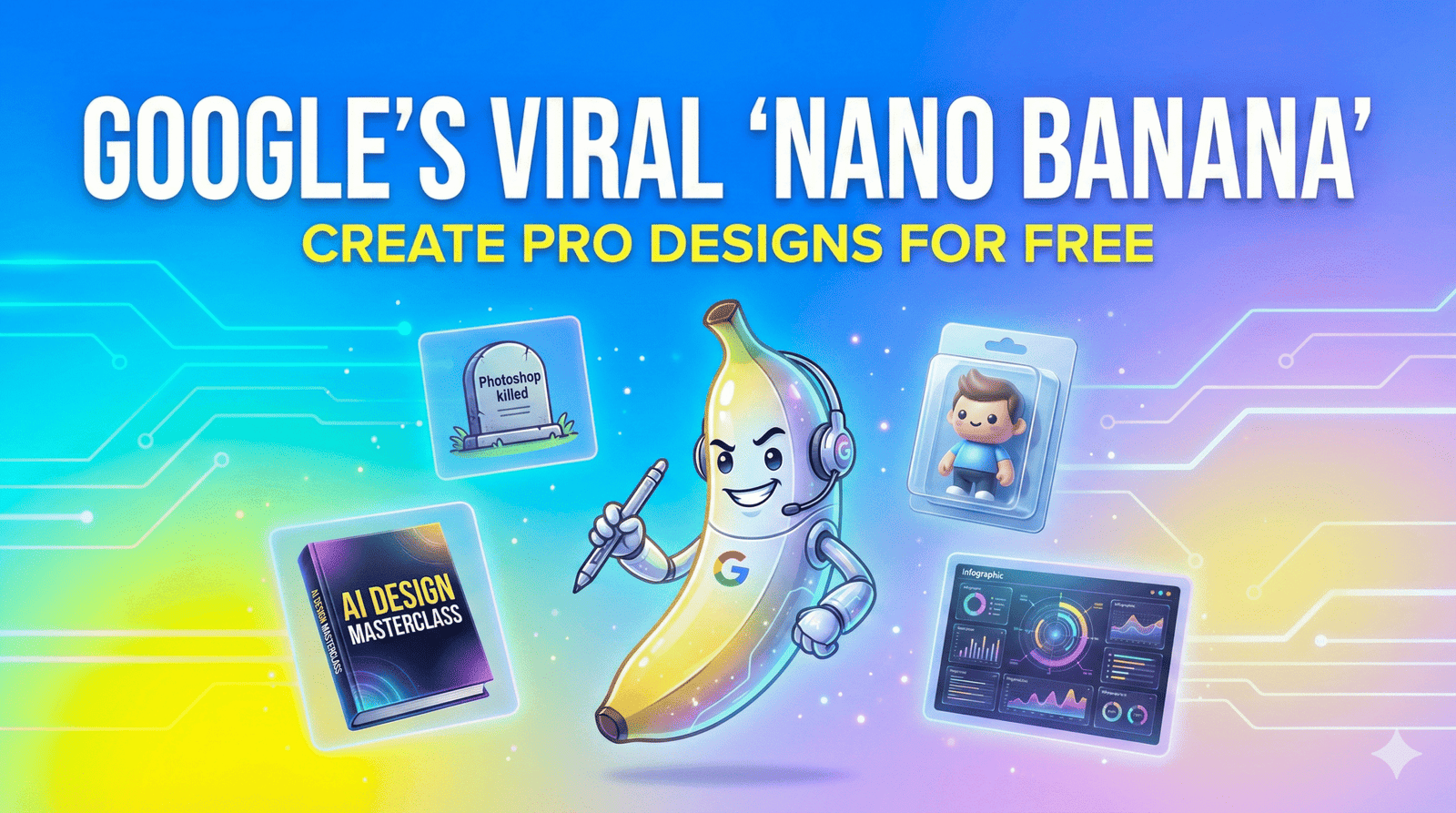
How to Use Google’s Viral “Nano Banana” Tool to Create Professional Designs (for Free) 2025

"Google Nano Banana AI tool promotional graphic featuring a cartoon banana character with headphones. Text reads: 'Google's Viral Nano Banana Create Pro Designs For Free'. Background shows examples of AI-generated assets including a 3D figurine, ebook cover, and data dashboard."

Introduction: The Day Photoshop Became “Optional”

You know that feeling. You’re staring at a blank screen, the cursor blinking mockingly at you. You have a brilliant concept for a digital product—maybe a viral ebook cover, a set of stickers, or a high-converting YouTube thumbnail—but the barrier between your brain and the screen feels insurmountable. You either have to pay a designer $500 on Upwork and wait three days, or wrestle with complex software that feels like it requires a pilot’s license to operate.

For years, we’ve been told that “AI will help,” but mostly, it just gave us six-fingered hands and text that looked like alien hieroglyphics.

Then, last week happened. A little yellow fruit emoji took over your X (formerly Twitter) feed.

It’s called Nano Banana Pro, and despite the absolutely ridiculous name, it has completely shattered the ceiling for what free tools can do. Google’s accidental viral sensation—officially powered by the terrifyingly smart Gemini 3 architecture—isn’t just another image generator. It’s a design engine that understands physics, lighting, and most importantly, human language.

If you are tired of monthly subscriptions and steep learning curves, you are in the right place. I’m going to walk you through exactly how you can use this tool to build professional-grade digital products today, for free.


What is “Nano Banana” (and Why is Everyone Posting It?)

First, let’s address the elephant—or rather, the fruit—in the room. Why is a trillion-dollar company like Google releasing a tool called “Nano Banana”?

It started as a leak. In early November 2025, an anonymous model appeared on the AI benchmark site “LMArena” under the codename nano-banana-v1. It absolutely crushed the competition, beating Midjourney v6 and Flux in blind tests. The community fell in love with the quirky name, and by the time Google officially revealed it as Gemini 3 Pro Image, the internet had already decided: it’s Nano Banana. Google, smart enough to read the room, kept the branding.

Why It’s Viral Right Now

There are two massive trends driving the obsession:

  1. The “Figurine” Mode: You’ve likely seen your friends posting 3D, vinyl-toy versions of themselves. That’s Nano Banana’s signature style, which captures likeness without hitting the “uncanny valley.”
  2. The “Thinking” Editor: Unlike older models that just slapped pixels together, this new model “thinks” before it draws. If you ask for a “reflection in a puddle,” it calculates the angle of the light.

This isn’t just a toy; it’s a paradigm shift. It connects directly to Google Search, meaning it knows what a “iPhone 17 Pro Max” looks like the day it launches, without waiting for a model update.


Step-by-Step: How to Access Nano Banana Pro for Free

You don’t need a waitlist, and currently, you don’t even need a credit card for the base tier. Here is how you get in.

The Setup Process

  1. Open the App: Navigate to the Gemini App on your phone or desktop browser.
  2. Switch Modes: By default, Gemini might use the faster, lower-quality “Flash” model. You need to look for the model toggle at the top of the chat window.
  3. Select “Thinking”: Click on the dropdown and select “Gemini Thinking (Nano Banana)”. You’ll know it’s active when you see the small yellow icon next to the prompt bar.
  4. Activate Creative Mode: Type the command /activate creative or simply start your prompt with “Generate an image of…”

Note: The free tier gives you about 50 “Pro” generations a day before throttling you back to the standard model. Use them wisely.


The “Ingredients” Recipe: Writing the Perfect Nano Banana Prompt

Most people fail at AI art because they talk to it like a robot (“Dog, sitting, 4k”). Nano Banana Pro is built on a Large Language Model (LLM), so you need to talk to it like a human art director.

To get results that look like you hired a pro agency, use this “Ingredients” framework. Think of it like cooking; you can’t just throw everything in the pot and hope for the best.

Ingredient CategoryWhat to AddExample Prompt Fragment
The Base (Subject)The main focus. Be specific about materials.“A futuristic sneaker made of translucent frosted glass and matte rubber…”
The Seasoning (Lighting)This defines the mood. Use photography terms.“…lit by softbox studio lighting with a warm rim light on the edges…”
The Garnish (Camera)Tells the AI how to “shoot” the photo.“…shot on a 35mm lens, f/1.8 aperture for a blurry background, low angle view…”
The Secret Sauce (Action)What is happening? Give it energy.“…suspended in mid-air, creating a dynamic splash of neon water droplets.”

Pro Tip: The “Secret Sauce” is where Nano Banana shines. You can add abstract concepts like “Make it look like it smells like vanilla” and the model will actually adjust the color palette to creamy whites and soft yellows to match that “vibe.”


3 Ways to Create Sellable Digital Products with Nano Banana

You aren’t here just to make pretty pictures; you want to build assets. Here are three high-value use cases you can start monetizing immediately.

1. The “Text-Perfect” Ebook Cover

For years, the biggest giveaway of AI art was the text. It would spell “Mystery” as “Mysterye.” Nano Banana Pro has solved this with OCR-level text rendering.

  • The Problem: Authors need covers that look professional but can’t afford $300 custom designs.
  • The Workflow:
    • Prompt: “A minimal thriller book cover titled ‘THE SILENT WATCHER’ in bold, distressed sans-serif font. The text should be white and centered at the top. The background is a foggy forest with a single red balloon. High contrast, professional typography.”
    • Result: You get a cover where the text is perfectly spelled and integrated into the fog—not just floating on top.
  • Monetization: Offer “Instant Kindle Covers” on Fiverr or Etsy.

2. Viral “Figurine” Avatars (The Current Trend)

This is the hottest trend on social media right now. People love seeing themselves as collectible toys.

  • How to do it: Upload a clear selfie of yourself (or your client) into the chat.
  • The Prompt: “Turn this person into a collectible 3D vinyl toy figure. Glossy plastic finish, big eyes, cute proportions. They are wearing a cyberpunk jacket. Displayed inside a plastic blister pack with a label that says ‘VIBE CODER’.”
  • Monetization: Sell “Custom Avatar” packages to streamers and influencers who want branded profile pics.

3. Infographics that Actually Make Sense

This is the killer feature for business clients. Because Nano Banana connects to Google Search, it doesn’t hallucinate facts as often.

  • The Workflow: Ask Nano Banana to “Create a vertical infographic about the ‘Benefits of Green Tea’ using real data from health websites. Use a pastel color palette and clean vector icons.”
  • Why it’s huge: It will pull real health benefits (antioxidants, brain function) and layout the text in a readable, designer-friendly format. You can sell these as “Social Media Content Packs” to health coaches.

Editing Like a Pro: The “Thinking” Edit Mode

Here is where you save money on Photoshop. Usually, if an AI image is 90% perfect but has one flaw (like a weird eye or a coffee cup floating in mid-air), you have to trash it.

With Nano Banana, you use Conversational In-Painting.

Once you generate an image, simply reply to it:

  • “Remove the sunglasses, but keep the reflection in the eyes.”
  • “Change the coffee cup to a matcha latte, and make the steam shape like a heart.”
  • “The lighting is too harsh. Change it to ‘Golden Hour’ sunset lighting.”

The model understands the 3D geometry of the scene. It won’t just paste a flat sticker of a latte on top; it will relight the latte to match the sunset you asked for. This “Physics-Aware Editing” is what sets it apart from Midjourney.


Frequently Asked Questions (FAQ)

Q: Is Nano Banana Pro actually free?

A: Yes and no. The base model is free within the Gemini app for a set number of generations per day. If you are a heavy user (generating hundreds of images), you will need the Gemini Advanced subscription. However, the free tier is generous enough for most casual creators.

Q: Can I use these images for commercial use?

A: Generally, yes. Google’s terms allow for commercial use of images generated by Gemini, but you do not own the copyright (since AI cannot hold copyright). This means you can sell the assets, but you can’t sue someone else for using them. Always check the latest Terms of Service as they update frequently.

Q: How does it compare to Midjourney v6?

A: Midjourney is still slightly more “artistic” and painterly for fantasy and abstract art. However, Nano Banana destroys Midjourney when it comes to instruction following, text rendering, and editing. If you need a specific product shot with specific text, choose Banana. If you want a dreamy oil painting, Midjourney might still have the edge.

Q: Why is it called “Nano Banana”?

A: As mentioned, it was an internal code name that leaked. The developers used fruit names for different model sizes (Nano, Micro, Macro). “Banana” was the code for the image model, and the “Nano” prefix implied it was efficient. The internet loved it, so it stayed.


Conclusion: Don’t Let the Funny Name Fool You

It might sound like a meme, but Nano Banana Pro is the most capable design tool on the market right now. It bridges the gap between “prompting” and “designing.”

For the first time, you don’t need to know how to manipulate layers, masks, or vectors. You just need to know how to describe what you want. The barrier to entry for creating professional digital products has just dropped to zero.

The only question left is: What will you create today?

The Ultimate AI Video Generator Showdown: Comparing the Top 5 Tools for Content Creators

A 16:9 graphic titled "THE ULTIMATE AI VIDEO GENERATOR SHOWDOWN" is split diagonally by a bright cyan 'VS' sign. The left side depicts a fantastical, cinematic landscape with a sci-fi castle and a drone filming, representing creative text-to-video tools like Runway. The right side shows a sterile, modern office environment with floating screens displaying diverse AI avatars and corporate templates, representing business-focused AI video generators like Synthesia and HeyGen.

Opening: The Creator’s Dilemma

“Note: Video generators are just one part of a successful setup. To see the full stack of tools we recommend for 2026, check out our Ultimate Content Creator Toolkit.”

Remember the first time you had a brilliant video idea, only to be crushed by the reality of production? The steep learning curve of editing software, the cost of stock footage, the hours spent filming and rendering… it was exhausting. You had the vision, but not the resources. That feeling of creative friction—of a great story locked inside a complicated process—is the universal challenge every content creator faces.

But what if I told you that challenge is melting away? We are standing at the dawn of a new creative era, where a simple text prompt can unleash a cinematic vision. This is the power of the AI video generator. It’s not just a tool; it’s a partner that promises to eliminate the friction between your idea and your final video.

The market is exploding, and choosing the right partner is the most important decision you’ll make this year. To help you cut through the noise, we’ve pitted the five leading platforms against each other. Forget endless demos—this is the definitive comparison to show you which AI video generator will finally turn your creative dreams into a reality.

📝 The Essential Guide to AI Video Tools

Choosing Your Creative Co-Pilot: What is an AI Video Generator?

At its core, an AI video generator is an application that uses machine learning models, primarily Generative AI, to fabricate video content from non-video inputs. Think of it as a digital director and editor rolled into one. Instead of manually cutting footage, sourcing clips, and recording voiceovers, you simply provide a script, a text description (a “prompt”), or a still image, and the system synthesizes a complete video.

The technology hinges on sophisticated Diffusion Models, algorithms trained on colossal datasets of images and video clips. These models learn how elements like lighting, physics, motion, and style interact, allowing them to construct entirely original sequences that didn’t exist before. This shift from manual editing to prompt-based creation means that the ceiling of your creative output is now defined by the quality of your imagination, not the size of your budget or your skill with a timeline. For content creators, this represents the single most significant acceleration of video content creation in a decade.

The Contenders: A Deep Dive into the 5 Top AI Video Generators

The landscape of AI video generation is dynamic, but five platforms currently define the industry across different use cases. Your choice should align directly with your specific production needs.

1. Runway Gen-2: The Creative Pioneer for Cinematic Video

Runway Gen-2 carved its name out as the first truly accessible Text-to-Video tool capable of producing high-quality, stylized, and often cinematic-looking footage. It’s the favorite among independent filmmakers, motion graphics artists, and anyone focused on visual effects (VFX).

  • Core Strengths: Runway offers incredible versatility with its Image-to-Video function (bringing still images to life) and Video-to-Video editing (allowing you to change the style, environment, or objects within existing footage using a simple text command).
  • Best For: Artists and creators looking to create short-form, artistic, or cinematic AI video clips where visual quality and the ability to manipulate existing video are paramount.

2. OpenAI Sora: The New Benchmark for Long-Form Narrative

While still in limited access, OpenAI Sora has set a new, towering standard for what a general-purpose AI video generator can achieve. Its breakthrough lies in its ability to maintain narrative coherence and physical accuracy over much longer durations than its competitors.

  • Core Strengths: Sora excels at understanding not just the objects in a scene, but how they interact with the world and each other over time. This makes it a potential game-changer for those seeking to create long-form AI video or complex scenes with consistent characters and environments.
  • Best For: Forward-thinking storytellers, screenwriters, and studios looking to create highly realistic, detailed, and consistent virtual scenes.

3. Synthesia: The Leader in Professional AI Avatars

Unlike the other tools focused on generating scenes, Synthesia specializes in the creation of AI Avatars and presenters. It has become the gold standard for corporate video production and e-learning.

  • Core Strengths: Synthesia allows you to choose from over 240 AI Avatars or create a custom clone of yourself. You simply type your script, and the chosen avatar delivers it with perfectly synced lip movements and natural expressions in over 140 languages. It eliminates the need for cameras, studios, or on-camera talent.
  • Best For: Businesses, HR departments, and educators who need to rapidly scale personalized, multilingual training videos, internal communications, or customer support explainers.

4. HeyGen: The Speed Demon for Social Media Content

HeyGen combines elements of avatar generation with user-friendliness, specifically targeting the high-volume needs of social media creators and marketers. It prioritizes speed and efficiency.

  • Core Strengths: HeyGen makes it incredibly fast to produce short, engaging clips—the perfect format for Reels and TikTok. You can upload a photo and quickly turn it into a talking photo or AI short video, complete with realistic text-to-speech synchronization. The ability to clone your face and voice is a massive advantage for creators looking to star in their own content without constant filming.
  • Best For: Social media video creators, influencers, and marketers focused on creating personalized and hyper-fast video content at scale.

5. Lumen5 (or InVideo AI): Best for Repurposing Existing Content

These platforms are masters of conversion. They are designed not for new creation but for transforming existing assets into video automatically.

  • Core Strengths: Tools like Lumen5 or InVideo AI are excellent at taking a blog post URL, an article, or a script and automatically selecting relevant stock footage, adding an AI voiceover, and assembling a complete video. This is the ultimate tool for content marketing efficiency.
  • Best For: Publishers, bloggers, and marketing teams who need to efficiently repurpose content into video formats for distribution across multiple channels.

Head-to-Head Comparison: Finding the Best AI Video Generator for Your Needs

Choosing the right AI video tool requires you to weigh creative freedom against practical efficiency and budget. This comparison breaks down the key decision factors.

Quality and Consistency: How Realistic is the Output?

When assessing quality, you must consider two factors: visual fidelity and temporal consistency.

  • Visual Fidelity: Runway and Sora currently lead in creating original, high-detail footage, making them the choice for cinematic AI video.
  • Temporal Consistency: This refers to how well objects, characters, and scenes remain stable across a clip. For narrative work, Sora’s emphasis on narrative coherence is a clear advantage. For presenters, Synthesia offers unwavering consistency because the avatar is a digital model, not a generated clip.

Pricing and Scalability: The Cost of Creation

The cost model for AI video generators falls into two main categories, and understanding them is crucial for your budget:

  1. Subscription (Synthesia, HeyGen, Lumen5): You pay a flat monthly fee for a set amount of video minutes or exports. This is predictable and ideal for businesses with a stable, high volume of repetitive content (like training).
  2. Credits/Compute Hours (Runway, Sora TBD): You purchase “credits” that are consumed based on the complexity and duration of your generation request. This model is better for intermittent, highly experimental, or cinematic work where generation time varies greatly.

Workflow and Ease of Use: A Beginner’s Perspective

Your technical comfort level will dictate which tool feels right.

  • The Prompt-Heavy Workflow (Runway, Sora): Requires you to spend time learning prompt engineering—the art of using specific language, artistic styles, and camera directions to get the desired result. Higher creative ceiling, steeper learning curve.
  • The Template-Based Workflow (Synthesia, HeyGen, Lumen5): You start with pre-designed scenes, avatars, or structures. Your primary task is pasting text and selecting options. Flatter learning curve, faster results, lower creative freedom for original scenes.

Key Feature Checklist: What Can Each AI Video Tool Do?

To help you visualize the differences, refer to the matrix below, which confirms which AI video tool excels at which core function:

Feature Comparison Table: Top 5 AI Video GeneratorsRunway Gen-2OpenAI SoraSynthesiaHeyGenLumen5/InVideo
Primary UseCinematic VFXNarrative StorytellingCorporate/TrainingSocial MediaRepurposing Content
Text-to-Video✅ Yes✅ Yes (High Fidelity)❌ No (Avatar Focused)❌ No (Template Focused)✅ Yes (Stock-Based)
AI Avatar❌ No❌ No✅ Yes (240+ Avatars)✅ Yes (Custom Clones)❌ Limited/Add-on
Video-to-Video Editing✅ Yes (Strong)✅ Yes (Potentially)❌ No❌ No❌ No
Multi-Language SupportLimitedLimited✅ Yes (140+ Lang)✅ Yes (100+ Lang)✅ Yes
Pricing ModelCredits/SubscriptionTBD (Likely Subscription)Per-Seat SubscriptionCredit/SubscriptionSubscription Tiers

SEO Strategies: How AI Video Generators Can Boost Your Content Marketing

The strategic use of an AI video generator isn’t just about saving time; it’s a powerful lever for your entire content marketing and digital strategy.

  • Scalability for Social: Instead of spending hours on one video, you can now produce ten AI short video clips in the same time. This constant feed satisfies the demands of algorithms across TikTok, Instagram Reels, and YouTube Shorts, significantly helping you to boost traffic and organic reach.
  • Unlocking Global Markets: With tools like Synthesia and HeyGen, you can execute video localization with unprecedented efficiency. By instantly translating and lip-syncing a single master video into dozens of languages, you can simultaneously launch products to global audiences, a task that was once prohibitively expensive.
  • Hyper-Efficient A/B Testing: Marketers know that the thumbnail, the first few seconds, and the call-to-action are vital. An AI video tool allows you to rapidly generate multiple, distinct variations of an ad—different presenters, different lighting, different openings—to quickly test and optimize for maximum engagement and conversion.

Conclusion: The Future of the AI Video Generator is Now

The era of painful, slow video production is ending. The arrival of the high-fidelity AI video generator has permanently democratized video content creation, putting a Hollywood studio’s tools into your hands.

The “best” tool isn’t a single platform; it’s the one that aligns with your specific creative ambition:

  • If your goal is cinematic art and experimentation, focus on Runway Gen-2.
  • If your goal is high-volume corporate training and communication, choose Synthesia.
  • If your goal is daily, engaging social media content, HeyGen is your speed demon.

The most important step is to stop overthinking and start generating. Your audience is waiting, and the tools are ready.


AI Video Generator FAQs (Frequently Asked Questions)

What is the best AI Video Generator for beginners?

Generally, HeyGen or Lumen5/InVideo AI are the easiest starting points. They use a more template-based approach and have simple, guided interfaces, making them the most accessible AI video generator for those new to the space. You can often get your first finished video in under 15 minutes.

Is the video quality from an AI Video Tool truly 4K?

While platforms like Sora and Runway Gen-2 can generate videos at resolutions up to 4K, the visual quality is still an area of rapid improvement. For now, you should view them as fantastic tools for concept generation and stylized content, but they might not yet match a high-end, human-edited traditional video shot in 4K.

Are AI-generated videos allowed on YouTube or TikTok?

Yes, they are widely permitted, but it’s critical to adhere to platform policies. YouTube, for example, requires creators to disclose when content is synthetic, particularly if it involves realistic-looking people or events. Always check the specific platform’s guidelines on using AI video generator content to ensure your channel remains compliant and transparent with your audience.

Can an AI Video Generator replace a human video editor?

No, not entirely. An AI video generator is a powerful automation tool that handles tedious tasks like rough cuts, B-roll selection, and voiceovers. However, a human editor is still crucial for creative decision-making, emotional nuance, complex storytelling, and ensuring the final product matches the brand’s unique voice. AI enhances your capabilities; it doesn’t replace your vision.


Ready to unleash your creativity? Choose the tool that aligns with your goals and start producing. Which of these five AI video generators will you experiment with first this week?

Building Your First Autonomous AI Agent: A Step-by-Step Guide for Beginners 2025

A digital hand interacts with a glowing orb labeled AI AGENT at the center of a circuit board. Lines of light connect the orb to small robot icons performing autonomous tasks like driving, typing, and managing data, illustrating workflow automation.

It starts with a feeling: that low, constant hum of repetitive tasks stealing your time, or the frustrating sense that you’re just managing a workflow instead of actually innovating. Perhaps you’ve spent countless hours manually sorting data, drafting email summaries, or switching between a dozen digital tools just to complete one simple project. You know there’s a better way.

For years, Artificial Intelligence was this abstract, intimidating force—something only PhDs could touch. But what if I told you that the power to automate your life and business, to go from managing tedious, multi-step tasks to creating an intelligent, autonomous partner, is now within your reach?

This guide is your map. We’re not just building a static chatbot that answers simple questions; we’re creating an independent, thinking entity—an AI agent—ready to follow a complex plan, utilize external tools, and even learn from its actions. This is the next frontier of productivity, and mastering it puts you leagues ahead. Let’s embark on the most exciting journey in tech right now and turn that digital potential into tangible, real-world autonomy.


Section 1: Decoding the AI Agent: Core Concepts for Beginners

Before you start building, you need to understand the fundamental mechanics. The shift from using a general Large Language Model (LLM) like a writing tool to deploying an autonomous AI agent is profound. It’s the difference between having a super-smart assistant who waits for your command and having a specialized employee who executes a project start-to-finish without supervision.

Agent vs. Assistant: The Critical Distinction

Your typical AI Assistant (like many consumer-facing chatbots) is primarily designed for conversation and information generation. It has a phenomenal memory for text but operates within a constrained environment.

An AI agent, however, is designed for action and autonomy. It possesses a critical, multi-stage loop that allows it to interact with the world: it can perceive its environment, reason about its goals, create a plan, and then execute that plan by using tools. Agents have a stateful memory that allows them to remember progress across multiple steps, making them truly autonomous.

The Key Components of an AI Agent Architecture

Every functional AI agent is built upon a modular architecture. Understanding these four core components will clarify what you need to configure in your own project:

  1. Perception (The Senses): This is the input mechanism. It gathers and interprets information from the environment. This could be a user’s text prompt, a trigger from an external system (like a new entry in a Google Sheet), or the results of a previous web search. It tells the agent the current state of the world.
  2. Planning/Reasoning (The Brain): This is the core Large Language Model (LLM) intelligence. When the agent receives input and a goal, the Reasoning Module uses its intelligence to break the complex objective down into smaller, actionable steps. This planning ability is the engine of autonomous AI.
  3. Memory (The Knowledge): Agents need both short and long-term memory.
    • Short-Term Memory: The immediate context of the current conversation or task.
    • Long-Term Memory: The agent’s knowledge base. This is often a Vector Database (RAG) that stores specific, proprietary data (like company policies or past customer interactions) that the agent can retrieve and use.
  4. Action/Tools (The Hands): This is the most crucial difference. The Action Module allows the agent to call external functions (APIs, code interpreters, web browsers) to interact with the world outside of the LLM itself. If your agent needs to search the web, it calls a search tool. If it needs to email a client, it calls an email tool.

Section 2: Choosing Your First AI Agent Project (Keep It Simple!)

The key to a successful first build is to choose a project that is specific, repetitive, and digital. Do not try to solve your company’s entire CRM problem on day one. Your first AI agent use case should be a task that you currently find tedious, yet involves clear steps.

3 Beginner-Friendly AI Agent Project Ideas

Focus on projects that showcase the agent’s ability to use a tool and follow a multi-step plan.

  1. The Research Summarizer:
    • Input: A user provides a URL to a news article or white paper.
    • Agent Steps: The agent is instructed to: 1) Browse the URL using a web-scraping tool. 2) Filter the content for key data points and conclusions. 3) Summarize the top five findings into a concise, professional, bulleted list.
    • Value: Instant information synthesis without manual reading.
  2. The Data Sorter and Logger:
    • Input: A trigger indicating a new email has arrived in a specific inbox (e.g., “sales leads”).
    • Agent Steps: The agent is instructed to: 1) Read the email and extract the name, company, and primary request. 2) Use a Google Sheets tool to append this structured data to a master “New Leads” spreadsheet.
    • Value: Automates lead capture and ensures clean, structured data logging.
  3. The Basic Lead Qualifier:
    • Input: A list of customer names and company names.
    • Agent Steps: The agent uses a web search or LinkedIn API tool to find the company’s recent press releases or main service offering. It then assigns a simple “Hot/Warm/Cold” qualification tag based on the latest activity and logs this to a database.
    • Value: Pre-qualifies leads, saving a human sales representative significant research time.

Section 3: The Toolkit: Essential Platforms for Building Your AI Agent

The barrier to entry for building an AI agent is dramatically lower than it was even a year ago, thanks to innovative frameworks and visual builders. Your choice of tool depends on your comfort level with coding.

Choosing Your Agent Building Ecosystem

Tool TypePlatform ExamplesBest ForTechnical Skill Level
No-Code/Low-CodeMake (formerly Integromat), Flowise, Dify, ZapierWorkflow Automation, Quick MVP, Visual BuildingBeginner (No Coding Required)
Code FrameworkLangChain (Python), CrewAI (Python)Deep Customization, Complex Internal Logic, Multi-Agent SystemsIntermediate (Familiarity with Python)

Export to Sheets

If this is truly your first project, start with a no-code AI agent platform like Flowise or Make. These tools allow you to visually design the workflow, connect the LLM, and integrate external applications simply by dragging and dropping nodes—no complex libraries or local setup required.

The Brain (The LLM): Regardless of your platform, your agent needs a powerful reasoning core. For modern autonomous tasks, you will want to select one of the top commercially available models (e.g., GPT-4o, Anthropic’s Claude 3.5, or Google’s Gemini). These models are optimized for multi-step reasoning and tool-use, which is the heart of a good LLM agent.

Section 4: The 5-Step Process to Build Your First Agent

This is the actionable AI workflow setup sequence. We will walk through the mental model and the technical steps necessary to bring your first agent to life.

1. Define the Goal (The North Star)

Your goal must be precise. Write it down: “The agent’s goal is to extract a lead’s contact details from an email and log them into our CRM, confirming the logging was successful.”

2. Design the Prompt/Persona (The Instruction)

The prompt is the most powerful and often overlooked component. It defines the agent’s personality, its boundaries, and how it handles ambiguity. This is where you conduct your AI agent prompt engineering.

The 4 Rules of a Strong Agent Prompt

  1. Role: Define who the agent is. (“You are a meticulous, error-checking data entry specialist.”)
  2. Goal: Restate the main objective clearly. (“Your single purpose is to parse the provided text and utilize your tools to log the necessary data.”)
  3. Tools Available: Explicitly list the tools it can use and when to use them. (“You have access to ‘CRM_API’ and ‘Web_Search’. Only use ‘Web_Search’ if a company name is missing.”)
  4. Constraints (Guardrails): Define what it must not do and the output format. (“NEVER hallucinate or invent data. Respond only with a final confirmation status.”)

3. Select and Configure the Tools (The Hands)

In your chosen platform (e.g., Flowise or LangChain), you must integrate the external services. For the Data Sorter agent, you would connect:

  • Tool A: An Email Parser/Reader (Perception).
  • Tool B: A Google Sheets or CRM API Connector (Action).
  • Tool C: A Web Search Function (Fallback/Action).

Each tool must be configured with the necessary API keys and permissions.

4. Assemble the Workflow (The Logic Loop)

This step involves connecting the components you defined in your builder. The AI agent will follow this basic logic:

Input (Perception)→LLM Reasoning (Planning)→Tool Action→Action Outcome→Final Output

The reasoning step is where the LLM decides which tool to use next, based on the input and its current status. This chain reaction is what makes the agent “autonomous.”

5. Test, Evaluate, and Iterate

Deployment is not the finish line—it’s the start of the AI agent testing phase. Run multiple scenarios:

  • Success Case: Provide a perfect email and verify the data logs correctly.
  • Failure Case: Provide an incomplete email (e.g., missing the company name) and see if the agent correctly identifies the missing information and attempts to use its Web Search tool as instructed in the prompt.
  • Boundary Case: Provide an out-of-scope request (e.g., “Write me a poem.”)—the agent should reject the task based on its strict Role and Constraints. If it fails a test, adjust the prompt first, then troubleshoot the tool configuration.

Section 5: Best Practices: Avoiding Common Beginner AI Agent Pitfalls

As you move from theory to practical building, keep these essential AI agent best practices in mind to ensure efficiency and reliability.

  • Prompt Specificity is King: A generic prompt like “Help me manage leads” will fail. A hyper-specific prompt like, “Your ONLY output is a JSON object containing the fields: ‘name’, ‘company’, and ‘status’. If any field is empty, mark the status as ‘Incomplete,'” will succeed. The more you constrain the output, the more reliable your agent becomes.
  • The Tool Reliability Test: Your autonomous AI agent is dependent on external tools. If your CRM’s API is slow, the agent will be slow. If an API key expires, the agent will fail its task. Prioritize tools known for stability and clear documentation.
  • Managing LLM Costs (The Hidden Expense): Autonomous agents can fall into reasoning loops if their plan fails repeatedly. This can lead to unexpected high token usage. Always configure your builder to:
    • Set a maximum number of steps for any single task (e.g., “If you fail three times, stop and ask for human intervention”).
    • Monitor usage frequently during the initial training and testing period.
  • The “Hallucination” Trap: Even the best LLMs can generate plausible but incorrect information. For your first build, never rely on the agent for factual verification. Include a “Human-in-the-Loop” step for critical decision points or final output reviews. This ensures both agent safety and data accuracy.

Conclusion: Your Autonomous Journey Has Just Begun

You have successfully navigated the architecture, planning, and build-out of your first intelligent, action-oriented AI agent. You’ve moved beyond the passive use of generative AI and stepped into the realm of true autonomous intelligence.

This isn’t just about automation; it’s about transformation. By building an agent, you have created a piece of technology that actively works for you, freeing up your cognitive energy for high-level strategy and creativity.

The next step is scaling. Start by challenging your first agent with more data, then integrate a second, specialized agent, connecting them to create a powerful multi-agent system.

Take Action Now: Pick that one task you dread doing this week—the data entry, the research summary, the form sorting—and use the 5-step process outlined here to build an agent that does it for you. Your journey into the autonomous future starts with that single click of the “Deploy” button.

AI Agent FAQ (Frequently Asked Questions)

What is the difference between a chatbot and an AI agent?

A chatbot is primarily designed for conversation and providing information. Its capabilities are often limited to the data it was trained on. Conversely, an AI agent is designed for action. Agents have the ability to call external tools (APIs, databases, web search) to complete multi-step, real-world goals autonomously without needing a human to prompt each step.

Do I need to know how to code to build my first AI agent?

No. While code frameworks like LangChain offer maximum customization, platforms like Flowise, Make, and Zapier allow you to build functional, multi-step AI agents using a visual, drag-and-drop interface. These low-code tools are perfect for beginners focused on workflow automation and logic design.

What is the most crucial component for a successful autonomous AI agent?

The most crucial part is a clear, constrained System Prompt combined with reliable Tools. The prompt ensures the agent knows its role, goal, and limits (the thinking part), while the tools allow it to interact with the environment (the doing part). Poor planning or unreliable tools will always result in a failed execution.

Claude vs ChatGPT: The Ultimate Guide for Writers, Developers, and Marketers 2025

An illustrative comparison between Claude vs ChatGPT. On the left side, a blue and white theme represents Claude, showing icons for a quill pen and notebook (Creative Writing), code snippets (Code Generation), a megaphone and social media icons (Marketers), and a large "C" logo. Labels like "Nuance," "Long-form Content," and "Contextual Understanding" highlight its strengths. On the right, a darker theme represents ChatGPT, with chat bubbles on a screen and two user avatars, symbolizing its strengths in "Marketing Copy" and "Content Brainstorming." A large "VS" separates the two sections.

In this guide, we will explore the nuances of claude vs chatgpt to help you understand which AI is better suited for your needs.


This fundamental difference in their DNA is the key to understanding why each model excels in different scenarios. When you’re weighing Claude vs ChatGPT, you are essentially choosing between two distinct approaches to AI.

Understanding the AI Giants: Core Differences and Philosophies

When considering claude vs chatgpt, it’s essential to grasp their fundamental approaches.

When considering claude vs chatgpt, it’s essential to grasp their fundamental approaches. The world of generative AI has rapidly evolved from a fascinating novelty to an indispensable tool for professionals everywhere.

At the forefront of this transformation are two names: ChatGPT from OpenAI and Claude from Anthropic. While they might seem similar at a glance, their underlying philosophies and design principles create distinct experiences for the user.

Let’s dive deeper into the claude vs chatgpt debate, particularly in the realm of creative writing and technical tasks.


When evaluating claude vs chatgpt for technical content, consider their unique strengths. For those whose livelihoods are built on words, the choice of an AI co-pilot is a critical decision.

In marketing contexts, the claude vs chatgpt discussion often highlights speed and effectiveness.

Let’s dive deeper into the claude vs chatgpt debate, especially in the realm of creative writing.

In the discussion of claude vs chatgpt, one can’t overlook how each model handles creative tasks.

The Writer’s Workspace: A Head-to-Head Content Creation Battle

When evaluating claude vs chatgpt for technical content, consider their unique strengths.

In this guide, we will explore the nuances of claude vs chatgpt to help you understand which AI is better suited for your needs.

Creative Writing & Storytelling

In marketing contexts, the claude vs chatgpt discussion often highlights speed and effectiveness.

When you’re crafting fiction, poetry, or scripts, the ability of an AI to capture a unique voice and maintain narrative consistency is paramount. Claude has often been praised by writers for its more natural and expressive prose. It tends to generate more “human-like” dialogue and rich, descriptive passages, making it an excellent partner for brainstorming story ideas or even writing first drafts. Its Constitutional AI framework seems to foster a more thoughtful, less mechanical style of writing.

In the fast-paced world of digital marketing, speed and versatility are non-negotiable. Here, ChatGPT’s broad training and rapid response times make it a powerful ally.

Technical & Long-Form Content

If your work involves creating comprehensive guides, whitepapers, or detailed research articles, the sheer size of the AI’s “working memory” becomes a major factor. This is where Claude’s massive context window gives it a significant advantage. It can process and synthesize enormous documents—think entire books or lengthy reports—and then use that information to generate a cohesive response. This is particularly useful for tasks like summarizing long transcripts, extracting key data from a series of documents, or writing a detailed article on a complex topic without losing its train of thought.

SEO & Marketing Copy

As we analyze the claude vs chatgpt comparison, remember their different core philosophies.

While Claude is also capable, ChatGPT’s vast experience with diverse datasets makes it especially good at adapting to different brand voices and marketing formats.

In the fast-paced world of digital marketing, speed and versatility are non-negotiable. Here, ChatGPT’s broad training and rapid response times make it a powerful ally. It can quickly generate a wide variety of marketing assets, from catchy headlines and ad copy to social media posts and email sequences. While Claude is also capable, ChatGPT’s vast experience with diverse datasets makes it especially good at adapting to different brand voices and marketing formats.

Table: Content Creation Showdown

MetricClaudeChatGPT
Natural Language FlowStrong. Often more expressive and human-like.Very Strong. Highly versatile and adapts well to various tones.
Factual Accuracy / Hallucination RateVery Strong. “Constitutional AI” makes it less likely to generate false info.Strong. Generally reliable but can occasionally “hallucinate.”
Long-form CohesionExcellent. Superior context window ensures consistency over thousands of words.Good. Can lose track in very long documents without repeated prompting.
SpeedGood. Fast enough for most tasks.Excellent. Known for its rapid generation of text and code.
Creative FlairStrong. Excels at rich, descriptive creative prose.Strong. Very good for brainstorming and diverse creative tasks.
SEO Keyword IntegrationGood. Integrates keywords naturally into the flow of content.Very Strong. Excellent at creating content optimized for a specific keyword density and structure.

Export to Sheets


The Developer’s Toolkit: Which AI Codes Smarter?

For software engineers and developers, an AI assistant is no longer a luxury but a necessity for streamlining workflows and tackling complex problems. The right model can act as a tireless pair programmer, debugging code and helping you learn new languages.

Code Generation & Bug Fixes

When it comes to writing code, both models are incredibly competent. You can ask them to write a script in Python, create a component in React, or generate a database query, and they will deliver. However, where they differ is in their approach to problem-solving. Claude’s step-by-step reasoning often leads to more accurate and logical code. Its deep understanding of codebases, as evidenced by its strong performance on benchmarks like SWE-bench, makes it an excellent choice for complex engineering challenges. It can faithfully adhere to instructions and pinpoint the exact spot for a fix without introducing new bugs.

Learning New Languages & Frameworks

If you’re learning a new programming language or framework, you need an assistant that not only provides the code but also explains the why behind it. Both models are fantastic for this, but ChatGPT’s vast, general knowledge base often allows it to provide more comprehensive, ready-made solutions for common problems. Claude, in contrast, offers a more deliberate, educational approach, breaking down complex concepts and showing you its “thought process.”

  • For the new developer, ChatGPT’s speed and versatility with boilerplate code make it a great tool for rapid prototyping.
  • For the experienced engineer, Claude’s superior reasoning and ability to handle large, multi-file changes make it a powerful ally for refactoring or debugging extensive projects.

The Marketer’s Arsenal: From Strategy to Execution

Marketing is a blend of creativity, data analysis, and technical execution. The right AI can help you with all three, from brainstorming your next campaign to analyzing its performance.

Data Analysis & Insight Generation

AI tools are invaluable for processing large datasets to uncover trends and customer insights. You can use either model to analyze customer feedback, social media comments, or even sales data. The key is in the prompting—you must feed the AI the right information. Once you do, it can quickly spot patterns, summarize findings, and help you make data-driven decisions.

Persona Creation & Customer Research

Creating detailed customer personas is a foundational marketing task. You can give an AI a set of demographic data, behavioral patterns, and pain points, and it will generate a comprehensive profile that can inform your content and ad strategies. Both Claude and ChatGPT are highly effective at this, allowing you to quickly iterate on different persona types.

When comparing claude vs chatgpt, pricing models are also worth exploring.

Multi-modal Capabilities (Images & more)

When comparing claude vs chatgpt, pricing models are also worth exploring.

Here, ChatGPT has a significant and unique advantage: its seamless integration with DALL-E. As a marketer, this means you can generate both text and images from a single interface. Need an ad for a new product? You can prompt ChatGPT to write the headline, body copy, and then generate a corresponding image, all in one go. This multi-modal capability is a game-changer for social media campaigns, blog posts, and digital ads. Claude, while excellent at analyzing images and providing descriptions, does not generate them. A simple prompt can generate an entire week’s social media calendar, including text, hashtags, and even image ideas. Here’s a quick example:

Prompt: “Create a 5-day social media content calendar for an eco-friendly coffee brand. Focus on Instagram. Include a post for each day with a headline, body copy, relevant hashtags, and a prompt for an image idea.”

As we analyze the claude vs chatgpt comparison, remember their different core philosophies.

The Practical Comparison: Pricing, Availability, and User Experience

Ultimately, the claude vs chatgpt decision should reflect your needs and goals.

In the realm of coding, the claude vs chatgpt discussion becomes even more nuanced.

Beyond the technical capabilities, practical factors like cost and user experience play a major role in your choice.

The interface is another critical factor in the claude vs chatgpt debate.

Understanding the context window can illuminate the claude vs chatgpt comparison.

Pricing & Plans

Both Claude vs. ChatGPT offer a free tier that’s great for basic tasks. For professionals, the paid versions are a necessity.

Finally, as we conclude the claude vs chatgpt analysis, consider your personal preferences.

Understanding the context window can illuminate the claude vs chatgpt comparison.

  • ChatGPT Plus: Around $20/month. This gives you access to the most advanced models, priority access during peak times, and the ability to use the multi-modal features like DALL-E and web browsing.
  • Claude Pro: Around $17/month. This grants you more usage of its most powerful models and is particularly useful for those who need to process large documents frequently.

Interface & Usability

Both platforms feature clean, intuitive interfaces that are easy to navigate. However, some users find Claude’s interface to be particularly polished and its “Artifacts” feature—which displays generated code, text, or reports in a separate window—is a nice touch for organization. ChatGPT’s strength lies in its custom GPTs, which allow users to create and share tailored versions of the model for specific tasks, creating a vast ecosystem of specialized tools.

Context Window & Memory

Your experience with claude vs chatgpt will shape your choice significantly.

The context window is an AI’s short-term memory, or the amount of information it can consider at once. Claude has a significantly larger context window (up to 200,000 tokens) than ChatGPT (up to 128,000 tokens). What does this mean for you? It means you can paste entire books, lengthy contracts, or massive codebases into Claude and it will remember all of it for a single conversation, which is a major benefit for tasks that require deep, long-form analysis.


Ultimately, the claude vs chatgpt decision should reflect your needs and goals.

Conclusion: Which AI is Right for You?

So, after this deep dive, which model should you choose? The truth is, there is no single winner. The best tool is the one that aligns with your specific needs.

The final takeaway in the claude vs chatgpt discussion is to assess your priorities.

  • Choose ChatGPT if you are a creative generalist. If you need an all-in-one tool that can handle everything from writing emails to generating unique images for your social media feed, ChatGPT’s versatility and vast ecosystem make it an ideal choice.
  • Choose Claude if you are a specialist who works with long-form content or code. If your work requires deep reasoning, factual accuracy, and the ability to analyze and process vast amounts of text, Claude’s superior context window and thoughtful output will be your greatest asset.

Many users align their projects with the claude vs chatgpt insights shared in this guide.

Ultimately, your journey into the world of AI is just beginning. Experiment with both models. Push their limits, and see which one feels like a natural extension of your mind. The more you use them, the more you’ll uncover their unique strengths and the incredible ways they can transform your work.


Both models have their advantages in the claude vs chatgpt debate, and your choice matters.

https://youtu.be/bTCNOIee31c?si=JYzlpNs1Hh_mdcyu

FAQs about Claude vs. ChatGPT

  • Is Claude better than ChatGPT for creative writing?
    • While both are excellent, many writers find the distinction between Claude vs ChatGPT for creative tasks shows Claude to be more human-like and nuanced in its output. It excels at capturing tone and voice, making it a favorite for fiction.
  • Which AI is cheaper, Claude or ChatGPT?
    • For paid subscriptions, the pricing is highly competitive at around $20/month for ChatGPT Plus and $17/month for Claude Pro. However, the true value depends on your usage. If you need multi-modal features like image generation, ChatGPT offers more for the money. If you need to process large documents, Claude’s larger context window provides immense value.
  • Which one is better for SEO content creation?
    • Both are highly capable. ChatGPT is often faster for generating a high volume of shorter content, while Claude can provide more detailed and well-researched long-form articles that often rank well. The “better” choice in the Claude vs. ChatGPT debate for SEO depends on your specific strategy and content format.
  • Can these AI models replace a human writer or developer?
    • No. These tools are assistants, not replacements. They can automate repetitive tasks, break through writer’s block, and speed up research, but they lack the human experience, critical judgment, and strategic insight to create truly original, impactful work. Your role is to be the conductor, guiding the AI to produce its best work while you focus on the higher-level strategy and creativity.

The final takeaway in the claude vs chatgpt discussion is to assess your priorities.

The iPhone 17: An Ultimate Review – What’s New, What’s Not, and Is It Worth the Upgrade?

A hero image for an article about the iPhone 17. The image features a sleek, dark-themed hero image with the new iPhone 17 positioned centrally, slightly angled to the right to showcase its full-screen display with a vibrant, abstract wallpaper. The device has a thin, refined bezel and a subtly redesigned camera array visible on the back. A faint, ethereal glow emanates from behind the phone, and the number "17" is integrated into the background, formed by glowing, interconnected lines.

The email buzzes, the notifications pop, the news feeds explode. Every year, it feels like the world stops for a single moment to witness the next evolution of a device that has become an extension of ourselves. You’ve been there: the late-night scrolling through specifications, the breathless anticipation of the keynote, the internal debate of whether this is finally the year to let go of your trusted, but aging, device. It’s more than just a phone; it’s your connection to family, your creative tool, your source of information and entertainment. This year, the questions are bigger than ever. With so many choices, is the iPhone 17 a monumental leap forward, or just another iterative update? We’ve delved deep into the new lineup to help you find out if this is the upgrade you’ve been waiting for.

The iPhone 17: A Refined Design with a Brand-New Feel

The moment you hold the new iPhone 17, you’ll notice the subtle but impactful changes that set it apart. Apple has moved away from the more boxy design of previous generations, opting for a unibody aerospace-grade aluminum construction that feels both lighter and more durable in your hand. This shift in ergonomics makes the device incredibly comfortable to grip, a welcome change for those long sessions of scrolling and typing. The most striking change is the camera “plateau” that now stretches across the back of the Pro models, a bold new aesthetic that sets it apart and gives it a distinct visual identity.

The materials themselves have been upgraded for enhanced durability. You’ll find the new Ceramic Shield 2 on the front, which Apple claims offers enhanced scratch and crack resistance. This is a crucial improvement, providing you with greater peace of mind knowing your device is better protected from the inevitable tumbles of daily life.

The new design also integrates a vapor chamber cooling system within the Pro models, which is a significant engineering feat. This system is designed to dissipate heat more efficiently, ensuring that your iPhone 17 can handle demanding tasks without throttling performance. Whether you’re a heavy gamer or a content creator pushing the device to its limits, you’ll appreciate the sustained performance this new design makes possible.

  • Design and Durability Key Points:
    • Materials: Unibody aerospace-grade aluminum.
    • Protection: Ceramic Shield 2 on the front for superior resilience.
    • Pro Aesthetics: New full-width camera plateau on the Pro series.
    • Thermal Management: Integrated vapor chamber cooling in Pro models for sustained performance.

The Display Revolution: ProMotion Comes to the Base Model

For years, the buttery-smooth high refresh rate ProMotion display was an exclusive feature of the Pro models, creating a clear distinction in user experience. That changes with the iPhone 17, as ProMotion up to 120Hz is now a standard feature on the base model. This is a game-changer for the everyday user, bringing incredibly smooth scrolling, fluid animations, and a more responsive feel to every interaction. When you’re browsing the web, navigating your apps, or simply swiping through your home screens, the difference is immediately palpable.

Beyond the refresh rate, the iPhone 17 display also boasts a new anti-reflective coating that significantly reduces glare, making it easier to view in bright sunlight. This, coupled with a peak outdoor brightness of 3000 nits on the Pro/Pro Max models, ensures that your screen remains vibrant and clear no matter where you are. Apple has also introduced a new “Liquid Glass” design for iOS 26 that complements the hardware, with visual elements and animations that seem to flow seamlessly across the display.

  • Display Enhancements:
    • Standard ProMotion: 120Hz refresh rate on the base iPhone 17 model.
    • Brightness: Peak outdoor brightness of 3000 nits on Pro/Pro Max.
    • Clarity: New anti-reflective coating for reduced glare.
    • Software Integration: New “Liquid Glass” design in iOS 26.

A19 Chip: The Brain Behind the Beauty

The heart of the iPhone 17 is the new A19 chip, which brings significant improvements in performance and efficiency. This isn’t just about faster app opening times; it’s about powering the next generation of on-device AI and unlocking new capabilities that were previously impossible. The A19 chip in the standard iPhone 17, and the more powerful A19 Pro chip in the Pro models, both feature a new architecture that delivers notable gains in both CPU and GPU performance.

The most exciting aspect of the A19 chip is its enhanced Neural Engine, which is the powerhouse behind Apple’s new suite of on-device AI features. This specialized hardware is designed to handle machine learning tasks with incredible speed and efficiency, all without sending your personal data to the cloud. This emphasis on on-device processing is a testament to Apple’s commitment to your privacy, a core value that sets them apart from the competition. Whether it’s smarter photo organization, real-time language translation, or advanced call screening, the A19 chip is what makes it all possible.

The new vapor chamber cooling system in the Pro models is particularly beneficial for the A19 Pro chip, allowing it to sustain peak performance for longer periods. If you’re a power user who spends a lot of time gaming, editing high-resolution video, or running complex creative applications, you’ll find that the iPhone 17 Pro models can handle the workload without the performance dips often associated with previous devices.

A Deeper Look into the iPhone 17’s Camera Capabilities

The camera system is a core reason many people choose to upgrade their phone, and the iPhone 17 series delivers a truly impressive leap forward. From a groundbreaking new front-facing camera to a complete overhaul of the rear lenses, these improvements are designed to take your photography and videography to the next level.

iPhone 17 Camera Breakdown

  • Front-Facing Camera: The new 18MP Center Stage front camera with its square sensor is a major leap forward for selfies and video calls. The larger sensor and advanced software allow for a wider field of view, so the camera can intelligently adjust to keep you centered in the frame, even if you’re moving around or have more people join the shot.
  • Rear Cameras: The standard iPhone 17 now features a dual 48MP Fusion camera system, a significant upgrade from its predecessors. This system combines a powerful 48MP wide-angle lens with a new 48MP Fusion Ultra Wide camera, which offers a four-fold increase in resolution compared to the iPhone 16’s ultra-wide lens. This means your landscape shots and group photos will be more detailed and vibrant than ever before.

iPhone 17 Pro/Pro Max Camera System

For the professional and enthusiast, the iPhone 17 Pro models elevate the camera experience to a new dimension.

  • Triple 48MP Fusion Cameras: For the first time, all three rear lenses—the Wide, Ultra Wide, and Telephoto—are 48MP. This unified sensor resolution ensures consistency in image quality across the board.
  • Telephoto Lens: The Pro models feature a new tetraprism design for the telephoto lens, which enables up to 8x optical zoom. This gives you incredible reach, allowing you to capture stunningly sharp photos from a distance without losing image quality.
  • Video Features: The iPhone 17 Pro models are a videographer’s dream, with new capabilities like on-device Dolby Vision HDR processing and ProRes RAW capture. You can also now record from both the front and rear cameras simultaneously, a perfect feature for content creators and journalists who need to capture both the scene and their reaction.

iOS 26 and Apple Intelligence: More Than Just a Software Update

The new hardware is only half the story. The iPhone 17 runs on iOS 26, which introduces a suite of new features under the banner of “Apple Intelligence.” These on-device AI capabilities are designed to make your daily life easier, more personal, and more efficient.

  • Key AI Features:
    • Live Translation: Imagine having real-time language translation for both calls and messages. This feature breaks down communication barriers and makes global connections effortless.
    • Call Screening: The new Apple Intelligence can screen unknown callers for you, providing a transcript of the conversation in real-time. You’ll know exactly who is calling and why, helping you avoid spam and unwanted interruptions.
    • Smarter Photos: Your photo library gets a major overhaul with advanced AI-driven organization. You can search for specific moments, objects, or even emotions within your photos, making it easier than ever to find what you’re looking for.

Crucially, all of these features are largely processed on-device. This means your personal data and sensitive information never leave your device, ensuring a level of privacy that is unmatched in the industry.

iPhone 17 vs. iPhone 16: The Ultimate Comparison

Is the leap from the iPhone 16 to the iPhone 17 significant enough to justify the cost? This section will break down the key differences to help you make an informed decision.

<br>

Comparison Table: iPhone 17 vs. iPhone 16

FeatureiPhone 17iPhone 16
Display6.3-inch, ProMotion 120Hz6.1-inch, 60Hz
ProcessorA19 Bionic ChipA18 Bionic Chip
CameraDual 48MP Fusion48MP Wide, 12MP Ultra Wide
Front Camera18MP Center Stage12MP
Battery LifeUp to 30 hours video playbackUp to 22 hours video playback
Base Storage256GB128GB

Export to Sheets

<br>

Looking at the table, it’s clear that the iPhone 17 offers some meaningful improvements. The ProMotion display on the base model is a huge selling point, and the upgraded camera system with the dual 48MP Fusion lenses is a massive boost for photo quality. The increase in base storage to 256GB also provides better value right out of the box.

The Verdict: Is the iPhone 17 Worth the Upgrade?

This is where you bring all the information together. The iPhone 17 is not just another incremental update; it’s a substantial step forward that brings a host of premium features to the standard model.

Who Should Upgrade?

  • Users with an iPhone 14 or older: If you’re holding onto a device that’s two or more generations old, the iPhone 17 will feel like a brand-new world. The improved performance, camera, and display will be immediately noticeable and worth the investment.
  • Anyone who values camera and display performance: The ProMotion display and the dual 48MP Fusion cameras on the base model are significant upgrades that will enhance your daily use and creative pursuits.
  • Those who are excited about new on-device AI features: The new Apple Intelligence features are a glimpse into the future of personal technology, and if you want to be on the cutting edge, the iPhone 17 is the way to go.

Who Should Skip?

  • iPhone 16 or iPhone 16 Pro users: While the iPhone 17 is a fantastic device, the leap from the iPhone 16 isn’t dramatic enough to warrant an upgrade unless you absolutely need the new features. Your current phone is still a powerhouse that will serve you well for years to come.
  • Budget-conscious buyers: If you’re not concerned with having the very latest features, a well-maintained older model or a certified refurbished phone might be a more sensible and economical choice.

Ultimately, the iPhone 17 is a truly impressive device that delivers on its promises. It’s a compelling option that brings a suite of professional-grade features to a wider audience than ever before.

Frequently Asked Questions about the iPhone 17

  • Q: When was the iPhone 17 released?
    • The iPhone 17 was officially unveiled on September 9, 2025, and became available for pre-order on September 12, with general availability starting on September 19.
  • Q: What is the starting price for the new iPhone 17?
    • The base model iPhone 17 starts at $799 for the 256GB version, which is double the base storage from the previous generation.
  • Q: Does the iPhone 17 have a USB-C port?
    • Yes, all models of the iPhone 17 series come with a standard USB-C port. However, data transfer speeds on the base iPhone 17 are limited to USB 2, while the Pro models support the faster USB 3 standard.
  • Q: Are there any new colors for the iPhone 17?
    • Yes, the new lineup for the standard iPhone 17 includes a range of five beautiful colors: black, lavender, mist blue, sage, and white.
  • Q: Is the iPhone 17’s battery life better than previous models?
    • Yes, thanks to a more efficient A19 chip and a larger battery, the iPhone 17 offers significantly longer battery life. Apple claims up to 30 hours of video playback for the base model, a major improvement over the iPhone 16’s 22 hours.

How to Use AI to Automate Your Business in 2025: The Ultimate Guide

A digital illustration in a 16:9 aspect ratio shows a diverse group of business professionals in a modern office environment, engaging with various digital interfaces and projections that visualize AI automation. In the foreground, a prominent female figure in a business suit gestures towards a large, central holographic display showing interconnected robotic arms, automated vehicles, data centers, and delivery trucks, symbolizing automated business processes. The year "2025" is clearly visible on this display. Surrounding her, other professionals interact with tablets, laptops, and smaller holographic screens displaying data analytics, workflows, and cloud computing icons. The overall color palette is a clean, futuristic blue and white, conveying innovation and efficiency.

Introduction: The Dawn of a New Era

Remember the feeling of being overwhelmed? That never-ending to-do list, the repetitive tasks that eat up your time, the feeling that you’re always one step behind the competition. For many business owners, this is not a feeling of the past—it’s a daily reality. But what if there was a way to break free from this cycle? To not just work faster, but to work smarter? The good news is, the future is already here. In 2025, the power of AI automation is no longer a luxury for tech giants—it’s a necessity for every business looking to thrive. This guide isn’t about robots taking over; it’s about a new, powerful partnership. It’s about empowering you to reclaim your time, energy, and creativity so you can focus on what truly matters: growing your business and pursuing your passion.

The Shift: From Traditional RPA to Agentic AI

If you’ve heard of automation, you’ve probably heard of Robotic Process Automation (RPA). This technology was the first wave, allowing businesses to automate simple, repetitive tasks by following a strict set of rules. Think of it as a digital assistant that can click buttons and input data just like a human, but much faster. However, as powerful as it was, it had a major limitation: it couldn’t adapt. If the rules changed, the bot would break.

Today, the landscape has fundamentally transformed. We’ve moved beyond the rigid constraints of RPA and entered the age of Agentic AI. This new class of artificial intelligence isn’t just a rule-follower; it’s a problem-solver. AI agents are capable of handling complex, unstructured tasks because they can reason, learn, and make decisions on their own. They don’t just process data; they analyze it, understand its context, and take action.

For example, an old-school RPA bot might be tasked with copying customer data from an email into a spreadsheet. A modern AI agent, on the other hand, could read that same email, discern the customer’s intent, check their purchase history from your CRM, and autonomously generate a personalized response, all without a single pre-programmed rule for every possible scenario. This evolution signifies a fundamental change in how we think about automation, moving from simple execution to strategic action.

The Ultimate AI Automation Recipe: A Step-by-Step Framework

Ready to get started? This practical framework will guide you through the process of integrating intelligent automation into your business.

  1. Step 1: Identify Your Business Automation Needs

Before you jump into the tools, you need a clear strategy. Start by looking inward at your daily operations. What are the “pain points” that hold your team back? Are there specific tasks that feel like a waste of human talent?

  • Audit Your Time: Track how you and your team spend your days. You might be surprised to find that a significant portion of your week is dedicated to administrative work that could be easily automated.
  • Look for Repetition and Predictability: The most immediate candidates for automation are tasks that are done over and over again, like data entry, email filtering, or social media scheduling.
  • Categorize Opportunities: Think about your business in terms of departments. What could AI do for your marketing team? Your sales process? Your customer service? By breaking it down, you’ll find manageable starting points.

Don’t feel pressured to automate everything at once. The most successful implementations begin with a single, high-impact project. This approach allows you to build momentum, see a quick return on investment, and gain a deeper understanding of how the technology works.

  1. Step 2: The Right Tools for the Job

The market is full of powerful AI-driven tools, but choosing the right ones can feel daunting. Here’s a look at some of the top contenders in 2025 and what they’re designed for.

  • The Glue: Tools like Zapier and Make (formerly Integromat) are crucial. They act as the “glue” that connects all your different applications and allows data to flow seamlessly between them, forming the foundation of your automations.
  • The Brains: This is where the true AI resides. Platforms like Gumloop are emerging as leaders, allowing you to build sophisticated, multi-step workflows powered by large language models (LLMs). They enable the creation of true AI agents.
  • The Specialists: These tools are built for specific functions. HubSpot and ActiveCampaign are powerhouses for marketing and sales automation, while Notion AI and Jasper excel at content creation and productivity.

Table: Popular AI Automation Tools and Their Strengths

Tool NamePrimary Use CaseBest For
ZapierConnecting apps and creating simple workflowsBeginners & Small Businesses
HubSpotMarketing, sales, and customer service automationAll-in-one CRM solution
GumloopBuilding custom AI automations with LLMsMarketers & Startups
Notion AIProductivity, content generation, and knowledge managementPersonal & Team Productivity
JasperHigh-quality content generation and creative writingContent teams and solo entrepreneurs

Export to Sheets

  1. Step 3: Implement Your First AI-Powered Workflow

Let’s walk through a concrete example. One of the most common and high-return automations is lead nurturing.

  • Example Recipe: How to Automate Lead Nurturing with AI
    • Ingredients:
      • Lead Capture Form (e.g., from HubSpot, Typeform, or your website)
      • An Integration Tool (e.g., Zapier, Make)
      • An AI Assistant for personalization (e.g., a custom GPT or Gumloop agent)
      • An Email Marketing Service (e.g., Mailchimp, ActiveCampaign)
    • The Recipe:
      1. Capture: A new lead fills out your form, expressing interest in a specific product or service.
      2. Trigger: Zapier instantly detects the new lead and sends the form data to your AI assistant.
      3. Personalize: The AI assistant analyzes the lead’s information and generates a personalized email draft that addresses their specific interests. It also segments the lead into the appropriate list based on their input.
      4. Nurture: The personalized email is automatically sent to the lead through your email marketing service, and they are added to the correct nurturing sequence. This entire process happens within seconds, ensuring your response is timely and highly relevant.

This simple workflow frees your team from the tedious task of manually sending emails, allowing them to focus on high-value interactions.

The Future-Proof Business: Leveraging AI Automation in Key Areas

Now that you understand the framework, let’s explore how AI automation is being applied to revolutionize core business functions.

  • Marketing & Sales Automation
    • AI is changing the game from broad marketing to hyper-personalization.
    • Content Generation: AI can draft blog posts, social media updates, and ad copy in minutes. While human oversight is still critical for brand voice, this drastically reduces the time and effort required to maintain a strong content presence.
    • Lead Scoring & Prospecting: AI agents can analyze vast amounts of data to identify your ideal customers, predict which leads are most likely to convert, and even find new prospects automatically.
    • Dynamic Email Campaigns: No more one-size-fits-all emails. AI can analyze a user’s behavior on your site and send them an email with perfectly timed and tailored product recommendations.
  • Customer Service & Support Automation
    • The goal here isn’t to replace your support team, but to empower them.
    • 24/7 Support: AI-powered chatbots can handle a high volume of common queries, such as tracking an order or asking about business hours. This means your human agents are free to handle more complex or sensitive issues.
    • Sentiment Analysis: AI automation tools can analyze customer feedback from emails and social media to gauge their emotions. This allows you to quickly identify and address unhappy customers before their frustration escalates.
    • Proactive Resolutions: Imagine an AI system that identifies a potential shipping delay and automatically sends a personalized apology and a discount code to the affected customer before they even have a chance to complain.
  • Internal Operations & HR Automation
    • Internal processes are often the most fertile ground for automation.
    • Automated Finance: AI can streamline payroll, expense reporting, and invoice processing, reducing human error and ensuring timely payments.
    • Talent Acquisition: AI agents are now being used to screen resumes, schedule interviews, and send follow-up communications, allowing HR professionals to focus on the human side of hiring.
    • Onboarding: New hires can be automatically added to the right software systems, receive onboarding documents, and get answers to common questions from an internal AI knowledge base.

With great power comes great responsibility. While AI automation offers incredible benefits, you must approach it with a clear understanding of its challenges.

  • Data Privacy and Security: When automating processes that handle sensitive customer data, you must be compliant with regulations like GDPR and CCPA. Ensure your chosen tools have robust security features and that you understand how they manage your data.
  • The Role of Humans: Concerns about AI replacing jobs are understandable. However, the reality is that the most successful companies are using AI to augment their human teams. By automating repetitive tasks, you are freeing your employees to perform work that requires creativity, empathy, and strategic thinking—skills that are uniquely human.
  • The Human-in-the-Loop: For critical decisions, especially in areas like finance or legal, a human must always be in the loop. Think of the AI as your most valuable assistant, providing insights and executing tasks, but ultimately, the final decision rests with you.

FAQ Section: Your Questions About AI Automation Answered

  • Q: What is the biggest mistake businesses make with AI automation?
    • A: The biggest mistake is trying to automate everything at once. This often leads to overwhelm, failed projects, and a waste of resources. The key to successful AI automation is starting small, proving the concept with a high-impact task, and then gradually expanding your efforts.
  • Q: How can a small business afford to use AI automation?
    • A: Many modern AI tools offer flexible, tiered pricing models, and some even have free plans. The focus should be on the ROI—the time and money saved by automating key tasks often far outweighs the cost of the tools. Consider the value of what you could be doing with the time you’re currently spending on manual work.
  • Q: Will AI automation eliminate my job?
    • A: While AI automation will change many job roles, it is more likely to augment human work than eliminate it. The focus is shifting to jobs that require creativity, critical thinking, and human connection, skills that AI cannot replicate. By embracing these tools, you are positioning yourself as a more valuable and adaptable professional.

Conclusion: Embracing the Future of Work

The year 2025 is a turning point. It’s a year where the promise of AI automation becomes a practical reality for businesses of all sizes. By strategically implementing AI tools, you are not just adopting new technology; you are building a more resilient, efficient, and innovative business. You are reclaiming the time you need to innovate, connect with your customers, and focus on your passion.

Don’t let the future pass you by. Take the first step today. Identify one process in your business that you can automate, choose the right tool, and start building. The future belongs to those who embrace this change, and the time to start is now.

AI Automation

Business Automation

AI for Business

Hyperautomation

tags : AI Automation, Business Automation, AI for Business, Hyperautomation, AI Agents, Robotic Process Automation (RPA), AI Workflows, Digital Transformation, Business Strategy, Future of Work, Marketing Automation, Sales Automation, Customer Service, Small Business, Business Efficiency, 2025 Trends

The Ultimate Showdown in 2025: Is Google’s “Nano Banana” the New King of AI Image Editing?

A widescreen, epic hero image with a 16:9 aspect ratio, showing a dynamic showdown between four stylized characters representing different AI image tools. In the center is "Nano Banana", a futuristic banana character with robotic limbs and glowing circuits, standing in a ready stance. To the left is Midjourney, depicted as a whimsical artist figure with a flowing cloak made of swirling, colorful paint strokes, holding a glowing brush. To the right is Photoshop, a professional camera character with a lens for a head, standing firm and poised. Also on the right is ChatGPT, a friendly character with a head made of glowing speech bubbles, representing its conversational nature. The characters are positioned in a grand, digital arena with a background of glowing data streams and circuit board patterns, all under dramatic lighting that emphasizes the sense of competition.

Remember the frustration of a creative vision blocked by a blank digital canvas? Perhaps you’ve spent endless hours meticulously editing product shots, striving for the perfect background, or trying to create a social media post with a consistent character. The process often felt like a chore, a complicated hurdle rather than a creative outlet. You’ve likely wished for a simpler way, a tool that could bridge the gap between your imagination and the final output. Now, a new contender has emerged with a playful codename and a serious promise: Google’s “Nano Banana.” But in a world already saturated with powerful AI tools, can this newcomer truly simplify the creative process and stand its ground against the established giants like Midjourney, ChatGPT, and Adobe Photoshop? This article will unpack the hype and give you the clear, unbiased comparison you need to decide which tool is the right fit for your unique needs.

The Contenders: A Quick Introduction to the AI Image Titans

Before we get to the main event, let’s introduce the four major players in this digital duel. Each of these tools brings a different set of strengths to the table, and understanding their core purpose is the first step toward figuring out which one belongs in your toolkit.

  • Google “Nano Banana” (Gemini 2.5 Flash Image): This is Google’s newest AI image editor, celebrated for its unique ability to maintain character consistency and perform precise, natural language-based edits. It’s designed for simplicity and speed.
  • Midjourney: Often hailed as the master of text-to-image generation, this tool is known for its ability to create stunning, high-quality artistic visuals and distinctive styles from a simple text prompt.
  • ChatGPT (with DALL-E 3): OpenAI’s versatile language model seamlessly integrates powerful image generation. It’s an excellent all-in-one solution for those who want a conversational, creative tool.
  • Adobe Photoshop: The industry-standard professional image editing software. It offers unparalleled control and a massive feature set for a manual workflow, making it the go-to for professionals who require meticulous precision.

The Head-to-Head Comparison: Features and Core Strengths

When you’re choosing a tool, you need to know what it’s best at. Let’s pit these four against each other to see how they perform on a feature-by-feature basis, focusing on two key areas: image editing and AI generation.

Image Editing Capabilities: Who Can Manipulate Photos with the Most Precision?

Your ability to edit and alter existing images is a critical factor. Each tool approaches this task differently, and knowing these differences will help you choose the right one for your specific projects.

  • Google “Nano Banana”: This is where the “nano banana” truly shines. Its key strength is its incredible ability to maintain character and object consistency. Imagine you have a photo of a person and you want to change their outfit while keeping their face, expression, and posture exactly the same. “Nano Banana” excels at this. You simply tell it what you want to do in plain English, and it executes the edit with remarkable precision. It’s also excellent for seamless background replacement and targeted in-painting—filling in a specific area of an image based on your prompt.
  • Midjourney: While Midjourney is a generation powerhouse, its editing features, like in-painting and out-painting, are more focused on artistic transformation. You can add new elements or expand the borders of an image, but it’s not as tailored for subtle, character-specific edits. You’re more likely to use it for an artistic change, like adding wings to a character, rather than a realistic, minor adjustment.
  • ChatGPT (with DALL-E 3): This tool offers a highly conversational approach to editing. You can simply chat with it and tell it what changes you want to make. It does a decent job with in-painting and out-painting, but the results can sometimes alter the entire image’s style or composition. For fine-grained consistency, you may find yourself re-prompting multiple times to get the exact result you’re looking for.
  • Adobe Photoshop: This is the king of manual control. With Photoshop, you have unrivaled, pixel-level precision. You can use advanced masking, layer management, and a vast array of filters to make any change you want, no matter how small. The trade-off is that this precision requires significant skill and time. Photoshop’s recent integration of AI features like Generative Fill is a powerful addition, but it’s still part of a larger, manual workflow.
The top-left quadrant features "Nano Banana": a cartoon banana holding a futuristic device, standing in front of a monitor displaying a tiny, detailed object. The top-right quadrant features "Midjourney": a stylized artist figure holding a paint palette in front of a monitor showing a fantastical, imaginative landscape. The bottom-left quadrant features "ChatGPT": a character with a keyboard, standing near a monitor that displays an image being generated from a text prompt. The bottom-right quadrant features "Photoshop": a character designed like a camera with arms and legs, positioned next to a monitor showing a professionally edited and manipulated photograph.

AI Generation Prowess: From Prompt to Picture

When you’re starting with a blank canvas, your choice of tool can define the final product. Here’s how they stack up in the world of pure creation.

  • Midjourney: If your goal is to create a masterpiece from scratch, Midjourney is the top choice. It is the undisputed leader in artistic generation, known for its aesthetic quality, unique styles, and photorealistic capabilities. The images it produces often have a cinematic, high-quality look that’s difficult to replicate.
  • Google “Nano Banana”: This tool’s generation capabilities are strong, particularly for creating a series of images with a consistent subject. This is a game-changer for storytelling and branding. Imagine you need to create ten different images for a marketing campaign, each featuring the same character in a different scenario. The “nano banana” can handle this with impressive accuracy, ensuring visual continuity.
  • ChatGPT (with DALL-E 3): DALL-E 3 is excellent at understanding complex, layered prompts. Its strength lies in its ability to follow instructions and generate a wide range of styles, from realistic to cartoonish. It’s a great all-around generator, especially for users who appreciate a familiar chat-based interface.
  • Adobe Photoshop: Photoshop’s AI generation is integrated into its editing workflow. Its Generative Fill feature is brilliant for augmenting existing photos or filling in gaps seamlessly. It’s not a standalone text-to-image generator in the same vein as the others, but it’s an incredibly powerful hybrid tool.

User Experience and Accessibility: Which Tool is Easiest to Use?

Your time is valuable. A tool that is easy to learn and use can save you countless hours.

  • Google “Nano Banana”: This tool has an extremely low barrier to entry. The user interface is simple and conversational. If you can type a prompt, you can use it. It’s integrated directly into the Gemini app, making it incredibly accessible for anyone who already uses Google’s services. The learning curve is minimal.
  • Midjourney: Midjourney’s primary interface is a Discord server, which can be non-intuitive for new users. While a web interface is available, you still need to learn a specific syntax for prompting to get the best results. The learning curve is moderate, and mastering the commands can take some time.
  • ChatGPT (with DALL-E 3): With its familiar chat interface, this tool is very accessible. If you’ve ever used ChatGPT, you’ll feel right at home. It’s easy to use for quick, on-the-fly image generation and editing. The learning curve is minimal, though, like Midjourney, better results come from well-crafted prompts.
  • Adobe Photoshop: This is a professional-grade tool with a complex user interface. It has hundreds of tools, menus, and panels. It requires a powerful computer and a significant time investment to master. The learning curve is steep, and most professionals spend years refining their skills with this software.

Pricing and Monetization: The Cost of Creativity

Your budget is a factor, and the pricing models of these tools vary significantly.

  • Google “Nano Banana”: As of now, the “nano banana” feature is available for free within the Gemini app. This is a major competitive advantage, especially for casual users and small businesses who may not have the budget for a subscription.
  • Midjourney: Midjourney operates on a subscription-based model. It offers various tiers depending on your usage, making it an investment geared towards power users and professionals who rely on it for their work.
  • ChatGPT (with DALL-E 3): This tool is part of the ChatGPT Plus subscription. The value is in the entire AI suite, not just the image tool. The cost is a monthly fee that gives you access to a comprehensive set of AI features.
  • Adobe Photoshop: Photoshop is a professional tool with a professional price tag. It’s subscription-based through Adobe Creative Cloud, and it’s often bundled with other Adobe apps, making it a comprehensive but costly solution.

Use Cases: Who Should Use Which Tool?

Now that we’ve broken down the features, pricing, and user experience, let’s talk about who should use each tool for specific tasks.

  • Google “Nano Banana”: This tool is your best bet if you are a social media manager, a small business owner, or a casual user needing quick, consistent edits or mockups. It’s perfect for creating a series of marketing images with a consistent brand character, quickly swapping outfits on a model for an e-commerce site, or making minor edits to personal vacation photos without a lot of hassle.
  • Midjourney: You should choose Midjourney if you are an artist, a designer, a concept creator, or a hobbyist. Use it when you need to generate unique artwork, create a visual mood board for a project, or design a brand logo with a distinct artistic flair.
  • ChatGPT (with DALL-E 3): This is a great tool for marketers, writers, and anyone who needs a versatile solution for both text and image tasks. You can use it to generate an article illustration based on a prompt, create quick visual aids for a presentation, or brainstorm creative ideas with a visual component.
  • Adobe Photoshop: This is your only choice if you are a professional photographer, a graphic designer, a digital artist, or a retoucher. It’s a tool for high-end photo retouching, creating complex digital compositions, or preparing files for print design.

Conclusion: The Verdict on “Nano Banana”

In this ultimate showdown, a clear picture emerges. While Photoshop remains the uncontested king of professional control and Midjourney dominates the realm of artistic generation, Google’s “Nano Banana” carves out a powerful and accessible new niche. It’s not about replacing the old guard, but about democratizing advanced image editing for everyone. Its unparalleled character consistency and intuitive, natural language interface make it an invaluable tool for creators who need speed and consistency without the steep learning curve.

The era of wrestling with complicated software for simple edits is over. The “nano banana” is a game-changer for daily, practical creative tasks, and its free availability makes it a tool that you can, and should, start using today. It’s a powerful new option that gives you a level of creative control that was once reserved for professionals, but now, it’s right at your fingertips.


Frequently Asked Questions about the “Nano Banana”

  • Q: Is Google’s “Nano Banana” really free to use?
    • A: Yes, the “nano banana” feature is currently available for free to all Gemini users.
  • Q: How does the “Nano Banana” maintain character consistency?
    • A: The model is specifically trained to recognize and maintain the key features of a subject, such as a face or a pet, across multiple prompts and edits. This capability is a core feature that sets the “nano banana” apart from other AI image tools.
  • Q: Can “Nano Banana” replace professional graphic designers?
    • A: For complex, high-stakes creative work, professional designers and their expertise with tools like Photoshop are still essential. However, the “nano banana” can significantly streamline and automate many day-to-day creative tasks, allowing designers to focus on more strategic work.
  • Q: What are the main limitations of the “Nano Banana” tool?
    • A: While a powerful editor, the “nano banana” can still struggle with very intricate text placement and may sometimes introduce subtle artifacts in highly complex images. It also does not offer the same level of granular control as Photoshop.