"Premium Digital Assets, AI Tools, & Creator Resources"
Category: Content Creator Tools
The Best Content Creator Tools & Software for 2026
Welcome to the ultimate resource for digital creators. Whether you are building a Faceless YouTube Channel, launching a podcast, or looking for the best AI Video Generators, this archive contains the tools you need to scale. We test and review the latest software—from ElevenLabs to Metricool—so you don’t have to waste money on subscriptions that don’t work. Browse our guides below to build your automated content business today.
From Facebook labels to full-time income: the honest guide to understanding the creator economy and finding your place in it.
✦ Key Takeaways
A digital creator is anyone who produces online content — videos, posts, newsletters, art — that provides value to an audience.
Income varies wildly: most beginners earn little, but established creators can make thousands monthly through multiple streams.
The “Digital Creator” label on Facebook is a real feature that unlocks monetization tools and signals you’re posting publicly.
You don’t need millions of followers. Niche audiences and multiple revenue streams matter far more.
Getting started is less about talent and more about consistency and choosing the right platform for your content type.
Here’s a question that, honestly, more people are Googling than you’d expect: What exactly is a digital creator? Maybe you spotted the phrase on someone’s Facebook profile and wondered if it was a job, a status symbol, or just what people call themselves when they spend a lot of time online.
The truth is, it’s all three — and none of them. Let me explain what’s really going on.
So, What Does “Digital Creator” Actually Mean?
At its core, a digital creator is someone who makes content for online audiences. That content could be YouTube videos, TikToks, blog posts, Instagram Reels, podcasts, newsletters, photography, digital art — you name it. If you’re producing something of value and putting it on the internet, you’re creating digitally.
What separates a digital creator from someone who just posts on social media is intent and consistency. A creator approaches their content with a strategy: they’re building an audience, providing something valuable, and usually (though not always) trying to generate some income from it.
Think of it this way: a chef who shares recipes on YouTube isn’t just an amateur food blogger — they’re a digital creator who happens to know a lot about cooking.
“The platform doesn’t make you a creator. The habit of showing up and creating does.”
What Do Digital Creators Actually Do for a Living?
This is where it gets interesting — and where a lot of people’s curiosity really lives. The follow-up questions people search most often aren’t philosophical. They’re practical: How do these people make money?
Creators earn through a surprisingly diverse mix of revenue streams:
Ad Revenue
YouTube and TikTok pay creators based on views — but the rates differ dramatically by platform and niche.
Memberships
Platforms like Patreon let fans pay monthly for exclusive content, behind-the-scenes access, or early releases.
Sponsorships
Brands pay creators to mention or review products — often the biggest income source for mid-size creators.
Digital Products
Courses, templates, e-books, presets — things you make once and sell repeatedly.
People want specifics here, and I respect that. So let’s be real about what the numbers actually look like.
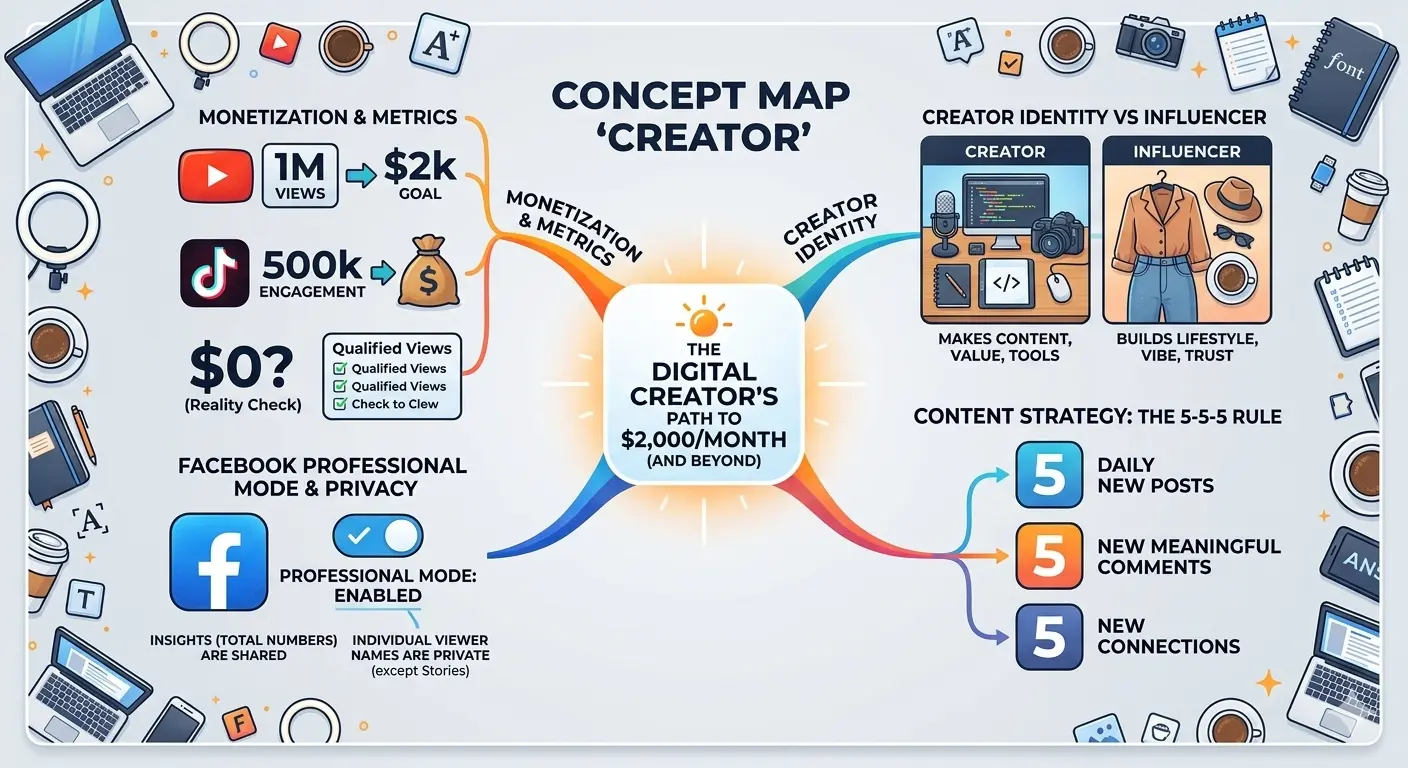
$0.01–0.03YouTube’s avg. revenue per view (RPM varies widely by niche)
~1MYouTube views needed to earn roughly $2,000/month from ads alone
$0.02–0.04TikTok pays per 1,000 views — far lower than YouTube
Those numbers might seem discouraging at first. But here’s the thing most creator income guides miss: ad revenue is rarely a creator’s main income. The smartest creators treat platform payouts as a bonus, not a business model. Their real income comes from sponsorships, selling their own products, and community memberships.
A creator with 50,000 engaged YouTube subscribers and a well-placed online course can out-earn someone with 500,000 subscribers who relies purely on ads. Audience quality beats audience size — almost every time.
What Does “Digital Creator” Mean on Facebook?
Ah, this one. If you’ve noticed that some people’s Facebook profiles say “Digital Creator” instead of a job title or location, you’ve hit on one of the most commonly Googled questions in this whole space.
Here’s what’s actually happening: Facebook allows users to set a “professional mode” on their personal profiles, at which point they can label themselves as a Digital Creator. This unlocks several things:
Access to Facebook’s Creator Studio tools and analytics
The ability to monetize content through in-stream ads and Stars (Facebook’s tip system)
A public follower count, separate from friends
Increased reach for public posts beyond your friend list
So is a “Digital Creator” on Facebook a real person? Yes, always — it’s just a person who has switched their profile to public content mode. It doesn’t verify expertise, follower count, or income. Anyone can do it. And increasingly, people are doing it either to access monetization features or simply to signal that they’re posting publicly rather than just for friends.
One thing worth knowing: when someone has professional mode on, people can follow them without being friends. So yes — your follows and profile views can be seen, at least in aggregate.
This is the part that trips most people up, because the internet will tell you a hundred different things. Let me give you the version that actually works.
Step 1: Pick a niche, not a platform
The biggest mistake aspiring creators make is starting with “I want to be a YouTuber” instead of “I want to help people learn to cook budget meals.” The platform is secondary. Your subject matter — and the specific audience you want to serve — comes first.
Step 2: Choose one platform to start
Once you know what you’re creating, pick the platform where that content lives naturally. Long-form education? YouTube. Visual lifestyle? Instagram or TikTok. Written insights? Substack or LinkedIn. Trying to be everywhere at once is the fastest route to burning out with nothing to show for it.
Step 3: Learn the 5-5-5 rule for social media
You may have heard of this. The idea is simple: for every post that promotes your work, you should create five posts that educate, five that entertain, and five that engage your community. It keeps your feed from feeling like a billboard — and algorithms reward it.
Step 4: Don’t wait to feel “ready”
Every creator you admire started with terrible content. The only thing that separates them from people who never started is that they published anyway. Your first ten pieces of content are practice, not portfolio. Get them done.
What Qualifies You as a Digital Creator?
Here’s the honest answer: nothing official. There’s no exam, no certification, no follower threshold. You become a creator when you decide to create consistently and put it out into the world.
That said, what separates hobbyists from creators who build real audiences comes down to a few things: a consistent publishing schedule, a defined point of view, and a genuine understanding of who you’re making content for.
“You don’t find your niche. You make content until your niche finds you — and then you lean into it.”
The No. 1 Mistake People Make When Starting Out
Chasing income before audience. It’s understandable — everyone wants to know how to make $500 a day on Facebook or $10,000 a month on YouTube. But those results are almost always the product of years of consistent work, not a hack or shortcut.
The creators who get there fastest are almost never the ones who optimized for money first. They’re the ones who got genuinely good at something, built an audience that trusted them, and then let the monetization follow naturally from that trust.
That might sound slow. But it’s also the only way that actually works.
FAQ
What is the difference between a “Digital Creator” and an “Influencer”?
No — and this is one of the biggest myths in the creator space. A creator with 5,000 highly engaged followers in a specific niche can out-earn someone with 500,000 passive followers. What matters is trust and relevance. A fitness creator with 8,000 dedicated subscribers can sell a $97 workout program to even 2% of their audience and generate over $15,000. Focus on depth, not breadth, especially when you’re starting out.
What’s the difference between a digital creator and an influencer?
The lines blur, but here’s a useful way to think about it: influencers primarily leverage their personal brand and lifestyle to drive purchasing decisions — they influence. Digital creators primarily make content that entertains, educates, or solves problems — the audience relationship comes from the value of the content itself, not necessarily from admiring the person’s life. In practice, many successful creators are both. But “creator” thinking tends to age better because the content has value independent of you.
How long does it realistically take to earn $2,000/month as a creator?
Honest answer: for most people, 12–24 months of consistent effort. That assumes you’re posting regularly (at least once or twice a week), you’re in a niche with some monetization potential, and you’re diversifying income beyond just ad revenue. Some creators get there faster with viral content or an existing audience. Many take longer. The ones who quit at month six almost never find out what month eighteen would have looked like.
Can someone tell if I’ve been looking at their Facebook creator profile?
No. Facebook does not notify users when someone views their profile, whether they’re a Digital Creator or not. Creators with professional mode can see aggregate analytics — things like how many people their posts reached or how many profile visits they got — but they cannot see who specifically visited. So feel free to browse without worry.
What is the No. 1 money-earning app for creators right now?
There’s no single answer — it genuinely depends on your content type and audience. YouTube remains the strongest for long-term ad revenue because its content is searchable and evergreen. TikTok pays less per view but can grow audiences faster. Instagram works well for brand deals. Substack and Patreon are tops for direct audience support. The smartest move is to build on one platform, then use it to drive your audience to something you own — like an email list — where no algorithm can cut you off.
What officially qualifies you as a digital creator?
Nothing official — and that’s actually the beauty of it. There’s no license, certification, or follower threshold. You become a digital creator the moment you start creating content consistently for an audience. Platforms may have specific requirements to unlock monetization features (YouTube requires 1,000 subscribers and 4,000 watch hours for the Partner Program, for instance), but the identity of “creator” belongs to you from day one.
ai video automation : It starts with a specific kind of exhaustion. You know the one.
It’s 11:00 PM on a Tuesday. Your eyes are burning from the blue light of your monitor. You have three tabs open: a stock footage site where you’ve scrolled past the same “corporate handshake” clip for the tenth time, a video editor that keeps crashing, and a Google Doc with a half-written script about “Roman Gladiators.”
You calculated that this 60-second video would take you four hours to produce. If you are lucky, it might get 2,000 views. If you are unlucky, 12.
You aren’t a creator. You are a factory worker on a digital assembly line, and you are falling behind quota.
I was there six months ago. I realized that if I wanted to scale—if I wanted to run five channels instead of struggling with one—I had to stop being the Editor and start being the Producer. I needed to fire myself from the manual labor and hire a machine.
So, I built one.
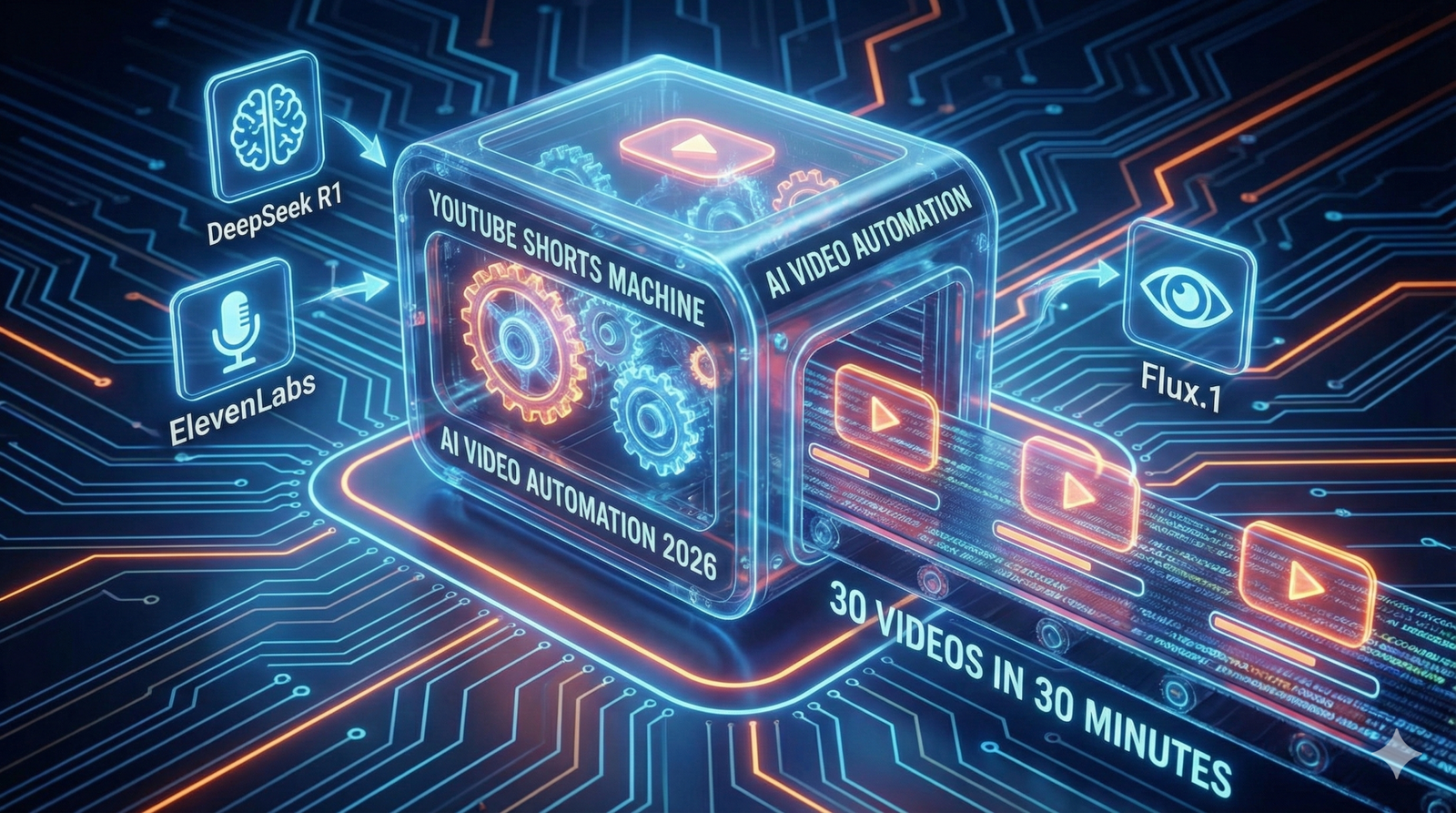
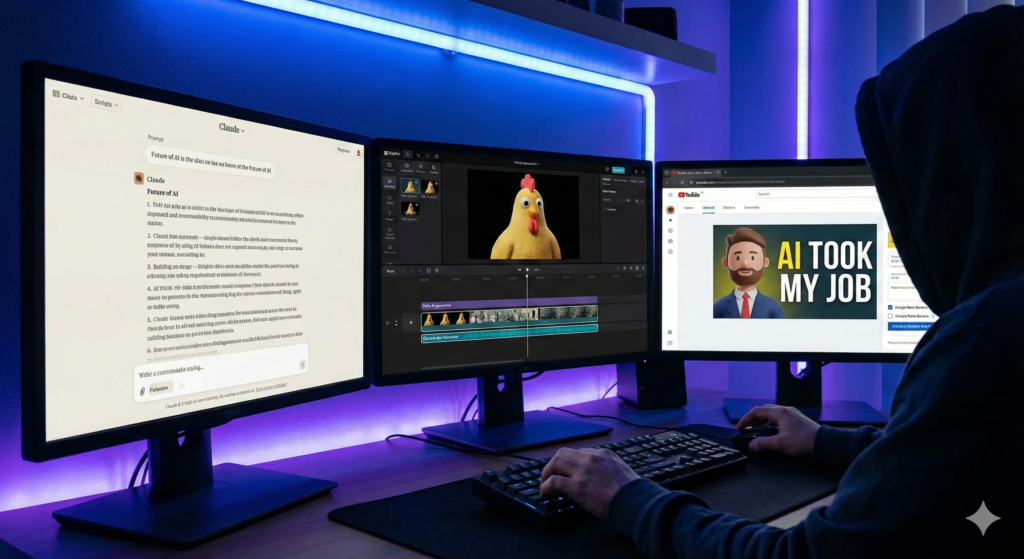
Today, I don’t “edit” videos. I wake up, pour my coffee, and check my Google Drive. By the time my mug is empty, 30 fresh, original, captioned, and voiced videos are waiting for me, ready to upload. This isn’t magic, and it isn’t “spam.” It is ai video automation 2026. With the rise of ai video automation, I can focus on creating content rather than getting bogged down in editing.
Here is the exact blueprint of how I did it, and how you can too.
Faceless 2.0: Why “Agentic Video” is Taking Over
If you are still dragging and dropping clips in CapCut, you are living in 2024. That was Faceless 1.0: human beings acting like robots, stitching together generic stock footage.
We have now entered the era of Faceless 2.0, or “Agentic Video.”
In this new model, you don’t touch the video file. You manage a team of “Agents”—specialized AI software—that talk to each other. One agent writes the script. Another paints the images. A third speaks the audio. And a “General Contractor” (automation software) puts it all together.
The secret weapon that makes this possible in 2026 is a tool called Creatomate. Unlike traditional editors, Creatomate has an API (Application Programming Interface). This means your automation software can “talk” to the timeline. It can say, “Hey, put this image at 0:05 and add a fade transition,” and the software obeys instantly.
Why does this win? Volume and Consistency. The YouTube algorithm is a hungry beast. It rewards channels that feed it daily. My machine never sleeps, never gets writer’s block, and never burns out.
To build this machine, you need a “Tech Stack.” Think of this like a kitchen. You need a Chef, a Sous-Chef, and someone to plate the food.
I use n8n as my kitchen manager. It is a powerful workflow automation tool (similar to Zapier, but better for complex tasks) that connects all these tools together.
Here is the exact stack I use to produce videos for pennies:
Component
The Tool
Function
Cost Estimate
The Manager
n8n
The “General Contractor” that tells every tool what to do.
Free (Self-Hosted)
The Brain
DeepSeek R1
Writes viral hooks, scripts, and video metadata.
~$0.14 / 1M tokens
The Voice
ElevenLabs API
Generates high-retention, human-like narration.
~$5.00 / mo
The Eyes
Flux.1 (via Fal.ai)
Creates consistent, unique AI images (No stock footage).
~$0.03 / image
The Editor
Creatomate
Stitches audio, images, and subtitles into an MP4.
Free Tier / $45 mo
Step 1: The Trigger (Automating Content Ideas)
You should never stare at a blank page. The first step of your AI Video Automation 2026 workflow is to create a “Command Center.”
I use a simple Google Sheet. It has columns for:
Topic
Status (e.g., “To Do”, “Done”)
Video URL (where the final link goes)
The Automation
In n8n, I set up a “Google Sheets Trigger” node. It watches my sheet like a hawk. The moment I add a new row—say, “The History of Coffee”—the automation kicks off.
To make this even lazier (in a smart way), I have a separate n8n workflow that scrapes Reddit (r/TodayILearned) or Google Trends every morning. It picks the top 3 trending topics and automatically adds them to my Google Sheet.
Now, I don’t even have to think of ideas. The internet tells me what it wants to watch, and my machine starts building it.
Step 2: The Script & Voice Agents
Once the trigger fires, n8n sends the topic to our “Brain”—DeepSeek R1.
I switched from GPT-4o to DeepSeek R1 because it is significantly cheaper for reasoning tasks and just as creative.
The System Prompt
You cannot just say “Write a script.” You need to engineer the prompt for retention. Here is the exact prompt I use in my n8n node:
“You are a viral YouTube Shorts scriptwriter. Write a 3-sentence script about {{Topic}}. Sentence 1 must be a controversial or surprising hook. Sentence 2 provides the core fact. Sentence 3 is a twist or a call to action. Do not use emojis. Do not use intro text.”
The Voice
Next, n8n takes that text and sends it to ElevenLabs.
Do not skimp here. Viewers will swipe away instantly if they hear a robotic “Siri” voice. I use the “Adam” or “Antoni” voice models with stability set to 50% for a natural, slightly imperfect delivery.
ElevenLabs returns an MP3 audio file. n8n catches this file and uploads it to a temporary storage spot (or directly to Creatomate).
Step 3: The Visuals (Why Stock Footage is Dead)
This is where Faceless 2.0 destroys the competition.
Most automation channels use “B-Roll” from Pexels. This means the same clip of a “Woman Drinking Coffee” appears in 500 different videos. It looks cheap.
My workflow uses Flux.1, a state-of-the-art image generator, accessed via the Fal.ai API. Flux is currently superior to Midjourney for automation because it handles text rendering better and is incredibly fast.
The Logic
In n8n, I ask DeepSeek to generate an image prompt based on the script.
Script: “The Romans used urine to whiten their teeth.”
Generated Prompt: “Cinematic close-up shot of an ancient Roman citizen smiling, holding a clay cup, historical setting, 8k resolution, photorealistic, 9:16 aspect ratio.”
n8n sends this to Fal.ai. Three seconds later, we get a unique, high-definition image that nobody else on YouTube possesses. We generate 3-4 images per video to keep the visual pacing fast.
Step 4: The Assembly (Programmatic Editing)
Now comes the magic. We have the audio. We have the images. We need to bake the cake.
We use the Creatomate node in n8n.
Before you run the automation, you log into Creatomate’s website and build a Template.
You drag in a placeholder image.
You add a “Ken Burns” effect (slow zoom) so the image isn’t static.
You add a subtitle layer that auto-syncs to the audio.
You add background music (lo-fi or phonk) set to 10% volume.
Once the template is saved, it has an ID.
Back in n8n, we map our data to the template:
Image-1 Placeholder → Replaced by our Flux Image URL.
Audio Placeholder → Replaced by our ElevenLabs MP3.
Text Overlay → Replaced by our DeepSeek Script.
When the n8n workflow executes this node, Creatomate renders the video in the cloud. It takes about 30 seconds. When it finishes, it spits out a URL: https://creatomate.com/render/video_123.mp4.
Step 5: The Upload (Set and Forget)
The final step is delivery.
I use the YouTube API node in n8n.
Video File: I map the URL from Creatomate.
Title: DeepSeek writes a clickbaity title (e.g., “You Won’t Believe What Romans Drank 🤢”).
Description: DeepSeek writes a short description with hashtags like #HistoryFacts #Shorts.
Visibility:Unlisted.
The “Draft” Strategy
I highly recommend setting the visibility to “Unlisted” or uploading as a Draft.
Why? Because AI isn’t perfect. Sometimes Flux generates a person with six fingers. Sometimes the script says something factually wrong.
By uploading as Unlisted, I can batch-review 30 videos in 10 minutes. I quickly watch them on my phone. If they look good, I flip them to “Public.” If one is bad, I delete it. This quality control step is what separates a professional automation empire from a spam channel.
FAQ: Common Questions About AI Video Automation 2026
Will YouTube demonetize this content?
This is the most common fear. YouTube targets “Low Effort” or “Repetitious” content. If you just scrape Wikipedia and use stock footage, yes, you are at risk.
However, this workflow creates Original Content. The script is unique (written by DeepSeek with specific prompts). The images are unique (generated by Flux). The edit is custom. YouTube sees this as a high-value creation. I have multiple channels monetized with this exact stack.
How much does this cost per video?
Let’s break down the unit economics:
Script: $0.0001
Images (4 per video): $0.12
Voice: $0.05
Rendering: $0.05
Total:~$0.22 per video.
Compare that to hiring a human editor ($30 – $50 per Short). You are producing content at 1/200th of the cost.
Can I use this for long-form videos?
Technically, yes. However, long-form requires “storytelling”—pacing, B-roll changes, and emotional arcs—that AI still struggles to automate perfectly without human intervention. I recommend mastering YouTube Shorts first because the linear structure (Hook → Body → CTA) is perfect for automation.
Conclusion: From Creator to Media Operator
The shift from “YouTuber” to “Media Operator” is a mental one.
A Creator thinks, “I need to make a video today.”
A Media Operator asks, “Is the server running?”
By building this n8n YouTube Shorts Machine, you are building an asset. You are detaching your time from your output. Once this workflow works for a “History Facts” channel, you can simply duplicate the n8n workflow, change the DeepSeek prompt to “Space Facts,” and launch a second channel in 15 minutes.
You stop trading time for views. You start trading compute for views.
Ready to build your factory?
You don’t need to be a coder to set this up. The tools have dragged-and-drop interfaces that make it accessible. Start with the Google Sheet. Connect DeepSeek. Generate your first script.
The machine is ready. You just have to turn it on.
Do you remember the first time you heard your own voice played back on a recording? It probably made you cringe. It sounded thin, alien, wrong. But then, you tried AI.
I remember sitting in front of my computer late one night, mic in hand, staring at the ElevenLabs subscription page. I had a vision for an audio drama, a project that required five different characters, all played by me. The technology was there—magic, really—but the price tag was a gatekeeper. $22 a month for a few hours of audio? For an indie creator with big dreams and a zero-dollar budget, it felt like the future was locked behind a paywall.
That frustration sparked a journey. I spent months digging through GitHub repositories, breaking Python code, and testing open-source models until I found it: The “Holy Grail” of voice synthesis.
If you are reading this, you are probably standing where I stood: You have a story to tell, a game to narrate, or a channel to grow, but you refuse to pay a “voice tax” every month. Good news. The monopoly is over. In 2026, you don’t need a credit card to clone your voice. You just need this guide.
Why Look Beyond ElevenLabs? (The State of AI Voice in 2026)
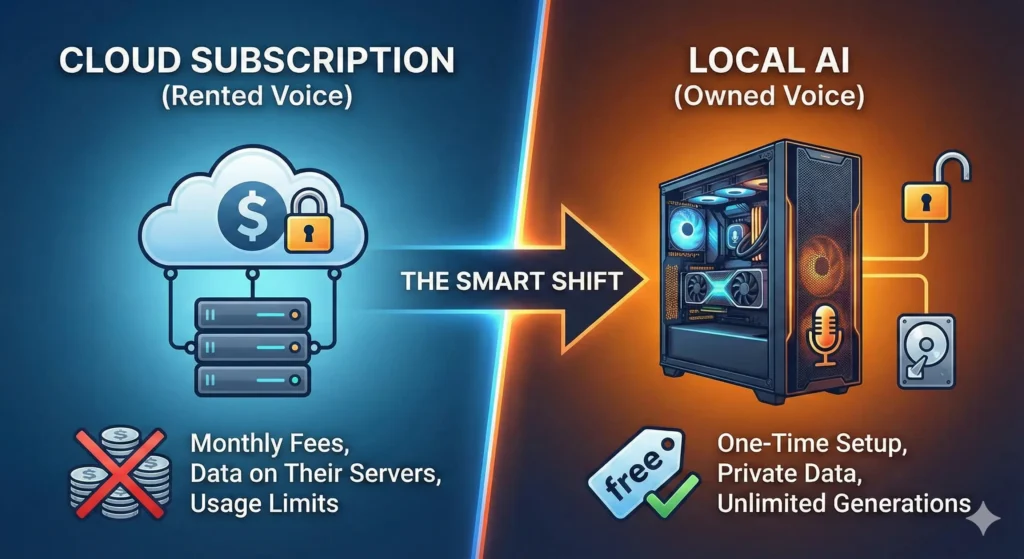
Let’s address the elephant in the room. ElevenLabs is fantastic. They set the standard for quality. But in 2026, relying on a cloud-based subscription for voice cloning comes with three major problems that open-source tools solve.
1. The “Voice Tax”
If you are producing an audiobook or a long-form YouTube video, you eat through characters fast. A standard 10-hour audiobook requires roughly 600,000 characters. On a cloud platform, that single project could cost you upwards of $300. With local AI, it costs you $0.
2. True Ownership
When you clone your voice on a cloud server, who owns the biometrics? The terms of service are often murky. When you run an RVC (Retrieval-based Voice Conversion) model locally on your PC, that file (.pth) lives on your hard drive. No server, no data leaks, no corporate overreach.
3. The “Censorship” Filter
Cloud tools have strict safety filters. While necessary for safety, they often flag creative content—like a villain’s monologue in a video game—as “inappropriate.” Local tools have no moral compass; they simply generate what you tell them to.
The “Voice Cloning Recipe”: What You Need
Before we start cooking, we need to prep the kitchen. You aren’t just downloading an app; you are setting up a local AI workstation.
The good news? In 2026, optimization has gotten so good that you don’t need a NASA supercomputer. However, you do need a dedicated GPU.
Table: The Cloning Kitchen (Hardware & Software)
Ingredient Category
Recommended Item (2026)
Minimum Requirement
Main Hardware (GPU)
NVIDIA RTX 5060 (12GB VRAM)
NVIDIA RTX 3060 (12GB VRAM)
The “Oven” (Software)
Pinokio Browser (One-click installer)
Python 3.10 + Git (Manual install)
Microphone
USB Condenser (e.g., Blue Yeti X)
Smartphone Voice Memo (Quiet Room)
The “Secret Sauce”
20 Minutes of Clean, Dry Audio
3 Minutes of Clean Audio
AI Architecture
Applio (RVC v3)
XTTS-Unlimited
⚠️ Warning for Mac Users: While Apple Silicon (M3/M4) chips can run these tools, they are significantly slower than NVIDIA GPUs. If you are on a Mac, expect render times to be 5x longer.
Top 3 Free ElevenLabs Alternatives (Open Source)
The open-source community moves fast. As of 2026, three main contenders have risen to the top. Each serves a different purpose.
1. XTTS-Unlimited (The All-Rounder)
Best For: Text-to-Speech (TTS).
How it works: You type text, and it speaks in your cloned voice.
The Pro: It captures the “cadence” of speech incredibly well. It pauses where you would pause.
The Con: It can sometimes hallucinate (repeat words) if the sentence is too long.
2. RVC v3 (Retrieval-based Voice Conversion)
Best For: Speech-to-Speech (STS).
How it works: You speak into the mic, and it changes your voice into the target voice.
The Pro:Unbeatable emotion. Because you are acting out the lines, the AI copies your intonation perfectly. If you whisper, the clone whispers. If you scream, the clone screams.
The Con: You have to record the lines yourself first.
3. OpenVoice V2 (The Speed Demon)
Best For: Instant Zero-Shot Cloning.
How it works: You upload a 10-second clip, and it clones the voice instantly without training.
The Pro: Speed. You can clone a new voice in seconds.
The Con: It lacks the deep, rich resonance of a fully trained RVC model.
Step-by-Step: How to Clone Your Voice with RVC (Free)
We are going to focus on RVC (Applio) because it offers the highest quality. If done right, it is indistinguishable from reality.
Step 1: The Dataset (Garbage In, Garbage Out)
Your clone is only as good as your audio. You need “Dry” audio—voice recordings with zero reverb or background noise.
Go to a closet (clothes dampen sound).
Record yourself reading a book for 10–20 minutes.
Save it as a single .wav file (Mono, 44.1kHz).
Crucial: Do not act too much. Speak in your natural, consistent range.
Step 2: The Environment (Pinokio)
Forget using the Command Prompt. We will use Pinokio, an AI browser that installs complex tools with one click.
Download and install Pinokio.
Search for “Applio” (The 2026 interface for RVC).
Click “Install.”
Wait for it to download the dependencies (PyTorch, FFmpeg).
Click “Start.” A web interface will open in your browser.
Step 3: Training Your Model
This is where the magic happens.
Navigate to the “Train” tab in Applio.
Experiment Name: Name your model (e.g., “MyVoice_v1”).
Dataset Path: Paste the location of your .wav file.
Settings:
Epochs: Set to 200. (Less is too robotic; more will “overtrain” and sound metallic).
Batch Size: Set to 8 (if you have 8GB VRAM) or 16 (if you have 12GB+).
Sample Rate: 40k.
Click “One-Click Train.”
Go make a coffee. Depending on your GPU, this will take 30 minutes to 2 hours.
Step 4: Inference (Testing)
Once finished, go to the “Inference” tab.
Upload Audio: Upload a clip of you speaking (or anyone speaking).
Select Model: Choose the “MyVoice_v1.pth” file you just created.
Convert: Click the button.
Result: The audio will play back, but now it sounds exactly like your cloned voice.
Troubleshooting Common Voice Glitches
Even in 2026, AI can be finicky. If your clone sounds “off,” here is how to fix it.
The “Metallic” Robot Sound
Diagnosis: You overtrained the model.
The Fix: Go back to your training folder. RVC saves a “checkpoint” every 10 epochs. Try loading the file from Epoch 150 instead of 200.
The “Slurring” Effect
Diagnosis: The AI is struggling to match the pitch of the input audio to the clone.
The Fix: Adjust the “Hop Length” (or Index Rate). Lowering the hop length (e.g., to 64) increases quality but takes longer to render. Also, ensure your input audio is clear.
Pronunciation Errors
Diagnosis: This usually happens in XTTS (Text-to-Speech) when it encounters complex names.
The Fix: Use Phonetic Spelling. If the AI says “Resume” (verb) instead of “Resume” (noun), type it as “Reh-zoom-ay.”
Advanced Techniques: The Hybrid Workflow
For the ultimate professional quality, don’t use just one tool. Use the Hybrid Method.
The “Sandwich” Strategy
Generate Text: Use XTTS-Unlimited to generate your script. It will have perfect pronunciation but “okay” emotion.
Refine Audio: Take that generated audio and run it through RVC (Speech-to-Speech) using your high-quality voice model.
Result: You get the ease of typing (TTS) with the rich audio quality of RVC (STS).
Ethical Responsibility: With Great Power…
We need to have a serious talk. Voice cloning is a superpower, and in 2026, the lines between reality and fiction are blurry.
Consent is King: Never, ever clone a voice without that person’s explicit permission. It is not just unethical; in many jurisdictions (like the EU and parts of the US), it is now illegal under “Right of Publicity” laws.
Watermarking: New tools in 2026 allow you to embed an inaudible audio watermark into your clones. This proves the audio is AI-generated. Use this to protect yourself from accusations of fraud.
The Scam Warning: Be aware that “Voice Phishing” is real. If you publicize your voice model, scammers can use it. Keep your .pth model files offline and secure.
“…once you have the audio, you need the visuals. Learn how to make Viral AI Thumbnails to complete your package.”
Frequently Asked Questions (FAQ)
Is there a free alternative to ElevenLabs that is just as good?
Yes. RVC v3 (Applio) is arguably better than ElevenLabs for “Speech-to-Speech” because it captures the exact emotion of the performance. For “Text-to-Speech,” ElevenLabs still holds a slight edge in ease of use, but XTTS-Unlimited is closing the gap rapidly.
Do I need a powerful PC to run AI voice cloning locally?
You need a dedicated NVIDIA GPU. A RTX 3060 (12GB) is the budget king in 2026. If you have an AMD card or a Mac, you can run these tools, but they will be significantly slower.
Can I use RVC voice models for commercial YouTube videos?
Generally, yes—if you trained the model on your own voice. If you trained the model on a celebrity’s voice (e.g., Morgan Freeman), you cannot use it commercially. You own the copyright to your recording, but you do not own the rights to someone else’s vocal likeness.
How long does it take to clone a voice using open source tools?
With OpenVoice V2, it takes seconds. With RVC, training a high-quality model takes about 30 to 60 minutes on a modern GPU.
Conclusion: Your Voice, Your Rules
The era of paying for every spoken word is over. While tools like ElevenLabs offer convenience, they lease you your freedom. Open-source tools like RVC and XTTS give you ownership.
It requires a little more work. You have to install Pinokio. You have to record a dataset. You have to tweak settings. But the reward is a voice that is uniquely yours, unlimited by credits, paywalls, or censorship.
Don’t just read about it. Download Pinokio, grab your microphone, and create your first clone tonight. The future of content creation isn’t about who has the biggest budget—it’s about who has the best tools.
“How To use ai” : Let’s be honest for a second. You could have the greatest video script since The Godfather. You could edit with the precision of a Hollywood director. You could have perfect audio, amazing lighting, and a joke every thirty seconds.
But if your thumbnail sucks, nobody will ever know.
This is the brutal reality of YouTube in 2026. The algorithm doesn’t “watch” your video first; it looks at the data. And the most important data point it craves is CTR (Click-Through Rate). If people scroll past your video without stopping, the algorithm assumes your content is boring and buries it.
For years, the top creators—the MrBeasts, the MKBHDs—had a massive advantage. They could afford to pay professional graphic designers $50, $100, or even $500 for a single image. They had teams tweaking contrast curves and facial expressions while you were struggling with a blurry screenshot in Canva.
That gap is gone.
With the arrival of Midjourney v7 and Ideogram 2.0, the playing field hasn’t just leveled; it has completely flipped. You now have a digital art department at your fingertips that costs pennies.
In this guide, we aren’t just going to give you a few prompts. We are going to break down the psychology of the click, the exact AI workflow to generate “God-tier” images, and the post-production secrets that separate the amateurs from the pros.
Buckle up. We are about to fix your Click-Through Rate forever.
The 1-Second Rule: Why You Lose Views
Human attention spans are shrinking. When a viewer opens YouTube on their phone, they scroll at a speed of about two videos per second.
That means you have roughly 0.5 to 1 second to stop their thumb.
If your thumbnail is dark, cluttered, or confusing, you lose. If your text is too small to read on an iPhone Mini, you lose. If your image looks like a generic stock photo, you lose.
Your thumbnail has one job: To sell the click. It is not there to summarize the video. It is there to open a “loop” in the viewer’s brain that can only be closed by watching the content.
The reason AI is such a game-changer here is speed. In the old days, if you had an idea for a thumbnail, you had to stage a photoshoot, set up lights, take 50 photos, and edit them. If the concept didn’t work, you wasted a whole day.
Now? You can imagine a scenario—“A golden retriever piloting a spaceship to Mars”—and see four high-resolution variations of it in sixty seconds. You can fail faster, iterate quicker, and find the winning concept before you even open Photoshop.
Phase 1: The Psychology of a “Viral” Image
How to Use AI Effectively for Thumbnails
Before you type a single prompt into Discord, you need to understand what you are asking for. AI is a tool, not a brain. If you ask for garbage, it will give you high-resolution garbage.
To get a “Viral” result, your prompt must target the lizard brain of your viewer. Every 10/10 thumbnail relies on these three psychological pillars:
1. High-Dynamic Contrast
Look at the trending tab. What do you see? You see bright, saturated colors—Cyan, Magenta, Lime Green—popping against dark, moody backgrounds. This isn’t an accident. Most YouTube viewing happens on mobile devices in “Dark Mode.” A thumbnail with low contrast blends into the background. A thumbnail with High Contrast screams for attention.
The Lesson: When prompting AI, you don’t just want “lighting.” You want “volumetric lighting,” “neon accents,” or “dramatic rim lighting.”
2. Biological Emotion
We are hardwired to look at faces. It’s an evolutionary survival trait. When we see a face showing extreme emotion—fear, shock, uncontrollable laughter—our brains instinctively want to know why. A neutral face is boring. A face that looks like it just saw a ghost is clickbait gold.
The Lesson: You need AI to generate characters with “exaggerated expressions.”
3. The “Story Gap”
This is the most advanced technique. A bad thumbnail shows exactly what happens in the video. A great thumbnail shows a conflict without the resolution.
Bad: A picture of a clean room. Text: “I cleaned my room.”
Good: A picture of a room filled with radioactive waste barrels. Text: “I bought the dirtiest house in America.” The viewer’s brain asks: “Wait, is that real? How bad is it?” They have to click to find out.
Phase 2: The Tool Stack (Midjourney vs. Ideogram)
In 2026, you have two heavyweights in the generative AI space. Knowing which one to use is half the battle.
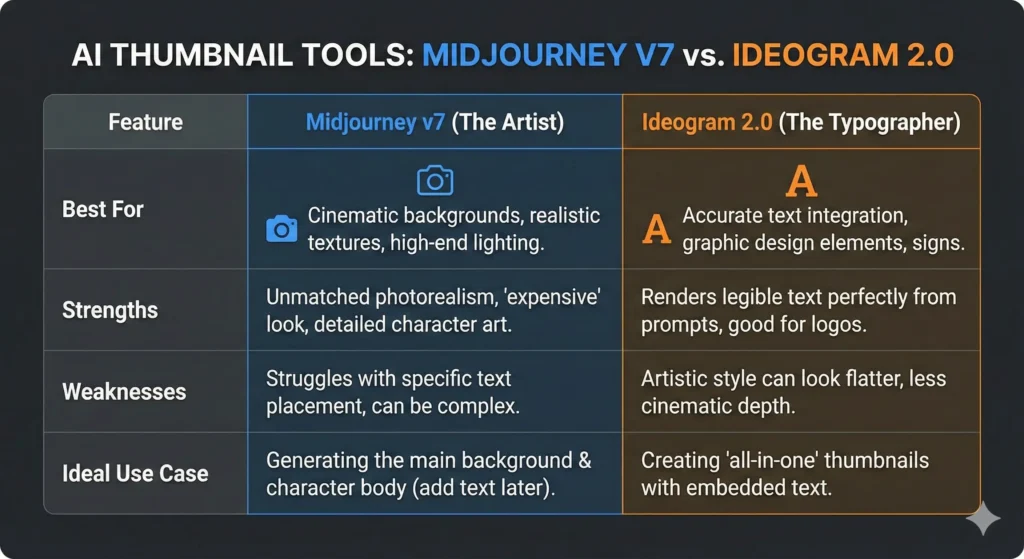
The Artist: Midjourney v7
Midjourney is the undisputed king of texture, lighting, and “vibes.” It understands cinematic composition better than most human photographers.
Use it for: Backgrounds, fantasy elements, hyper-realistic textures, and object-focused images.
The Vibe: It looks expensive. The images have depth, bokeh (background blur), and detailed skin textures.
The Weakness: While v7 is better at text, it can still struggle with complex sentences or specific logo placement.
Ideogram was built with one goal: To fix the “text problem.”
Use it for: Thumbnails where the text needs to be embedded in the image (e.g., a neon sign, a billboard, or text on a shirt).
The Vibe: It feels more “graphic design” and less “cinematic art.”
The Strength: You can literally prompt: “A YouTube thumbnail with a big red arrow and the text ‘DO NOT BUY’ in bold white letters” and it will actually do it.
My Recommendation: Use a hybrid workflow. Use Midjourney to generate the stunning background and character, then bring it into Canva/Photoshop to add your text. This gives you the best of both worlds.
Phase 3: The Step-by-Step Workflow
Stop guessing. Here is the exact pipeline you can copy to create a thumbnail that looks like you paid $100 for it.
Step 1: The Concept Prompt (Midjourney)
Let’s say you are making a tech review video about a bad laptop. You want a dramatic, high-contrast image.
Open Discord and type this command. Notice the specific keywords used to trigger the “YouTuber Aesthetic.”
/imagine prompt: A YouTube thumbnail split screen composition. Left side: An old, dusty, broken laptop in a dark room, cobwebs, sad blue lighting. Right side: A futuristic glowing high-tech laptop, neon orange and teal lighting, sparks flying. In the center, a person looking shocked and pointing at the right side. Hyper-realistic, 8k, cinematic lighting, high contrast --ar 16:9 --stylize 400 --v 7
Breakdown of the Prompt:
--ar 16:9: This ensures the image is the correct shape for YouTube.
--stylize 400: This tells Midjourney to be more artistic and less literal.
Split screen: A classic YouTube trope that implies comparison.
Step 2: The Face Swap (The Personal Branding Hack)
This is where most people fail. They leave the generic AI person in the thumbnail. Do not do this. If viewers see a fake AI person, they assume the video is spam. You need your face on the thumbnail to build a connection.
You don’t need to be a Photoshop wizard to fix this. You can use an automated “Face Swap.”
Take a Selfie: Stand against a white wall. Make the exact face you want (Shocked, Angry, Happy). Good lighting helps.
Use InsightFace (Discord Bot): This is a free tool you can invite to your own Discord server.
Command: /saveid [name] [upload your selfie]
Command: /swapid [name] [upload the Midjourney image]
The Result: The bot will take the lighting, angle, and composition of the cool AI image but paste your facial features onto the character. It looks seamless and takes 10 seconds.
Step 3: The Upscale
Midjourney images are great, but they can be a bit soft when you zoom in. Before you finalize, run your image through an AI upscaler.
Paid Tool: Topaz Gigapixel (The industry standard).
Free Tool: Upscayl (Open source and fantastic).
Why? Crisp edges make your thumbnail look professional on 4K monitors and TVs.
Step 4: The Typography (Don’t Let AI Do This)
Even if Ideogram can do text, you should usually do it yourself. You want full control over the font weight, color, and shadow.
Take your image into your editor (Canva, Photoshop, or Photopea).
The Rules of Text:
Less is More: Never use more than 4 words. (e.g., “STOP DOING THIS” or “I WAS WRONG”).
The Font Matters: Stop using Arial or Times New Roman. You need thick, bold, impact fonts.
Favorites: Bebas Neue, Montserrat ExtraBold, Komika Axis.
Pro Tip: If you want to stand out, stop using the free Google fonts everyone else uses. A premium font can be the subtle difference that makes your channel look like a brand. (Check out our Luxury Font Bundle if you want a curated list of high-CTR typefaces).
Contrast is King: If the background is dark, use white text. If the background is light, use black or red text. Always add a drop shadow or a black “stroke” (outline) around your text to ensure it is readable against any background.
Strategy for the “Faceless” Channel
What if you are running a “Cash Cow” channel (Meditation, Scary Stories, Tech News) and you don’t want to show your face?
You have an advantage here. You don’t need to worry about face swapping. Your goal is Object Fetishization.
You want to take a mundane object and make it look supernatural.
Example: A video about Bitcoin.
Boring Prompt: “A bitcoin on a table.”
Viral Prompt: “A hyper-realistic 3D render of a golden physical bitcoin melting into liquid gold, placed on a dark obsidian table, ominous red lighting, smoke rising, dramatic cinematic angle –ar 16:9”
Example: A video about a Scary Story.
Viral Prompt: “A first-person view from inside a closet looking out at a dark bedroom, a glowing pair of red eyes under the bed, foggy atmosphere, horror movie style –ar 16:9”
To make these pop, you often need to add graphical elements—big red arrows, circles highlighting a detail, or “exclamation mark” emojis. Don’t just search Google Images for “Red Arrow PNG” (you usually get fake transparent backgrounds that are annoying). We built a specific Graphic Design Bundle for this exact purpose—high-quality overlays that you can drag and drop onto your AI art.
Common Pitfalls: How to Ruin a Good AI Image
Just because it is AI doesn’t mean it is perfect. Here are the mistakes that will tank your CTR.
1. The “Plastic” Look Midjourney v6 and v7 can sometimes make skin look too smooth, like plastic action figures.
Fix: Add keywords like skin texture, detailed pores, grit, or raw photo to your prompt. You want it to look human, not like a doll.
2. Visual Clutter AI loves to add details. Sometimes it adds too many details. If your background has 50 different items on a shelf, the thumbnail becomes “noisy.”
Fix: Use the command --no clutter or --no text in your prompt. Or, use the “Blur” tool in Photoshop to blur out the background so the focus stays on the subject.
3. The “Uncanny Valley” Hands Yes, even in 2026, AI can sometimes mess up fingers. Always double-check the hands in your generated image.
Fix: If the hands are weird, crop the image so the hands aren’t visible, or use the “Vary Region” (Inpainting) tool in Midjourney to re-roll just the hands until they look right.
Conclusion: Data Over Ego
The most beautiful art in the world is useless if nobody clicks on it. The ugly, bright, high-contrast image often wins.
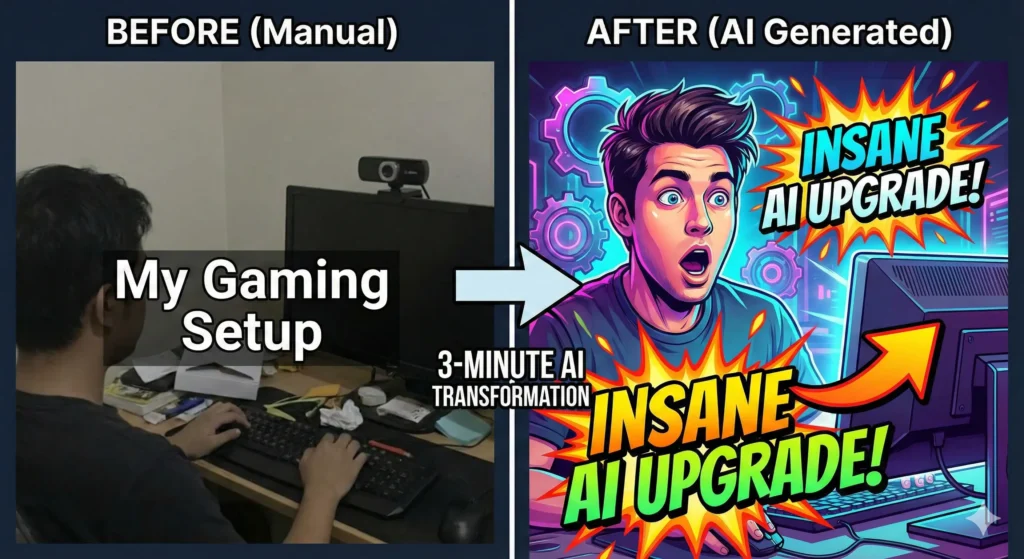
The beauty of this AI workflow is that it removes your ego from the equation. In the past, you fell in love with a thumbnail because you spent 3 hours making it. Now, you can spend 3 minutes making five different versions.
Test them. Show them to a friend. Scroll past them quickly on your phone and see which one grabs your eye.
You have the tools. You have the prompts. You have the strategy. The only excuse left is you not doing the work.
Go open Discord, type /imagine, and start creating the best thumbnails of your career.
Ready to Build Your Toolkit?
You have the strategy, but do you have the assets?
The Text: Don’t let weak fonts kill your vibe. Grab our Luxury Font Libraryfor $1.99.
AEO : Do you remember the first time you felt it? That specific, sinking feeling in your stomach when you checked your analytics dashboard.
For years, you played the game perfectly. You followed every rule. You wrote the exhaustive 2,000-word guides, you painstakingly built backlinks, and you prayed to the Google algorithm gods. And for a long time, it worked. The traffic flowed. The ad revenue clicked. You felt like you understood how the internet worked.
You look at your rankings, and they are holding steady. You are still on Page 1. Yet, the clicks are drying up. The traffic line is flattening. Why? Because your readers aren’t clicking anymore. They are asking. They are having full conversations with AI agents, getting the exact answers you worked so hard to write, without ever visiting your website.
It feels like a betrayal. It feels like the digital empire you built is crumbling foundation first.
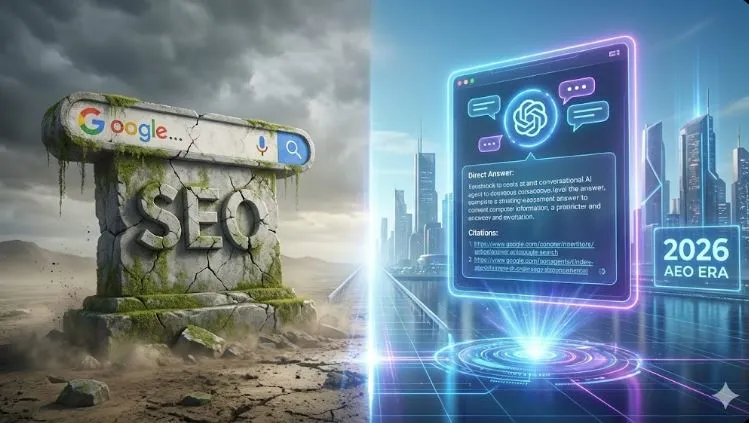
But I am here to tell you that this isn’t the end of your story. It is simply a plot twist. The game hasn’t ended; the board has just changed shape. Traditional SEO is fading, but AEO (Answer Engine Optimization) is rising. And if you adapt your strategy right now, you won’t just survive the shift of 2026—you will own it.
What is AEO? (And Why It’s Killing Traditional SEO)
To survive this shift, you first need to understand the fundamental difference in how the world searches today compared to three years ago.
For two decades, we optimized for Search Engines (like Google). The goal of a search engine is to provide a menu. You ask a question, and Google hands you a list of links, effectively saying, “Here are ten websites; go find the answer yourself.”
Today, we are optimizing for Answer Engines (like ChatGPT, Perplexity, and Google’s AI Overviews). The goal of an answer engine is to provide a meal. The user asks a question, and the AI reads ten websites in a millisecond, synthesizes the information, and hands the user the direct answer.
The Data Doesn’t Lie
We are seeing a massive shift toward “Zero-Click Searches.” By early 2026, industry data suggests that over 40% of informational queries are being handled by AI agents without the user ever clicking a blue link.
If your entire business model relies on someone clicking a link to read a definition, you are in trouble. But here is the opportunity: AI models need sources. They need data to train on and to cite. The goal of AEO is no longer to be “Result #1” on a page of links. The goal is to be the Primary Citation—the trusted source the AI uses to construct its answer.
The Anatomy of an AI-Friendly Post
If you want to be that citation, you have to stop writing for humans who like to skim, and start writing for machines that need data. AI models hate fluff. They struggle with nuance, sarcasm, and buried leads. They crave structure.
This brings us to the most important rule of AEO: The Inverted Pyramid.
In the old days of blogging, you wanted to keep the user on the page as long as possible (dwell time). So, you buried the answer at the bottom. You wrote long, winding introductions about your childhood to pad the word count.
Why “Storytime” Intros Are Dead If you write a recipe post in 2026 and start with a 500-word story about your grandmother’s apple orchard, the AI will ignore you. It considers that “noise.” It will move to your competitor’s site, which lists the ingredients in the first paragraph, and cite them instead.
To rank in ChatGPT Search, you must give the answer immediately—in the first 50 words—and then use the rest of the article to add context, nuance, and examples.
The “AEO Ranking Recipe”: Essential Ingredients
Think of your content as a database entry. If the data is messy, the AI can’t read it. If the data is clean, structured, and labelled, the AI will prefer it every time.
Below is the exact “recipe” you need to follow for every single blog post you publish from today onward.
Table: The Perfect AEO Optimization Recipe
Ingredient
Amount
Function
Direct Answer
50 Words (Max)
The specific, concise answer to the user’s question. Place this directly under your H1 or H2.
Structured Data
Schema.org Markup
JSON-LD code that tells the AI exactly what the content is (e.g., FAQ, Recipe, How-To).
Authority Statistics
2-3 Cited Sources
AI trusts numbers. Use proprietary data or cite reputable studies to back up your claims so the AI verifies you as “fact.”
Conversational Tone
Natural Language
Write like you speak. AI matches user intent, which is usually conversational (e.g., “How do I fix this?”).
List Formatting
Bullet Points
AI parses lists faster than paragraphs. Break complex ideas down into steps.
Export to Sheets
How to Structure Your Content for “Citations”
In the AEO economy, a backlink is nice, but a “citation” is currency. A citation happens when ChatGPT says, “According to eBookTreasures, the best way to…”
How do you force the AI to cite you? You use Entity-Based SEO.
Search engines used to look for keywords (strings of text). Answer engines look for Entities (concepts and relationships). If you want to rank for “Best Content Tools,” you can’t just repeat that phrase. You need to map out the entities related to it: “Video Editing,” “Productivity,” “Automation,” “Software Cost.”
The Q&A Strategy
The easiest way to implement this is to turn your headers into specific questions.
Use a tool like AnswerThePublic or look at the “People Also Ask” box in Google to find specific questions your audience is shouting into their phones.
Make those questions your H2s.
Provide the Direct Answer immediately under the header.
Bad H2:Understanding The Nuances of Camera ApertureAEO H2:What is the Best Aperture for Portraits?The Answer:The best aperture for portraits is typically between f/1.8 and f/2.8. This creates a shallow depth of field that blurs the background while keeping the subject sharp.
See the difference? The second example is “machine-readable.” It is a direct question and a direct answer.
You cannot fight this war manually. The sheer volume of content required to become a topical authority means you need a tech stack that works as hard as you do.
Rank Math Pro
We have mentioned this before, but it bears repeating. You need an SEO plugin that understands the AI era. Rank Math’s new features, specifically the ability to generate llms.txt files and advanced Schema markup, are non-negotiable. This plugin effectively translates your human writing into robot language.
Specialized AI Writing Assistants
Here is the catch: You can’t just ask ChatGPT to “write a blog post.” It will give you generic, unoptimized fluff that won’t rank in its own search engine.
To win, you need to “program” your AI writer. You need specific prompts that force the AI to use the Inverted Pyramid, to add data tables, and to structure for citations.
Pro Tip: Don’t rely on default prompts. If you want to speed up your workflow, check out our SEO Blog Post Prompts in the shop. We designed these specifically to format articles for AEO, saving you hours of formatting time.
🚀 fast-track your ranking
You could spend hours trying to figure out the right commands to give ChatGPT… or you could just copy mine.
I’ve packaged my Top 10 AEO-Engineered Prompts (including the “Zero-Click Analyzer” and “Schema Generator”) into a simple copy-paste bundle.
Note: This section is crucial. By formatting these as an FAQ with Schema markup, you increase your chances of being featured in voice search results.
Is SEO completely dead in 2026?
No, traditional SEO is not dead. “Transactional” searches (like “Buy Nike shoes size 10”) still happen on Google and Amazon. However, “Informational” SEO (like “How to clean running shoes”) is rapidly moving to Answer Engines. You need a hybrid strategy to capture both.
How do I track AEO traffic?
This is tricky because AI agents don’t always leave a cookie. You need to look beyond “Organic Search” in your analytics. Monitor your “Direct” traffic and “Referral” traffic from sources like OpenAI, Perplexity, and Bing Chat. These are often the footprints of AI users finding you.
What is the most important factor for AEO ranking?
Authority and Clarity. The AI must trust your domain (Authority), and it must be able to parse your answer easily (Clarity). If your site is slow, cluttered with pop-ups, or written in confusing academic language, the AI will bypass you.
Conclusion
The horizon hasn’t disappeared; it has just expanded.
The creators who cling to the old ways—the keyword stuffers, the recipe bloggers with 10-page life stories, the click-baiters—they are going to vanish. They are optimizing for a machine that is slowly being turned off.
But you? You are building a library of answers. By shifting to AEO, you are positioning yourself as the expert in the room. You are becoming the trusted voice that the AI relies on to make sense of the world.
Don’t fear the machine. Feed it. Optimize your content for the answer engine, provide undeniable value upfront, and you will find that while the cheap “click” might be dead, your influence is stronger than ever.
Ready to future-proof your content? Don’t leave your rankings to chance. Download our SEO Blog Post Prompts today and start structuring every single article for the AEO era. The future is already here—make sure you are written into it.
In 2026, the “starving artist” is a choice, not a destiny.
For more than a decade, creators were told the same story: grind harder, post more, wait for the algorithm to “bless” you. The winners were called influencers, and everyone else was left chasing scraps.
That era is ending.
We are now in the age of the Solo Media Company.
In this new model, you don’t need a staff of ten editors, designers, writers, and managers. You don’t need a studio, expensive gear, or endless hours glued to a timeline. What you need is the right technology stack—tools that multiply your output, compress time, and let one person operate at the level of a small company.
This guide is not another random list of apps.
It is a complete, battle-tested ecosystem covering:
Video
Audio
Design
Writing & SEO
Analytics & Management
We have tested hundreds of tools so you don’t have to. What follows is the definitive creator toolkit for 2026—the exact system modern creators use to scale faster, work smarter, and build sustainable income.
This is the hub. Everything else connects here.
Section 1: The Video Engine (YouTube & Reels)
The Context: Video Is Mandatory, Manual Editing Is Obsolete
Video is no longer optional. In 2026, if you are not publishing video, you are invisible.
But here’s the truth most people won’t tell you: manual editing is dead.
Creators who still cut every clip by hand are competing against AI-powered workflows that produce 10x the output in a fraction of the time. The goal is no longer perfection—it’s speed, consistency, and scale.
Tool 1: AI Video Generators (Text → Video)
AI video generators allow you to transform scripts, blog posts, or even bullet points into complete videos—visuals, transitions, and pacing included.
These tools are ideal for:
Explainer videos
News-style content
Educational YouTube channels
Short-form content farms
They are not “Hollywood-level,” but they don’t need to be. They are fast, cheap, and scalable, which is exactly what wins in 2026.
Tool 3: Short-Form Repurposing (Clips That Multiply Reach)
Long-form content is the foundation. Short-form clips are the distribution engine.
Tools like OpusClip analyze your long videos and automatically extract:
High-retention moments
Viral hooks
Platform-optimized clips
One YouTube video can become:
5–10 Shorts
5 Reels
5 TikToks
That’s leverage.
Shop Integration: Don’t stare at a blank timeline. Download our 50K Chatgpt Prompts to write viral scripts in seconds.
Section 2: The Audio Lab (Podcasting & Voiceovers)
The Context: Bad Audio Destroys Trust
Viewers will forgive average visuals. They will not forgive bad audio.
In 2026, clean, professional sound is the baseline—not a luxury. Whether you run a podcast, a YouTube channel, or faceless narrations, your audio quality directly affects:
Retention
Authority
Perceived professionalism
Tool 1: AI Voice Cloning & Narration
AI voice technology has matured. The best tools now produce voices that are natural, expressive, and emotionally convincing.
ElevenLabs has emerged as the industry leader, offering:
When considering your options, think about creating a faceless channel that resonates with your audience.
Embrace the concept of a faceless creator and explore unique approaches to content delivery.
Introduction: The Art of Being Seen Without Being Watched
Exploring the world of a faceless creator allows you to share ideas without personal exposure.
You know that feeling. You have a brilliant idea for a video, a story you are dying to tell, or a skill you want to teach. You open your camera app, stare at the red “Record” button, and freeze.
A faceless identity in the digital space can foster authenticity without the pressure of personal exposure.
A faceless approach can open up new channels for creativity and expression.
Suddenly, you are hyper-aware of everything. The lighting looks bad. Your background is messy. You worry about your coworkers finding your channel, or strangers on the internet judging your appearance. The anxiety creeps in, and you close the app. The idea dies right there in your camera roll.
For years, the “creator economy” felt like an exclusive club for extroverts—people who loved the spotlight and didn’t mind pointing a lens at their face every single day. If you valued your privacy, you were told you couldn’t compete.
But as we head into 2026, the script has completely flipped.
With the right strategies, a faceless approach can streamline your creative process.
The “Faceless Channel” is no longer just a niche side hustle; it is the smartest digital asset you can build. We aren’t talking about the boring, robotic “stock footage and text-to-speech” videos that flooded YouTube in 2024. We are talking about a new wave of cinema.
Consider the advantages of running a faceless YouTube channel, where your focus can remain solely on content quality.
Thanks to a suite of powerful (and free) AI tools that have matured over the last year, you can now produce documentary-level content from your bedroom without ever showing your face, revealing your identity, or buying a $2,000 camera.
You don’t need a studio. You don’t need a production team. You just need a roadmap. Here is exactly how to build a profitable faceless YouTube channel in 2026.
Step 1: Choosing a Profitable Niche for Your Faceless YouTube Channel
Before you generate a single pixel of video, you need to understand the math behind the platform. Many beginners fail because they pick a niche based on “passion” alone, without checking the revenue potential.
In the YouTube world, not all views are created equal. Advertisers pay differently depending on who is watching. This is known as CPM (Cost Per Mille, or cost per 1,000 views). A gaming channel might earn $2 per 1,000 views, while a finance channel could earn $25 for the same number of views.
Since you are building a faceless YouTube channel, you have the flexibility to choose a high-value topic without needing to be an expert “guru” on camera.
“This roadmap focuses on strategy. If you want a complete list of the software needed to execute this (from editing to analytics), read our Ultimate Content Creator Toolkit 2026.”
Top Trending Faceless Niches for 2026
1. The “Video Essayist” (High Retention)
Think about those 20-minute deep dives into “The Rise and Fall of Flappy Bird” or “Why Modern Architecture is Boring.” These videos dominate the algorithm because they tell a story.
Why it works: You don’t need original footage; you need a good script and editing.
Revenue potential: High, due to long watch times and mid-roll ads.
2. “Future Tech” Explainers (High CPM)
Irony is alive and well—using AI to explain AI is a massive market. Complex topics like quantum computing, space travel, or the latest LLM releases confuse the general public.
Why it works: You act as the translator. You take complex news and turn it into digestible, visual stories.
Revenue potential: Extremely high. Software companies are desperate to sponsor these channels.
3. Digital Zen & Ambience (High Replay Value)
This is the “set it and forget it” niche. “Cozy Coffee Shop 24/7” or “Cyberpunk Rain Sounds for Sleeping.”
Why it works: People don’t watch these once; they loop them for 8 hours while they work or sleep.
Revenue potential: Lower CPM, but massive volume and watch time hours.
Key Takeaway: Don’t just pick a topic. Pick a business model. If you want to replace your day job, aim for Finance, Tech, or Software Education niches where the ad revenue is substantial.
Step 2: The “Human-First” Scripting Recipe
The biggest mistake new creators make in 2026 is laziness. They go to ChatGPT, type “Write a script for a video about coffee,” and copy-paste the result.
The output is always the same: “In today’s fast-paced digital world, coffee is important…”
Viewer retention drops to zero instantly. Audiences have developed a “sixth sense” for AI writing. To win, you need to use AI as a collaborator, not a generator.
While ChatGPT is great for coding, Claude has consistently proven to be the better creative writer. It understands nuance, tone, and pacing far better than its competitors.
Prompt Engineering for Retention
Stop asking for “scripts.” Ask for “stories.” Here is a prompt framework you can steal:
*”Act as a documentary filmmaker. I need a storyboard and narrative for a YouTube video about the history of the Sriracha hot sauce shortage.
The Goal: Make the viewer feel the stakes. Do not use cliché phrases like ‘In this video’ or ‘Let’s dive in.’
The Hook: Start the first 10 seconds with a surprising fact or a dramatic moment.
The Tone: Investigative, slightly humorous, and fast-paced.
Structure: Break it down into 3 acts.”*
By giving the AI a “role” (filmmaker) and setting strict constraints (no clichés), you get a script that sounds like it was written by a human.
The “Free AI Tech Stack” Ingredients
To run a successful faceless YouTube channel in 2026, you don’t need expensive monthly subscriptions to stock footage sites or hiring editors on Upwork. The tools have evolved.
Here is the exact “recipe” of free (or freemium) tools you will use to replace an entire production team:
In the “old days” of 2023, faceless channels relied on stock footage. You would search Pexels for “sad man” and get the same generic clip that 50 other channels were using.
In 2026, we generate our own reality.
Using video generation aggregators like Pollo AI (which taps into models like Kling or Sora), you can act as a director. If your script mentions “a futuristic city made of glass,” you don’t look for a clip of it; you create it.
How to Prompt for Consistency
The journey of building a faceless channel is filled with unique opportunities for storytelling.
The danger with AI video is that one clip looks like a cartoon and the next looks like a photograph. This jars the viewer and breaks immersion.
To fix this, establish a “Style String” in your prompts. This is a set of keywords you append to every single prompt for that video.
By utilizing AI tools, anyone can create compelling content for a faceless brand.
Example Style String:“…shot on 35mm film, grainy texture, moody lighting, cinematic aspect ratio, photorealistic 8k.”
Your Workflow:
Take a sentence from your script: “The company crumbled under the weight of its own debt.”
Convert it into a visual prompt: “A crumbling stone statue of a businessman in a suit, collapsing into dust, dark grey background, [Style String].”
Generate 3-4 seconds of video.
This results in unique, never-before-seen footage that is copyrighted by you, protecting your channel from copyright strikes.
Step 4: The Voiceover—Passing the “Human Test”
Nothing kills a channel faster than that monotone, generic “AI TikTok Voice.” You know the one. It signals to the viewer: “This is low-effort content.”
For a faceless YouTube channel in 2026, the audio needs to have soul.
The Solution: “Speech-to-Speech”
Text-to-Speech (TTS) is fine, but Speech-to-Speech (STS) is the secret weapon. This feature, available in tools like ElevenLabs, allows you to act out the script yourself—even if you have a bad microphone or a heavy accent—and the AI will “reskin” your voice.
How it works:
Record yourself reading the script into your phone’s voice memo app. Don’t worry about the audio quality; worry about the emotion. Whisper when it’s mysterious. Shout when it’s exciting. Speed up when it’s intense.
Upload that audio file to the AI tool.
Select a “Pro Narrator” voice.
The AI will generate a new audio track that sounds like a professional voice actor, but it will keep your pacing, your pauses, and your intonation.
This bypasses the uncanny valley. The voice breathes. It hesitates. It feels real because the underlying performance was real.
Step 5: Packaging and Thumbnails (The Click Factor)
You can have the best script and the most beautiful AI video in the world, but if nobody clicks, the algorithm will bury you.
The thumbnail is not an afterthought; it is the most important asset.
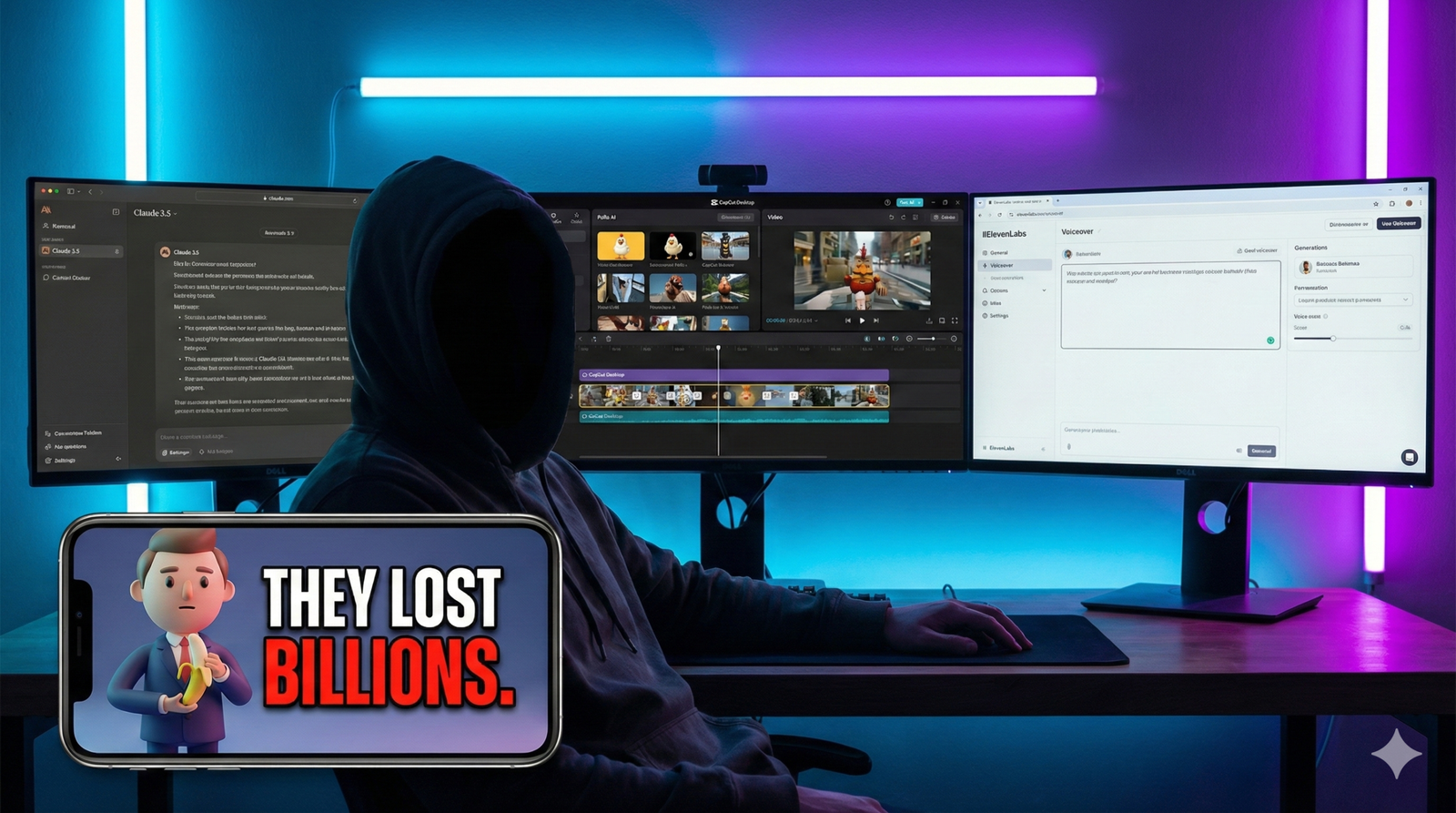
For 2026, the trend has shifted away from “surprised faces” to “high-contrast storytelling.” You want an image that creates a “Curiosity Gap”—a gap between what the viewer knows and what they want to know.
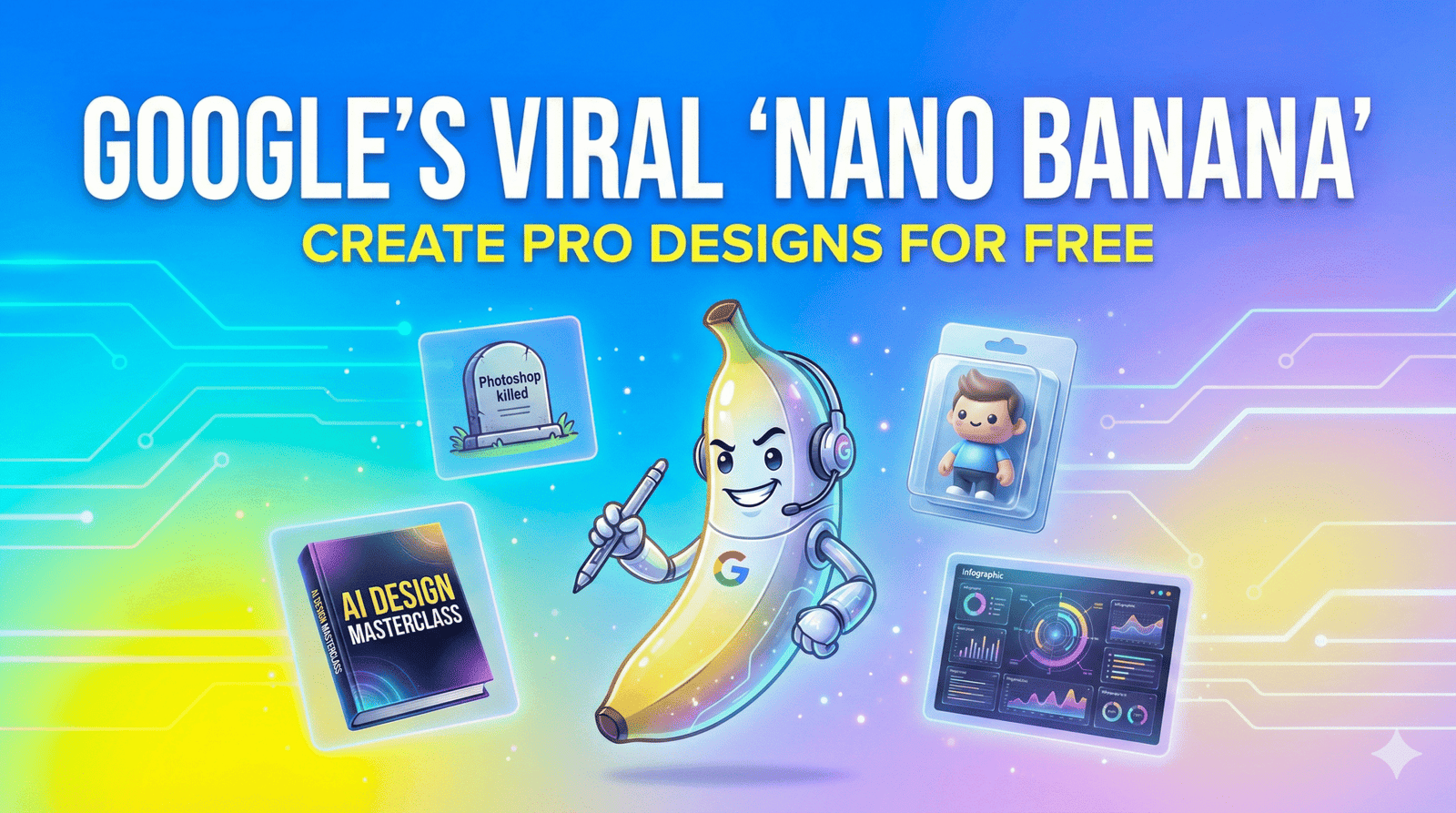
This is where Google’s viral tool shines. Because it understands complex spatial relationships, you can create thumbnails that look like high-budget 3D renders.
The “Rule of 3” for Thumbnails:
Don’t clutter the image. A viral thumbnail usually contains only three elements:
The Subject: A clear, large focal point (e.g., a 3D character or object).
The Action/Context: Something happening to the subject (e.g., it’s burning, falling, or glowing).
The Text: Maximum 3 words. Big, bold, and readable on a phone screen.
Example Prompt for Nano Banana:
“A 3D vinyl toy figure of a hacker sitting in a dark room, glowing green screens surrounding him, looking back at the camera in fear. High contrast, saturated colors. 16:9 aspect ratio.”
Add text like “HE GOT CAUGHT” in bright yellow, and you have a click-magnet.
Frequently Asked Questions (FAQ)
Can a faceless YouTube channel actually get monetized?
Yes. There is a myth that YouTube demonetizes AI content. This is false. YouTube’s monetization policies require content to be original and add value. They strictly punish “programmatically generated” content (spam), but they welcome high-quality, story-driven content made with AI tools. You simply need to check the “Altered Content” box during upload if your content looks realistic but isn’t.
How long does it take to make a faceless video with AI?
In the past, editing a documentary could take weeks. With this AI workflow, a high-quality 8-10 minute video can be produced in 3 to 5 hours. The script takes 30 minutes, generating visuals takes 1 hour, and assembly/editing takes the rest.
Do I need a powerful PC for AI video generation?
No. This is the beauty of the 2026 ecosystem. Tools like Pollo AI, Claude, and ElevenLabs are all cloud-based. The heavy lifting is done on their servers, not your computer. You can literally run a media empire from a Chromebook, an iPad, or an older laptop.
Is it too late to start a YouTube channel in 2026?
Saturation is a myth. “Boring” content is saturated. High-quality, story-driven content is always in demand. The “faceless” niche is actually expanding because viewers are tired of influencer personalities and drama; they just want good information and good stories.
Conclusion: The Barrier to Entry Just Vanished
The era of needing a $3,000 Sony camera, a professional lighting rig, and a sound-treated studio is officially over.
The tools listed above have democratized creativity in a way we have never seen before. The only barrier left is your own willingness to start. You have the roadmap. You have the tech stack. You know the niches that pay.
A faceless YouTube channel is more than just a creative outlet; it is a vehicle for freedom. It allows you to build an audience, generate income, and share your voice without sacrificing your anonymity.
So, don’t wait for the “perfect” video idea. Don’t wait until you feel “ready.” Open Claude, generate that first script tonight, and let the AI handle the rest. Your audience is waiting to hear your story—even if they never see your face.
create a Faceless youtube channel, faceless youtube channel ideas, faceless youtube channel step, faceless youtube channels, How many views do you need to make $10,000 a month on YouTube?, Who is the most popular faceless YouTuber? Do faceless YouTube channels make money? Faceless
You have done a difficult job. You’ve spent months – maybe even years – struggling with plot holes, perfecting character arcs, and staring at a blinking cursor until your eyes water. Your manuscript is finished.
This has been edited. It has a killer cover. But there’s one nagging question your readers keep asking: “When is the audiobook coming out?” For most indie authors, this question is a sore one. You know the answer involves either spending $5,000 on a professional narrator or spending 60 hours in a closet trying to record it yourself without your dog barking in the background. So you keep quiet. You leave that revenue on the table.
But in 2025, silence is a choice, not a requirement. Enter ElevenLabs. We’re not talking about the robotic “GPS voices” of a few years ago. We’re talking about AI that breathes, pauses, whispers and acts. It may growl like a pirate or tremble like a broken lover. And the best? It costs less to produce a perfect novel than a fancy dinner. By the end of this guide, you’ll know exactly how to turn your manuscript into a broadcast-quality audiobook using ElevenLabs’ latest features.
Step 1: The Boring (But Critical) Legal Stuff
Before you rush to generate your first chapter, we need to talk about the rules. The landscape of AI audio is a minefield of “Yes, but…” policies. Let’s clear them up so you don’t get your account banned.
The “Commercial Rights” Trap
This is the most common mistake authors make. You cannot use the “Free” plan on ElevenLabs to sell an audiobook.
Free Plan: Strictly for personal use or non-commercial demos.
Starter Plan ($5/mo) & Up: Includes a Commercial License. You own the rights to the audio files you generate, meaning you can sell them on your website, Google Play, or anywhere else that accepts AI audio.
The Golden Rule: If you plan to sell it, you must be on a paid tier while you are generating the audio. (You don’t need to stay subscribed forever, but you must be subscribed when you click “Generate.”)
Where Can You Actually Sell It?
Not every platform welcomes AI narrators with open arms.
The No-Go Zone:Amazon ACX / Audible. As of late 2025, they still strictly prohibit AI-narrated audiobooks (unless it is a clone of your own voice authorized through their specific beta program). Do not try to sneak it past them; they have detection tools.
The Green Light:Google Play Books, Kobo Writing Life, and direct sales platforms like Payhip or LemonSqueezy.
The “Yes, But” Zone:Voices by INaudio (formerly Findaway Voices) allows AI narration, but you must disclose it during the upload process. They distribute to dozens of retailers, including Spotify, that are AI-friendly.
Step 2: Choosing Your Narrator (Without Auditions)
You don’t need to listen to 50 audition tapes anymore. You just need to know what you are looking for. ElevenLabs gives you three powerful ways to find your voice.
Option A: The Voice Library (Fastest)
The library is massive. To avoid “analysis paralysis,” use the filters intelligently.
Filter by Use Case: Select “Narrative” or “Storytelling.” These voices are trained on long-form content, meaning they won’t sound bored after 5 minutes.
Check the Specs: Look for voices with a high “Stability” rating. You want a narrator who sounds consistent from Chapter 1 to Chapter 20.
Option B: Voice Design (Custom)
Can’t find the perfect gritty noir detective? Make him.
The Voice Design tool lets you prompt a new voice into existence.
The Prompt:“Middle-aged American male, deep gravelly voice, slow pacing, cynical but warm tone.”
The Result: ElevenLabs will generate a unique voice that nobody else has. This is perfect for giving your audiobook a signature sound that isn’t overused by other authors.
Option C: Voice Cloning (The Personal Touch)
Instant Cloning: You upload 1 minute of audio, and it mimics the voice. Great for quick character inserts.
Professional Voice Cloning (PVC): This is the “Gold Standard.” You upload 30+ minutes of clean audio (perhaps of you reading your book), and the AI creates a hyper-realistic replica. This allows you to narrate your book without spending 40 hours in a recording booth.
Step 3: Mastering the “Studio” (The Secret Weapon)
Do not—I repeat, do not—try to generate your audiobook in the standard “Speech Synthesis” box one paragraph at a time. You will lose your mind trying to stitch the files together.
Use the tool specifically designed for this: ElevenLabs Studio (formerly Projects).
Why Use Studio?
Studio acts like a Google Doc that speaks. It understands context. It knows that a sentence at the end of a paragraph should sound different than one in the middle.
The Workflow
Import: You can upload your EPUB or PDF file directly. Studio will strip out the formatting and leave you with clean text.
Assign Speakers: This is the killer feature. You can highlight a line of dialogue—say, “Get out of here!”—and assign it to a specific “Character Voice” (e.g., ‘Gruff Thug’). You can assign the rest of the text to your ‘Narrator’ voice. The AI handles the switching seamlessly.
Pause Control: AI sometimes rushes. In Studio, you can manually insert pause blocks (0.5s, 1.0s) to create dramatic tension or signal a scene break.
Step 4: Breathing Life into AI (Advanced Emotions)
This is where you separate the amateurs from the pros. In 2025, the Eleven Multilingual V3 model introduced “Audio Tags.” These are like stage directions for your AI actor.
Instead of hoping the AI understands a scene is sad, you tell it.
How to Use Audio Tags
You type these commands directly into your text inside Studio. The AI reads the text but acts out the instruction.
Table 1: The “Audio Tag” Recipe Book
Emotion/Action
The Tag Prompt
Best Used For
Secrets
[whisper] "I found the key." [whisper]
Thrillers, Mysteries, Intimate scenes
Relief
[sigh] "Finally, it's over."
Chapter endings, emotional climaxes
Joy
[laugh] "You have to be kidding me!"
Rom-Com banter, lighthearted moments
Anger
[shout] "Get out!" [shout]
Arguments, Action scenes
Hesitation
[hesitates] "I... I don't know."
Realistic dialogue, nervousness
Stability vs. Similarity Settings
If your narrator sounds too robotic, your settings are likely too high.
Stability: Turn this DOWN to 35-45%. Lower stability allows the AI to have more “inflection” and emotional range.
Similarity: Keep this HIGH (70-80%). This ensures the voice doesn’t accidentally morph into a different person halfway through a sentence.
Step 5: Post-Production & Exporting
You aren’t done when you click “Download.” To meet industry standards, you need to polish the files.
Export Settings
Always export your audio in MP3 192kbps (or higher). This is the standard quality requirement for almost every retail platform.
The “Human” Polish (Audacity Workflow)
Download the free software Audacity to do the final touches:
Room Tone: Even though AI has no “background noise,” total digital silence feels unnatural to human ears. It can feel like your headphones died. Add a very faint “room tone” track underneath, or ensure you have 1-3 seconds of silence at the head and tail of every chapter.
Speed Check: AI often reads about 10-15% faster than a professional human narrator. Select your entire track and use the “Change Tempo” effect to slow it down to 0.90x or 0.95x. This makes the listening experience more comfortable and “thoughtful.”
Q: How much does it actually cost to narrate a full book?
A: Let’s do the math. An average novel is 60,000 words (~400,000 characters).
Creator Plan: You get ~100,000 characters per month for about $22.
The Strategy: You would need roughly 4 months of credits (or buy extra usage-based credits). Total cost is usually around $80 – $100. Compare that to the $3,000+ for a human narrator.
Q: Can I put my ElevenLabs audiobook on Spotify?
A: Yes! You can distribute to Spotify through Voices by INaudio (formerly Findaway). Just make sure you check the box that asks if the content is “AI Generated.” Honesty is the best policy here.
Q: Will listeners hate it?
A: Honest truth? Some will. There are purists who despise AI. However, for non-fiction, memoirs, and clean-cut genre fiction, the quality of the V3 model is now so high that casual listeners often cannot tell the difference. The key is in Step 4—using those emotional tags to stop it from sounding monotonous.
Conclusion
The gatekeeper left. You no longer need a studio, producers, or a four-figure budget to get your story across to your readers. ElevenLabs has democratized the audiobook industry, but the tool is only as good as the creator using it.
If you copy-paste your entire book and press “go”, you’ll get a mediocre product. But if you use a studio, direct the demo with audio tags, and improve the pace, you’ll create a comprehensive experience that rivals the big publishing houses. Your story is not only worth reading but also worth listening to.
Don’t let “perfect” be the enemy of “published.” Are you ready to hear your characters speak for the first time? Sign up for the ElevenLabs Starter Plan today and create your first chapter for less than the cost of a latte.
You know that feeling. You’re staring at a blank screen, the cursor blinking mockingly at you. You have a brilliant concept for a digital product—maybe a viral ebook cover, a set of stickers, or a high-converting YouTube thumbnail—but the barrier between your brain and the screen feels insurmountable. You either have to pay a designer $500 on Upwork and wait three days, or wrestle with complex software that feels like it requires a pilot’s license to operate.
For years, we’ve been told that “AI will help,” but mostly, it just gave us six-fingered hands and text that looked like alien hieroglyphics.
Then, last week happened. A little yellow fruit emoji took over your X (formerly Twitter) feed.
It’s called Nano Banana Pro, and despite the absolutely ridiculous name, it has completely shattered the ceiling for what free tools can do. Google’s accidental viral sensation—officially powered by the terrifyingly smart Gemini 3 architecture—isn’t just another image generator. It’s a design engine that understands physics, lighting, and most importantly, human language.
If you are tired of monthly subscriptions and steep learning curves, you are in the right place. I’m going to walk you through exactly how you can use this tool to build professional-grade digital products today, for free.
What is “Nano Banana” (and Why is Everyone Posting It?)
First, let’s address the elephant—or rather, the fruit—in the room. Why is a trillion-dollar company like Google releasing a tool called “Nano Banana”?
It started as a leak. In early November 2025, an anonymous model appeared on the AI benchmark site “LMArena” under the codename nano-banana-v1. It absolutely crushed the competition, beating Midjourney v6 and Flux in blind tests. The community fell in love with the quirky name, and by the time Google officially revealed it as Gemini 3 Pro Image, the internet had already decided: it’s Nano Banana. Google, smart enough to read the room, kept the branding.
Why It’s Viral Right Now
There are two massive trends driving the obsession:
The “Figurine” Mode: You’ve likely seen your friends posting 3D, vinyl-toy versions of themselves. That’s Nano Banana’s signature style, which captures likeness without hitting the “uncanny valley.”
The “Thinking” Editor: Unlike older models that just slapped pixels together, this new model “thinks” before it draws. If you ask for a “reflection in a puddle,” it calculates the angle of the light.
This isn’t just a toy; it’s a paradigm shift. It connects directly to Google Search, meaning it knows what a “iPhone 17 Pro Max” looks like the day it launches, without waiting for a model update.
Step-by-Step: How to Access Nano Banana Pro for Free
You don’t need a waitlist, and currently, you don’t even need a credit card for the base tier. Here is how you get in.
The Setup Process
Open the App: Navigate to the Gemini App on your phone or desktop browser.
Switch Modes: By default, Gemini might use the faster, lower-quality “Flash” model. You need to look for the model toggle at the top of the chat window.
Select “Thinking”: Click on the dropdown and select “Gemini Thinking (Nano Banana)”. You’ll know it’s active when you see the small yellow icon next to the prompt bar.
Activate Creative Mode: Type the command /activate creative or simply start your prompt with “Generate an image of…”
Note: The free tier gives you about 50 “Pro” generations a day before throttling you back to the standard model. Use them wisely.
The “Ingredients” Recipe: Writing the Perfect Nano Banana Prompt
Most people fail at AI art because they talk to it like a robot (“Dog, sitting, 4k”). Nano Banana Pro is built on a Large Language Model (LLM), so you need to talk to it like a human art director.
To get results that look like you hired a pro agency, use this “Ingredients” framework. Think of it like cooking; you can’t just throw everything in the pot and hope for the best.
Ingredient Category
What to Add
Example Prompt Fragment
The Base (Subject)
The main focus. Be specific about materials.
“A futuristic sneaker made of translucent frosted glass and matte rubber…”
The Seasoning (Lighting)
This defines the mood. Use photography terms.
“…lit by softbox studio lighting with a warm rim light on the edges…”
The Garnish (Camera)
Tells the AI how to “shoot” the photo.
“…shot on a 35mm lens, f/1.8 aperture for a blurry background, low angle view…”
The Secret Sauce (Action)
What is happening? Give it energy.
“…suspended in mid-air, creating a dynamic splash of neon water droplets.”
Pro Tip: The “Secret Sauce” is where Nano Banana shines. You can add abstract concepts like “Make it look like it smells like vanilla” and the model will actually adjust the color palette to creamy whites and soft yellows to match that “vibe.”
3 Ways to Create Sellable Digital Products with Nano Banana
You aren’t here just to make pretty pictures; you want to build assets. Here are three high-value use cases you can start monetizing immediately.
1. The “Text-Perfect” Ebook Cover
For years, the biggest giveaway of AI art was the text. It would spell “Mystery” as “Mysterye.” Nano Banana Pro has solved this with OCR-level text rendering.
The Problem: Authors need covers that look professional but can’t afford $300 custom designs.
The Workflow:
Prompt:“A minimal thriller book cover titled ‘THE SILENT WATCHER’ in bold, distressed sans-serif font. The text should be white and centered at the top. The background is a foggy forest with a single red balloon. High contrast, professional typography.”
Result: You get a cover where the text is perfectly spelled and integrated into the fog—not just floating on top.
Monetization: Offer “Instant Kindle Covers” on Fiverr or Etsy.
2. Viral “Figurine” Avatars (The Current Trend)
This is the hottest trend on social media right now. People love seeing themselves as collectible toys.
How to do it: Upload a clear selfie of yourself (or your client) into the chat.
The Prompt:“Turn this person into a collectible 3D vinyl toy figure. Glossy plastic finish, big eyes, cute proportions. They are wearing a cyberpunk jacket. Displayed inside a plastic blister pack with a label that says ‘VIBE CODER’.”
Monetization: Sell “Custom Avatar” packages to streamers and influencers who want branded profile pics.
3. Infographics that Actually Make Sense
This is the killer feature for business clients. Because Nano Banana connects to Google Search, it doesn’t hallucinate facts as often.
The Workflow: Ask Nano Banana to “Create a vertical infographic about the ‘Benefits of Green Tea’ using real data from health websites. Use a pastel color palette and clean vector icons.”
Why it’s huge: It will pull real health benefits (antioxidants, brain function) and layout the text in a readable, designer-friendly format. You can sell these as “Social Media Content Packs” to health coaches.
Editing Like a Pro: The “Thinking” Edit Mode
Here is where you save money on Photoshop. Usually, if an AI image is 90% perfect but has one flaw (like a weird eye or a coffee cup floating in mid-air), you have to trash it.
With Nano Banana, you use Conversational In-Painting.
Once you generate an image, simply reply to it:
“Remove the sunglasses, but keep the reflection in the eyes.”
“Change the coffee cup to a matcha latte, and make the steam shape like a heart.”
“The lighting is too harsh. Change it to ‘Golden Hour’ sunset lighting.”
The model understands the 3D geometry of the scene. It won’t just paste a flat sticker of a latte on top; it will relight the latte to match the sunset you asked for. This “Physics-Aware Editing” is what sets it apart from Midjourney.
Frequently Asked Questions (FAQ)
Q: Is Nano Banana Pro actually free?
A: Yes and no. The base model is free within the Gemini app for a set number of generations per day. If you are a heavy user (generating hundreds of images), you will need the Gemini Advanced subscription. However, the free tier is generous enough for most casual creators.
Q: Can I use these images for commercial use?
A: Generally, yes. Google’s terms allow for commercial use of images generated by Gemini, but you do not own the copyright (since AI cannot hold copyright). This means you can sell the assets, but you can’t sue someone else for using them. Always check the latest Terms of Service as they update frequently.
Q: How does it compare to Midjourney v6?
A: Midjourney is still slightly more “artistic” and painterly for fantasy and abstract art. However, Nano Banana destroys Midjourney when it comes to instruction following, text rendering, and editing. If you need a specific product shot with specific text, choose Banana. If you want a dreamy oil painting, Midjourney might still have the edge.
Q: Why is it called “Nano Banana”?
A: As mentioned, it was an internal code name that leaked. The developers used fruit names for different model sizes (Nano, Micro, Macro). “Banana” was the code for the image model, and the “Nano” prefix implied it was efficient. The internet loved it, so it stayed.
Conclusion: Don’t Let the Funny Name Fool You
It might sound like a meme, but Nano Banana Pro is the most capable design tool on the market right now. It bridges the gap between “prompting” and “designing.”
For the first time, you don’t need to know how to manipulate layers, masks, or vectors. You just need to know how to describe what you want. The barrier to entry for creating professional digital products has just dropped to zero.
The only question left is: What will you create today?
“Note: Video generators are just one part of a successful setup. To see the full stack of tools we recommend for 2026, check out our Ultimate Content Creator Toolkit.”
Remember the first time you had a brilliant video idea, only to be crushed by the reality of production? The steep learning curve of editing software, the cost of stock footage, the hours spent filming and rendering… it was exhausting. You had the vision, but not the resources. That feeling of creative friction—of a great story locked inside a complicated process—is the universal challenge every content creator faces.
But what if I told you that challenge is melting away? We are standing at the dawn of a new creative era, where a simple text prompt can unleash a cinematic vision. This is the power of the AI video generator. It’s not just a tool; it’s a partner that promises to eliminate the friction between your idea and your final video.
The market is exploding, and choosing the right partner is the most important decision you’ll make this year. To help you cut through the noise, we’ve pitted the five leading platforms against each other. Forget endless demos—this is the definitive comparison to show you which AI video generator will finally turn your creative dreams into a reality.
📝 The Essential Guide to AI Video Tools
Choosing Your Creative Co-Pilot: What is an AI Video Generator?
At its core, an AI video generator is an application that uses machine learning models, primarily Generative AI, to fabricate video content from non-video inputs. Think of it as a digital director and editor rolled into one. Instead of manually cutting footage, sourcing clips, and recording voiceovers, you simply provide a script, a text description (a “prompt”), or a still image, and the system synthesizes a complete video.
The technology hinges on sophisticated Diffusion Models, algorithms trained on colossal datasets of images and video clips. These models learn how elements like lighting, physics, motion, and style interact, allowing them to construct entirely original sequences that didn’t exist before. This shift from manual editing to prompt-based creation means that the ceiling of your creative output is now defined by the quality of your imagination, not the size of your budget or your skill with a timeline. For content creators, this represents the single most significant acceleration of video content creation in a decade.
The Contenders: A Deep Dive into the 5 Top AI Video Generators
The landscape of AI video generation is dynamic, but five platforms currently define the industry across different use cases. Your choice should align directly with your specific production needs.
1. Runway Gen-2: The Creative Pioneer for Cinematic Video
Runway Gen-2 carved its name out as the first truly accessible Text-to-Video tool capable of producing high-quality, stylized, and often cinematic-looking footage. It’s the favorite among independent filmmakers, motion graphics artists, and anyone focused on visual effects (VFX).
Core Strengths:Runway offers incredible versatility with its Image-to-Video function (bringing still images to life) and Video-to-Video editing (allowing you to change the style, environment, or objects within existing footage using a simple text command).
Best For: Artists and creators looking to create short-form, artistic, or cinematic AI video clips where visual quality and the ability to manipulate existing video are paramount.
2. OpenAI Sora: The New Benchmark for Long-Form Narrative
While still in limited access, OpenAI Sora has set a new, towering standard for what a general-purpose AI video generator can achieve. Its breakthrough lies in its ability to maintain narrative coherence and physical accuracy over much longer durations than its competitors.
Core Strengths:Sora excels at understanding not just the objects in a scene, but how they interact with the world and each other over time. This makes it a potential game-changer for those seeking to create long-form AI video or complex scenes with consistent characters and environments.
Best For: Forward-thinking storytellers, screenwriters, and studios looking to create highly realistic, detailed, and consistent virtual scenes.
3. Synthesia: The Leader in Professional AI Avatars
Unlike the other tools focused on generating scenes, Synthesia specializes in the creation of AI Avatars and presenters. It has become the gold standard for corporate video production and e-learning.
Core Strengths:Synthesia allows you to choose from over 240 AI Avatars or create a custom clone of yourself. You simply type your script, and the chosen avatar delivers it with perfectly synced lip movements and natural expressions in over 140 languages. It eliminates the need for cameras, studios, or on-camera talent.
Best For: Businesses, HR departments, and educators who need to rapidly scale personalized, multilingual training videos, internal communications, or customer support explainers.
4. HeyGen: The Speed Demon for Social Media Content
HeyGen combines elements of avatar generation with user-friendliness, specifically targeting the high-volume needs of social media creators and marketers. It prioritizes speed and efficiency.
Core Strengths:HeyGen makes it incredibly fast to produce short, engaging clips—the perfect format for Reels and TikTok. You can upload a photo and quickly turn it into a talking photo or AI short video, complete with realistic text-to-speech synchronization. The ability to clone your face and voice is a massive advantage for creators looking to star in their own content without constant filming.
Best For:Social media video creators, influencers, and marketers focused on creating personalized and hyper-fast video content at scale.
5. Lumen5 (or InVideo AI): Best for Repurposing Existing Content
These platforms are masters of conversion. They are designed not for new creation but for transforming existing assets into video automatically.
Core Strengths: Tools like Lumen5 or InVideo AI are excellent at taking a blog post URL, an article, or a script and automatically selecting relevant stock footage, adding an AI voiceover, and assembling a complete video. This is the ultimate tool for content marketing efficiency.
Best For: Publishers, bloggers, and marketing teams who need to efficiently repurpose content into video formats for distribution across multiple channels.
Head-to-Head Comparison: Finding the Best AI Video Generator for Your Needs
Choosing the right AI video tool requires you to weigh creative freedom against practical efficiency and budget. This comparison breaks down the key decision factors.
Quality and Consistency: How Realistic is the Output?
When assessing quality, you must consider two factors: visual fidelity and temporal consistency.
Visual Fidelity:Runway and Sora currently lead in creating original, high-detail footage, making them the choice for cinematic AI video.
Temporal Consistency: This refers to how well objects, characters, and scenes remain stable across a clip. For narrative work, Sora’s emphasis on narrative coherence is a clear advantage. For presenters, Synthesia offers unwavering consistency because the avatar is a digital model, not a generated clip.
Pricing and Scalability: The Cost of Creation
The cost model for AI video generators falls into two main categories, and understanding them is crucial for your budget:
Subscription (Synthesia, HeyGen, Lumen5):You pay a flat monthly fee for a set amount of video minutes or exports. This is predictable and ideal for businesses with a stable, high volume of repetitive content (like training).
Credits/Compute Hours (Runway, Sora TBD):You purchase “credits” that are consumed based on the complexity and duration of your generation request. This model is better for intermittent, highly experimental, or cinematic work where generation time varies greatly.
Workflow and Ease of Use: A Beginner’s Perspective
Your technical comfort level will dictate which tool feels right.
The Prompt-Heavy Workflow (Runway, Sora): Requires you to spend time learning prompt engineering—the art of using specific language, artistic styles, and camera directions to get the desired result. Higher creative ceiling, steeper learning curve.
The Template-Based Workflow (Synthesia, HeyGen, Lumen5):You start with pre-designed scenes, avatars, or structures. Your primary task is pasting text and selecting options. Flatter learning curve, faster results, lower creative freedom for original scenes.
Key Feature Checklist: What Can Each AI Video Tool Do?
To help you visualize the differences, refer to the matrix below, which confirms which AI video tool excels at which core function:
Feature Comparison Table: Top 5 AI Video Generators
Runway Gen-2
OpenAI Sora
Synthesia
HeyGen
Lumen5/InVideo
Primary Use
Cinematic VFX
Narrative Storytelling
Corporate/Training
Social Media
Repurposing Content
Text-to-Video
✅ Yes
✅ Yes (High Fidelity)
❌ No (Avatar Focused)
❌ No (Template Focused)
✅ Yes (Stock-Based)
AI Avatar
❌ No
❌ No
✅ Yes (240+ Avatars)
✅ Yes (Custom Clones)
❌ Limited/Add-on
Video-to-Video Editing
✅ Yes (Strong)
✅ Yes (Potentially)
❌ No
❌ No
❌ No
Multi-Language Support
Limited
Limited
✅ Yes (140+ Lang)
✅ Yes (100+ Lang)
✅ Yes
Pricing Model
Credits/Subscription
TBD (Likely Subscription)
Per-Seat Subscription
Credit/Subscription
Subscription Tiers
SEO Strategies: How AI Video Generators Can Boost Your Content Marketing
The strategic use of an AI video generator isn’t just about saving time; it’s a powerful lever for your entire content marketing and digital strategy.
Scalability for Social: Instead of spending hours on one video, you can now produce ten AI short video clips in the same time. This constant feed satisfies the demands of algorithms across TikTok, Instagram Reels, and YouTube Shorts, significantly helping you to boost traffic and organic reach.
Unlocking Global Markets: With tools like Synthesia and HeyGen, you can execute video localization with unprecedented efficiency. By instantly translating and lip-syncing a single master video into dozens of languages, you can simultaneously launch products to global audiences, a task that was once prohibitively expensive.
Hyper-Efficient A/B Testing: Marketers know that the thumbnail, the first few seconds, and the call-to-action are vital. An AI video tool allows you to rapidly generate multiple, distinct variations of an ad—different presenters, different lighting, different openings—to quickly test and optimize for maximum engagement and conversion.
Conclusion: The Future of the AI Video Generator is Now
The era of painful, slow video production is ending. The arrival of the high-fidelity AI video generator has permanently democratized video content creation, putting a Hollywood studio’s tools into your hands.
The “best” tool isn’t a single platform; it’s the one that aligns with your specific creative ambition:
If your goal is cinematic art and experimentation, focus on Runway Gen-2.
If your goal is high-volume corporate training and communication, choose Synthesia.
If your goal is daily, engaging social media content,HeyGen is your speed demon.
The most important step is to stop overthinking and start generating. Your audience is waiting, and the tools are ready.
AI Video Generator FAQs (Frequently Asked Questions)
What is the best AI Video Generator for beginners?
Generally, HeyGen or Lumen5/InVideo AI are the easiest starting points. They use a more template-based approach and have simple, guided interfaces, making them the most accessible AI video generator for those new to the space. You can often get your first finished video in under 15 minutes.
Is the video quality from an AI Video Tool truly 4K?
While platforms like Sora and Runway Gen-2can generate videos at resolutions up to 4K, the visual quality is still an area of rapid improvement. For now, you should view them as fantastic tools for concept generation and stylized content, but they might not yet match a high-end, human-edited traditional video shot in 4K.
Are AI-generated videos allowed on YouTube or TikTok?
Yes, they are widely permitted, but it’s critical to adhere to platform policies. YouTube, for example, requires creators to disclose when content is synthetic, particularly if it involves realistic-looking people or events. Always check the specific platform’s guidelines on using AI video generator content to ensure your channel remains compliant and transparent with your audience.
Can an AI Video Generator replace a human video editor?
No, not entirely. An AI video generator is a powerful automation tool that handles tedious tasks like rough cuts, B-roll selection, and voiceovers. However, a human editor is still crucial for creative decision-making, emotional nuance, complex storytelling, and ensuring the final product matches the brand’s unique voice. AI enhances your capabilities; it doesn’t replace your vision.
Ready to unleash your creativity? Choose the tool that aligns with your goals and start producing. Which of these five AI video generators will you experiment with first this week?
Remember that moment? You’ve captured the perfect photo – the lighting is just right, the subject is stunning, but then you see it. A distracting object in the background, a messy room, or a photobomber that ruins an otherwise flawless memory. We’ve all been there. It’s frustrating to have a great shot compromised by a less-than-perfect setting. But what if you didn’t have to let those moments go? What if you could take control of your images, clean them up, and highlight what truly matters? This is where the magic of a background remover comes in, transforming your photos from good to absolutely amazing.
The Ultimate Guide to Background Remover
The ability to seamlessly remove a background from any photograph has become an indispensable skill in the digital age. It’s no longer just a task for professional graphic designers armed with complex software. With the rise of intuitive, AI-powered tools, anyone can achieve high-quality results in a matter of moments. This comprehensive guide will walk you through everything you need to know about mastering this powerful technique, ensuring your visuals always stand out.
Why a Background Remover is an Essential Tool
Think about your daily digital interactions. From scrolling through social media feeds to browsing online stores, you’re constantly bombarded with images. In this visual-first world, the quality of your photographs directly impacts how your message is received. This is where a background remover becomes an absolutely essential part of your creative toolkit.
Creating Professional Product Photos for E-commerce: Did you know that 93% of consumers consider visual appearance to be the key deciding factor in a purchasing decision? A clean, white, or transparent background for your products eliminates distractions and makes your items look more professional and trustworthy.
Designing Stunning Graphics for Social Media: Whether you’re a content creator, a social media manager, or a small business owner, crafting engaging visuals is a must. A transparent background allows you to effortlessly place subjects onto vibrant new backgrounds, create eye-catching collages, or integrate them into a branded template.
Making Clean Headshots for Professional Profiles: You want your professional headshot to convey confidence and competence, not a cluttered office or a distracting wall. A quick background removal can give your headshot a polished, uniform look that’s ideal for resumes, LinkedIn profiles, and company websites.
Enhancing Personal Photos by Removing Unwanted Clutter: Your vacation photo is perfect, except for that random person walking in the frame. A background remover lets you effortlessly crop out unwanted elements, leaving you with a clean, beautiful photograph that focuses solely on the moment you want to remember.
Creating Transparent Logos and Overlays: For branding and marketing, you need a logo that can be placed over any color or image. A background remover ensures your logo has a transparent background, giving you the flexibility to use it on everything from your website to a business card.
The statistics are clear: visually appealing content gets more engagement. According to a study by Adobe, content containing images receives 94% more views than content without. By using a background remover to enhance your visuals, you are not just editing a photo; you are improving your communication and impact.
Choosing the Best Background Remover for Your Needs
With so many options available, how do you find the right background remover for your specific requirements? The best tool for you depends on your budget, your technical skill level, and the complexity of your projects. Let’s break down the main categories.
Free Online Background Remover Tools
These web-based tools are perfect for quick, single-image tasks. You don’t need to download any software, making them incredibly convenient.
Pros: They are fast, user-friendly, and perfect for when you need a transparent background in a hurry. Many are powered by sophisticated AI that handles most of the work for you.
Cons: The free versions often have limitations, such as lower resolution output, watermarks, or a restricted number of daily uses. They may not offer the precision needed for complex images with fine details like hair or fur.
Examples: Remove.bg, Adobe Express, and Canva. These tools are fantastic for beginners or for those times when you just need a straightforward solution.
Professional Software (Photoshop, GIMP)
If you require absolute precision and are willing to invest time in learning, professional-grade software is your best bet.
Pros: You get unparalleled control over the editing process. Tools like the Pen Tool in Adobe Photoshop allow for meticulous selections, ensuring a perfectly clean cut-out every time. They support high-resolution files and offer a vast range of additional editing features.
Cons: The learning curve can be steep, and a subscription to a service like Adobe Creative Cloud can be a significant investment. This is generally overkill for a simple task but is a must for professionals.
Examples: Adobe Photoshop, Affinity Photo, and GIMP (a powerful, free alternative to Photoshop).
H3: Mobile Apps for Background Removal
For editing on the go, a mobile app can be a game-changer. They combine the convenience of your smartphone with powerful editing capabilities.
Pros: They are designed with mobile users in mind, featuring intuitive, touch-based interfaces. You can snap a photo and edit it immediately without needing to transfer it to a computer.
Cons: While convenient, they may not offer the same level of precision as desktop software. Editing fine details can be challenging on a small screen.
Examples: PicsArt, PhotoRoom, and Bazaart. These apps are perfect for social media content creators and small business owners who primarily work from their phones.
Step-by-Step Tutorial: How to Use a Background Remover
Ready to try it yourself? Let’s walk through the process using a simple online tool. This tutorial assumes you’re a beginner and want to see how easy it is to get started.
Using a Simple Online Tool (e.g., Remove.bg)
Step 1: Upload Your Image: Navigate to your chosen website. You’ll see a prominent “Upload Image” button. Click it and select the photo you want to edit from your device. Alternatively, you can often just drag and drop the file directly onto the page.
Step 2: Let the AI Do the Work: This is the best part! The tool’s AI will automatically detect the subject of your photograph and intelligently separate it from the background. This process usually takes just a few seconds. You will see a preview of your image with the background now transparent (often indicated by a checkered pattern).
Step 3: Download the Result: Once you are happy with the preview, simply click the “Download” button. The image will be saved to your device as a PNG file. This format is crucial because it supports transparent backgrounds, allowing you to use your cut-out image on any new backdrop.
While this process is incredibly simple, some tools also offer a basic editor where you can manually erase or restore parts of the image if the AI missed a spot.
Creative Uses and Inspiration for Your Edited Photos
Once you have an image with a transparent background, what can you do with it? The possibilities are endless! Here are some creative ideas to spark your imagination:
Create collages and composites: Combine several cut-out images to design a unique and artistic scene. This is a popular technique for digital artists and marketers creating visually rich campaigns.
Design product mockups: Place your product image on different backdrops to see which one makes it pop. You could put a t-shirt design on a model or place a piece of furniture in a styled room.
Make compelling social media posts: Take your cut-out image and place it on a vibrant, branded background. Add custom text, graphics, and other design elements to create a post that is truly unique and on-brand.
Craft professional presentations: Using a background remover on images you include in your slideshows will make them look sleek and modern. Instead of a clunky rectangular image, you get a clean cut-out that fits seamlessly into your presentation’s design.
The Top 5 Best Background Remover Tools for 2024
To help you decide, we’ve compiled a quick comparison of the top background remover tools available today.
Tool
Best For
Price
Key Features
Remove.bg
Quick, one-click removals
Free/Paid
AI-powered, API access, perfect for speed and simplicity.
Adobe Express
All-in-one design
Free/Paid
Integrated with other design tools, great for creating complete graphics.
Canva
Graphic design & social media
Free/Paid
Simple interface, massive library of templates and assets, excellent for social media visuals.
Adobe Photoshop
Professional-grade edits
Paid
Unparalleled control, advanced tools, ideal for photographers and designers.
PhotoRoom
E-commerce product shots
Free/Paid
Batch editing, professional templates, designed specifically for product photography.
Export to SheetsFrequently Asked Questions about Background Removers
We get a lot of questions about using these tools. Here are the answers to some of the most common ones.
How does an automatic background remover work?
The best tools today use sophisticated AI (Artificial Intelligence) and machine learning algorithms. They are trained on millions of images to recognize subjects like people, objects, and animals. When you upload an image, the AI analyzes it, identifies the primary subject, and creates a mask to separate it from the background, which is then made transparent.Is a background remover free to use?
Many of the top tools offer a free plan that is perfect for casual use. However, these free versions often have limitations, such as a lower output resolution or a cap on the number of images you can process per month. For unlimited, high-quality downloads, you will likely need to subscribe to a paid plan.
What is the best background remover for product photos?
For e-commerce, precision and consistency are key. Tools like PhotoRoom are specifically designed for this purpose, offering features like batch processing and professional-looking templates. Adobe Photoshop is also an excellent choice if you need maximum control to achieve flawless results.
Will using a background remover affect the quality of my image?
The short answer is: it depends on the tool. Most high-quality background remover services will preserve the original resolution of your image. However, some free online tools might compress the file size, which can result in a slight loss of quality. To ensure the best results, always download your finished image as a PNG file, as it retains transparency without significant quality loss.
Conclusion
The ability to remove a background is more than just a technical skill; it’s about reclaiming creative control over your images. Whether you’re a professional designer, a small business owner, or simply someone who loves to share photos, a quality background remover tool can unlock a world of possibilities. It’s about transforming those “almost perfect” photos into a finished product you’re proud to share. Take control of your visuals and start creating images that truly reflect your vision. Now that you’re armed with this knowledge, why not try it yourself? Find a tool that fits your needs and start creating visuals that capture attention and tell your story.
50K Chatgpt Prompts
Ready to supercharge your AI? Get your “50k ChatGPT Prompts” bundle today and start creating, innovating, and succeeding like never before.
The art of background removal has become an indispensable skill, and mastering background removal is crucial for anyone in digital media. With the right tools, the process of background removal is surprisingly simple. From a simple background removal for a product shot to a complex background removal for an artistic composite, every instance of background removal enhances the final image. We’ve seen how effective background removal can be for e-commerce, but the power of background removal also extends to social media, professional profiles, and personal photo editing. A proper background removal ensures your subject stands out. The market for background removal tools has expanded, giving you more choices for background removal than ever before. Choosing the right background removal software depends on your needs, but regardless of your choice, the result is a clean background removal. This comprehensive guide on background removal has covered everything from basic background removal to advanced techniques. In summary, the value of background removal is undeniable, and this guide should help you achieve perfect background removal every time.
Remember those days of staring at a blank screen, the cursor blinking mockingly as you struggled to craft compelling ebook copy, engaging social media posts, or even just effective product descriptions for your latest digital creation? You poured hours into content creation, often feeling like the creative well was running dry. What if I told you that the landscape is shifting dramatically, offering a powerful new ally in your digital product journey? It’s not just futuristic talk anymore; AI-generated content is here, and it’s profoundly changing how we create, market, and sell digital products. Let’s look beyond the buzzwords and explore the real revolution.
The Rise of AI in Digital Product Creation: More Than Just a Trend
The era of AI as a niche technology reserved for tech giants is over. Today, you’re witnessing the democratization of artificial intelligence, which is making sophisticated AI content creation tools accessible to everyone, from solopreneurs to small business owners. This isn’t just a fleeting trend; it’s a fundamental shift in how we approach creative work. Initially, many viewed AI with skepticism, fearing it would produce generic, soulless content. However, the technology has evolved rapidly, and modern AI is now capable of producing nuanced, context-aware, and even emotionally resonant material.
The data supports this. The global market for AI content generation is exploding, with a recent study projecting significant growth over the next five years. This surge is driven by a new generation of multimodal AI models, which can process and generate content across various formats—from text and images to audio and video. This means you now have an incredibly versatile tool at your disposal, capable of assisting you in every stage of your digital product’s lifecycle. The key is understanding that AI isn’t here to replace you but to augment your capabilities, helping you to work smarter, not harder.
Supercharging Your Workflow: How AI is Transforming Digital Product Development
Think about your last digital product launch. How much time did you spend on the repetitive, yet essential, tasks? From drafting product descriptions to creating a dozen social media posts, these steps are critical but can drain your creative energy. AI changes this equation entirely, allowing you to significantly accelerate your workflow.
Content Creation Acceleration: Imagine sitting down to write a 100-page ebook. Instead of starting from a blank page, you can feed an AI a detailed outline and receive a solid first draft in a fraction of the time. This frees you up to focus on what truly matters: refining the narrative, adding your personal insights, and ensuring the content delivers maximum value to your audience. This same principle applies to generating blog posts, email sequences, and even website copy. For instance, companies are saving thousands of work hours a month by using AI to draft emails and documents.
Design Assistance: You don’t need to be a professional graphic designer to create visually appealing assets anymore. AI can generate basic graphic elements, suggest design ideas, and automate tedious tasks like resizing images for different social media platforms. You can input a description of what you need, and the AI will provide a range of options, giving you a strong starting point for your creative vision.
Idea Generation and Research: Stuck in a creative rut? AI can be your personal brainstorming partner. By analyzing market trends and vast amounts of data, it can help you identify profitable niches, suggest new product ideas, and even summarize complex research papers to give you the information you need, fast. This is a game-changer for staying ahead of the curve in a crowded market.
Crafting Compelling Marketing with AI-Powered Content
Once your digital product is ready, the next step is to get it in front of the right people. This is where AI becomes a powerful marketing ally, helping you create highly effective campaigns that resonate with your audience on a personal level.
Personalized Customer Engagement: Generic marketing messages are a thing of the past. AI allows for hyper-personalization at a scale that was previously impossible. You can now generate tailored email marketing messages, create dynamic content for landing pages, and provide product recommendations that are specific to each individual’s behavior and preferences. Data shows that personalized calls-to-action can lead to a 202% better conversion rate, and personalized emails deliver six times higher transaction rates.
SEO Optimization: To rank high on search engines, your content needs to be both valuable to readers and optimized for algorithms. AI tools can help you in both areas. They can identify high-performing keywords, help you structure your articles to cover competitor gaps, and even generate meta descriptions and title tags that are more likely to get clicks. The best practice is to use AI for research and structure, then inject your unique expertise to create content that adheres to the E-E-A-T (Expertise, Experience, Authoritativeness, and Trustworthiness) principles.
Social Media Domination: Keeping up with the content demands of multiple social media platforms can be a full-time job. With AI, you can generate a steady stream of engaging posts, create captions, and even schedule your content to go out at optimal times. This consistency helps you build a strong brand presence and keeps your audience engaged.
Addressing the Concerns: Quality, Authenticity, and the Human Touch in AI Content
As with any new technology, using AI-generated content comes with its own set of challenges and ethical considerations. The most common concern is that AI will produce low-quality, generic content that lacks authenticity. However, you are the one in control. The key is to see AI as a co-pilot, not an autopilot.
Human Oversight is Non-Negotiable: Never publish AI-generated content without a thorough human review and edit. AI can “hallucinate” and produce inaccurate information, so fact-checking is crucial. Your role as the human creator is to ensure accuracy, maintain brand voice, and infuse the content with your unique perspective and personality.
Maintaining Brand Authenticity: To prevent your content from sounding robotic, you must actively refine the AI-generated output. Add your personal stories, unique analogies, and specific examples that only you could provide. This is how you transform a generic draft into an authentic piece of content that connects with your audience.
Ethical Considerations: You must be mindful of the ethical implications. This includes understanding potential biases in the AI models, respecting intellectual property rights, and being transparent about your use of AI. The goal is to use AI responsibly and ethically to enhance your work, not to deceive your audience.
Future Trends: The Evolving Landscape of AI and Digital Products
The relationship between AI and digital products is constantly evolving. Looking ahead, you can expect to see even more sophisticated tools that seamlessly integrate into your workflow.
Agentic AI Systems: Soon, you won’t just be giving AI a single command. Instead, you’ll be able to delegate complex, multi-step tasks to “agentic AI” systems. These autonomous programs will be able to perform a series of actions to achieve a goal, such as not only drafting an ebook but also creating a complete marketing campaign around it.
Hyper-Personalization at Scale: The future of AI in digital products will be defined by its ability to create truly unique experiences for every single user. Imagine a digital course that adapts its content in real-time based on your learning style, or a fitness app that creates a new workout plan every day based on your real-time performance data. The possibilities are endless.
Getting Started: Practical Steps to Integrate AI into Your Digital Product Strategy
Ready to harness the power of AI-generated content for your business? Here’s how you can get started:
Identify High-Impact Areas: Don’t try to use AI for everything at once. Start by identifying the most time-consuming tasks in your current workflow where AI could provide the most immediate value, such as generating social media posts or writing product descriptions.
Choose the Right Tools: The market is full of AI content creation tools, each with its own strengths. Start with a free trial of a few platforms to see which one best fits your needs. Some tools are great for long-form content, while others excel at generating marketing copy or images.
Experiment and Learn: Start with small projects. Use AI to write a blog post draft or create a few design variations. Learn how to craft effective prompts, or “recipes,” that yield the best results.
Recipes for Success with AI-Generated Content
Here are a couple of examples of how you can use AI to build your digital product empire.
Recipe 1: Speedy Ebook Creation
Ingredient
Quantity
Description
AI Writing Tool
1
A powerful platform for long-form content generation.
Target Audience Data
Detailed
Demographics, interests, and pain points.
Ebook Outline
1
A structured plan for your ebook with key topics.
Human Editor
1
Your personal touch for refinement and authenticity.
Export to Sheets
Instructions:
Feed your detailed ebook outline and audience data into the AI writing tool.
Generate initial drafts for each chapter, focusing on getting the core information down quickly.
Review and edit the AI-generated content for accuracy, clarity, and tone.
Add your unique insights, personal anecdotes, and examples to make the content truly your own.
Finalize and format your ebook, ready for sale.
Recipe 2: Engaging Social Media Updates
Ingredient
Quantity
Description
AI Social Media Tool
1
A platform for content generation and scheduling.
Content Themes
A few
Relevant topics for your target audience.
Target Keywords
Several
Keywords related to your digital products.
Brand Guidelines
1
Your brand’s unique voice, style, and visuals.
Export to Sheets
Instructions:
Input your content themes, keywords, and brand guidelines into the AI social media tool.
Generate a variety of social media post variations (e.g., text posts, carousels, video scripts).
Select the most engaging options and customize them further with a personal touch.
Schedule your posts for optimal times to maximize reach and engagement.
Monitor performance and use the insights to refine your future content strategy.
Conclusion: Embracing the AI Revolution in Digital Products
The revolution in digital products is here, and it’s being powered by AI-generated content. This technology is no longer a luxury but a strategic tool that can help you accelerate your creative process, scale your marketing efforts, and ultimately, build a more successful and profitable business. By embracing AI as a powerful assistant and not a replacement, you can unlock a new level of productivity and creativity. The future belongs to those who learn to work alongside these intelligent systems, blending the efficiency of AI with the irreplaceable power of the human touch.
Frequently Asked Questions (FAQ) about AI-Generated Content
Q: What exactly is AI-generated content?
A: AI-generated content is any form of media—text, images, audio, or video—that is created or assisted by artificial intelligence algorithms. These tools use machine learning to process massive amounts of data and produce original content based on your prompts and instructions.
Q: Can AI-generated content completely replace human content creators?
A: No, AI-generated content cannot fully replace human creativity. While AI can automate many repetitive tasks and generate a first draft, it lacks the unique experiences, emotional intelligence, and critical thinking that humans bring to the table. The most effective approach is a partnership, where AI handles the heavy lifting and you provide the creative direction and final polish.
Q: Is AI-generated content good for SEO?
A: Yes, AI-generated content can be great for SEO when used correctly. AI tools can help you with keyword research, topic ideation, and creating a strong article structure. However, to rank high and build trust with your audience, you must add your own expertise and original insights to the AI-generated content, ensuring it’s valuable and authoritative.
Q: Are there any ethical concerns associated with AI-generated content?
A: Yes, there are several ethical considerations. These include the potential for AI to produce biased, inaccurate, or unoriginal content. It’s your responsibility to review and fact-check all AI-generated content, ensure transparency, and use the technology in a way that respects intellectual property and avoids misinformation.
Managing social media for your business doesn’t have to be hard. Metricool offers a single platform for tracking performance on Instagram, Facebook, TikTok, and more. No more dealing with scattered data. Get clear insights all in one place. Start your free trial and see the difference: Try Metricool Today.
Today’s businesses struggle with managing social media across different apps. Metricool fixes this by bringing analytics together in one place. This saves time and boosts results. Now, you can focus on strategy, not just collecting data.
Key Takeaways
One dashboard for all social media analytics.
Saves hours by unifying data from multiple platforms.
Free trial available for testing before committing.
Delivers actionable insights for improving engagement and growth.
Supports includes Instagram, Facebook, TikTok, and more.
What is Metricool and Why Your Business Needs It
Every business aiming to do well in social media marketing faces a big challenge. They struggle to manage data across different platforms. Metricool was created to solve this problem. It was made to make managing data easier.
By 2023, 68% of marketers found it hard to bring together social data. This made Metricool focus more on unified analytics.
The Origins of Metricool
Launched in 2021, Metricool was a response to a need in social media tools. Its founders, from digital agencies, saw teams wasting hours. They were switching between platforms to track performance.
This led to the creation of a single dashboard. It combines data from all major networks.
Core Problem Metricool Solves
Scattered metrics waste a lot of time and resources. Without a central view, businesses miss important trends in social media marketing campaigns. Metricool fixes this by putting all data in one place.
It offers real-time insights. This helps businesses adjust their strategies fast.
Key Benefits at a Glance
Benefit
Description
Unified Analytics
Aggregate data from Instagram, Facebook, TikTok, and more into one dashboard.
Time Savings
Automate reports to save 10+ hours weekly spent on manual data collection.
Actionable Insights
Identify top-performing posts and audience trends to boost ROI in social media marketing efforts.
Ready to make your social media marketing strategy better? Start your free trial. See how Metricool changes your workflow.
Comprehensive Features That Set Metricool Apart
Metricool’s standout features turn data into decisions. Its competitor analysis tools let you benchmark against rivals across social network platforms. This reveals gaps in your strategy. Track engagement rates, post frequency, and content trends to outpace competitors.
For social media marketing agency teams, white-label reporting simplifies client deliverables. Customize reports without technical setup, ensuring your brand stays front and center. Manage multiple client accounts in one dashboard, schedule posts in bulk, and automate repetitive tasks to save hours weekly.
“Metricool’s bulk scheduling cut our team’s workload by 40%.” – Sarah Lee, Digital Marketing Lead
Audience analysis breaks down follower demographics, preferences, and peak activity times. Use this data to refine posting strategies and boost post reach. Advertising ROI tracking links campaigns to sales, proving the value of every dollar spent.
Ready to see these features in action? Start your free trial and transform how your agency or business handles social media. Metricool’s tools work seamlessly to boost performance without added complexity.
Streamlining Your Social Media Management Workflow
Managing social media can feel overwhelming. Metricool makes it easier with tools that organize your tasks. Imagine planning and publishing posts across platforms without stress.
Start with a central calendar that tracks every post. This ensures nothing is missed.
Content Planning and Scheduling
Metricool’s scheduler picks the best times to post for you. Focus on creating content that connects with your audience. Schedule posts ahead and make changes with real-time analytics.
Cross-Platform Publishing
Publish to Instagram, Facebook, and TikTok from one place. Create posts that fit each platform’s style. Save time by customizing content without switching apps.
Team Collaboration Tools
Share drafts with your team for feedback. Assign roles and tasks clearly. Approve changes in real time, cutting down on emails. Stay on track with comments and assignments.
Content Calendar Visualization
Get a clear view of your posting schedule. Spot gaps and adjust themes for consistent branding. The visual calendar helps align campaigns with special events.
Stop wasting hours on manual tasks. Try Metricool’s free trial and see how automation improves your workflow.
Deep Dive into Metricool’s Analytics Capabilities
Metricool’s analytics tools turn raw data into useful insights for all platforms. See how many new followers you get on instagram and which stories get the most views. Find out which facebook post types, like videos, get the most attention.
Instagram Performance Metrics
Check out story swipe-up rates and Reel success. See how your bio link does. Metricool shows when you’re most popular and what content keeps followers coming back.
Facebook Engagement Analysis
Find out which posts are hits and what comments say. See how page likes change over time. Compare your own posts to paid ads to spend your budget wisely.
TikTok Growth Statistics
Watch video views and trending hashtags. Use heatmaps to see where viewers lose interest. Adjust your content to keep them watching.
LinkedIn Business Intelligence
Track InMail replies, group activity, and B2B content shares. See which job titles engage with your posts. Use this info to target decision-makers better.
Pinterest Traffic Insights
Pin saves, repins, and website traffic from boards are all tracked. Find out which keywords bring traffic to your site from pinterest boards.
Threads Monitoring Tools
For threads, Metricool tracks reply chains and shares. See how conversations unfold. Adjust your strategy based on what’s working or not.
Use these insights to improve your campaigns on linkedin, tiktok, and more. Start optimizing today with Metricool’s dashboard to see your data in action.
How Metricool Pricing Compares to Competitors
Metricool’s pricing is made to fit your business needs. The Starter Plan starts at $29/month. It gives you basic analytics tools for small teams. This is cheaper than Hootsuite’s $299/month Professional plan, which limits analytics for social media marketing teams.
Buffer’s premium tier costs $150/month but doesn’t offer real-time performance tracking like Metricool.
Mid-sized businesses get a lot from Metricool’s Growth Plan at $99/month. This is half the price of Sprout Social’s $195/month platform. Later’s $129/month plan focuses on scheduling, missing out on analytics that Metricool provides.
Enterprise clients get unlimited access starting at $249/month. This is cheaper than competitors and includes custom reporting.
“Metricool cuts costs without cutting features,” says a digital agency using it for client campaigns.
Free trials and agency discounts are available. Check out Metricool’s pricing page to see how it compares. Even though entry-level plans have limits, scaling up is affordable as your social media marketing strategy grows.
Real-World Success Stories from Metricool Users
See how businesses like yours have seen real results with Metricool. From small businesses to agencies and influencers, they all use it to make data-driven decisions. Let’s dive into the numbers that show their success.
Small Business Transformations
A bakery in Austin boosted its Instagram followers by 140% with Metricool’s tools. They changed their content to focus on visual recipes, increasing sales by 65%. The owner said, “The analytics dashboard helped us spot trends we missed.”
Agency Efficiency Improvements
Marketing agencies using Metricool saved 40% on report prep time. A Chicago-based social media marketing agency managed 30% more clients without adding staff. Automated insights helped teams focus on strategy, not paperwork.
Influencer Growth Statistics
Beauty influencers grew their audience by 22% each month with Metricool’s analytics. A travel content creator doubled their sponsored post income by experimenting with timing and captions.
Want to see these results for yourself? Try Metricool for free and join over 15,000 brands making data-driven decisions.
Setting Up Your Metricool Dashboard for Maximum Impact
Optimizing your Metricool dashboard makes your social media management smooth from the start. Follow these steps to turn data into useful insights.
First-Time Setup Guide
Start by linking all your social profiles in one spot. Metricool’s wizard makes it easy to connect Instagram, Facebook, and more. Set up key metrics like engagement and follower growth to track your progress.
Watch introductory videos or follow step-by-step guides for quick learning.
Custom Report Configuration
Create reports in seconds that fit your needs. Pick metrics like post reach or conversion rates. Schedule reports to send to clients or executives automatically.
Save templates for common tasks to save up to 70% of time for agencies and brands.
Automation Possibilities
Unlock efficiency with Metricool’s automation tools:
Feature
Action
Benefit
Scheduled Posting
Post content at optimal times
Maintain consistency
Alerts
Receive notifications for spikes/drops
React faster to trends
Auto-Reports
Send pre-built reports weekly
Reduce manual work by 50%
Start setting up your dashboard today. Use the Metricool setup guide to apply these strategies and improve your social media management workflow.
Limitations of Metricool and Potential Workarounds
Metricool is a powerful tool, but it has areas for improvement. For example, it doesn’t integrate as well with new platforms like Mastodon as some competitors do. If you focus on these platforms, you might need to use browser extensions like IFTTT or Zapier for extra help.
Some users find the interface too much to handle at first. Start with Metricool’s “Quick Start” tutorial to learn the basics. While there’s no CSV export for raw data, the PDF summaries usually work well for social network reviews.
Big teams might hit API limits when linking to specific marketing tools. Talk to Metricool’s support to find ways to work around this. Agencies with many clients will find the tagging system a bit old-fashioned. Use “Saved Filters” to make things easier.
“Every tool has edges; the value comes from how you shape workarounds.” — Metricool Product Team
Metricool shines in key social network metrics and live tracking. Try it for free for 14 days with full access at Metricool’s official site. Knowing its limits helps you use it to its fullest potential.
Integrating Metricool into Your Existing Marketing Stack
Metricool doesn’t make you ditch your current tools. It connects smoothly with what you already use, making things more efficient. It helps with social media campaigns and tracking customer interactions, making workflows easier across platforms.
Compatible Third-Party Tools
Metricool works with big names like Hootsuite, HubSpot, and Salesforce CRM. You can sync your social media analytics with CRM dashboards. This lets you see how customers interact with your content from start to finish.
Content teams can link WordPress sites to Metricool. This way, you get updates on blog and social media performance in real-time.
API Capabilities
Developers can use Metricool’s API for custom integrations. You can connect your own systems for automated data flow. This means you can get social media metrics in your internal reports without manual updates.
Workflow Optimization Tips
First, map out your current tools. Then, let Metricool auto-import social media data from places like Buffer or Sprout Social. Use pre-built templates to combine analytics from different platforms into one report.
Try Metricool’s free trial to see how it works with your tools. You don’t have to make a big commitment.
Conclusion: Is Metricool Worth Your Investment?
Metricool makes your social media work easier by combining analytics and marketing tools. It tracks your performance on Instagram, Facebook, and TikTok. It also automates tasks like scheduling and team work.
For businesses looking to increase ROI without making things too complicated, Metricool is a great choice. It offers clear benefits.
Small businesses get real-time insights to improve their campaigns. Agencies can manage clients better, and big companies can grow with custom reports. While some features need a paid upgrade, the main tools meet most marketing needs.
Metricool keeps up with changes in social media algorithms. This ensures it stays relevant for the long term.
If your team is dealing with too many tools or inconsistent data, Metricool can help. It brings all your social media marketing together. Try it out today with this link: Metricool Free Trial.
See how it balances cost and effectiveness for better results. Your audience needs a strategy that grows with them. Metricool gives you the tools to make that happen.
“Metricool handles your data, but what about your content creation? See the other tools we use to scale our business in the Ultimate Content Creator Toolkit.“
FAQ
What is Metricool?
Metricool is a tool for managing your online presence. It works with Instagram, Facebook, Pinterest, TikTok, LinkedIn, and Threads. It helps you track your performance, plan posts, and analyze data to boost your marketing.
How can Metricool enhance my social media marketing efforts?
Metricool gives you insights and analytics to guide your decisions. It offers tools like competitor analysis and ROI tracking. This helps you improve your social media strategy and engage more with your audience.
Is Metricool suitable for agencies managing multiple clients?
Yes, Metricool is great for social media agencies. It has features for managing many accounts, creating reports, and handling clients. This makes it easier for agencies to work efficiently and meet client needs.
How does Metricool compare to other social media management tools?
Metricool stands out with its detailed analytics dashboard for various social networks. While Hootsuite and Buffer are good, Metricool offers deeper insights and metrics for better marketing.
Can I automate my social media posting with Metricool?
Absolutely! Metricool lets you schedule posts for many platforms at once. It also suggests the best times to post based on when your audience is most active.
How does Metricool help with tracking analytics on specific platforms like Instagram and TikTok?
Metricool tracks important metrics for each network. For Instagram, it looks at follower growth and content performance. For TikTok, it focuses on video metrics and follower demographics. This helps businesses tailor their strategies for each platform.
Is there a trial or free plan available for Metricool?
Yes, Metricool has a free plan to try out its features. They also offer different pricing options for businesses of all sizes. This makes it affordable for everyone from small businesses to large enterprises.
What if I encounter limitations while using Metricool?
Metricool is a powerful tool, but it might not integrate with all social networks. However, there are workarounds and tips to help you use it effectively. This ensures you can still meet your marketing goals.
How can I integrate Metricool with my existing marketing stack?
Metricool can connect with many third-party tools, including CRMs and content management systems. Its API lets businesses create custom integrations. This streamlines workflows and enhances reporting across marketing operations.
Where can I sign up for Metricool?
You can sign up for Metricool through this affiliate link: Metricool Sign Up. This will take you to the official site where you can pick the best plan for you.
Have you ever spent hours perfecting a TikTok video, only to feel disappointed when the watermark distracts from its overall appeal? Whether you’re a content creator, marketer, or someone who simply enjoys sharing videos, the TikTok watermark can feel like an unnecessary blemish on your hard work.
Imagine wanting to repurpose your TikTok content for Instagram Reels, YouTube Shorts, or even a professional presentation, but the watermark makes it look less polished. You’re not alone—millions of creators face this challenge daily.
In this guide, we’ll explore the best TikTok watermark remover tools and methods, ensuring your videos look clean, professional, and ready to shine on any platform.
What is a TikTok Watermark and Why Does It Exist?
The TikTok watermark is a small logo, typically the TikTok icon or the creator’s username, that appears on videos downloaded from the app. It serves two main purposes:
Protecting TikTok’s Intellectual Property: The watermark ensures that the content is credited to TikTok, even when shared elsewhere.
Promoting the Platform: By including the watermark, TikTok encourages viewers to explore more content on its app.
However, there are valid reasons why you might want to remove it:
Professionalism: A clean video looks more polished and is better suited for branding or marketing purposes.
Repurposing Content: Removing the watermark makes it easier to share videos across multiple platforms without distractions.
Compliance: Some platforms, like Instagram Reels, prefer content without external watermarks.
Allows precise watermark removal using masking tools.
Best For:
High-quality, branded content.
Why It’s Great: If you’re serious about video editing, Adobe Premiere Pro offers unmatched precision and control, ensuring your videos look flawless.
Step-by-Step Guide to Removing TikTok Watermarks
Method 1: Using Online Tools
Copy the TikTok Video Link: Open the TikTok app, find the video you want to download, and tap the “Share” button to copy the link.
Visit a TikTok Watermark Remover Website: Go to a tool like SnapTik or MusicallyDown.
Paste the Link and Download: Paste the TikTok link into the website’s search bar and download the watermark-free video.
Tip: Always check the video quality after downloading to ensure it meets your standards.
Download a TikTok Watermark Remover App: Choose an app like Video Eraser or Remove & Add Watermark.
Import the TikTok Video: Open the app and import the video from your gallery.
Remove the Watermark: Use the app’s tools to crop or mask the watermark.
Tip: Look for apps with additional editing features, such as trimming or adding filters, to enhance your videos further.
Method 3: Manual Editing (Advanced)
Download the TikTok Video: Use a screen recording tool or a downloader to save the video to your device.
Use Video Editing Software: Open the video in a program like Adobe Premiere Pro or Canva.
Crop or Mask the Watermark: Use cropping tools or masking techniques to remove the watermark.
Tip: For best results, zoom in slightly to ensure the watermark is fully removed without cutting into the main content.
Pros and Cons of Removing TikTok Watermarks
Pros
Cons
Clean, professional-looking videos
May violate TikTok’s terms of service
Easier to repurpose content
Risk of losing video quality
Better for branding and marketing
Ethical concerns about content ownership
1. Is it legal to remove TikTok watermarks?
While it’s technically possible, removing watermarks may violate TikTok’s terms of service. Always check platform guidelines before proceeding.
2. Does removing the TikTok watermark affect video quality?
It depends on the tool you use. Some tools preserve quality, while others may compress the video.
3. Can I use TikTok videos without watermarks for commercial purposes?
You should obtain proper permissions from the original creator before using their content commercially.
4. Are there free TikTok watermark remover tools?
Yes, tools like SnapTik and MusicallyDown are free to use.
Conclusion: Elevate Your Content with Clean, Watermark-Free Videos
Removing TikTok watermarks can transform your videos, making them look polished and professional. Whether you’re repurposing content for social media, creating marketing materials, or simply sharing videos with friends, the right tools and methods can make all the difference.