

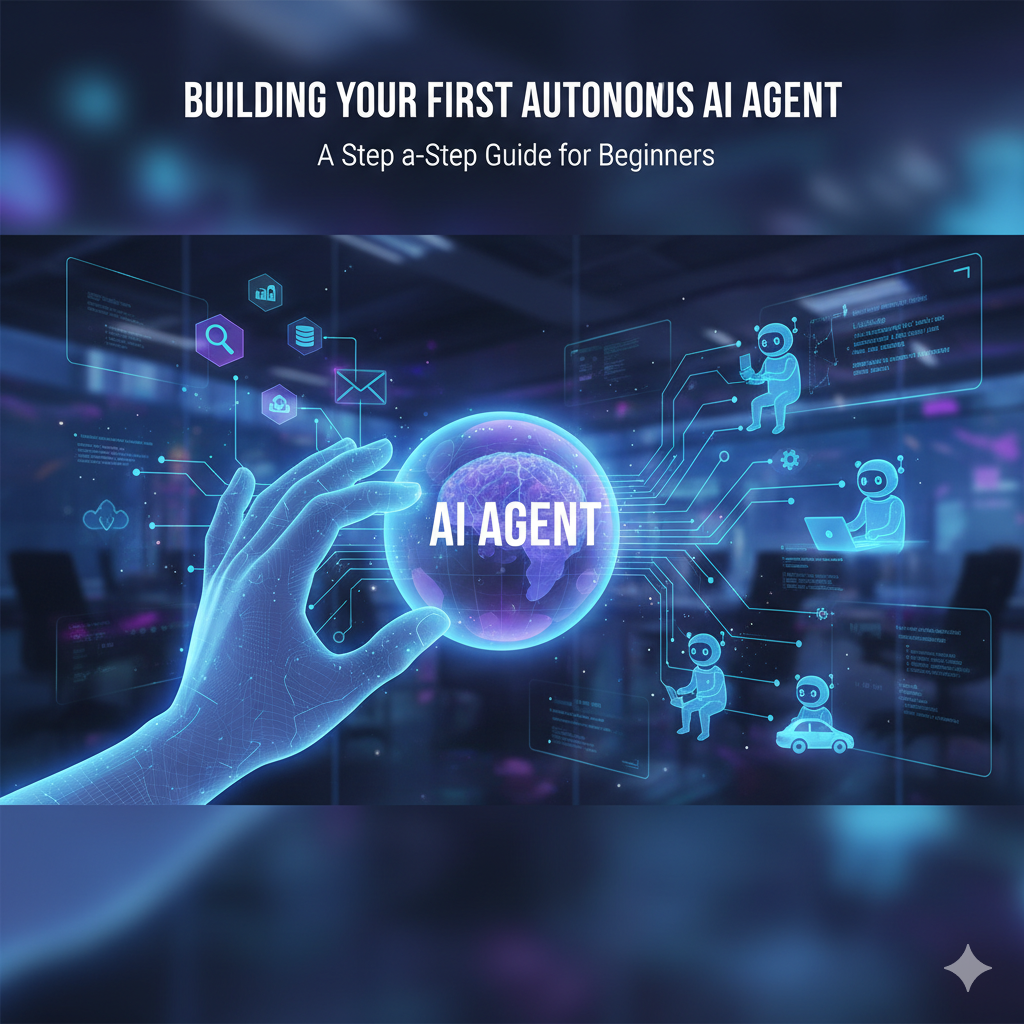
Building Your First Autonomous AI Agent: A Step-by-Step Guide for Beginners 2025

A digital hand interacts with a glowing orb labeled AI AGENT at the center of a circuit board. Lines of light connect the orb to small robot icons performing autonomous tasks like driving, typing, and managing data, illustrating workflow automation.

It starts with a feeling: that low, constant hum of repetitive tasks stealing your time, or the frustrating sense that you’re just managing a workflow instead of actually innovating. Perhaps you’ve spent countless hours manually sorting data, drafting email summaries, or switching between a dozen digital tools just to complete one simple project. You know there’s a better way.

For years, Artificial Intelligence was this abstract, intimidating force—something only PhDs could touch. But what if I told you that the power to automate your life and business, to go from managing tedious, multi-step tasks to creating an intelligent, autonomous partner, is now within your reach?

This guide is your map. We’re not just building a static chatbot that answers simple questions; we’re creating an independent, thinking entity—an AI agent—ready to follow a complex plan, utilize external tools, and even learn from its actions. This is the next frontier of productivity, and mastering it puts you leagues ahead. Let’s embark on the most exciting journey in tech right now and turn that digital potential into tangible, real-world autonomy.


Section 1: Decoding the AI Agent: Core Concepts for Beginners

Before you start building, you need to understand the fundamental mechanics. The shift from using a general Large Language Model (LLM) like a writing tool to deploying an autonomous AI agent is profound. It’s the difference between having a super-smart assistant who waits for your command and having a specialized employee who executes a project start-to-finish without supervision.

Agent vs. Assistant: The Critical Distinction

Your typical AI Assistant (like many consumer-facing chatbots) is primarily designed for conversation and information generation. It has a phenomenal memory for text but operates within a constrained environment.

An AI agent, however, is designed for action and autonomy. It possesses a critical, multi-stage loop that allows it to interact with the world: it can perceive its environment, reason about its goals, create a plan, and then execute that plan by using tools. Agents have a stateful memory that allows them to remember progress across multiple steps, making them truly autonomous.

The Key Components of an AI Agent Architecture

Every functional AI agent is built upon a modular architecture. Understanding these four core components will clarify what you need to configure in your own project:

  1. Perception (The Senses): This is the input mechanism. It gathers and interprets information from the environment. This could be a user’s text prompt, a trigger from an external system (like a new entry in a Google Sheet), or the results of a previous web search. It tells the agent the current state of the world.
  2. Planning/Reasoning (The Brain): This is the core Large Language Model (LLM) intelligence. When the agent receives input and a goal, the Reasoning Module uses its intelligence to break the complex objective down into smaller, actionable steps. This planning ability is the engine of autonomous AI.
  3. Memory (The Knowledge): Agents need both short and long-term memory.
    • Short-Term Memory: The immediate context of the current conversation or task.
    • Long-Term Memory: The agent’s knowledge base. This is often a Vector Database (RAG) that stores specific, proprietary data (like company policies or past customer interactions) that the agent can retrieve and use.
  4. Action/Tools (The Hands): This is the most crucial difference. The Action Module allows the agent to call external functions (APIs, code interpreters, web browsers) to interact with the world outside of the LLM itself. If your agent needs to search the web, it calls a search tool. If it needs to email a client, it calls an email tool.

Section 2: Choosing Your First AI Agent Project (Keep It Simple!)

The key to a successful first build is to choose a project that is specific, repetitive, and digital. Do not try to solve your company’s entire CRM problem on day one. Your first AI agent use case should be a task that you currently find tedious, yet involves clear steps.

3 Beginner-Friendly AI Agent Project Ideas

Focus on projects that showcase the agent’s ability to use a tool and follow a multi-step plan.

  1. The Research Summarizer:
    • Input: A user provides a URL to a news article or white paper.
    • Agent Steps: The agent is instructed to: 1) Browse the URL using a web-scraping tool. 2) Filter the content for key data points and conclusions. 3) Summarize the top five findings into a concise, professional, bulleted list.
    • Value: Instant information synthesis without manual reading.
  2. The Data Sorter and Logger:
    • Input: A trigger indicating a new email has arrived in a specific inbox (e.g., “sales leads”).
    • Agent Steps: The agent is instructed to: 1) Read the email and extract the name, company, and primary request. 2) Use a Google Sheets tool to append this structured data to a master “New Leads” spreadsheet.
    • Value: Automates lead capture and ensures clean, structured data logging.
  3. The Basic Lead Qualifier:
    • Input: A list of customer names and company names.
    • Agent Steps: The agent uses a web search or LinkedIn API tool to find the company’s recent press releases or main service offering. It then assigns a simple “Hot/Warm/Cold” qualification tag based on the latest activity and logs this to a database.
    • Value: Pre-qualifies leads, saving a human sales representative significant research time.

Section 3: The Toolkit: Essential Platforms for Building Your AI Agent

The barrier to entry for building an AI agent is dramatically lower than it was even a year ago, thanks to innovative frameworks and visual builders. Your choice of tool depends on your comfort level with coding.

Choosing Your Agent Building Ecosystem

Tool TypePlatform ExamplesBest ForTechnical Skill Level
No-Code/Low-CodeMake (formerly Integromat), Flowise, Dify, ZapierWorkflow Automation, Quick MVP, Visual BuildingBeginner (No Coding Required)
Code FrameworkLangChain (Python), CrewAI (Python)Deep Customization, Complex Internal Logic, Multi-Agent SystemsIntermediate (Familiarity with Python)

Export to Sheets

If this is truly your first project, start with a no-code AI agent platform like Flowise or Make. These tools allow you to visually design the workflow, connect the LLM, and integrate external applications simply by dragging and dropping nodes—no complex libraries or local setup required.

The Brain (The LLM): Regardless of your platform, your agent needs a powerful reasoning core. For modern autonomous tasks, you will want to select one of the top commercially available models (e.g., GPT-4o, Anthropic’s Claude 3.5, or Google’s Gemini). These models are optimized for multi-step reasoning and tool-use, which is the heart of a good LLM agent.

Section 4: The 5-Step Process to Build Your First Agent

This is the actionable AI workflow setup sequence. We will walk through the mental model and the technical steps necessary to bring your first agent to life.

1. Define the Goal (The North Star)

Your goal must be precise. Write it down: “The agent’s goal is to extract a lead’s contact details from an email and log them into our CRM, confirming the logging was successful.”

2. Design the Prompt/Persona (The Instruction)

The prompt is the most powerful and often overlooked component. It defines the agent’s personality, its boundaries, and how it handles ambiguity. This is where you conduct your AI agent prompt engineering.

The 4 Rules of a Strong Agent Prompt

  1. Role: Define who the agent is. (“You are a meticulous, error-checking data entry specialist.”)
  2. Goal: Restate the main objective clearly. (“Your single purpose is to parse the provided text and utilize your tools to log the necessary data.”)
  3. Tools Available: Explicitly list the tools it can use and when to use them. (“You have access to ‘CRM_API’ and ‘Web_Search’. Only use ‘Web_Search’ if a company name is missing.”)
  4. Constraints (Guardrails): Define what it must not do and the output format. (“NEVER hallucinate or invent data. Respond only with a final confirmation status.”)

3. Select and Configure the Tools (The Hands)

In your chosen platform (e.g., Flowise or LangChain), you must integrate the external services. For the Data Sorter agent, you would connect:

  • Tool A: An Email Parser/Reader (Perception).
  • Tool B: A Google Sheets or CRM API Connector (Action).
  • Tool C: A Web Search Function (Fallback/Action).

Each tool must be configured with the necessary API keys and permissions.

4. Assemble the Workflow (The Logic Loop)

This step involves connecting the components you defined in your builder. The AI agent will follow this basic logic:

Input (Perception)→LLM Reasoning (Planning)→Tool Action→Action Outcome→Final Output

The reasoning step is where the LLM decides which tool to use next, based on the input and its current status. This chain reaction is what makes the agent “autonomous.”

5. Test, Evaluate, and Iterate

Deployment is not the finish line—it’s the start of the AI agent testing phase. Run multiple scenarios:

  • Success Case: Provide a perfect email and verify the data logs correctly.
  • Failure Case: Provide an incomplete email (e.g., missing the company name) and see if the agent correctly identifies the missing information and attempts to use its Web Search tool as instructed in the prompt.
  • Boundary Case: Provide an out-of-scope request (e.g., “Write me a poem.”)—the agent should reject the task based on its strict Role and Constraints. If it fails a test, adjust the prompt first, then troubleshoot the tool configuration.

Section 5: Best Practices: Avoiding Common Beginner AI Agent Pitfalls

As you move from theory to practical building, keep these essential AI agent best practices in mind to ensure efficiency and reliability.

  • Prompt Specificity is King: A generic prompt like “Help me manage leads” will fail. A hyper-specific prompt like, “Your ONLY output is a JSON object containing the fields: ‘name’, ‘company’, and ‘status’. If any field is empty, mark the status as ‘Incomplete,'” will succeed. The more you constrain the output, the more reliable your agent becomes.
  • The Tool Reliability Test: Your autonomous AI agent is dependent on external tools. If your CRM’s API is slow, the agent will be slow. If an API key expires, the agent will fail its task. Prioritize tools known for stability and clear documentation.
  • Managing LLM Costs (The Hidden Expense): Autonomous agents can fall into reasoning loops if their plan fails repeatedly. This can lead to unexpected high token usage. Always configure your builder to:
    • Set a maximum number of steps for any single task (e.g., “If you fail three times, stop and ask for human intervention”).
    • Monitor usage frequently during the initial training and testing period.
  • The “Hallucination” Trap: Even the best LLMs can generate plausible but incorrect information. For your first build, never rely on the agent for factual verification. Include a “Human-in-the-Loop” step for critical decision points or final output reviews. This ensures both agent safety and data accuracy.

Conclusion: Your Autonomous Journey Has Just Begun

You have successfully navigated the architecture, planning, and build-out of your first intelligent, action-oriented AI agent. You’ve moved beyond the passive use of generative AI and stepped into the realm of true autonomous intelligence.

This isn’t just about automation; it’s about transformation. By building an agent, you have created a piece of technology that actively works for you, freeing up your cognitive energy for high-level strategy and creativity.

The next step is scaling. Start by challenging your first agent with more data, then integrate a second, specialized agent, connecting them to create a powerful multi-agent system.

Take Action Now: Pick that one task you dread doing this week—the data entry, the research summary, the form sorting—and use the 5-step process outlined here to build an agent that does it for you. Your journey into the autonomous future starts with that single click of the “Deploy” button.

AI Agent FAQ (Frequently Asked Questions)

What is the difference between a chatbot and an AI agent?

A chatbot is primarily designed for conversation and providing information. Its capabilities are often limited to the data it was trained on. Conversely, an AI agent is designed for action. Agents have the ability to call external tools (APIs, databases, web search) to complete multi-step, real-world goals autonomously without needing a human to prompt each step.

Do I need to know how to code to build my first AI agent?

No. While code frameworks like LangChain offer maximum customization, platforms like Flowise, Make, and Zapier allow you to build functional, multi-step AI agents using a visual, drag-and-drop interface. These low-code tools are perfect for beginners focused on workflow automation and logic design.

What is the most crucial component for a successful autonomous AI agent?

The most crucial part is a clear, constrained System Prompt combined with reliable Tools. The prompt ensures the agent knows its role, goal, and limits (the thinking part), while the tools allow it to interact with the environment (the doing part). Poor planning or unreliable tools will always result in a failed execution.
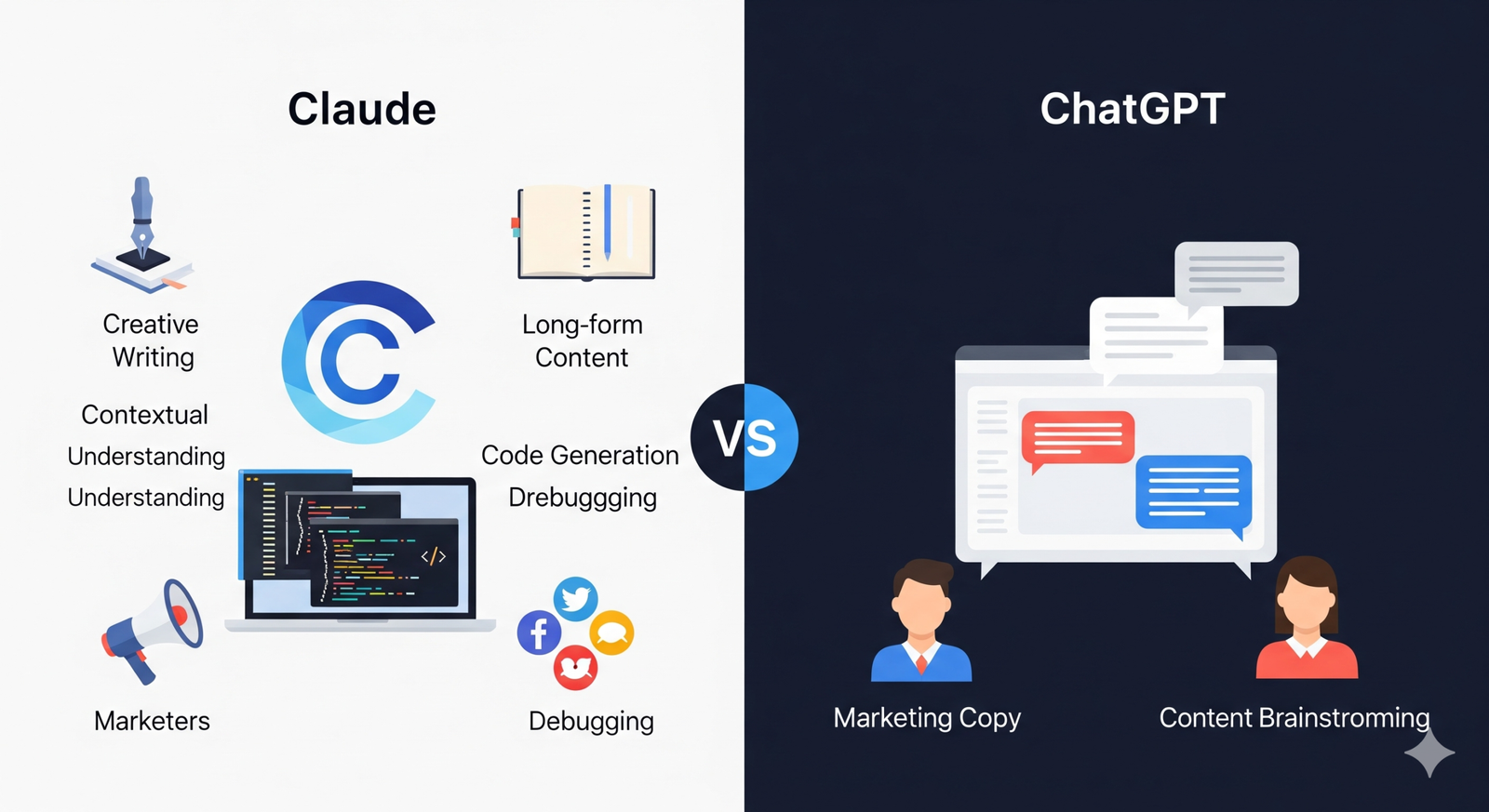

Claude vs ChatGPT: The Ultimate Guide for Writers, Developers, and Marketers 2025

An illustrative comparison between Claude vs ChatGPT. On the left side, a blue and white theme represents Claude, showing icons for a quill pen and notebook (Creative Writing), code snippets (Code Generation), a megaphone and social media icons (Marketers), and a large "C" logo. Labels like "Nuance," "Long-form Content," and "Contextual Understanding" highlight its strengths. On the right, a darker theme represents ChatGPT, with chat bubbles on a screen and two user avatars, symbolizing its strengths in "Marketing Copy" and "Content Brainstorming." A large "VS" separates the two sections.

In this guide, we will explore the nuances of claude vs chatgpt to help you understand which AI is better suited for your needs.


This fundamental difference in their DNA is the key to understanding why each model excels in different scenarios. When you’re weighing Claude vs ChatGPT, you are essentially choosing between two distinct approaches to AI.

Understanding the AI Giants: Core Differences and Philosophies

When considering claude vs chatgpt, it’s essential to grasp their fundamental approaches.

When considering claude vs chatgpt, it’s essential to grasp their fundamental approaches. The world of generative AI has rapidly evolved from a fascinating novelty to an indispensable tool for professionals everywhere.

At the forefront of this transformation are two names: ChatGPT from OpenAI and Claude from Anthropic. While they might seem similar at a glance, their underlying philosophies and design principles create distinct experiences for the user.

Let’s dive deeper into the claude vs chatgpt debate, particularly in the realm of creative writing and technical tasks.


When evaluating claude vs chatgpt for technical content, consider their unique strengths. For those whose livelihoods are built on words, the choice of an AI co-pilot is a critical decision.

In marketing contexts, the claude vs chatgpt discussion often highlights speed and effectiveness.

Let’s dive deeper into the claude vs chatgpt debate, especially in the realm of creative writing.

In the discussion of claude vs chatgpt, one can’t overlook how each model handles creative tasks.

The Writer’s Workspace: A Head-to-Head Content Creation Battle

When evaluating claude vs chatgpt for technical content, consider their unique strengths.

In this guide, we will explore the nuances of claude vs chatgpt to help you understand which AI is better suited for your needs.

Creative Writing & Storytelling

In marketing contexts, the claude vs chatgpt discussion often highlights speed and effectiveness.

When you’re crafting fiction, poetry, or scripts, the ability of an AI to capture a unique voice and maintain narrative consistency is paramount. Claude has often been praised by writers for its more natural and expressive prose. It tends to generate more “human-like” dialogue and rich, descriptive passages, making it an excellent partner for brainstorming story ideas or even writing first drafts. Its Constitutional AI framework seems to foster a more thoughtful, less mechanical style of writing.

In the fast-paced world of digital marketing, speed and versatility are non-negotiable. Here, ChatGPT’s broad training and rapid response times make it a powerful ally.

Technical & Long-Form Content

If your work involves creating comprehensive guides, whitepapers, or detailed research articles, the sheer size of the AI’s “working memory” becomes a major factor. This is where Claude’s massive context window gives it a significant advantage. It can process and synthesize enormous documents—think entire books or lengthy reports—and then use that information to generate a cohesive response. This is particularly useful for tasks like summarizing long transcripts, extracting key data from a series of documents, or writing a detailed article on a complex topic without losing its train of thought.

SEO & Marketing Copy

As we analyze the claude vs chatgpt comparison, remember their different core philosophies.

While Claude is also capable, ChatGPT’s vast experience with diverse datasets makes it especially good at adapting to different brand voices and marketing formats.

In the fast-paced world of digital marketing, speed and versatility are non-negotiable. Here, ChatGPT’s broad training and rapid response times make it a powerful ally. It can quickly generate a wide variety of marketing assets, from catchy headlines and ad copy to social media posts and email sequences. While Claude is also capable, ChatGPT’s vast experience with diverse datasets makes it especially good at adapting to different brand voices and marketing formats.

Table: Content Creation Showdown

MetricClaudeChatGPT
Natural Language FlowStrong. Often more expressive and human-like.Very Strong. Highly versatile and adapts well to various tones.
Factual Accuracy / Hallucination RateVery Strong. “Constitutional AI” makes it less likely to generate false info.Strong. Generally reliable but can occasionally “hallucinate.”
Long-form CohesionExcellent. Superior context window ensures consistency over thousands of words.Good. Can lose track in very long documents without repeated prompting.
SpeedGood. Fast enough for most tasks.Excellent. Known for its rapid generation of text and code.
Creative FlairStrong. Excels at rich, descriptive creative prose.Strong. Very good for brainstorming and diverse creative tasks.
SEO Keyword IntegrationGood. Integrates keywords naturally into the flow of content.Very Strong. Excellent at creating content optimized for a specific keyword density and structure.

Export to Sheets


The Developer’s Toolkit: Which AI Codes Smarter?

For software engineers and developers, an AI assistant is no longer a luxury but a necessity for streamlining workflows and tackling complex problems. The right model can act as a tireless pair programmer, debugging code and helping you learn new languages.

Code Generation & Bug Fixes

When it comes to writing code, both models are incredibly competent. You can ask them to write a script in Python, create a component in React, or generate a database query, and they will deliver. However, where they differ is in their approach to problem-solving. Claude’s step-by-step reasoning often leads to more accurate and logical code. Its deep understanding of codebases, as evidenced by its strong performance on benchmarks like SWE-bench, makes it an excellent choice for complex engineering challenges. It can faithfully adhere to instructions and pinpoint the exact spot for a fix without introducing new bugs.

Learning New Languages & Frameworks

If you’re learning a new programming language or framework, you need an assistant that not only provides the code but also explains the why behind it. Both models are fantastic for this, but ChatGPT’s vast, general knowledge base often allows it to provide more comprehensive, ready-made solutions for common problems. Claude, in contrast, offers a more deliberate, educational approach, breaking down complex concepts and showing you its “thought process.”

  • For the new developer, ChatGPT’s speed and versatility with boilerplate code make it a great tool for rapid prototyping.
  • For the experienced engineer, Claude’s superior reasoning and ability to handle large, multi-file changes make it a powerful ally for refactoring or debugging extensive projects.

The Marketer’s Arsenal: From Strategy to Execution

Marketing is a blend of creativity, data analysis, and technical execution. The right AI can help you with all three, from brainstorming your next campaign to analyzing its performance.

Data Analysis & Insight Generation

AI tools are invaluable for processing large datasets to uncover trends and customer insights. You can use either model to analyze customer feedback, social media comments, or even sales data. The key is in the prompting—you must feed the AI the right information. Once you do, it can quickly spot patterns, summarize findings, and help you make data-driven decisions.

Persona Creation & Customer Research

Creating detailed customer personas is a foundational marketing task. You can give an AI a set of demographic data, behavioral patterns, and pain points, and it will generate a comprehensive profile that can inform your content and ad strategies. Both Claude and ChatGPT are highly effective at this, allowing you to quickly iterate on different persona types.

When comparing claude vs chatgpt, pricing models are also worth exploring.

Multi-modal Capabilities (Images & more)

When comparing claude vs chatgpt, pricing models are also worth exploring.

Here, ChatGPT has a significant and unique advantage: its seamless integration with DALL-E. As a marketer, this means you can generate both text and images from a single interface. Need an ad for a new product? You can prompt ChatGPT to write the headline, body copy, and then generate a corresponding image, all in one go. This multi-modal capability is a game-changer for social media campaigns, blog posts, and digital ads. Claude, while excellent at analyzing images and providing descriptions, does not generate them. A simple prompt can generate an entire week’s social media calendar, including text, hashtags, and even image ideas. Here’s a quick example:

Prompt: “Create a 5-day social media content calendar for an eco-friendly coffee brand. Focus on Instagram. Include a post for each day with a headline, body copy, relevant hashtags, and a prompt for an image idea.”

As we analyze the claude vs chatgpt comparison, remember their different core philosophies.

The Practical Comparison: Pricing, Availability, and User Experience

Ultimately, the claude vs chatgpt decision should reflect your needs and goals.

In the realm of coding, the claude vs chatgpt discussion becomes even more nuanced.

Beyond the technical capabilities, practical factors like cost and user experience play a major role in your choice.

The interface is another critical factor in the claude vs chatgpt debate.

Understanding the context window can illuminate the claude vs chatgpt comparison.

Pricing & Plans

Both Claude vs. ChatGPT offer a free tier that’s great for basic tasks. For professionals, the paid versions are a necessity.

Finally, as we conclude the claude vs chatgpt analysis, consider your personal preferences.

Understanding the context window can illuminate the claude vs chatgpt comparison.

  • ChatGPT Plus: Around $20/month. This gives you access to the most advanced models, priority access during peak times, and the ability to use the multi-modal features like DALL-E and web browsing.
  • Claude Pro: Around $17/month. This grants you more usage of its most powerful models and is particularly useful for those who need to process large documents frequently.

Interface & Usability

Both platforms feature clean, intuitive interfaces that are easy to navigate. However, some users find Claude’s interface to be particularly polished and its “Artifacts” feature—which displays generated code, text, or reports in a separate window—is a nice touch for organization. ChatGPT’s strength lies in its custom GPTs, which allow users to create and share tailored versions of the model for specific tasks, creating a vast ecosystem of specialized tools.

Context Window & Memory

Your experience with claude vs chatgpt will shape your choice significantly.

The context window is an AI’s short-term memory, or the amount of information it can consider at once. Claude has a significantly larger context window (up to 200,000 tokens) than ChatGPT (up to 128,000 tokens). What does this mean for you? It means you can paste entire books, lengthy contracts, or massive codebases into Claude and it will remember all of it for a single conversation, which is a major benefit for tasks that require deep, long-form analysis.


Ultimately, the claude vs chatgpt decision should reflect your needs and goals.

Conclusion: Which AI is Right for You?

So, after this deep dive, which model should you choose? The truth is, there is no single winner. The best tool is the one that aligns with your specific needs.

The final takeaway in the claude vs chatgpt discussion is to assess your priorities.

  • Choose ChatGPT if you are a creative generalist. If you need an all-in-one tool that can handle everything from writing emails to generating unique images for your social media feed, ChatGPT’s versatility and vast ecosystem make it an ideal choice.
  • Choose Claude if you are a specialist who works with long-form content or code. If your work requires deep reasoning, factual accuracy, and the ability to analyze and process vast amounts of text, Claude’s superior context window and thoughtful output will be your greatest asset.

Many users align their projects with the claude vs chatgpt insights shared in this guide.

Ultimately, your journey into the world of AI is just beginning. Experiment with both models. Push their limits, and see which one feels like a natural extension of your mind. The more you use them, the more you’ll uncover their unique strengths and the incredible ways they can transform your work.


Both models have their advantages in the claude vs chatgpt debate, and your choice matters.

https://youtu.be/bTCNOIee31c?si=JYzlpNs1Hh_mdcyu

FAQs about Claude vs. ChatGPT

  • Is Claude better than ChatGPT for creative writing?
    • While both are excellent, many writers find the distinction between Claude vs ChatGPT for creative tasks shows Claude to be more human-like and nuanced in its output. It excels at capturing tone and voice, making it a favorite for fiction.
  • Which AI is cheaper, Claude or ChatGPT?
    • For paid subscriptions, the pricing is highly competitive at around $20/month for ChatGPT Plus and $17/month for Claude Pro. However, the true value depends on your usage. If you need multi-modal features like image generation, ChatGPT offers more for the money. If you need to process large documents, Claude’s larger context window provides immense value.
  • Which one is better for SEO content creation?
    • Both are highly capable. ChatGPT is often faster for generating a high volume of shorter content, while Claude can provide more detailed and well-researched long-form articles that often rank well. The “better” choice in the Claude vs. ChatGPT debate for SEO depends on your specific strategy and content format.
  • Can these AI models replace a human writer or developer?
    • No. These tools are assistants, not replacements. They can automate repetitive tasks, break through writer’s block, and speed up research, but they lack the human experience, critical judgment, and strategic insight to create truly original, impactful work. Your role is to be the conductor, guiding the AI to produce its best work while you focus on the higher-level strategy and creativity.

The final takeaway in the claude vs chatgpt discussion is to assess your priorities.

The iPhone 17: An Ultimate Review – What’s New, What’s Not, and Is It Worth the Upgrade?

A hero image for an article about the iPhone 17. The image features a sleek, dark-themed hero image with the new iPhone 17 positioned centrally, slightly angled to the right to showcase its full-screen display with a vibrant, abstract wallpaper. The device has a thin, refined bezel and a subtly redesigned camera array visible on the back. A faint, ethereal glow emanates from behind the phone, and the number "17" is integrated into the background, formed by glowing, interconnected lines.

The email buzzes, the notifications pop, the news feeds explode. Every year, it feels like the world stops for a single moment to witness the next evolution of a device that has become an extension of ourselves. You’ve been there: the late-night scrolling through specifications, the breathless anticipation of the keynote, the internal debate of whether this is finally the year to let go of your trusted, but aging, device. It’s more than just a phone; it’s your connection to family, your creative tool, your source of information and entertainment. This year, the questions are bigger than ever. With so many choices, is the iPhone 17 a monumental leap forward, or just another iterative update? We’ve delved deep into the new lineup to help you find out if this is the upgrade you’ve been waiting for.

The iPhone 17: A Refined Design with a Brand-New Feel

The moment you hold the new iPhone 17, you’ll notice the subtle but impactful changes that set it apart. Apple has moved away from the more boxy design of previous generations, opting for a unibody aerospace-grade aluminum construction that feels both lighter and more durable in your hand. This shift in ergonomics makes the device incredibly comfortable to grip, a welcome change for those long sessions of scrolling and typing. The most striking change is the camera “plateau” that now stretches across the back of the Pro models, a bold new aesthetic that sets it apart and gives it a distinct visual identity.

The materials themselves have been upgraded for enhanced durability. You’ll find the new Ceramic Shield 2 on the front, which Apple claims offers enhanced scratch and crack resistance. This is a crucial improvement, providing you with greater peace of mind knowing your device is better protected from the inevitable tumbles of daily life.

The new design also integrates a vapor chamber cooling system within the Pro models, which is a significant engineering feat. This system is designed to dissipate heat more efficiently, ensuring that your iPhone 17 can handle demanding tasks without throttling performance. Whether you’re a heavy gamer or a content creator pushing the device to its limits, you’ll appreciate the sustained performance this new design makes possible.

  • Design and Durability Key Points:
    • Materials: Unibody aerospace-grade aluminum.
    • Protection: Ceramic Shield 2 on the front for superior resilience.
    • Pro Aesthetics: New full-width camera plateau on the Pro series.
    • Thermal Management: Integrated vapor chamber cooling in Pro models for sustained performance.

The Display Revolution: ProMotion Comes to the Base Model

For years, the buttery-smooth high refresh rate ProMotion display was an exclusive feature of the Pro models, creating a clear distinction in user experience. That changes with the iPhone 17, as ProMotion up to 120Hz is now a standard feature on the base model. This is a game-changer for the everyday user, bringing incredibly smooth scrolling, fluid animations, and a more responsive feel to every interaction. When you’re browsing the web, navigating your apps, or simply swiping through your home screens, the difference is immediately palpable.

Beyond the refresh rate, the iPhone 17 display also boasts a new anti-reflective coating that significantly reduces glare, making it easier to view in bright sunlight. This, coupled with a peak outdoor brightness of 3000 nits on the Pro/Pro Max models, ensures that your screen remains vibrant and clear no matter where you are. Apple has also introduced a new “Liquid Glass” design for iOS 26 that complements the hardware, with visual elements and animations that seem to flow seamlessly across the display.

  • Display Enhancements:
    • Standard ProMotion: 120Hz refresh rate on the base iPhone 17 model.
    • Brightness: Peak outdoor brightness of 3000 nits on Pro/Pro Max.
    • Clarity: New anti-reflective coating for reduced glare.
    • Software Integration: New “Liquid Glass” design in iOS 26.

A19 Chip: The Brain Behind the Beauty

The heart of the iPhone 17 is the new A19 chip, which brings significant improvements in performance and efficiency. This isn’t just about faster app opening times; it’s about powering the next generation of on-device AI and unlocking new capabilities that were previously impossible. The A19 chip in the standard iPhone 17, and the more powerful A19 Pro chip in the Pro models, both feature a new architecture that delivers notable gains in both CPU and GPU performance.

The most exciting aspect of the A19 chip is its enhanced Neural Engine, which is the powerhouse behind Apple’s new suite of on-device AI features. This specialized hardware is designed to handle machine learning tasks with incredible speed and efficiency, all without sending your personal data to the cloud. This emphasis on on-device processing is a testament to Apple’s commitment to your privacy, a core value that sets them apart from the competition. Whether it’s smarter photo organization, real-time language translation, or advanced call screening, the A19 chip is what makes it all possible.

The new vapor chamber cooling system in the Pro models is particularly beneficial for the A19 Pro chip, allowing it to sustain peak performance for longer periods. If you’re a power user who spends a lot of time gaming, editing high-resolution video, or running complex creative applications, you’ll find that the iPhone 17 Pro models can handle the workload without the performance dips often associated with previous devices.

A Deeper Look into the iPhone 17’s Camera Capabilities

The camera system is a core reason many people choose to upgrade their phone, and the iPhone 17 series delivers a truly impressive leap forward. From a groundbreaking new front-facing camera to a complete overhaul of the rear lenses, these improvements are designed to take your photography and videography to the next level.

iPhone 17 Camera Breakdown

  • Front-Facing Camera: The new 18MP Center Stage front camera with its square sensor is a major leap forward for selfies and video calls. The larger sensor and advanced software allow for a wider field of view, so the camera can intelligently adjust to keep you centered in the frame, even if you’re moving around or have more people join the shot.
  • Rear Cameras: The standard iPhone 17 now features a dual 48MP Fusion camera system, a significant upgrade from its predecessors. This system combines a powerful 48MP wide-angle lens with a new 48MP Fusion Ultra Wide camera, which offers a four-fold increase in resolution compared to the iPhone 16’s ultra-wide lens. This means your landscape shots and group photos will be more detailed and vibrant than ever before.

iPhone 17 Pro/Pro Max Camera System

For the professional and enthusiast, the iPhone 17 Pro models elevate the camera experience to a new dimension.

  • Triple 48MP Fusion Cameras: For the first time, all three rear lenses—the Wide, Ultra Wide, and Telephoto—are 48MP. This unified sensor resolution ensures consistency in image quality across the board.
  • Telephoto Lens: The Pro models feature a new tetraprism design for the telephoto lens, which enables up to 8x optical zoom. This gives you incredible reach, allowing you to capture stunningly sharp photos from a distance without losing image quality.
  • Video Features: The iPhone 17 Pro models are a videographer’s dream, with new capabilities like on-device Dolby Vision HDR processing and ProRes RAW capture. You can also now record from both the front and rear cameras simultaneously, a perfect feature for content creators and journalists who need to capture both the scene and their reaction.

iOS 26 and Apple Intelligence: More Than Just a Software Update

The new hardware is only half the story. The iPhone 17 runs on iOS 26, which introduces a suite of new features under the banner of “Apple Intelligence.” These on-device AI capabilities are designed to make your daily life easier, more personal, and more efficient.

  • Key AI Features:
    • Live Translation: Imagine having real-time language translation for both calls and messages. This feature breaks down communication barriers and makes global connections effortless.
    • Call Screening: The new Apple Intelligence can screen unknown callers for you, providing a transcript of the conversation in real-time. You’ll know exactly who is calling and why, helping you avoid spam and unwanted interruptions.
    • Smarter Photos: Your photo library gets a major overhaul with advanced AI-driven organization. You can search for specific moments, objects, or even emotions within your photos, making it easier than ever to find what you’re looking for.

Crucially, all of these features are largely processed on-device. This means your personal data and sensitive information never leave your device, ensuring a level of privacy that is unmatched in the industry.

iPhone 17 vs. iPhone 16: The Ultimate Comparison

Is the leap from the iPhone 16 to the iPhone 17 significant enough to justify the cost? This section will break down the key differences to help you make an informed decision.

<br>

Comparison Table: iPhone 17 vs. iPhone 16

FeatureiPhone 17iPhone 16
Display6.3-inch, ProMotion 120Hz6.1-inch, 60Hz
ProcessorA19 Bionic ChipA18 Bionic Chip
CameraDual 48MP Fusion48MP Wide, 12MP Ultra Wide
Front Camera18MP Center Stage12MP
Battery LifeUp to 30 hours video playbackUp to 22 hours video playback
Base Storage256GB128GB

Export to Sheets

<br>

Looking at the table, it’s clear that the iPhone 17 offers some meaningful improvements. The ProMotion display on the base model is a huge selling point, and the upgraded camera system with the dual 48MP Fusion lenses is a massive boost for photo quality. The increase in base storage to 256GB also provides better value right out of the box.

The Verdict: Is the iPhone 17 Worth the Upgrade?

This is where you bring all the information together. The iPhone 17 is not just another incremental update; it’s a substantial step forward that brings a host of premium features to the standard model.

Who Should Upgrade?

  • Users with an iPhone 14 or older: If you’re holding onto a device that’s two or more generations old, the iPhone 17 will feel like a brand-new world. The improved performance, camera, and display will be immediately noticeable and worth the investment.
  • Anyone who values camera and display performance: The ProMotion display and the dual 48MP Fusion cameras on the base model are significant upgrades that will enhance your daily use and creative pursuits.
  • Those who are excited about new on-device AI features: The new Apple Intelligence features are a glimpse into the future of personal technology, and if you want to be on the cutting edge, the iPhone 17 is the way to go.

Who Should Skip?

  • iPhone 16 or iPhone 16 Pro users: While the iPhone 17 is a fantastic device, the leap from the iPhone 16 isn’t dramatic enough to warrant an upgrade unless you absolutely need the new features. Your current phone is still a powerhouse that will serve you well for years to come.
  • Budget-conscious buyers: If you’re not concerned with having the very latest features, a well-maintained older model or a certified refurbished phone might be a more sensible and economical choice.

Ultimately, the iPhone 17 is a truly impressive device that delivers on its promises. It’s a compelling option that brings a suite of professional-grade features to a wider audience than ever before.

Frequently Asked Questions about the iPhone 17

  • Q: When was the iPhone 17 released?
    • The iPhone 17 was officially unveiled on September 9, 2025, and became available for pre-order on September 12, with general availability starting on September 19.
  • Q: What is the starting price for the new iPhone 17?
    • The base model iPhone 17 starts at $799 for the 256GB version, which is double the base storage from the previous generation.
  • Q: Does the iPhone 17 have a USB-C port?
    • Yes, all models of the iPhone 17 series come with a standard USB-C port. However, data transfer speeds on the base iPhone 17 are limited to USB 2, while the Pro models support the faster USB 3 standard.
  • Q: Are there any new colors for the iPhone 17?
    • Yes, the new lineup for the standard iPhone 17 includes a range of five beautiful colors: black, lavender, mist blue, sage, and white.
  • Q: Is the iPhone 17’s battery life better than previous models?
    • Yes, thanks to a more efficient A19 chip and a larger battery, the iPhone 17 offers significantly longer battery life. Apple claims up to 30 hours of video playback for the base model, a major improvement over the iPhone 16’s 22 hours.

How to Use AI to Automate Your Business in 2025: The Ultimate Guide

A digital illustration in a 16:9 aspect ratio shows a diverse group of business professionals in a modern office environment, engaging with various digital interfaces and projections that visualize AI automation. In the foreground, a prominent female figure in a business suit gestures towards a large, central holographic display showing interconnected robotic arms, automated vehicles, data centers, and delivery trucks, symbolizing automated business processes. The year "2025" is clearly visible on this display. Surrounding her, other professionals interact with tablets, laptops, and smaller holographic screens displaying data analytics, workflows, and cloud computing icons. The overall color palette is a clean, futuristic blue and white, conveying innovation and efficiency.

Introduction: The Dawn of a New Era

Remember the feeling of being overwhelmed? That never-ending to-do list, the repetitive tasks that eat up your time, the feeling that you’re always one step behind the competition. For many business owners, this is not a feeling of the past—it’s a daily reality. But what if there was a way to break free from this cycle? To not just work faster, but to work smarter? The good news is, the future is already here. In 2025, the power of AI automation is no longer a luxury for tech giants—it’s a necessity for every business looking to thrive. This guide isn’t about robots taking over; it’s about a new, powerful partnership. It’s about empowering you to reclaim your time, energy, and creativity so you can focus on what truly matters: growing your business and pursuing your passion.

The Shift: From Traditional RPA to Agentic AI

If you’ve heard of automation, you’ve probably heard of Robotic Process Automation (RPA). This technology was the first wave, allowing businesses to automate simple, repetitive tasks by following a strict set of rules. Think of it as a digital assistant that can click buttons and input data just like a human, but much faster. However, as powerful as it was, it had a major limitation: it couldn’t adapt. If the rules changed, the bot would break.

Today, the landscape has fundamentally transformed. We’ve moved beyond the rigid constraints of RPA and entered the age of Agentic AI. This new class of artificial intelligence isn’t just a rule-follower; it’s a problem-solver. AI agents are capable of handling complex, unstructured tasks because they can reason, learn, and make decisions on their own. They don’t just process data; they analyze it, understand its context, and take action.

For example, an old-school RPA bot might be tasked with copying customer data from an email into a spreadsheet. A modern AI agent, on the other hand, could read that same email, discern the customer’s intent, check their purchase history from your CRM, and autonomously generate a personalized response, all without a single pre-programmed rule for every possible scenario. This evolution signifies a fundamental change in how we think about automation, moving from simple execution to strategic action.

The Ultimate AI Automation Recipe: A Step-by-Step Framework

Ready to get started? This practical framework will guide you through the process of integrating intelligent automation into your business.

  1. Step 1: Identify Your Business Automation Needs

Before you jump into the tools, you need a clear strategy. Start by looking inward at your daily operations. What are the “pain points” that hold your team back? Are there specific tasks that feel like a waste of human talent?

  • Audit Your Time: Track how you and your team spend your days. You might be surprised to find that a significant portion of your week is dedicated to administrative work that could be easily automated.
  • Look for Repetition and Predictability: The most immediate candidates for automation are tasks that are done over and over again, like data entry, email filtering, or social media scheduling.
  • Categorize Opportunities: Think about your business in terms of departments. What could AI do for your marketing team? Your sales process? Your customer service? By breaking it down, you’ll find manageable starting points.

Don’t feel pressured to automate everything at once. The most successful implementations begin with a single, high-impact project. This approach allows you to build momentum, see a quick return on investment, and gain a deeper understanding of how the technology works.

  1. Step 2: The Right Tools for the Job

The market is full of powerful AI-driven tools, but choosing the right ones can feel daunting. Here’s a look at some of the top contenders in 2025 and what they’re designed for.

  • The Glue: Tools like Zapier and Make (formerly Integromat) are crucial. They act as the “glue” that connects all your different applications and allows data to flow seamlessly between them, forming the foundation of your automations.
  • The Brains: This is where the true AI resides. Platforms like Gumloop are emerging as leaders, allowing you to build sophisticated, multi-step workflows powered by large language models (LLMs). They enable the creation of true AI agents.
  • The Specialists: These tools are built for specific functions. HubSpot and ActiveCampaign are powerhouses for marketing and sales automation, while Notion AI and Jasper excel at content creation and productivity.

Table: Popular AI Automation Tools and Their Strengths

Tool NamePrimary Use CaseBest For
ZapierConnecting apps and creating simple workflowsBeginners & Small Businesses
HubSpotMarketing, sales, and customer service automationAll-in-one CRM solution
GumloopBuilding custom AI automations with LLMsMarketers & Startups
Notion AIProductivity, content generation, and knowledge managementPersonal & Team Productivity
JasperHigh-quality content generation and creative writingContent teams and solo entrepreneurs

Export to Sheets

  1. Step 3: Implement Your First AI-Powered Workflow

Let’s walk through a concrete example. One of the most common and high-return automations is lead nurturing.

  • Example Recipe: How to Automate Lead Nurturing with AI
    • Ingredients:
      • Lead Capture Form (e.g., from HubSpot, Typeform, or your website)
      • An Integration Tool (e.g., Zapier, Make)
      • An AI Assistant for personalization (e.g., a custom GPT or Gumloop agent)
      • An Email Marketing Service (e.g., Mailchimp, ActiveCampaign)
    • The Recipe:
      1. Capture: A new lead fills out your form, expressing interest in a specific product or service.
      2. Trigger: Zapier instantly detects the new lead and sends the form data to your AI assistant.
      3. Personalize: The AI assistant analyzes the lead’s information and generates a personalized email draft that addresses their specific interests. It also segments the lead into the appropriate list based on their input.
      4. Nurture: The personalized email is automatically sent to the lead through your email marketing service, and they are added to the correct nurturing sequence. This entire process happens within seconds, ensuring your response is timely and highly relevant.

This simple workflow frees your team from the tedious task of manually sending emails, allowing them to focus on high-value interactions.

The Future-Proof Business: Leveraging AI Automation in Key Areas

Now that you understand the framework, let’s explore how AI automation is being applied to revolutionize core business functions.

  • Marketing & Sales Automation
    • AI is changing the game from broad marketing to hyper-personalization.
    • Content Generation: AI can draft blog posts, social media updates, and ad copy in minutes. While human oversight is still critical for brand voice, this drastically reduces the time and effort required to maintain a strong content presence.
    • Lead Scoring & Prospecting: AI agents can analyze vast amounts of data to identify your ideal customers, predict which leads are most likely to convert, and even find new prospects automatically.
    • Dynamic Email Campaigns: No more one-size-fits-all emails. AI can analyze a user’s behavior on your site and send them an email with perfectly timed and tailored product recommendations.
  • Customer Service & Support Automation
    • The goal here isn’t to replace your support team, but to empower them.
    • 24/7 Support: AI-powered chatbots can handle a high volume of common queries, such as tracking an order or asking about business hours. This means your human agents are free to handle more complex or sensitive issues.
    • Sentiment Analysis: AI automation tools can analyze customer feedback from emails and social media to gauge their emotions. This allows you to quickly identify and address unhappy customers before their frustration escalates.
    • Proactive Resolutions: Imagine an AI system that identifies a potential shipping delay and automatically sends a personalized apology and a discount code to the affected customer before they even have a chance to complain.
  • Internal Operations & HR Automation
    • Internal processes are often the most fertile ground for automation.
    • Automated Finance: AI can streamline payroll, expense reporting, and invoice processing, reducing human error and ensuring timely payments.
    • Talent Acquisition: AI agents are now being used to screen resumes, schedule interviews, and send follow-up communications, allowing HR professionals to focus on the human side of hiring.
    • Onboarding: New hires can be automatically added to the right software systems, receive onboarding documents, and get answers to common questions from an internal AI knowledge base.

With great power comes great responsibility. While AI automation offers incredible benefits, you must approach it with a clear understanding of its challenges.

  • Data Privacy and Security: When automating processes that handle sensitive customer data, you must be compliant with regulations like GDPR and CCPA. Ensure your chosen tools have robust security features and that you understand how they manage your data.
  • The Role of Humans: Concerns about AI replacing jobs are understandable. However, the reality is that the most successful companies are using AI to augment their human teams. By automating repetitive tasks, you are freeing your employees to perform work that requires creativity, empathy, and strategic thinking—skills that are uniquely human.
  • The Human-in-the-Loop: For critical decisions, especially in areas like finance or legal, a human must always be in the loop. Think of the AI as your most valuable assistant, providing insights and executing tasks, but ultimately, the final decision rests with you.

FAQ Section: Your Questions About AI Automation Answered

  • Q: What is the biggest mistake businesses make with AI automation?
    • A: The biggest mistake is trying to automate everything at once. This often leads to overwhelm, failed projects, and a waste of resources. The key to successful AI automation is starting small, proving the concept with a high-impact task, and then gradually expanding your efforts.
  • Q: How can a small business afford to use AI automation?
    • A: Many modern AI tools offer flexible, tiered pricing models, and some even have free plans. The focus should be on the ROI—the time and money saved by automating key tasks often far outweighs the cost of the tools. Consider the value of what you could be doing with the time you’re currently spending on manual work.
  • Q: Will AI automation eliminate my job?
    • A: While AI automation will change many job roles, it is more likely to augment human work than eliminate it. The focus is shifting to jobs that require creativity, critical thinking, and human connection, skills that AI cannot replicate. By embracing these tools, you are positioning yourself as a more valuable and adaptable professional.

Conclusion: Embracing the Future of Work

The year 2025 is a turning point. It’s a year where the promise of AI automation becomes a practical reality for businesses of all sizes. By strategically implementing AI tools, you are not just adopting new technology; you are building a more resilient, efficient, and innovative business. You are reclaiming the time you need to innovate, connect with your customers, and focus on your passion.

Don’t let the future pass you by. Take the first step today. Identify one process in your business that you can automate, choose the right tool, and start building. The future belongs to those who embrace this change, and the time to start is now.

AI Automation

Business Automation

AI for Business

Hyperautomation

tags : AI Automation, Business Automation, AI for Business, Hyperautomation, AI Agents, Robotic Process Automation (RPA), AI Workflows, Digital Transformation, Business Strategy, Future of Work, Marketing Automation, Sales Automation, Customer Service, Small Business, Business Efficiency, 2025 Trends