

The Ultimate Showdown in 2025: Is Google’s “Nano Banana” the New King of AI Image Editing?

A widescreen, epic hero image with a 16:9 aspect ratio, showing a dynamic showdown between four stylized characters representing different AI image tools. In the center is "Nano Banana", a futuristic banana character with robotic limbs and glowing circuits, standing in a ready stance. To the left is Midjourney, depicted as a whimsical artist figure with a flowing cloak made of swirling, colorful paint strokes, holding a glowing brush. To the right is Photoshop, a professional camera character with a lens for a head, standing firm and poised. Also on the right is ChatGPT, a friendly character with a head made of glowing speech bubbles, representing its conversational nature. The characters are positioned in a grand, digital arena with a background of glowing data streams and circuit board patterns, all under dramatic lighting that emphasizes the sense of competition.

Remember the frustration of a creative vision blocked by a blank digital canvas? Perhaps you’ve spent endless hours meticulously editing product shots, striving for the perfect background, or trying to create a social media post with a consistent character. The process often felt like a chore, a complicated hurdle rather than a creative outlet. You’ve likely wished for a simpler way, a tool that could bridge the gap between your imagination and the final output. Now, a new contender has emerged with a playful codename and a serious promise: Google’s “Nano Banana.” But in a world already saturated with powerful AI tools, can this newcomer truly simplify the creative process and stand its ground against the established giants like Midjourney, ChatGPT, and Adobe Photoshop? This article will unpack the hype and give you the clear, unbiased comparison you need to decide which tool is the right fit for your unique needs.

The Contenders: A Quick Introduction to the AI Image Titans

Before we get to the main event, let’s introduce the four major players in this digital duel. Each of these tools brings a different set of strengths to the table, and understanding their core purpose is the first step toward figuring out which one belongs in your toolkit.

  • Google “Nano Banana” (Gemini 2.5 Flash Image): This is Google’s newest AI image editor, celebrated for its unique ability to maintain character consistency and perform precise, natural language-based edits. It’s designed for simplicity and speed.
  • Midjourney: Often hailed as the master of text-to-image generation, this tool is known for its ability to create stunning, high-quality artistic visuals and distinctive styles from a simple text prompt.
  • ChatGPT (with DALL-E 3): OpenAI’s versatile language model seamlessly integrates powerful image generation. It’s an excellent all-in-one solution for those who want a conversational, creative tool.
  • Adobe Photoshop: The industry-standard professional image editing software. It offers unparalleled control and a massive feature set for a manual workflow, making it the go-to for professionals who require meticulous precision.

The Head-to-Head Comparison: Features and Core Strengths

When you’re choosing a tool, you need to know what it’s best at. Let’s pit these four against each other to see how they perform on a feature-by-feature basis, focusing on two key areas: image editing and AI generation.

Image Editing Capabilities: Who Can Manipulate Photos with the Most Precision?

Your ability to edit and alter existing images is a critical factor. Each tool approaches this task differently, and knowing these differences will help you choose the right one for your specific projects.

  • Google “Nano Banana”: This is where the “nano banana” truly shines. Its key strength is its incredible ability to maintain character and object consistency. Imagine you have a photo of a person and you want to change their outfit while keeping their face, expression, and posture exactly the same. “Nano Banana” excels at this. You simply tell it what you want to do in plain English, and it executes the edit with remarkable precision. It’s also excellent for seamless background replacement and targeted in-painting—filling in a specific area of an image based on your prompt.
  • Midjourney: While Midjourney is a generation powerhouse, its editing features, like in-painting and out-painting, are more focused on artistic transformation. You can add new elements or expand the borders of an image, but it’s not as tailored for subtle, character-specific edits. You’re more likely to use it for an artistic change, like adding wings to a character, rather than a realistic, minor adjustment.
  • ChatGPT (with DALL-E 3): This tool offers a highly conversational approach to editing. You can simply chat with it and tell it what changes you want to make. It does a decent job with in-painting and out-painting, but the results can sometimes alter the entire image’s style or composition. For fine-grained consistency, you may find yourself re-prompting multiple times to get the exact result you’re looking for.
  • Adobe Photoshop: This is the king of manual control. With Photoshop, you have unrivaled, pixel-level precision. You can use advanced masking, layer management, and a vast array of filters to make any change you want, no matter how small. The trade-off is that this precision requires significant skill and time. Photoshop’s recent integration of AI features like Generative Fill is a powerful addition, but it’s still part of a larger, manual workflow.
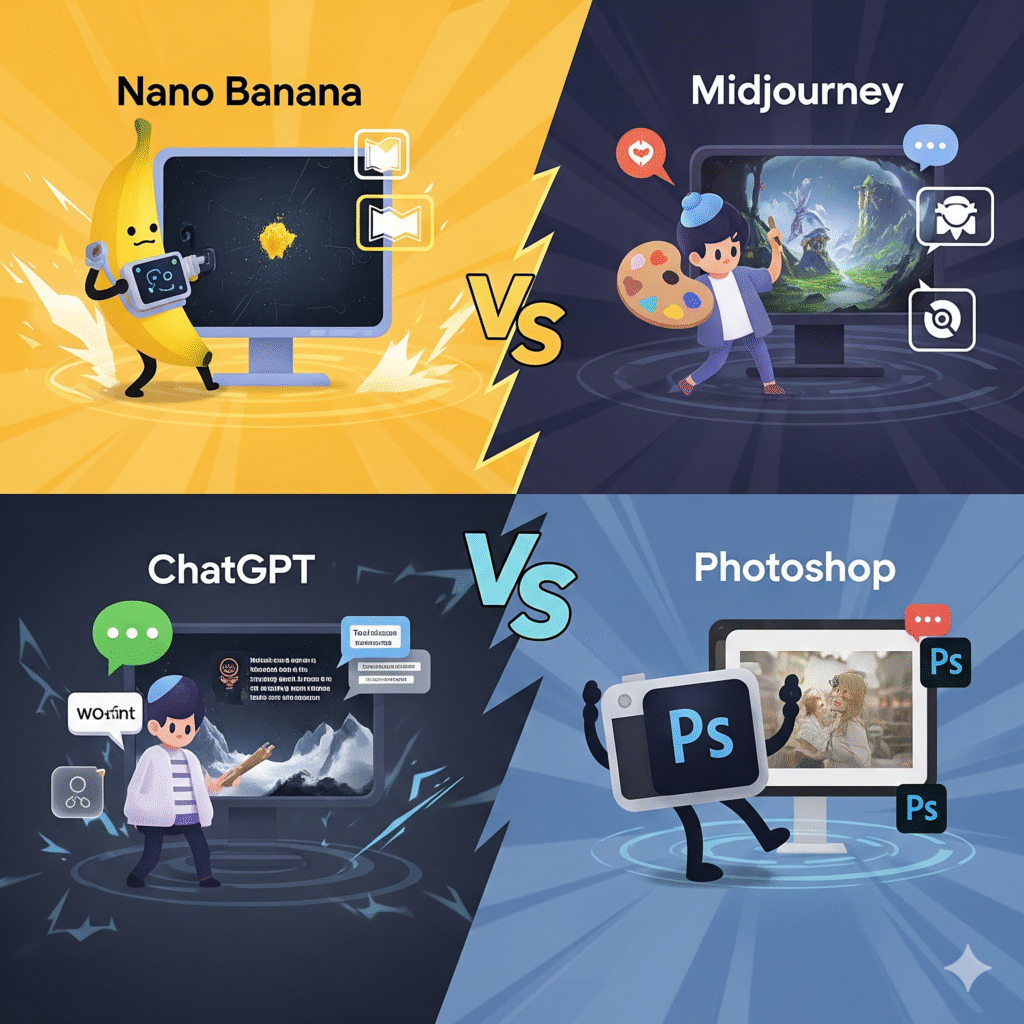
The top-left quadrant features "Nano Banana": a cartoon banana holding a futuristic device, standing in front of a monitor displaying a tiny, detailed object. The top-right quadrant features "Midjourney": a stylized artist figure holding a paint palette in front of a monitor showing a fantastical, imaginative landscape. The bottom-left quadrant features "ChatGPT": a character with a keyboard, standing near a monitor that displays an image being generated from a text prompt. The bottom-right quadrant features "Photoshop": a character designed like a camera with arms and legs, positioned next to a monitor showing a professionally edited and manipulated photograph.

AI Generation Prowess: From Prompt to Picture

When you’re starting with a blank canvas, your choice of tool can define the final product. Here’s how they stack up in the world of pure creation.

  • Midjourney: If your goal is to create a masterpiece from scratch, Midjourney is the top choice. It is the undisputed leader in artistic generation, known for its aesthetic quality, unique styles, and photorealistic capabilities. The images it produces often have a cinematic, high-quality look that’s difficult to replicate.
  • Google “Nano Banana”: This tool’s generation capabilities are strong, particularly for creating a series of images with a consistent subject. This is a game-changer for storytelling and branding. Imagine you need to create ten different images for a marketing campaign, each featuring the same character in a different scenario. The “nano banana” can handle this with impressive accuracy, ensuring visual continuity.
  • ChatGPT (with DALL-E 3): DALL-E 3 is excellent at understanding complex, layered prompts. Its strength lies in its ability to follow instructions and generate a wide range of styles, from realistic to cartoonish. It’s a great all-around generator, especially for users who appreciate a familiar chat-based interface.
  • Adobe Photoshop: Photoshop’s AI generation is integrated into its editing workflow. Its Generative Fill feature is brilliant for augmenting existing photos or filling in gaps seamlessly. It’s not a standalone text-to-image generator in the same vein as the others, but it’s an incredibly powerful hybrid tool.

User Experience and Accessibility: Which Tool is Easiest to Use?

Your time is valuable. A tool that is easy to learn and use can save you countless hours.

  • Google “Nano Banana”: This tool has an extremely low barrier to entry. The user interface is simple and conversational. If you can type a prompt, you can use it. It’s integrated directly into the Gemini app, making it incredibly accessible for anyone who already uses Google’s services. The learning curve is minimal.
  • Midjourney: Midjourney’s primary interface is a Discord server, which can be non-intuitive for new users. While a web interface is available, you still need to learn a specific syntax for prompting to get the best results. The learning curve is moderate, and mastering the commands can take some time.
  • ChatGPT (with DALL-E 3): With its familiar chat interface, this tool is very accessible. If you’ve ever used ChatGPT, you’ll feel right at home. It’s easy to use for quick, on-the-fly image generation and editing. The learning curve is minimal, though, like Midjourney, better results come from well-crafted prompts.
  • Adobe Photoshop: This is a professional-grade tool with a complex user interface. It has hundreds of tools, menus, and panels. It requires a powerful computer and a significant time investment to master. The learning curve is steep, and most professionals spend years refining their skills with this software.

Pricing and Monetization: The Cost of Creativity

Your budget is a factor, and the pricing models of these tools vary significantly.

  • Google “Nano Banana”: As of now, the “nano banana” feature is available for free within the Gemini app. This is a major competitive advantage, especially for casual users and small businesses who may not have the budget for a subscription.
  • Midjourney: Midjourney operates on a subscription-based model. It offers various tiers depending on your usage, making it an investment geared towards power users and professionals who rely on it for their work.
  • ChatGPT (with DALL-E 3): This tool is part of the ChatGPT Plus subscription. The value is in the entire AI suite, not just the image tool. The cost is a monthly fee that gives you access to a comprehensive set of AI features.
  • Adobe Photoshop: Photoshop is a professional tool with a professional price tag. It’s subscription-based through Adobe Creative Cloud, and it’s often bundled with other Adobe apps, making it a comprehensive but costly solution.

Use Cases: Who Should Use Which Tool?

Now that we’ve broken down the features, pricing, and user experience, let’s talk about who should use each tool for specific tasks.

  • Google “Nano Banana”: This tool is your best bet if you are a social media manager, a small business owner, or a casual user needing quick, consistent edits or mockups. It’s perfect for creating a series of marketing images with a consistent brand character, quickly swapping outfits on a model for an e-commerce site, or making minor edits to personal vacation photos without a lot of hassle.
  • Midjourney: You should choose Midjourney if you are an artist, a designer, a concept creator, or a hobbyist. Use it when you need to generate unique artwork, create a visual mood board for a project, or design a brand logo with a distinct artistic flair.
  • ChatGPT (with DALL-E 3): This is a great tool for marketers, writers, and anyone who needs a versatile solution for both text and image tasks. You can use it to generate an article illustration based on a prompt, create quick visual aids for a presentation, or brainstorm creative ideas with a visual component.
  • Adobe Photoshop: This is your only choice if you are a professional photographer, a graphic designer, a digital artist, or a retoucher. It’s a tool for high-end photo retouching, creating complex digital compositions, or preparing files for print design.

Conclusion: The Verdict on “Nano Banana”

In this ultimate showdown, a clear picture emerges. While Photoshop remains the uncontested king of professional control and Midjourney dominates the realm of artistic generation, Google’s “Nano Banana” carves out a powerful and accessible new niche. It’s not about replacing the old guard, but about democratizing advanced image editing for everyone. Its unparalleled character consistency and intuitive, natural language interface make it an invaluable tool for creators who need speed and consistency without the steep learning curve.

The era of wrestling with complicated software for simple edits is over. The “nano banana” is a game-changer for daily, practical creative tasks, and its free availability makes it a tool that you can, and should, start using today. It’s a powerful new option that gives you a level of creative control that was once reserved for professionals, but now, it’s right at your fingertips.


Frequently Asked Questions about the “Nano Banana”

  • Q: Is Google’s “Nano Banana” really free to use?
    • A: Yes, the “nano banana” feature is currently available for free to all Gemini users.
  • Q: How does the “Nano Banana” maintain character consistency?
    • A: The model is specifically trained to recognize and maintain the key features of a subject, such as a face or a pet, across multiple prompts and edits. This capability is a core feature that sets the “nano banana” apart from other AI image tools.
  • Q: Can “Nano Banana” replace professional graphic designers?
    • A: For complex, high-stakes creative work, professional designers and their expertise with tools like Photoshop are still essential. However, the “nano banana” can significantly streamline and automate many day-to-day creative tasks, allowing designers to focus on more strategic work.
  • Q: What are the main limitations of the “Nano Banana” tool?
    • A: While a powerful editor, the “nano banana” can still struggle with very intricate text placement and may sometimes introduce subtle artifacts in highly complex images. It also does not offer the same level of granular control as Photoshop.


AI and Your Mental Health 2025: Can a Chatbot Be the Support You Need?

A person sitting comfortably in a well-lit living room, holding a tablet displaying a mental health chatbot conversation. The chatbot shows empathetic messages, and a cup of coffee sits on a side table, suggesting a calm and private setting for engaging with AI for mental health support.

We’ve all been there. The weight of the world feels heavy on your shoulders, and the idea of picking up the phone to talk to someone feels impossibly difficult. Maybe you’re facing a long waitlist for a therapist, or perhaps the cost of traditional therapy feels out of reach. In a world where so much of our lives are managed by technology, a new question has emerged: can an AI chatbot offer a safe, confidential space to talk, to vent, and to start feeling better? This article will explore that question, diving into the pros and cons of this new frontier in mental health support and helping you understand if an AI companion could be a part of your wellness journey.

The Growing Need for Accessible Mental Health Support

Your mental well-being is fundamental to your entire life. Yet, for countless individuals, accessing the help you need feels like a monumental task. The statistics are sobering. The World Health Organization (WHO) has noted a significant increase in the prevalence of mental health conditions globally, with hundreds of millions of people living with depression and anxiety. This is not a distant problem; it’s a reality that touches families, workplaces, and communities everywhere.

So, why is it so challenging to get help? The barriers you face are numerous and deeply ingrained. Think about the costs of traditional therapy. Private sessions can be prohibitively expensive, making consistent care a luxury rather than a right. Then there’s the geographical challenge. If you live in a rural area, a qualified therapist might be miles away, creating a logistical hurdle that’s hard to overcome. And even in urban centers, the demand often far exceeds the supply. You could find yourself on a waiting list for months, a timeframe that can feel like an eternity when you’re struggling.

This is where the promise of a digital solution enters the conversation. As a response to these pressing needs, developers and mental health experts have begun to innovate, creating digital mental health interventions (DMHIs) designed to bridge the gap between your need for support and your ability to access it. These tools are not just a trend; they are a direct answer to a very real crisis in mental healthcare.

What Exactly is an AI Mental Health Chatbot?

When you hear “chatbot,” you might think of a simple program designed to answer customer service questions. But an AI mental health chatbot is a different beast entirely. These are sophisticated tools powered by advanced technologies like Natural Language Processing (NLP) and Machine Learning (ML). Rather than simply following a script, they are built to understand the nuances of human language, recognizing emotional cues and generating responses that feel empathetic and personal.

These AI companions are designed to perform a range of functions to assist you on your mental health journey. They can track your mood, helping you identify patterns in your emotional state over time. They can provide psychoeducation, offering insights into conditions like anxiety and depression. Many are designed to deliver therapeutic exercises, such as guided journaling, mindfulness prompts, or breathing techniques, that you can use in the moment to calm yourself. At their core, their purpose is to provide a consistent and confidential space for you to express yourself without feeling judged. Applications like Woebot and Wysa are well-known examples, each using a different approach to offer cognitive-behavioral-therapy (CBT)-based support through text conversations.

The Benefits: Why People Are Turning to AI for Mental Health

You might be wondering, “Why would I talk to a machine when I could talk to a person?” It’s a fair question, and the answer lies in the unique advantages these tools offer. For many, these benefits are life-changing.

  • 24/7 Availability and Affordability: Imagine a moment of intense anxiety hitting at 3 a.m. a time when most therapists are unavailable. An AI chatbot is always there. You can get support anytime, anywhere, for a fraction of the cost—or sometimes, for free. This eliminates the financial and logistical hurdles that prevent so many from seeking care.
  • Reduced Stigma: The fear of judgment is a major barrier for many. Sharing your deepest struggles with a human, even a professional, can feel intimidating. An AI companion removes this social pressure. You can open up completely, knowing that the bot has no preconceived notions, no personal biases, and no capacity for judgment. This can be a vital first step for you if you’re hesitant to try traditional therapy.
  • Anonymity and Privacy: When you’re interacting with a chatbot, you have a layer of anonymity that can be incredibly liberating. For some, this allows for a more candid and honest self-disclosure than they might feel comfortable with in a face-to-face setting.
  • Consistency and Personalization: An AI bot doesn’t get tired or have a bad day. It applies therapeutic principles consistently. Over time, as you interact with it, a well-designed AI can even adapt to your specific needs and communication style, offering an experience that feels increasingly personalized.

A Look at Effectiveness: What the Research Says

The real-world effectiveness of these tools isn’t just anecdotal; a growing body of research is validating their potential. Here’s a summary of some of the findings:

Study/SourceYearFocusKey Findings
Randomized Controlled Trial (Woebot Health)2024Effectiveness of a CBT-based chatbot for depression and anxietyParticipants using the chatbot showed a significant reduction in symptoms comparable to traditional therapy.
Dartmouth Study (Therabot)2025The impact of a generative AI chatbot on symptoms of depression and anxietyUsers experienced a marked reduction in symptoms, with many reporting a strong “therapeutic alliance” with the bot.
Systematic Review (Journal of Medical Internet Research)2024The role of AI in improving mental health outcomesAI chatbots can provide timely support and lead to a significant reduction in anxiety and distress levels in controlled studies.

Export to Sheets

These studies suggest that while they can’t replace human therapists, these AI tools can be clinically beneficial for a wide range of individuals.

The Limitations and Risks: When a Chatbot Isn’t Enough

Despite the clear benefits, it’s essential to approach AI in mental health with caution. These tools are not a universal cure, and there are significant limitations you must be aware of.

  • Lack of Empathy and Human Connection: A chatbot can simulate empathy, but it can’t genuinely feel it. The deep, nonverbal, and intuitive connection that forms between a human therapist and client is a cornerstone of effective therapy. You might feel supported, but you won’t get that profound sense of being understood by another person’s lived experience.
  • Inability to Handle Crises: This is the most crucial limitation. An AI chatbot is simply not equipped to handle a crisis situation. If you are experiencing thoughts of self-harm or a severe mental health crisis, an AI bot is not a substitute for a crisis hotline or professional emergency care. They are programmed to recognize keywords and redirect you, but they lack the clinical judgment to truly assess risk.
  • Privacy and Data Security Concerns: When you share intimate details with an AI chatbot, that information becomes data. Unlike conversations with a licensed therapist, which are protected by strict confidentiality laws (like HIPAA in the United States), your interactions with an app may not be. You should always read the fine print to understand how your private health information is being stored, used, and protected.
  • The Risk of Misinformation and “Hallucinations”: AI models can, at times, “hallucinate” or generate incorrect information. While this might be a minor inconvenience in other contexts, it can be dangerous in a mental health setting. A chatbot could misinterpret a statement and provide inappropriate advice, or even worse, give you harmful information that lacks clinical backing.

A Recipe for Responsible Use: Blending Technology with Human Care

Your best approach to AI in mental health is to see it as a valuable addition to your self-care toolkit, not as the entire solution. Think of it as a complementary element, a way to support your well-being in between sessions with a human professional.

Here is a simple recipe to guide you:

  1. Use it as a complementary tool, not a replacement: An AI bot can help you practice a new skill you learned in therapy, like a grounding exercise, but it cannot replace the diagnostic and therapeutic expertise of a human.
  2. Know when to escalate: A key skill is recognizing when the support a bot offers is no longer sufficient. If you feel your symptoms are worsening, if you’re struggling with suicidal thoughts, or if you feel a situation is becoming unmanageable, it is time to seek human help immediately.
  3. Prioritize Privacy: Before you start using any app, do your research. Look for apps with clear privacy policies and a strong track record of data security. Your well-being depends on more than just the conversation—it also depends on the protection of your personal information.

Conclusion: The Future of AI in Mental Health

The journey of AI in mental health is just beginning. It’s a powerful tool with immense potential to improve access to care, but it is not a magic solution. The future is likely a blended approach, where AI assists human therapists by handling administrative tasks, providing initial screening, and offering low-level support, freeing up professionals to focus on the deep, relational work that only a human can do.

By understanding both the extraordinary potential and the critical limitations of these tools, you can make an informed decision for your mental health. AI can be a helpful companion on a lonely night, a patient listener when no one else is available, and a tool for practicing skills. But remember, the most profound therapeutic change comes from human connection. The most successful approach to your mental health will likely be one that combines the accessibility of artificial intelligence with the irreplaceable empathy of human care.

FAQs About AI in Mental Health

  • Is an AI chatbot a real therapist?
    • No. An AI chatbot is a software program and cannot be a licensed, practicing therapist. While it can provide support and therapeutic exercises, it lacks the human experience, empathy, and clinical judgment necessary for effective therapy.
  • Are AI mental health apps safe?
    • Safety varies by the app. It’s crucial to research the app’s privacy policy and security measures. Remember that what you share with the bot is data that could be stored and is not protected by the same confidentiality laws as a conversation with a human therapist.
  • Can an AI chatbot help with severe depression or suicidal thoughts?
    • ABSOLUTELY NOT. AI chatbots are not equipped to handle a crisis or provide intervention for severe mental health conditions. They should never be used as a substitute for professional crisis care. If you are in crisis, please seek immediate help from a mental health professional or a crisis hotline.
  • How will AI in mental health evolve in the next 5-10 years?
    • We will likely see a more integrated approach where AI tools assist human therapists, for example, by helping with patient monitoring, data analysis, and treatment plan optimization, rather than replacing them entirely.

Google Gemini 2025 : Ushering in a New Era of Intelligent AI

A vibrant and futuristic image featuring a stylized, glowing Google Gemini logo at the center, radiating beams of light and surrounded by abstract, interconnected neural network patterns. The background is a deep blue gradient, with geometric shapes and ethereal particles, symbolizing a new era of AI.

Remember the first time a new technology didn’t just feel like a tool, but like an extension of your own mind? Perhaps it was the moment your smartphone understood a casual command, or when you saw a search result that seemed to anticipate your exact question. You felt a shift—a sense of possibility that technology was no longer just a passive servant but was evolving into a genuine partner. That very feeling is what stands at the heart of Google’s latest, most ambitious project: Gemini. This is not simply another AI model; it represents a fundamental rethinking of how artificial intelligence is built, promising to change not just what you can do, but how you can think.


The Core Concept: What is Google Gemini and Why is it Different?

When you consider most existing AI systems, you can think of them as specialized experts. Some are brilliant with text, others are masters of image recognition, and a few can generate code. But if you want them to work together, you have to build complex bridges between these different systems. The result is often a bit clunky, like trying to have a conversation with three different experts in three different languages at the same time.

This is precisely where Google Gemini shatters the mold. Its core innovation is its natively multimodal architecture. This means that instead of being trained on separate datasets for text, images, video, and audio, Gemini was built from the ground up to understand and reason across all these formats simultaneously. For you, this translates to a more fluid, intuitive, and ultimately more human-like interaction.

Consider this: you can show Gemini a picture of a complex circuit diagram and ask it to explain the function of each component. It won’t just describe the images; it will connect the visual data with its vast knowledge of electronics and provide a comprehensive, text-based explanation. You can even speak to it while showing it a live video feed, and it will respond by giving you real-time visual guidance, like highlighting a specific part on your screen. This is a level of contextual understanding that was simply unattainable before. This isn’t just about combining data; it’s about genuine cross-modal reasoning, allowing for new and powerful applications that you can put to use in your daily life.

The Power of Three: Understanding the Google Gemini Family

Google didn’t build a single, monolithic model. Instead, it created a family of models, each one meticulously engineered for a specific purpose and scale. This means that a device in your pocket can have the power of Gemini, but so can a massive data center running complex scientific simulations.

To help you understand this family of models, let’s look at how they compare:

Gemini ModelTarget Use CaseKey Strengths
Gemini UltraHighly complex tasks & data centersMaximum capability, state-of-the-art performance, advanced reasoning, and deep analysis. It can handle massive datasets and intricate problems.
Gemini ProScalable performance & wider applicationsHigh efficiency, powers many Google services like Bard, Google Ads, and is optimized for balanced performance across a broad range of tasks.
Gemini NanoOn-device, mobile applicationsExtremely fast, power-efficient, and designed to run directly on your smartphone. It enables features like smart replies without an internet connection, ensuring both speed and privacy.

Export to Sheets

Gemini Ultra: The Pinnacle of AI Capability

Gemini Ultra is the most powerful and largest model in the family. It is designed to tackle the most demanding and complex tasks imaginable. Think of it as a supercomputer for AI. Its primary purpose isn’t for quick chat responses; it’s for solving grand challenges. For example, a research team could feed Gemini Ultra a vast collection of scientific papers, research data, and video recordings of experiments, and ask it to find connections or patterns that would take humans months or even years to uncover. The model’s advanced reasoning capabilities allow it to perform complex logical deductions, analyze massive datasets, and work with intricate details in a way that truly pushes the boundaries of AI.

Gemini Pro: The Engine Behind Your Favorite Google Services

If Ultra is the research powerhouse, then Gemini Pro is the workhorse. You are likely already interacting with it without even realizing it. Gemini Pro now powers Bard, giving you a more capable, conversational, and helpful experience. In the near future, you will see its capabilities integrated into Google’s core products, from Google Ads to Google Cloud. This model strikes an impressive balance between performance and efficiency, making it the ideal choice for everyday, real-world applications that demand high quality without the need for the immense computational power of its larger sibling.

Gemini Nano: AI in the Palm of Your Hand

Perhaps the most exciting and consumer-facing development is Gemini Nano. This is the smallest, most efficient model, specifically designed to run on-device. The implications for you are significant. Running AI on your phone, rather than relying on a cloud connection, provides numerous benefits:

  • Speed: Tasks are completed instantly, as there is no latency from sending data to and from a remote server.
  • Privacy: Your data stays on your device, ensuring a higher level of privacy for sensitive information.
  • Offline Functionality: You can use powerful AI features even when you don’t have an internet connection.

This enables incredible features like generating text on the fly, summarizing articles on your screen, and providing on-device smart replies in messaging apps, all without ever leaving your phone.

Real-World Applications and the Future of Multimodal AI

As you can see, Gemini’s ability to seamlessly process different forms of information unlocks a universe of new possibilities. Here are some real-world applications that will directly impact your life.

  • Education: Imagine your child is struggling with a geometric proof. They could take a picture of the problem and a short video of their own work. Gemini could analyze both the text and the visual input to not just provide an answer, but to offer a step-by-step, personalized explanation that addresses their specific mistake. You could get a breakdown of the solution in text, with a generated audio summary to help them learn more effectively.
  • Content Creation: If you are a writer, you could show Gemini a mood board of images, a short video clip you’ve recorded, and a few bullet points of your ideas. Gemini could then generate a blog post, a social media caption, or a script that captures the exact tone and style you were aiming for.
  • Research and Development: For a professional in the sciences, Gemini is a game-changer. You could upload a comprehensive report, a series of graphs and charts, and an audio file of a team meeting. Gemini could then synthesize all this data to help you identify key trends, summarize complex findings, and even generate presentation slides. It’s a partner in discovery that helps you sift through the noise and get to the insights.
  • Everyday Productivity: You will be able to show your phone’s camera a cluttered pantry and ask Gemini to create a meal plan based on the ingredients you have. The AI would recognize the items, understand their nutritional value, and even generate a shopping list for the things you’re missing.

The Ethical Challenges and Considerations of Gemini’s Rise

With great power comes great responsibility. The development and deployment of a model as capable as Gemini also come with serious ethical and societal considerations. As a user, it’s important for you to be aware of these challenges.

Bias and Fairness: A Continuous Challenge

Like all AI models, Gemini is trained on a vast amount of data created by humans. This means that it can, and sometimes will, reflect the biases present in that data. The creators of Gemini are working to mitigate this, but it’s an ongoing effort. You should always maintain a critical perspective on the AI’s output and be mindful of the fact that it may inadvertently generate biased or stereotypical content.

Data Privacy and Security

Because Gemini is capable of handling highly personal and sensitive information, from your private emails to your personal photos, the issue of data privacy is paramount. Google has implemented strong data protections for Gemini within its products, ensuring your data is not used to train the models or shared with other users. It’s crucial for you to understand these policies and to be aware of how your data is handled when you use these new tools.

The Problem of “Hallucinations” and Misinformation

AI models can sometimes generate plausible-sounding but factually incorrect information—a phenomenon known as “hallucination.” While Gemini is designed to be highly accurate, no AI is perfect. You should always verify any critical information you get from the model, especially when it comes to medical, financial, or other sensitive topics.


Conclusion: A New Horizon

In our rapidly evolving world, Google Gemini stands as a beacon of what is possible. Its native multimodal architecture is not just a technical feat; it’s a new way of thinking about AI, promising to make technology more intuitive, powerful, and seamlessly integrated into our lives. From the most complex scientific endeavors to the simplest daily tasks, Gemini is poised to be a new kind of partner, working alongside you to unlock new levels of creativity and productivity. The journey has just begun, and what you will be able to accomplish with this technology is as limitless as your own imagination.

Frequently Asked Questions (FAQ)

  • What is the main difference between Google Gemini and other AI models like GPT-4?
    • The primary distinction lies in Gemini’s native multimodality. While other models may process multiple data types, Gemini was built from the ground up to reason across them simultaneously, leading to a deeper, more contextual understanding of the information you provide.
  • Can Gemini understand and write code?
    • Yes, coding is one of its core capabilities. Gemini was trained on massive datasets of code and can understand, explain, and generate high-quality code. It can also help you debug issues and even translate code between different programming languages.
  • How is Gemini integrated into my Google products?
    • You will see Gemini’s power integrated into many of Google’s services. It’s already powering Bard, and in the near future, it will be in products like Google Search, Ads, and the Google Cloud platform. On your phone, the Gemini Nano model will enable new, on-device AI features that are fast and private.
  • Will Google Gemini replace Google Assistant?
    • Google is in the process of replacing Google Assistant with Gemini for Home on smart speakers and displays. This new assistant will offer deeper reasoning and more fluid conversations, though you can still use the familiar “Hey Google” wake word to activate it. The change aims to provide you with a more capable and intuitive hands-free experience.

Ready to start a new kind of conversation with AI? Begin your journey with Google Gemini today and discover how its unique capabilities can help you work smarter, create more freely, and explore new possibilities. What’s the first question you’ll ask this new, intelligent partner? Share your thoughts and ideas in the comments below!

A crucial part of understanding this new AI frontier is to delve into the sheer scale of the Google Gemini project. It’s an undertaking that required new infrastructure and a monumental effort in data processing, all aimed at creating an AI that could reason more like a human. This endeavor goes far beyond a simple software update; it is a foundational reset. The ambitious goals for Google Gemini meant the development team had to build a new architecture from the ground up to handle the immense complexity of multimodal inputs. For you, the user, this dedication to a new form of AI means that every future version of Google Gemini will be more capable, more intuitive, and better equipped to handle the multifaceted world we live in.

  • GoogleGemini
  • ArtificialIntelligence
  • AI
  • MachineLearning
  • Technology
  • Innovation
  • FutureOfAI
  • Tech
  • Google
  • MultimodalAI

How to Master the Art of Background Removal: A Complete Guide 2025

A dynamic hero image split into two halves. On the left side, a stylish person wearing a trench coat and sunglasses is shown against a stark white and transparent checkered background. On the right, the same person is seamlessly integrated into their original setting: a bustling city street with taxis and buildings in the background. This visual contrast highlights the "before and after" effect of background removal.

Background Removal

Remember that moment? You’ve captured the perfect photo – the lighting is just right, the subject is stunning, but then you see it. A distracting object in the background, a messy room, or a photobomber that ruins an otherwise flawless memory. We’ve all been there. It’s frustrating to have a great shot compromised by a less-than-perfect setting. But what if you didn’t have to let those moments go? What if you could take control of your images, clean them up, and highlight what truly matters? This is where the magic of a background remover comes in, transforming your photos from good to absolutely amazing.

The Ultimate Guide to Background Remover

The ability to seamlessly remove a background from any photograph has become an indispensable skill in the digital age. It’s no longer just a task for professional graphic designers armed with complex software. With the rise of intuitive, AI-powered tools, anyone can achieve high-quality results in a matter of moments. This comprehensive guide will walk you through everything you need to know about mastering this powerful technique, ensuring your visuals always stand out.

Why a Background Remover is an Essential Tool

Think about your daily digital interactions. From scrolling through social media feeds to browsing online stores, you’re constantly bombarded with images. In this visual-first world, the quality of your photographs directly impacts how your message is received. This is where a background remover becomes an absolutely essential part of your creative toolkit.

  • Creating Professional Product Photos for E-commerce: Did you know that 93% of consumers consider visual appearance to be the key deciding factor in a purchasing decision? A clean, white, or transparent background for your products eliminates distractions and makes your items look more professional and trustworthy.
  • Designing Stunning Graphics for Social Media: Whether you’re a content creator, a social media manager, or a small business owner, crafting engaging visuals is a must. A transparent background allows you to effortlessly place subjects onto vibrant new backgrounds, create eye-catching collages, or integrate them into a branded template.
  • Making Clean Headshots for Professional Profiles: You want your professional headshot to convey confidence and competence, not a cluttered office or a distracting wall. A quick background removal can give your headshot a polished, uniform look that’s ideal for resumes, LinkedIn profiles, and company websites.
  • Enhancing Personal Photos by Removing Unwanted Clutter: Your vacation photo is perfect, except for that random person walking in the frame. A background remover lets you effortlessly crop out unwanted elements, leaving you with a clean, beautiful photograph that focuses solely on the moment you want to remember.
  • Creating Transparent Logos and Overlays: For branding and marketing, you need a logo that can be placed over any color or image. A background remover ensures your logo has a transparent background, giving you the flexibility to use it on everything from your website to a business card.

The statistics are clear: visually appealing content gets more engagement. According to a study by Adobe, content containing images receives 94% more views than content without. By using a background remover to enhance your visuals, you are not just editing a photo; you are improving your communication and impact.

Choosing the Best Background Remover for Your Needs

With so many options available, how do you find the right background remover for your specific requirements? The best tool for you depends on your budget, your technical skill level, and the complexity of your projects. Let’s break down the main categories.

Free Online Background Remover Tools

These web-based tools are perfect for quick, single-image tasks. You don’t need to download any software, making them incredibly convenient.

  • Pros: They are fast, user-friendly, and perfect for when you need a transparent background in a hurry. Many are powered by sophisticated AI that handles most of the work for you.
  • Cons: The free versions often have limitations, such as lower resolution output, watermarks, or a restricted number of daily uses. They may not offer the precision needed for complex images with fine details like hair or fur.
  • Examples: Remove.bg, Adobe Express, and Canva. These tools are fantastic for beginners or for those times when you just need a straightforward solution.

Professional Software (Photoshop, GIMP)

If you require absolute precision and are willing to invest time in learning, professional-grade software is your best bet.

  • Pros: You get unparalleled control over the editing process. Tools like the Pen Tool in Adobe Photoshop allow for meticulous selections, ensuring a perfectly clean cut-out every time. They support high-resolution files and offer a vast range of additional editing features.
  • Cons: The learning curve can be steep, and a subscription to a service like Adobe Creative Cloud can be a significant investment. This is generally overkill for a simple task but is a must for professionals.
  • Examples: Adobe Photoshop, Affinity Photo, and GIMP (a powerful, free alternative to Photoshop).

H3: Mobile Apps for Background Removal

For editing on the go, a mobile app can be a game-changer. They combine the convenience of your smartphone with powerful editing capabilities.

  • Pros: They are designed with mobile users in mind, featuring intuitive, touch-based interfaces. You can snap a photo and edit it immediately without needing to transfer it to a computer.
  • Cons: While convenient, they may not offer the same level of precision as desktop software. Editing fine details can be challenging on a small screen.
  • Examples: PicsArt, PhotoRoom, and Bazaart. These apps are perfect for social media content creators and small business owners who primarily work from their phones.

Step-by-Step Tutorial: How to Use a Background Remover

Ready to try it yourself? Let’s walk through the process using a simple online tool. This tutorial assumes you’re a beginner and want to see how easy it is to get started.

Using a Simple Online Tool (e.g., Remove.bg)

  1. Step 1: Upload Your Image: Navigate to your chosen website. You’ll see a prominent “Upload Image” button. Click it and select the photo you want to edit from your device. Alternatively, you can often just drag and drop the file directly onto the page.
  2. Step 2: Let the AI Do the Work: This is the best part! The tool’s AI will automatically detect the subject of your photograph and intelligently separate it from the background. This process usually takes just a few seconds. You will see a preview of your image with the background now transparent (often indicated by a checkered pattern).
  3. Step 3: Download the Result: Once you are happy with the preview, simply click the “Download” button. The image will be saved to your device as a PNG file. This format is crucial because it supports transparent backgrounds, allowing you to use your cut-out image on any new backdrop.

While this process is incredibly simple, some tools also offer a basic editor where you can manually erase or restore parts of the image if the AI missed a spot.

Creative Uses and Inspiration for Your Edited Photos

Once you have an image with a transparent background, what can you do with it? The possibilities are endless! Here are some creative ideas to spark your imagination:

  • Create collages and composites: Combine several cut-out images to design a unique and artistic scene. This is a popular technique for digital artists and marketers creating visually rich campaigns.
  • Design product mockups: Place your product image on different backdrops to see which one makes it pop. You could put a t-shirt design on a model or place a piece of furniture in a styled room.
  • Make compelling social media posts: Take your cut-out image and place it on a vibrant, branded background. Add custom text, graphics, and other design elements to create a post that is truly unique and on-brand.
  • Craft professional presentations: Using a background remover on images you include in your slideshows will make them look sleek and modern. Instead of a clunky rectangular image, you get a clean cut-out that fits seamlessly into your presentation’s design.

The Top 5 Best Background Remover Tools for 2024

To help you decide, we’ve compiled a quick comparison of the top background remover tools available today.

ToolBest ForPriceKey Features
Remove.bgQuick, one-click removalsFree/PaidAI-powered, API access, perfect for speed and simplicity.
Adobe ExpressAll-in-one designFree/PaidIntegrated with other design tools, great for creating complete graphics.
CanvaGraphic design & social mediaFree/PaidSimple interface, massive library of templates and assets, excellent for social media visuals.
Adobe PhotoshopProfessional-grade editsPaidUnparalleled control, advanced tools, ideal for photographers and designers.
PhotoRoomE-commerce product shotsFree/PaidBatch editing, professional templates, designed specifically for product photography.

Export to SheetsFrequently Asked Questions about Background Removers

We get a lot of questions about using these tools. Here are the answers to some of the most common ones.

How does an automatic background remover work?

The best tools today use sophisticated AI (Artificial Intelligence) and machine learning algorithms. They are trained on millions of images to recognize subjects like people, objects, and animals. When you upload an image, the AI analyzes it, identifies the primary subject, and creates a mask to separate it from the background, which is then made transparent.Is a background remover free to use?

Many of the top tools offer a free plan that is perfect for casual use. However, these free versions often have limitations, such as a lower output resolution or a cap on the number of images you can process per month. For unlimited, high-quality downloads, you will likely need to subscribe to a paid plan.

What is the best background remover for product photos?

For e-commerce, precision and consistency are key. Tools like PhotoRoom are specifically designed for this purpose, offering features like batch processing and professional-looking templates. Adobe Photoshop is also an excellent choice if you need maximum control to achieve flawless results.

Will using a background remover affect the quality of my image?

The short answer is: it depends on the tool. Most high-quality background remover services will preserve the original resolution of your image. However, some free online tools might compress the file size, which can result in a slight loss of quality. To ensure the best results, always download your finished image as a PNG file, as it retains transparency without significant quality loss.

Conclusion

The ability to remove a background is more than just a technical skill; it’s about reclaiming creative control over your images. Whether you’re a professional designer, a small business owner, or simply someone who loves to share photos, a quality background remover tool can unlock a world of possibilities. It’s about transforming those “almost perfect” photos into a finished product you’re proud to share. Take control of your visuals and start creating images that truly reflect your vision. Now that you’re armed with this knowledge, why not try it yourself? Find a tool that fits your needs and start creating visuals that capture attention and tell your story.

The art of background removal has become an indispensable skill, and mastering background removal is crucial for anyone in digital media. With the right tools, the process of background removal is surprisingly simple. From a simple background removal for a product shot to a complex background removal for an artistic composite, every instance of background removal enhances the final image. We’ve seen how effective background removal can be for e-commerce, but the power of background removal also extends to social media, professional profiles, and personal photo editing. A proper background removal ensures your subject stands out. The market for background removal tools has expanded, giving you more choices for background removal than ever before. Choosing the right background removal software depends on your needs, but regardless of your choice, the result is a clean background removal. This comprehensive guide on background removal has covered everything from basic background removal to advanced techniques. In summary, the value of background removal is undeniable, and this guide should help you achieve perfect background removal every time.

  • #backgroundremover
  • #photoshop
  • #graphicdesign
  • #editingtools
  • #imageediting
  • #digitalart
  • #onlinedesign
  • #ecommerce
  • #socialmedia
  • #phototips

Unlock Limitless Automation: 5 Reasons n8n Blows Zapier Out of the Water

n8n vs zapier

Remember that thrill when you first discovered automation? Connecting your favorite apps, banishing repetitive tasks, feeling like you had an extra pair of hands? Platforms like Zapier opened up a world of possibilities, and for a while, it was perfect. But what happens when your ambition outgrows the platform? What if your growing automation needs are starting to feel…expensive? Or perhaps you’re yearning for more control over your data and the intricate dance of your workflows?

I get it. I’ve been there, watching those Zapier task counts tick higher and wishing for a more powerful, transparent, and frankly, more budget-friendly solution. That’s when I discovered n8n, the open-source automation powerhouse that truly changed the game for me. It felt less like a tool and more like a toolkit, giving me the freedom to build without arbitrary limits. If any of this resonates with you, keep reading. You might be on the verge of your next big “aha!” moment in automation.

1. Slash Your Automation Costs: The n8n Pricing Advantage Over Zapier

Let’s talk about the elephant in the room: money. Your success shouldn’t be penalized with a bigger bill. While Zapier offers a fantastic entry point into automation, its pricing model can become a significant bottleneck as you scale. You’re paying for every single task, and a complex, multi-step workflow that runs frequently can burn through your monthly allowance in no time. Suddenly, you’re either upgrading to a pricey tier or, worse, turning off automations to save money.

This is where n8n completely flips the script. Its pricing philosophy is built around empowerment, not consumption. Your primary choice is between self-hosting the free Community Edition or opting for a very reasonably priced cloud plan.

If you choose to self-host, the software is completely free. You can run millions of executions, create the most complex workflows imaginable, and your only cost is the server you run it on — which could be as little as a few dollars a month. You are limited only by your hardware, not an artificial paywall.

Even if you prefer the convenience of a managed service, n8n’s cloud plans are designed for growth. You get a far more generous allowance of workflow executions for your money. Let’s look at a practical comparison to see how this plays out.

FeatureZapier (Starter Plan — Example)n8n (Cloud Starter Plan — Example)n8n (Self-Hosted)Monthly Executions/Tasks~750~3,000UnlimitedMulti-Step WorkflowsYesYesYesPremium AppsLimitedIncludedDepends on NodeApprox. Monthly Cost$29.99$20Hosting Costs OnlyData ControlZapier’s Serversn8n’s ServersYour ServersCustom LogicBasicAdvanced (Nodes)Advanced (Nodes)

Export to Sheets

The numbers don’t lie. With n8n, you’re not just buying a service; you’re investing in a platform that scales with you, not against you.

2. Own Your Data, Own Your Automation: The Power of n8n’s Self-Hosting

In today’s world, data is everything. Where it lives, who can access it, and how it’s protected are critical questions for any business. When you use a purely SaaS platform like Zapier, you’re entrusting them with your workflow logic and the sensitive data that passes through it. For many, that’s a perfectly acceptable trade-off for convenience. But for businesses in finance, healthcare, or any sector with strict compliance needs like GDPR, it can be a non-starter.

This is arguably n8n’s most powerful differentiator: true data sovereignty. By choosing to self-host n8n, you install it directly within your own infrastructure. This means your customer information, your API keys, and your proprietary business logic never leave your control.

This offers several massive advantages:

  • Complete Data Control: You decide the security protocols. You manage the access logs. You are the sole custodian of your information.
  • Enhanced Security: You can place your n8n instance behind your company’s firewall, integrate it with your existing security stack, and apply any custom measures you see fit.
  • Effortless Compliance: Meeting data residency and privacy regulations becomes infinitely simpler when the data never leaves your jurisdiction in the first place.

You get all the power of a world-class automation platform without compromising on security or control. It’s the ultimate peace of mind for any organization that takes its data seriously.

3. Unleash Workflow Flexibility: Building Complex Automations with n8n’s Node-Based Editor

Zapier’s linear, step-by-step (Trigger -> Action -> Action) model is brilliant for its simplicity. It’s perfect for basic connections. But what happens when your process isn’t a straight line? What if you need to check a condition, perform one of three different actions based on the result, and then merge the outcomes back together? In Zapier, this requires their “Paths” feature, which is often a premium add-on and can still feel clunky.

n8n is built for this kind of real-world complexity from the ground up. It uses a visual, node-based canvas that functions like a flowchart for your automation. Each step is a “node,” and you can drag, drop, and connect them in almost any configuration you can imagine.

This visual approach unlocks a new level of power:

  • Sophisticated Branching: Using a simple IF node, you can instantly create different paths for your data. For example: If a new lead’s budget is over $5,000, send their info to a senior sales rep in Salesforce; otherwise, add them to a nurturing sequence in Mailchimp.
  • Effortless Looping: Need to process every line item in an invoice or every contact in a list? n8n can iterate through data sets with ease, performing actions on each item individually.
  • Merging Data Streams: You can pull data from two different sources (say, a Google Sheet and a database), process them in parallel, and then merge the results before sending a final, consolidated report to Slack.

You’re no longer just connecting apps; you’re visually programming logic without writing code. You’re building systems that mirror your actual business processes, warts and all.

4. Go Beyond Basic Integrations: The Extensibility of n8n with Custom Nodes and APIs

An automation tool is only as good as the services it can connect to. Zapier boasts a massive library of over 6,000 app integrations, which is incredibly impressive. But what if the app you use isn’t on that list? What if you need to connect to an internal, custom-built tool? Or what if an existing integration doesn’t support the specific trigger or action you need? You’ve hit a hard wall.

With n8n, you never hit that wall. Its open architecture means your integration possibilities are virtually infinite.

  • The Almighty HTTP Request Node: This is your skeleton key. If a service has a RESTful API (and most modern services do), you can communicate with it using this node. It gives you full control over the headers, body, and authentication, allowing you to connect to anything, whether it has an official n8n integration or not.
  • Build Your Own Nodes: For developers, this is a game-changer. If you find yourself repeatedly connecting to the same custom API, you can use JavaScript to build your very own, user-friendly node. You can package up all the complex authentication and data mapping into a simple form, just like an official integration.
  • Community Nodes: The power of open source means you benefit from the work of the entire community. Users are constantly building and sharing new nodes for niche services, giving you an ever-expanding library of tools to work with.

You’re never at the mercy of a platform’s development roadmap. If you need to connect to something, n8n gives you the tools to make it happen yourself.

5. Embrace the Power of Open Source: Community, Transparency, and Innovation with n8n

Choosing an open-source tool over a proprietary one is more than a technical decision; it’s a strategic one. When you use a closed-source platform like Zapier, you’re a passenger. You’re along for the ride, subject to their pricing changes, feature decisions, and development priorities. With an open-source platform like n8n, you’re part of the crew.

This community-driven approach provides tangible benefits that foster trust and accelerate growth.

  • Community Support: Got stuck on a tricky workflow? The active n8n community forum is filled with thousands of users and developers eager to help you find a solution.
  • Transparency: You can view the entire source code on GitHub. This means you can see exactly how the platform works, audit it for security, and have confidence in the tool you’re building your business on.
  • Flexibility: You can adapt and extend the platform to your heart’s content. You’re not locked into a single vendor’s ecosystem.
  • Innovation: Development happens in the open. You can see the roadmap, request features, and even contribute to the platform’s evolution. This leads to a product that adapts quickly to the needs of its users.
  • Cost-Effectiveness: The open-source model naturally leads to lower costs, as you’re not funding a massive corporate sales and marketing structure.

You’re investing in a platform that grows with its community, ensuring it will remain powerful, relevant, and aligned with your needs for years to come.

Frequently Asked Questions (FAQ) About Switching from Zapier to n8n

  • Is it difficult to migrate my existing Zaps to n8n workflows? While there isn’t a direct one-click migration tool, you’ll find that recreating the logic in n8n’s visual editor is often surprisingly intuitive. The process helps you rethink and often improve your old workflows, and the community forum is a great resource if you get stuck.
  • Do I need coding skills to use n8n effectively? Absolutely not. The vast majority of workflows can be built using the extensive library of pre-built nodes with zero coding. The platform is designed for visual, low-code building. The option to use code is there for developers who want ultimate power, but it’s not a requirement.
  • What are the hosting options for n8n? You have complete flexibility. You can self-host n8n on your own servers (using methods like Docker or npm) for maximum control, or you can use n8n’s managed cloud service for convenience and to get started in minutes.
  • Does n8n integrate with all the same apps as Zapier? While Zapier has a larger list of official, pre-built integrations, n8n’s capabilities are arguably wider. Thanks to the HTTP Request node and the ability to build custom nodes, you can connect to virtually any service with an API, making its true integration potential limitless.
  • Is n8n a reliable platform for business-critical automations? Yes. Thousands of businesses, from nimble startups to large enterprises, trust n8n for their most important automated processes. Its robust architecture, combined with the transparency of open source and an active development team, makes it a highly dependable choice.

Conclusion: Embrace the Future of Automation with n8n

It’s time to move beyond the limitations and escalating costs of traditional automation platforms. Zapier is a fantastic tool that introduces millions to the magic of automation, but n8n is where you go to master it. It offers a powerful, flexible, and cost-effective alternative that puts you firmly back in control of your workflows, your budget, and your data.

Whether you’re a solopreneur looking to save money, a developer craving deeper integration capabilities, or a business prioritizing data security, n8n provides the open-source power you need to build the future of your automation. Stop letting your tools define your limits.

Ready to experience the difference? Explore n8n today and unlock a world of truly limitless automation possibilities.

Visit Our Medium

Where to Sell Digital Products: The Ultimate 2025 Guide for Creators

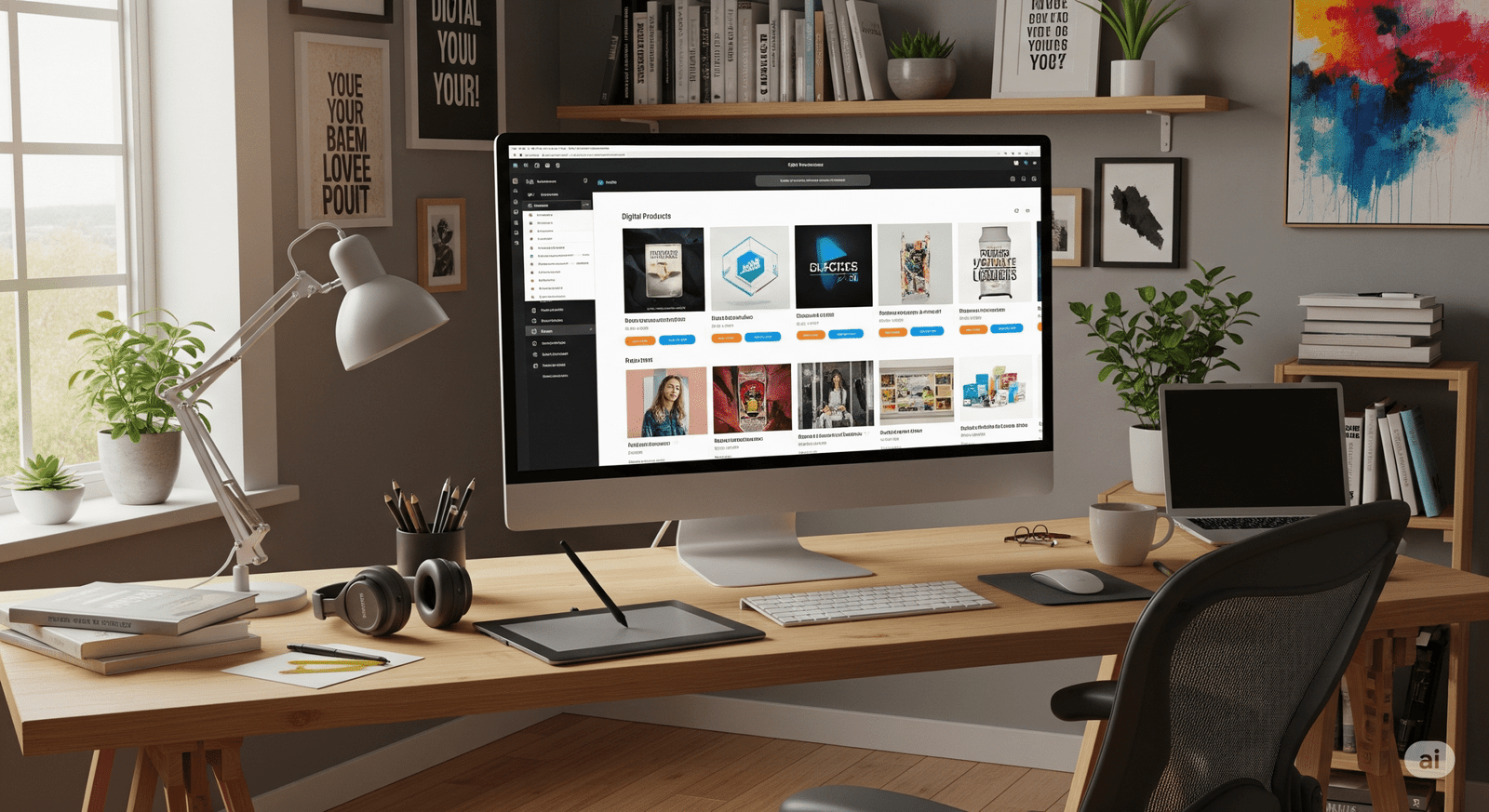
where to sell digital products image preview

The cursor blinks. Not on a blank canvas, but on a search bar. The hard part, the creative part, is done. You’ve poured your soul into creating something uniquely yours—your ebook, your design templates, your online course. But now you’re facing the critical and often daunting question of where to sell digital products. This single question can feel like a chasm between being a creator and becoming a successful entrepreneur. This guide is the bridge. We’re going to explore every facet of where to sell digital products, turning your uncertainty into a clear, actionable plan to get your work into the hands of a global audience. The challenge of where to sell digital products ends today.


Why Your Answer to “Where to Sell Digital Products” is So Crucial

Let’s be direct: your decision on where to sell digital products is more than a logistical step; it’s the strategic foundation of your online business. It will directly impact your profits, your brand’s visibility, and your ability to build a lasting relationship with your customers. The digital economy promises incredible benefits—scalability, low overhead, and passive income streams—but these are only unlocked when you have a solid answer for where to sell digital products.

Think of it this way: your product is the star, but the platform is the stage. Choosing the right stage determines your audience, your reach, and how professional your performance looks. Answering the question of where to sell digital products thoughtfully means choosing a partner that works for you, automating sales and delivery so you can focus on what you do best: creating.

The Core Decision: The Two Paths of Where to Sell Digital Products

Before you get overwhelmed by platform names and feature lists, understand that the complex question of where to sell digital products boils down to one fundamental choice. Are you going to operate within an existing online marketplace, or will you build your own independent website? Both are valid answers to where to sell digital products, but they represent two very different journeys.

Path 1: Using Online Marketplaces

This route is like renting a stall in a busy, popular market. Customers are already there, but so is the competition. It’s a fantastic starting point for many who are just figuring out where to sell digital products.

  • Pros:
    • Instant Traffic: Solves the initial problem of finding an audience when you first decide where to sell digital products.
    • Built-in Trust: Customers already trust platforms like Etsy, which removes a major purchasing barrier.
    • Simplicity: Designed for ease of use, getting you from product to live listing quickly.
  • Cons:
    • High Fees: These platforms take a significant cut, impacting your bottom line.
    • Fierce Competition: You are listed directly beside alternatives, making it a constant battle to stand out.
    • No Customer Ownership: You can’t build your own email list, which is a major drawback for long-term brand building.

Path 2: Building Your Own E-commerce Store

This path involves creating your own branded home on the internet. You are the owner, and you are in full control. For many, this is the ultimate goal when considering where to sell digital products.

  • Pros:
    • Full Control: Every aspect of the customer experience is yours to design and perfect.
    • Higher Profit Margins: You keep the vast majority of your revenue after standard payment processing fees.
    • Direct Customer Relationships: You own your customer list, a priceless asset for any business.
  • Cons:
    • You Generate All Traffic: All marketing, SEO, and promotion are your responsibility.
    • More Initial Setup: There is a steeper learning curve compared to marketplaces.

Top Online Marketplaces: A Simple Answer to Where to Sell Digital Products

If you want to test your product quickly and tap into a ready-made audience, marketplaces are an excellent solution for where to sell digital products.

Etsy is a top-of-mind choice for artists and designers wondering where to sell digital products. It’s a bustling hub for creative goods.

  • Best for: Digital art, planners, social media templates, presets.
  • Why it works: Its audience is specifically looking for unique items, but success demands strong visuals and keyword optimization to be seen among the millions of listings. This is a very viable choice for where to sell digital products in the creative space.

Gumroad: The Creator-First Platform

Gumroad was built to be a simple, direct-to-creator solution. For those who want the most straightforward path for where to sell digital products, this is it.

  • Best for: Ebooks, tutorials, software, memberships.
  • Why it works: Incredibly easy setup and a transparent fee structure. It’s less a marketplace for discovery and more a powerful tool for processing sales you bring to it. It’s a go-to for creators who have an existing audience.

Creative Market: The Professional’s Choice

This is a curated, high-end marketplace. It’s a more exclusive option for where to sell digital products, focused on premium design assets.

  • Best for: Fonts, graphics, website themes, high-quality stock photos.
  • Why it works: It attracts a professional audience willing to pay higher prices. You must apply to become a seller, which maintains a high standard of quality on the platform.

Best Platforms for Your Own Store: A Long-Term Answer for Where to Sell Digital Products

If brand ownership and higher margins are your goals, building your own site is the definitive answer to where to sell digital products.

Shopify: The E-commerce Powerhouse

Shopify offers a robust and infinitely scalable solution to the problem of where to sell digital products.

  • Best for: Creators planning to scale with a large catalog of products.
  • How it works: A complete e-commerce platform that requires an app (like “Digital Downloads”) to handle digital goods. It’s an investment for those serious about building a major brand.

Podia & Kajabi: The All-in-One Systems

These platforms are designed specifically for knowledge entrepreneurs and are a great answer to where to sell digital products like courses and memberships.

  • Best for: Online courses, paid communities, webinars, coaching.
  • How it works: They bundle your website, email marketing, and product hosting in one package, simplifying your tech stack significantly.

WordPress with Easy Digital Downloads: The Ultimate Control

For those who want zero compromises on control, this combination provides the most flexible framework for where to sell digital products.

  • Best for: Tech-savvy creators and bloggers wanting to add a store to an existing site.
  • How it works: A plugin that transforms a self-hosted WordPress site into a full-featured digital store, offering the lowest long-term costs and complete ownership.

Platform Showdown: A Direct Comparison of Where to Sell Digital Products

To help you visualize your options, this table directly compares the leading solutions for where to sell digital products.

PlatformBest ForPricing ModelEase of Use (Beginner)Key ProKey Con
EtsyTemplates, Art, PresetsListing + Transaction Fees★★★★★Huge built-in audienceHigh competition
GumroadEbooks, Software, TutorialsTiered Transaction Fees★★★★★Extreme simplicityLimited customization
ShopifyScaling a large storeMonthly Fee + Proc. Fees★★★★☆Infinitely scalableCan get expensive
PodiaCourses, MembershipsMonthly Fee (No Trans. Fee)★★★★☆All-in-one featuresLess ideal for simple products
WordPressFull ownershipHosting + Plugin Costs★★☆☆☆Maximum control & flexibilitySteepest learning curve

Export to Sheets

Conclusion: Making Your Final Decision on Where to Sell Digital Products

Ultimately, the best answer to where to sell digital products is personal. It depends on your product, your goals, your budget, and your technical comfort level. Don’t let the pursuit of the “perfect” platform stop you from starting. The true best platform is the one you actually launch on.

Your work deserves to be seen. You have navigated the creator’s journey, and now it’s time to take the next step. Use this guide to make an informed choice, open your digital doors, and start building your business. The entire process of figuring out where to sell digital products has led you to this point. Now, act on it.


Frequently Asked Questions (FAQ) about Where to Sell Digital Products

For a complete beginner, where to sell digital products most easily?

For beginners prioritizing simplicity above all else when deciding where to sell digital products, Gumroad is the top recommendation. The setup is incredibly fast, and there are no upfront costs, allowing you to focus on making your first sale without any risk.

When deciding where to sell digital products, can I use multiple platforms?

Yes, and it’s a smart strategy. Many successful creators use a marketplace like Etsy to find new customers while directing their core audience to their own Shopify or Podia site. This hybrid approach gives you the best of both worlds as you explore where to sell digital products.

Where to sell digital products with absolutely zero upfront costs?

If your budget is zero, your best option for where to sell digital products is a platform that only charges a fee after you make a sale. Gumroad is the leading example of this model, making it a completely risk-free way to start selling online.

What is the most vital factor when deciding where to sell digital products?

The most vital factor when choosing where to sell digital products is aligning the platform with your long-term goals. If brand building is your priority, you must choose a platform that gives you control and customer ownership, like Shopify or WordPress. If speed to market is your only goal, a marketplace is better. Your “why” determines your “where.”

Etsy Digital Downloads: The Easiest Way to Start an Online Business in 2025

Etsy Digital Downloads

Have you ever found yourself scrolling through social media late at night, seeing creators launching beautiful products and thinking, “I wish I could do that”? There’s a spark of an idea in your mind, a desire to build something of your own, but it’s quickly extinguished by overwhelming thoughts of inventory, shipping logistics, and startup costs. That dream of creative and financial freedom feels like it’s behind a locked door, and you don’t have the key. What if I told you the key is simpler than you ever imagined? It’s digital, it’s creative, and it’s waiting for you on a platform you already know and love. This is the world of Etsy digital downloads, and it’s not just a business model—it’s the most accessible path to turning your creativity into a source of passive income, starting today.

This isn’t about some far-fetched get-rich-quick scheme. It’s about a tangible, proven method that thousands of people just like you are using to build side hustles that grow into full-time incomes. It’s about taking that unique spark you have and turning it into a product that can reach customers all over the world, without you ever having to package a box or stand in line at the post office. If you’re ready to unlock that door, keep reading. Your journey starts now.

What Exactly Are Etsy Digital Downloads (And Why Are They a Game-Changer)?

Let’s break it down to the basics. An Etsy digital download is any file that a customer can purchase and receive instantly online. Think of printable art for a nursery, a budget tracker spreadsheet, a social media template, or even a sewing pattern. Instead of a physical item arriving in the mail, your customer gets a link to download the file directly to their computer or tablet.

This simple distinction is what makes this business model a complete game-changer, especially for first-time entrepreneurs. The global market for digital goods is expanding at an incredible rate, with projections showing consistent double-digit growth year over year. You’re not just tapping into a niche hobby; you’re entering a thriving and modern sector of e-commerce.

The Magic of “Create Once, Sell Forever”

The core appeal of selling digital products lies in a powerful concept: you do the creative work once. You design that beautiful weekly planner, you create that set of unique social media icons, and then you can sell it an infinite number of times.

Imagine this: you spend a weekend creating a fantastic digital product. You list it in your Etsy shop. A month later, while you’re on vacation, you wake up to notifications of sales you made overnight. The system is entirely automated. This is the essence of passive income. Your digital asset is working for you 24/7, generating revenue without requiring your constant attention. It’s a stark contrast to physical products, where every sale means sourcing materials, creating the item, packaging it, and shipping it.

Why Etsy is the Perfect Launchpad for Your Digital Business

You might wonder, “Why not just sell on my own website?” While that’s a great long-term goal, starting on Etsy gives you a massive, unfair advantage. Here’s why it’s the ideal launchpad:

  • Built-in Traffic: Etsy is a bustling marketplace with over 90 million active buyers. These aren’t just random internet users; they are people who arrive on the site with the specific intention of buying unique, creative goods. You don’t have to spend a fortune on ads to find your first customers; they are already there, searching for what you have to offer.
  • Trusted Platform: Customers trust Etsy. They are comfortable entering their payment information and know that the platform will protect them. This built-in trust transfers to your shop, removing a major barrier that new independent websites face.
  • Automated Delivery: This is a huge relief. Once a customer completes their purchase, Etsy automatically sends them an email with the download link and makes the file available in their account. You don’t have to do anything. This seamless process ensures happy customers and frees up your time.
  • Low Startup Costs: The financial risk is astonishingly low. It costs a mere $0.20 USD to list an item for four months. You only incur other fees, like transaction and payment processing fees, after you’ve made a sale. You can genuinely start this business with less than the cost of a cup of coffee.

Finding Your Niche: Profitable Etsy Digital Download Ideas for 2025

The most common question from aspiring sellers is, “But what would I even sell?” The possibilities are vast, but success often comes from niching down. Don’t just sell a “planner.” Sell a “planner for new freelance writers” or a “meal prep planner for busy vegan families.” Specificity sells. Here are some profitable categories to get your ideas flowing:

For the Organized & Productive: Planners and Trackers

This is an evergreen category. People are always looking for better ways to organize their lives and finances.

  • List:
    • Customizable Digital Planners (for apps like GoodNotes, Notability, and OneNote)
    • Printable Budget Trackers and Debt Snowball Spreadsheets
    • Fitness and Wellness Journals (workout logs, habit trackers)
    • Social Media Content Calendars for small business owners
    • ADHD-Friendly Planners with minimalist, non-distracting layouts

For the Creative & Artistic: Art and Templates

If you have an eye for design, this is your playground. You can help others make their personal and professional lives more beautiful.

  • List:
    • Printable Wall Art & Themed Poster Collections (boho, minimalist, nursery)
    • Professional Resume & CV Templates with matching cover letters
    • Lightroom Presets for photographers and influencers
    • Canva Templates for Instagram Stories, Pinterest Pins, and Facebook banners
    • Customizable Digital Business Cards

For Life’s Big Moments: Event & Celebration Downloads

People spend money on major life events, and digital downloads offer an affordable, instant solution for their planning needs.

  • List:
    • Complete Wedding Invitation Suites (invites, RSVPs, detail cards)
    • Printable Bachelorette and Bachelor Party Games
    • Baby Shower Invitations & Themed Décor Kits (banners, cupcake toppers)
    • Customizable Birthday Party Invitations for kids and adults
    • Printable Holiday-Themed Activities and Gift Tags

The Recipe for Your First Best-Selling Digital Product

Creating your first product can feel daunting, but it’s much more manageable when you think of it like following a recipe. You just need the right ingredients and a clear set of instructions.

The ‘Ingredients’ for a Perfect Digital Download

This table breaks down the essential components you’ll need to assemble for a product that not only looks great but also sells well.

IngredientQuantity/EffortNotes (The ‘How-To’)
A Niche IdeaHigh ImportanceSolve a specific problem for a specific audience. Don’t be generic. Think, “Who is this for and how does it help them?”
Quality DesignHigh ImportanceUse clean, legible fonts, a harmonious color palette, and high-resolution graphics. Your design must look professional.
User-Friendly ToolsVariesStart for free with a powerful tool like Canva. As you grow, you might consider investing in the Adobe Suite for more advanced capabilities.
A Compelling MockupHigh ImportanceThis is your product photography. Use mockup templates to display your digital file in a realistic, appealing setting. Show it on a tablet screen or framed on a wall.
Clear InstructionsMedium EffortInclude a simple, one-page PDF guide on how to download, print, or use the digital file. This small step dramatically reduces customer questions.

Export to Sheets

The ‘Method’: Your 5-Step Guide to Creating Your Download

Follow these steps in order, and you’ll move from a blank page to a finished, market-ready product.

  1. Research & Validate: Before you design anything, go to Etsy and act like a customer. Search for the product you want to create. Are other people selling it? Look at the best-sellers. What do they do well? Read their reviews. Can you identify a gap in the market or a way to serve a niche audience even better?
  2. Design & Create: Now, open your chosen tool (Canva is perfect for beginners) and start bringing your vision to life. Focus on creating value. If it’s a planner, make sure it’s intuitive. If it’s wall art, ensure the file is high-resolution (300 DPI is standard for printing).
  3. Format & Package: Save your work in the most user-friendly formats. For anything printable, PDF is king. For graphics or templates, PNG, JPEG, or SVG might be better. If you have multiple files, compress them into a single .zip folder for easy downloading.
  4. Create Stunning Mockups: This step is non-negotiable. Customers can’t hold your product, so you have to help them visualize it. Use mockup templates to show your planner on an iPad or your printable art in a beautifully decorated room. This is what makes someone stop scrolling and click.
  5. Price Your Product: Don’t fall into the trap of a race to the bottom. Research your competitors to understand the market rate, but price your product based on the value it provides. A well-designed, comprehensive business planner is worth more than a simple to-do list.

Setting Up Your Etsy Shop for Digital Success

Creating a great product is only half the battle. Now you need to make sure customers can find it. This is where a little knowledge of Etsy SEO (Search Engine Optimization) goes a long way.

Mastering Etsy SEO for Digital Downloads

Crafting Keyword-Rich Titles

Your title is the most important piece of your SEO puzzle. It needs to be descriptive and packed with the phrases your ideal customer would use. Front-load the most important keywords.

  • Good: Pretty Planner
  • Great: Digital Planner for GoodNotes, Minimalist Daily & Weekly Planner, iPad Planner
Writing Descriptions That Convert

Your description is your sales pitch. Start by describing the benefit—how will this product improve your customer’s life? Then, get into the features. Use bullet points to detail what’s included (e.g., file formats, dimensions, number of pages). Answer every potential question a customer might have before they even have to ask.

The Power of Using All 13 Tags

Etsy gives you 13 “tags” for each listing. Use every single one. These are opportunities to match with customer searches. Think beyond single words. Use multi-word phrases (long-tail keywords).

  • Good: “planner,” “budget”
  • Great: “digital budget planner,” “monthly finance tracker,” “paycheck budget printable”

Conclusion

That locked door to starting your own business isn’t so intimidating anymore, is it? The key, Etsy digital downloads, is already in your hand. You don’t need a warehouse, a huge loan, or a degree in logistics. You just need that spark of an idea and the courage to follow the simple, accessible steps outlined here. The potential for a creative, flexible, and profitable online business is no longer a “someday” dream. It’s a tangible reality waiting for you to build it.

Stop letting the “what ifs” hold you back. The perfect time to start is never going to arrive. The only thing standing between you and your first sale is action. Take one small step today. Open Canva. Brainstorm a niche. Set up your Etsy shop shell. Your first sale is closer than you think.

What’s one digital product idea you’ve been dreaming about? Share it in the comments below!

Frequently Asked Questions About Etsy Digital Downloads

  • Q1: What exactly are Etsy digital downloads?
    • A1: Etsy digital downloads are files that customers purchase and receive instantly via email or their Etsy account. Unlike physical items, there is no shipping involved. Common examples include printable art, digital planners, e-books, and templates. This model allows for passive income, as a single file can be sold infinitely without any additional work from you.
  • Q2: Do I need to be a professional graphic designer to succeed?
    • A2: Absolutely not! While design skills are helpful, platforms like Canva offer thousands of user-friendly templates and tools that allow anyone to create professional-looking products without any formal design training. Your unique perspective and understanding of your niche are far more important than technical design mastery.
  • Q3: How much does it really cost to start selling digital products on Etsy?
    • A3: The startup costs are incredibly low, which is a major advantage. Etsy charges a listing fee of $0.20 USD, which keeps your listing active for four months. After that, their standard transaction and payment processing fees apply only after you make a sale. You can genuinely start this business with less than the cost of a cup of coffee.
  • Q4: How do I handle customer service for a digital item?
    • A4: Customer service is typically minimal if you’re proactive. Most inquiries are about how to download or use a file. You can solve over 90% of potential issues by including a clear, simple instruction PDF with every purchase and having a detailed FAQ section in your product descriptions. It’s about anticipating your customer’s needs.

Staff picks

tags : Etsy Digital Downloads Etsy Digital Downloads Etsy Digital Downloads Etsy Digital Downloads Etsy Digital Downloads Etsy Digital Downloads Etsy Digital Downloads Etsy Digital Downloads Etsy Digital Downloads Etsy Digital Downloads Etsy Digital Downloads Etsy Digital Downloads Etsy Digital Downloads Etsy Digital Downloads Etsy Digital Downloads Etsy Digital Downloads Etsy Digital Downloads

The Ultimate Productivity Hack: 7 Free Online Tools to Reclaim Your Time and Focus

A clean and modern desk setup showing a digital planner on a tablet, representing the use of free online tools for productivity, next to a cup of coffee and a pen.

Free Online Tools …It’s 10 PM on a Sunday. The house is quiet, the weekend is a fading memory, and you’re staring at your screen. A fresh week looms, bringing with it that familiar, creeping wave of pressure. Your to-do list seems less like a plan and more like a mountain, a daunting peak of tasks—big, small, and everything in between—each demanding a precious piece of your time and finite energy.

We’ve all been there. That feeling of being perpetually one step behind, of playing a constant game of catch-up where the finish line keeps moving. You find yourself wishing for a 25-hour day or an extra day in the week just to get ahead. But what if the secret isn’t finding more time, but using the time you have more intelligently? What if you had a secret toolkit, a collection of digital Swiss Army knives that could automate the tedious, simplify the complex, and give you back those moments you so desperately need?

This isn’t about a radical, life-altering overhaul. You don’t need another complex system or an expensive subscription. This is about the power of small, strategic wins. It’s about finding an easier way to do the little things, so you have more bandwidth for the big things. And your journey to a more streamlined, less stressful week all starts with the right free online tools.

Why Smart, Simple Tools Are Your Greatest Productivity Asset

In the quest for productivity, we often focus on big-picture strategies like time management systems or project management software. While those are valuable, the real, unsung heroes of efficiency are the small tools that shave seconds and minutes off your daily tasks. This is the magic of “micro-efficiencies.” When you save thirty seconds resizing an image or ten seconds correcting a sentence, it feels insignificant. But do that dozens of times a day, and you’ve suddenly reclaimed hours over the course of a week.

One of the biggest thieves of your focus is something called “context switching.” Think about it: you’re writing an important email, and you need to resize a photo to attach. You stop writing, open a heavy-duty photo editor, wait for it to load, find the right menu, resize the image, save it, close the program, and then try to remember what you were trying to say in your email. Your brain has been pulled in five different directions. According to research highlighted by the American Psychological Association, this kind of multitasking can slash your productivity by a staggering 40%.

Simple, single-purpose tools are the antidote. They are designed to do one thing, do it well, and get out of your way. They help you:

  • Reduce your mental clutter: You don’t need to remember complex software workflows for simple jobs.
  • Eliminate decision fatigue: The tool does one thing, so there are no distracting options or upsells.
  • Empower you to stay in the flow: You solve your micro-problem in seconds and get right back to your deep, high-impact work.

Your Essential Toolkit: A Deep Dive into 7 Powerful Free Online Tools

Ready to build your personal productivity arsenal? Here’s a detailed look at seven incredibly useful tools that will make an immediate impact on your workflow, all without costing you a single penny.

1. The Instant Image Resizer: Perfect Visuals in a Flash

You’ve found the perfect image for your blog post or that crucial presentation. But when you go to upload it, you hit a wall: the file is too large, or the dimensions are all wrong. The frustration is real. Instead of wrestling with complicated software, our Instant Image Resizer is your one-click solution. It strips away the complexity, letting you tailor any image to your exact needs in seconds.

  • Optimizing Blog Post ImagesA slow-loading website is a sure-fire way to lose visitors. Large, unoptimized images are one of the biggest culprits. By using an online resizer, you can quickly shrink your images to the perfect dimensions for the web, dramatically improving your site’s loading speed. This isn’t just good for user experience; it’s a critical factor for SEO, helping you rank higher in search results.
  • Creating Social Media ContentEvery social media platform has its own preferred image dimensions. An Instagram post is different from a LinkedIn banner, which is different from a Twitter header. This tool lets you crop and resize your visuals to fit perfectly on any platform, ensuring your profile and posts always look professional and polished.

2. The Accurate Word Counter: Master Your Message

For anyone who works with words, length matters. Students have strict essay requirements, marketers have character limits for ads and social media, and writers need to hit specific targets. Guessing your word count is inefficient. The Accurate Word Counter gives you an instantaneous and precise count, empowering you to write with clarity and purpose.

  • Meeting Academic RequirementsWhen your professor assigns a 2,000-word essay, 1,900 isn’t enough and 2,100 is too much. This tool allows you to check your progress as you write, ensuring your final submission meets the requirements without any last-minute panic or fluff.
  • Crafting SEO ContentIn the world of SEO, every character counts. Meta descriptions need to be under 160 characters to display properly, while title tags should be under 60. This tool lets you draft and refine your SEO content to the perfect length, maximizing your visibility on search engine results pages.

3. The Versatile Multi Unit Converter: Your Global Translator

Have you ever tried a recipe from an international blog and been stumped by grams and milliliters? Or needed to convert inches to centimeters for a project? Our Multi Unit Converter is your go-to for seamless conversions between virtually any unit of measurement—length, weight, temperature, and more. It removes the guesswork and the risk of manual miscalculation.

  • For the Home CookUnlock a world of international cuisine! Effortlessly convert measurements from global recipes, turning grams into cups and Celsius into Fahrenheit, so you can cook with confidence and get delicious results every time.
  • For the Student or ProfessionalIn fields like science, engineering, and international business, switching between metric and imperial units is a daily reality. This tool provides a quick, reliable way to convert data for reports, presentations, and projects, ensuring accuracy and clarity.

4. The Clever Text Case Converter: Fix Typos with One Click

We’ve all done it: you look up after typing a long sentence only to realize the CAPS LOCK was on the entire time. The thought of retyping it all is demoralizing. The Text Case Converter is a simple yet profoundly satisfying tool that fixes your text instantly. Switch between UPPERCASE, lowercase, and Title Case with a single click.

  • Formatting HeadlinesCreating clean, professional-looking headlines is essential for reports, blogs, and presentations. This tool lets you instantly apply “Title Case” or “Sentence case” to your headings, ensuring consistency and readability.
  • Cleaning Up DataWhen you copy and paste text from different sources (like spreadsheets or PDFs), it often comes with inconsistent formatting. Use this tool to quickly standardize your text into a single, clean format, saving you a huge amount of manual editing time.

5. The Precise Age Calculator: Beyond Just Birthdays

While it’s fun to know your exact age down to the day, the Age Calculator has a surprising number of practical uses. Whether for personal projects, historical research, or even administrative forms, this tool gives you a fast and accurate calculation of a time span between two dates.

  • For Genealogy and ResearchIf you’re working on a family tree or a historical project, you constantly need to calculate ages and time periods. This tool makes it effortless to figure out how old someone was during a specific event or the exact time span between two key dates in history.
  • For Fun and MilestonesTrack exciting milestones in a unique way! See how many months and days you have until your next big vacation, or calculate how old your pet is in dog (or cat) years. It’s a fun tool with endless possibilities.

6. The Indispensable Number to Words Converter

When you’re writing a check, filling out a legal form, or drafting a formal invoice, you often have to write out numbers as words. This is a common spot for errors, and in financial or legal contexts, a small mistake can be a big problem. This tool provides an error-proof way to convert any number into its written equivalent.

  • Writing Checks and InvoicesEnsure your financial documents are always accurate. Simply type in the numerical value, and the tool will generate the correct written-out amount, protecting you from common errors and potential fraud.
  • Formal Document PreparationIn legal contracts, academic papers, and other formal reports, clarity is key. Using the written-out form of numbers adds a layer of professionalism and prevents any ambiguity in your documents.

7. The Focused Countdown Timer: Manufacture Your Deadlines

Procrastination often stems from feeling like you have an infinite amount of time. The best way to combat this is to create focused blocks of time. Our Countdown Timer is the perfect tool for implementing powerful productivity techniques like the Pomodoro Method, where you work in focused 25-minute sprints.

  • For Focused Work SessionsSet the timer for 25, 45, or 60 minutes and commit to working on a single task without distraction until it goes off. This simple act of timeboxing can dramatically increase your focus and output.
  • For Presentations and MeetingsKeep your meetings and presentations on track. Use the timer to allocate specific amounts of time to each agenda item or to rehearse your speech, ensuring you deliver a polished and professional performance every time.

Your Recipe for a More Productive Week

Think of these tools as the essential ingredients in your recipe for success. When you encounter a common productivity problem, you now have the exact ingredient to solve it quickly and efficiently. Here’s how you can combine these tools to cook up a more productive week:

Common Problem / TaskIngredient (Tool to Use)Method (How It Boosts Your Productivity)
“My blog page is loading slowly.”Image ResizerInstantly shrink image file sizes for a faster, SEO-friendly website.
“I need this report to be exactly 1,500 words.”Word CounterPaste your text for an immediate, accurate word count. No more guessing.
“This recipe is in grams, but my cups are imperial.”Multi Unit ConverterGet a precise conversion in seconds to avoid culinary disasters.
“I need to write a check for $1,250.50.”Number to Words ConverterGenerate the formally written amount to prevent errors and fraud.
“I need to focus for the next hour.”Countdown TimerSet a timer to create a focused work block and minimize distractions.

Export to Sheets

Conclusion: Stop Working Harder, Start Working Smarter

The power to transform your week, to reclaim those lost hours and reduce your stress, is already at your fingertips. Productivity isn’t about grinding harder or sacrificing your well-being; it’s about having the right systems in place. It’s about leveraging smart, simple solutions to eliminate the small frictions that drain your energy and steal your focus.

These seven tools are more than just utilities; they are your partners in efficiency. They are designed to be simple, accessible, and ready the moment you need them. So, stop letting small tasks slow you down and start building a workflow that feels effortless.

Ready to get started? Bookmark the tools page right now and pick just one tool from this list to try this week. You’ll be amazed at the difference it makes.

Frequently Asked Questions (FAQ)

1. What are the best free online tools for students?

For students, the most valuable free online tools in this collection are undoubtedly the Word Counter (for hitting essay requirements perfectly), the Multi Unit Converter (a lifesaver for science and math classes), and the Countdown Timer (ideal for implementing study techniques like the Pomodoro Method to avoid burnout).

2. Do I need to sign up or install anything to use these tools?

Absolutely not. All of these tools are entirely browser-based. There is no software to install, no accounts to create, and no registration required. They are built for immediate access because the last thing a productivity tool should do is waste your time.

3. How can using a simple tool like a Text Case Converter actually impact my productivity?

It’s all about protecting your mental momentum. Every time you have to stop a high-level task (like writing or strategizing) to fix a low-level problem (like a formatting error), you are “context switching.” This breaks your focus. A single-task tool like the Text Case Converter lets you solve the problem in a literal second and immediately return to your primary task, keeping your valuable focus intact.

Free Online Tools, Free Online Tools, Free Online Tools, Free Online Tools, Free Online Tools, Free Online Tools Free, Online Tools Free, Online Tools Free, Online Tools, Free Online Tools

The Ultimate Guide to Mastering E-Mail Marketing : Unlock Your Sales Potential 2025

E-mail marketing

Have you ever felt a pang of frustration watching your marketing efforts disappear into the digital abyss? You pour hours into crafting social media posts, but the engagement just isn’t there. You build a beautiful website, but the visitors come and go without a trace. It’s a disheartening experience, feeling like you’re shouting into a void. I want you to know that there’s a better way to connect with your audience, one that puts you in the driver’s seat. It’s not about hoping people see your posts; it’s about reaching them directly, in their personal inbox. This guide is your blueprint for achieving just that. By mastering e-mail marketing, you’re not just sending messages; you’re building a community, nurturing relationships, and, most importantly, creating a powerful engine for conversions that works for you 24/7.


Section 1: Laying the Foundation: Why E-Mail Marketing Still Reigns Supreme

1.1 The Enduring Power of E-Mail in Digital Marketing

When you hear about digital marketing, your mind probably jumps to social media trends, viral videos, or search engine ads. But I’m here to tell you that amidst all the noise, e-mail marketing remains the quiet powerhouse. It’s a direct line of communication with people who have explicitly given you permission to contact them. Unlike a social media platform that controls who sees your content and when, your e-mail list is yours. This ownership is invaluable. Your messages don’t get lost in an algorithm; they land right in your subscriber’s inbox. Statistically, e-mail marketing consistently delivers a higher return on investment (ROI) than other marketing channels. Studies from leading industry sources like HubSpot show that for every dollar spent, you can expect a significant return, making it a cornerstone of any smart business strategy.

1.2 Defining Your E-Mail Marketing Goals and Audience

Before you send your first e-mail, you need to know why you’re sending it and who you’re sending it to. Are you trying to generate new leads? Boost sales for a specific product? Or simply keep your existing customers engaged? Clarity on your goals is crucial. Once you have your “why,” you can define your “who.” Think of your ideal subscriber—not just in terms of their age or location, but what are their pain points, their aspirations, their daily struggles? This is your audience persona. For instance, if you’re a fitness coach, your audience persona isn’t just “people who want to get fit.” It’s “Sarah, a 35-year-old mom of two who wants quick, effective home workouts that fit into her busy schedule.” By understanding your audience this deeply, you can create e-mails that feel like they were written just for them. This personalization is what turns a generic message into a compelling conversation.

1.3 Choosing the Right E-Mail Marketing Platform

Your e-mail service provider (ESP) is the engine of your e-mail marketing efforts. The right platform should offer robust features that grow with your business. While there are many options, it’s wise to consider some key players.

Comparison of Popular E-Mail Service Providers

PlatformBest ForKey FeaturesPricing
MailchimpBeginners, small businessesUser-friendly interface, robust free plan, powerful automation.Free plan available. Tiered pricing based on contacts.
KlaviyoE-commerce businessesAdvanced segmentation, powerful e-commerce integrations, detailed analytics.Free for up to 250 contacts. Tiered pricing based on contacts and e-mail sends.
ConvertKitContent creators, bloggersLanding page builder, tag-based segmentation, simple automation.Free plan available. Tiered pricing based on contacts.
SendinblueBusinesses of all sizesE-mail, SMS, chat, and more in one platform. High deliverability.Free plan available. Tiered pricing based on e-mails sent.

Export to Sheets

When making your choice, look for features like automation, segmentation, and detailed analytics. These tools will be critical as you scale your efforts. A good ESP will help you ensure your e-mails get to their destination, not lost in a spam folder.


Section 2: Building Your Subscriber Base: Effective List-Building Strategies

2.1 Crafting High-Converting Lead Magnets

Building an e-mail list is not about asking for an e-mail address; it’s about offering something of immense value in return. This is your lead magnet. A lead magnet is a free resource you provide in exchange for someone’s contact information. The best lead magnets are highly specific and solve a real problem for your audience.

  • E-books or Whitepapers: A detailed guide on a topic your audience cares deeply about.
  • Checklists or Worksheets: A simple, actionable tool that helps them achieve a specific goal.
  • Exclusive Discounts or Free Trials: A direct incentive to purchase your product or service.
  • Webinars or Video Series: High-value, educational content that positions you as an expert.

For instance, if you’re a personal finance blogger, a lead magnet like “The 7-Day Budgeting Challenge” offers tangible value and a quick win, making it far more appealing than a generic “subscribe to my newsletter” button.

2.2 Optimizing Your Website and Landing Pages for E-Mail Sign-Ups

Once you have a great lead magnet, you need to make it easy for people to get it. Your website is prime real estate for this. Use a variety of strategic placements to capture e-mail addresses.

  • Pop-up Forms: These can be triggered after a certain amount of time, a specific number of pages viewed, or when a user intends to exit the page (exit-intent pop-ups).
  • Embedded Forms: Place these directly within your blog posts, at the bottom of your homepage, or in your website’s sidebar.
  • Dedicated Landing Pages: Create a specific page with a compelling headline and a clear call-to-action (CTA) focused solely on getting the sign-up.

Your CTA is crucial here. Instead of a bland “Subscribe,” use action-oriented language like “Get My Free Checklist Now” or “Unlock Your Discount.”

2.3 Leveraging Social Media and Content Marketing for List Growth

Your social media channels aren’t just for posting; they’re powerful tools for growing your e-mail list. In your posts, bio, and stories, consistently promote your lead magnet. For your blog and other content, include links to a landing page where readers can sign up for more. The key is to see every piece of content you create as an opportunity to build your list.


Section 3: Crafting Engaging E-Mails That Convert

3.1 Writing Compelling Subject Lines That Get Opened

Your subject line is a gatekeeper. No matter how brilliant your e-mail is, if the subject line doesn’t capture attention, it won’t get opened. Aim for a subject line that sparks curiosity, promises a benefit, or creates a sense of urgency.

  • Personalization: Using the recipient’s name (e.g., “Sarah, a quick question for you…”).
  • Intrigue: Asking a question (e.g., “Are you making this common marketing mistake?”).
  • Urgency/Scarcity: Creating a limited-time offer (e.g., “Your 25% discount expires tonight!”).

Always avoid “spammy” language like “free money” or excessive punctuation. A/B testing different subject lines is one of the most effective ways to find out what resonates best with your audience.

3.2 Creating High-Quality and Relevant E-Mail Content

Now that you’ve got them to open your e-mail, it’s time to deliver. Your content should be valuable, engaging, and relevant.

4 Main Types of E-Mails to Send:

  1. Welcome E-mails: Sent immediately after someone signs up. This is your chance to make a great first impression.
  2. Newsletters: Regular updates with valuable content like blog post links, industry news, or personal anecdotes.
  3. Promotional E-mails: Focused on selling a product or service. Use storytelling and benefits-driven copy.
  4. Transactional E-mails: Confirmations for purchases or sign-ups. While often overlooked, they can be great opportunities to suggest related products.

Write as if you’re speaking to a friend. Use a conversational tone and a consistent brand voice. Break up long paragraphs with bullet points, numbered lists, and images to enhance readability.

3.3 Designing Visually Appealing and Mobile-Friendly E-Mails

The majority of e-mails are opened on mobile devices. If your e-mail isn’t optimized for a smartphone screen, you’re losing a huge chunk of your audience. Ensure your design is responsive, with large, easy-to-read fonts and clear images. Use a simple layout with plenty of white space.

3.4 Incorporating Strong Calls-to-Action (CTAs)

A CTA tells your reader what to do next. A vague CTA like “Click Here” is a missed opportunity. Your CTA should be clear, concise, and compelling.

  • “Shop the New Collection”
  • “Download My Free Guide”
  • “Book Your Free Consultation”

Place your CTA prominently and make it visually stand out.


Section 4: Boosting Conversions Through E-Mail Marketing Automation and Segmentation

4.1 Setting Up Effective E-Mail Marketing Automation Workflows

E-mail automation is a game-changer. It allows you to send targeted e-mails automatically based on a subscriber’s actions.

  • The Welcome Series: A sequence of 3-5 e-mails sent to new subscribers to introduce them to your brand.
  • Abandoned Cart E-mails: Sent to a customer who added an item to their cart but didn’t complete the purchase. This alone can recover a significant amount of lost sales.
  • Re-engagement Campaigns: Sent to inactive subscribers to win them back.
  • Triggered E-mails: E-mails sent automatically after a specific action, such as a thank you e-mail after a purchase.

4.2 The Power of E-Mail List Segmentation

Sending the same e-mail to every person on your list is like throwing a dart with your eyes closed. Segmentation is about dividing your list into smaller, more specific groups based on shared characteristics.

You can segment your list based on:

  • Demographics: Location, age, gender.
  • Behavior: Products purchased, pages visited, e-mails opened.
  • Interests: Topics they’ve shown interest in by clicking on specific links.

By segmenting, you can send personalized e-mails that resonate deeply with each group, leading to higher open rates, better engagement, and, most importantly, more conversions.

4.3 Personalization Strategies for Higher Engagement

Personalization goes beyond just using a person’s first name. You can personalize e-mails by:

  • Recommending products based on their past purchases.
  • Sending birthday greetings or anniversary messages.
  • Acknowledging their location or a local event.

The more personal your e-mails feel, the more your subscribers will feel a connection to your brand.


Section 5: Measuring, Analyzing, and Optimizing Your E-Mail Marketing Performance

5.1 Key E-Mail Marketing Metrics to Track

You can’t improve what you don’t measure. To truly mastering e-mail marketing, you must pay close attention to your data.

  • Open Rate: The percentage of people who open your e-mail.
  • Click-Through Rate (CTR): The percentage of people who click a link within your e-mail.
  • Conversion Rate: The percentage of people who take the desired action (e.g., make a purchase, fill out a form) after clicking a link.
  • Unsubscribe Rate: The percentage of people who opt out of your list.

A high open rate with a low CTR might indicate a compelling subject line but unengaging content. Conversely, a low open rate with a high CTR means your content is great, but your subject lines need work.

5.2 Utilizing E-Mail Marketing Analytics Tools

Your ESP’s analytics dashboard is your best friend. Use it to track the key metrics mentioned above, see which links get the most clicks, and understand which e-mails are performing best. This data is the fuel for your optimization efforts.

5.3 A/B Testing Your E-Mail Campaigns for Continuous Improvement

A/B testing (or split testing) is the process of sending two slightly different versions of an e-mail to a small segment of your list to see which one performs better.

  • A/B Test Subject Lines: Does “New Product Alert” or “Your Next Favorite Thing” get more opens?
  • A/B Test Calls-to-Action: Do people click on a button that says “Learn More” or “Start Your Journey”?
  • A/B Test E-mail Content: Does a shorter, image-heavy e-mail or a longer, text-based one perform better?

By consistently testing, you’re not just guessing what your audience wants; you’re letting the data tell you.


FAQ: Answering Your Burning Questions About E-Mail Marketing

  • What is the best way to start building an e-mail list from scratch?
    • Start by creating a high-value lead magnet and placing it prominently on your website and social media. You can also run a contest or giveaway that requires an e-mail sign-up. The key is to offer something so good that people are excited to give you their e-mail address.
  • How often should I send e-mails to my list?
    • There’s no one-size-fits-all answer here. The best frequency depends on your audience and the value you provide. A general rule of thumb is to be consistent. Don’t go silent for months and then bombard your list. A weekly or bi-weekly newsletter is a great starting point. The most important thing is that every e-mail you send should be valuable.
  • Is e-mail marketing still relevant in the age of social media?
    • Yes, without a doubt! E-mail marketing offers a direct, owned channel of communication. You’re not at the mercy of an algorithm, and the conversions from e-mail are often significantly higher. Social media is great for building awareness, but e-mail is where you build genuine relationships and drive sales.
  • How can I improve my e-mail deliverability and avoid the spam folder?
    • Maintain a clean list by regularly removing inactive subscribers. Use a reputable e-mail service provider, and make sure your e-mails contain valuable content that people want to open and click on.
  • What are some examples of effective e-mail marketing campaigns?
    • An effective e-mail campaign starts with a strong goal. A welcome series for new subscribers, a cart abandonment series to recover sales, and a special offer campaign for a holiday or event are all classic, effective examples.

Conclusion: Your Journey to E-Mail Marketing Mastery Starts Now

You’ve now seen the roadmap to building a powerful e-mail marketing machine. By understanding the fundamentals of list building, crafting engaging content, leveraging the power of automation and segmentation, and consistently analyzing your results, you’re well on your way to becoming an e-mail marketing master. It’s a journey that requires patience and practice, but the rewards—a loyal audience, higher conversions, and a thriving business—are immeasurable. Your digital success is within your grasp, and it all begins with your very next e-mail.

From Zero to $10k: My Journey Selling Digital Templates and Printables

From Zero to $10k

From Zero to $10k: My Journey Selling Digital Templates and Printables

Introduction: The Spark That Ignites the Journey

You’re at a crossroads, envisioning a life where your creativity is a source of consistent income. I remember that feeling vividly. The allure of passive income, the idea of creating something once and having it generate revenue while you sleep, is powerful. But with that vision comes a flood of questions: Where do I start? What should I sell? Is this even possible for someone like me? I stood in your shoes, brimming with ideas but paralyzed by doubt.

My journey began with a simple idea: to turn my love for organization into digital planners and trackers. I was working a full-time job and felt a growing need for a creative outlet that could also provide a safety net. The thought of making my first sale felt like a monumental achievement, a validation that my idea had merit. But the path from that first sale to reaching a significant milestone like From Zero to $10k was a marathon, not a sprint. This article is your roadmap, a guide through the blueprint I created, the tools I used, and the lessons I learned. It’s a personal journey, but the principles are universal. My goal is to empower you with the knowledge and confidence to start your own expedition, turning your creative passions into a thriving, profitable business.

The Blueprint: Laying the Foundation for a Profitable Business

Every successful venture starts with a solid plan. Before you even open your design software, you need to establish a blueprint for success. This isn’t just about creating pretty things; it’s about building a business.

Finding Your Niche: What to Create and Who to Serve

The digital product market is vast, and trying to cater to everyone is a sure-fire way to cater to no one. Your first and most crucial step is to find your niche.

Brainstorming Digital Product Ideas

  • Planners and Organizers: Daily planners, weekly meal planners, budget trackers, habit trackers.
  • Creative Templates: Social media templates, business card designs, invitations, thank you cards.
  • Educational Resources: Worksheets, cheat sheets, ebooks, tutorials.
  • Printables: Wall art, calendars, greeting cards, coloring pages.

The key is to find the intersection between your skills, passions, and what the market actually wants. What are you genuinely excited to create? What problems are you uniquely positioned to solve? This passion will be your fuel during the long hours of creation and promotion.

Validating Your Idea: Is There a Market for Your Products?

Before you pour hours into creating a product, you need to know there’s a demand for it.

  • Research Trends: Use tools like Pinterest Trends and Google Trends to see what people are searching for. Are “undated planners” or “wedding invitations” trending? This data will help you create products that are already in demand.
  • Analyze Competitors: Head to marketplaces like Etsy and Creative Market. Search for your potential product ideas and study the top-selling items. What are their price points? What do their photos look like? Read the customer reviews to see what people love and what they wish was different. This isn’t about copying; it’s about understanding the market and finding an opportunity to stand out.

The Workshop: Crafting High-Quality Digital Products

Once you have your blueprint, it’s time to get to work. The quality of your products will be a major factor in your success.

Essential Tools for Creation

You don’t need expensive software to get started. Many successful creators began their journey with free or low-cost tools.

Design Software:

  • For Beginners: Canva is an absolute game-changer. Its drag-and-drop interface and vast library of free elements make it incredibly easy to create professional-looking designs, even if you have no prior experience.
  • For Professionals: The Adobe Creative Suite, including Photoshop and Illustrator, offers unparalleled power and flexibility. While there’s a steeper learning curve, these tools allow for a level of customization that’s hard to beat.

Efficiency and Workflow:

  • Batch Creation: To get to From Zero to $10k, you need to have a variety of products available. Instead of creating one product at a time, try batching. Set aside a few hours to design 10 social media templates in one sitting. This focused work helps you maintain a consistent style and saves you time in the long run.
  • Mockups: How you present your products is just as important as the product itself. Invest time in creating high-quality product mockups. These are professional-looking photos that showcase your digital product in a real-world setting. You can find mockup templates on sites like Creative Market or even use Canva’s built-in mockup feature.

The Marketplace: Strategies for Selling and Scaling

You’ve created amazing products; now it’s time to get them in front of the right people. This is where your journey from From Zero to $10k really takes off.

Choosing Your Sales Platform

Your choice of platform can significantly impact your initial success.

Marketplaces:

  • Etsy: The biggest advantage of Etsy is its built-in audience of millions of shoppers actively looking for unique products. This is where I started, and it’s where I made my first $1k. The downside is the competition, but with a solid niche and great photos, you can stand out.
  • Creative Market: This platform is geared towards designers and creatives. The audience here is often looking for more professional-grade assets. The competition is still there, but the buyers are often willing to pay more for high-quality items.

Building Your Own Store:

  • Shopify and Gumroad: Having your own store gives you full control over your brand, pricing, and customer data. It’s a powerful long-term strategy. The challenge is that you have to drive all the traffic yourself.
  • Build Your Email List: This is the most valuable asset you’ll ever build. Offer a free printable or digital guide in exchange for an email address. This allows you to communicate directly with your audience, launch new products, and build a loyal community.

Marketing Your Products for Growth

You can’t just list your products and hope for the best. You need to actively promote them.

  • Social Media: Pinterest is a powerhouse for driving traffic to digital products. Create visually appealing pins that link directly to your product listings. Instagram is great for building a community and showcasing your products in action.
  • Content Marketing: Start a blog or a YouTube channel related to your niche. If you sell meal planners, write articles about meal prepping tips. If you sell social media templates, create a tutorial on how to use them. This establishes you as an expert and drives organic traffic to your store.

Reaching the Goal: The Journey to Your First $10k

This is the part you’ve been waiting for—how I actually got to From Zero to $10k.

The Numbers Game: From Zero to $10k in Action

It wasn’t a straight line. There were slow months and months where sales skyrocketed. Here’s a breakdown of my journey:

MonthPlatformBest-Selling Product(s)Key Takeaway
1-3EtsyWedding Invitation SuiteConsistent product uploads and SEO are crucial.
4-6Etsy & BlogSocial Media Templates, Blog PlannerStarted a blog and saw a significant traffic boost.
7-9Etsy, Blog & GumroadHabit Trackers, EbookLaunched on Gumroad and sold through my email list.
10-12All PlatformsAll ProductsReached the $10k milestone through a combination of traffic sources and consistent effort.

Export to Sheets

Lessons Learned and Key Takeaways

  • Consistency is King: The most important thing I did was show up every day. I consistently created new products, optimized my listings, and engaged with my audience.
  • Price for Value: Don’t be afraid to charge what your work is worth. It’s easy to undervalue your products when you’re starting out, but remember the time and effort you’ve put in.
  • Listen to Your Customers: Pay attention to the feedback you receive. Are people asking for a different color or a new feature? Use this feedback to improve your existing products and create new ones that you know your audience will love.

Conclusion: Beyond the $10k Milestone

The journey From Zero to $10k is more than just a financial goal; it’s a testament to your hard work, creativity, and resilience. It proves that with a solid plan and consistent effort, you can build a business that provides you with both financial freedom and a creative outlet.

This milestone isn’t the end; it’s a launchpad. Once you’ve reached it, you’ll have the confidence and the foundation to scale your business even further. Whether that means expanding your product line, exploring new platforms, or hiring a team, the possibilities are endless.

Now it’s your turn. Take that first step. Brainstorm your first product, create a simple design, and list it for sale. The world is waiting to see what you create.

Frequently Asked Questions about the Journey From Zero to $10k

  • Q: How long did it take you to get From Zero to $10k?
    • A: It took me about one year of consistent effort. However, it’s important to remember that everyone’s journey is different. Focus on building a sustainable business, and the results will follow.
  • Q: Is it too late to start selling digital templates and printables?
    • A: Not at all! The market is still thriving. The key is to find a unique niche and offer products that solve a specific problem for a specific audience.
  • Q: What is the biggest challenge in the journey From Zero to $10k?
    • A: The biggest challenge for me was overcoming self-doubt. It’s easy to feel like an imposter when you’re starting out, but the more you create and the more feedback you get, the more confident you’ll become.
  • Q: What’s the most important tip you have for someone starting their journey From Zero to $10k?
    • A: Just start. Don’t wait until everything is perfect. Create a few products, get them listed, and then learn as you go. Action is the best antidote to fear.

The Ultimate Guide to Launching Your First Digital Product: From Idea to Income 2025

digital product

Do you have a skill, a passion, or a unique perspective that you’ve been yearning to share with the world? Perhaps you’re tired of trading hours for dollars, feeling stuck on the hamster wheel of traditional work. I’ve been there. I remember staring at my computer screen, a spark of an idea in my mind, but completely overwhelmed by the “how.” The thought of creating something once and selling it infinitely seemed like a dream reserved for others. But what if I told you that turning your expertise into a profitable digital product isn’t just a dream, it’s an achievable reality? This guide is for you—the aspiring creator, the budding entrepreneur—who is ready to take that leap and transform your knowledge into a source of passive income.


Finding Your Winning Digital Product Idea

The foundation of a successful digital product is solving a problem. Your first step isn’t to create; it’s to listen. What questions do people in your network constantly ask you? What common frustrations do you see in your online communities? Your unique knowledge is a goldmine waiting to be tapped.

The Foundation of a Successful Digital Product

  • Solve a Problem: Think about what your target audience struggles with. Are they trying to get fit, learn a new skill, or manage their finances better? Your product should offer a clear solution.
  • Leverage Your Expertise: What are you genuinely good at? If you’re a fantastic baker, a digital cookbook or a course on decorating cakes could be your calling. If you’re a whiz with spreadsheets, a template that helps small businesses track their expenses could be a huge win.

5 High-Demand Digital Product Niches

To get your ideas flowing, consider these popular niches where demand is consistently high:

  1. Health & Wellness: People are always looking for ways to improve their lives. This could be anything from a 30-day fitness plan to a guided meditation series.
  2. Business & Marketing: Entrepreneurs and small business owners need tools to grow. Think social media templates, SEO checklists, or business plan kits.
  3. Creative Arts: From graphic designers to photographers, creators often sell their assets. Think Lightroom presets, digital art brushes, or custom font packs.
  4. Personal Development: People want to be better versions of themselves. This is a great space for productivity planners, habit trackers, or goal-setting worksheets.
  5. Education: If you have a skill to teach, you can create and sell educational materials like language learning guides, study packs for students, or specialized tutorials.

Creating Your Digital Product with Ease

You don’t need a massive budget or a team of designers to create a high-quality product. The key is to start simple and use the right tools.

Tools and Resources for Digital Product Creation

  • For Ebooks and Guides: Use user-friendly design tools like Canva to create stunning layouts without any prior design experience. For more complex projects, professional software like Adobe InDesign is an option.
  • For Online Courses: Platforms such as Teachable and Podia provide all-in-one solutions for hosting your video lessons, managing students, and processing payments.
  • For Templates: Tools like Canva and Adobe Photoshop or Illustrator are ideal for creating professional-looking templates that your customers can easily customize.

Structuring Your Content for Maximum Value

Your product’s value isn’t just in the information; it’s in how you present it. Organize your content into logical, easy-to-follow sections. Use a clear and engaging tone, and incorporate visuals to break up the text. Remember, your goal is to provide a transformative experience for your customer, not just to sell them information.


Setting Up Your Digital Storefront

Once your product is ready, you need a place to sell it. The right platform can make all the difference, so choose one that fits your technical comfort level and business goals.

Choosing the Right Platform to Sell Your Digital Products

Platform CategoryProsCons
All-in-One (e.g., Gumroad, Podia)Super easy to use, handles payments and file delivery.You pay a transaction fee on each sale.
Self-Hosted (e.g., WordPress + WooCommerce)Full control over your store, no transaction fees.Requires some technical knowledge to set up and maintain.
Marketplaces (e.g., Etsy, Creative Market)Built-in audience of potential buyers.High competition and platform fees can be significant.

Export to Sheets

Crafting a Compelling Product Listing

Your product listing is your digital storefront’s window display. Make it irresistible.

  • Benefit-Driven Headline: Your headline should immediately tell the customer what they will gain from your product (e.g., “Launch Your Ebook in 7 Days” instead of just “Ebook Template”).
  • Engaging Description: Tell a story. Describe the “before” and “after” experience your customer will have.
  • Visuals: Use high-quality mockups and images of your product in use to help customers visualize what they’re getting.

Marketing Your Digital Product for Success

A great product won’t sell itself. You need a strategy to get it in front of the right people.

Driving Traffic to Your Storefront

  • Content Marketing: Create blog posts, videos, or podcasts related to your product’s topic. For example, if you sell a meal planning guide, write an article about “5 Easy Ways to Save Time on Meal Prep.”
  • Email Marketing: Build an email list by offering a freebie related to your product. This is your most valuable asset, as it allows you to communicate directly with people who are already interested in your niche.
  • Social Media: Engage with your audience, host Q&A sessions, and share snippets of your product. Use platforms where your target audience spends their time.

Conclusion: Your Digital Product Journey Begins Now

Launching your first digital product may feel daunting, but it’s a series of manageable steps. Start with a single idea, create a valuable product, and share it with the world. You have a unique perspective that someone out there is waiting for. Are you ready to take the first step and turn your knowledge into income?


Frequently Asked Questions About Creating a Digital Product

  • How do I know if my digital product idea is a good one? Your idea is strong if it solves a real problem, fills a gap in the market, and aligns with your unique expertise. Listen to what your audience is asking for.
  • How much does it cost to create a digital product? The financial cost can be as low as zero, using free tools like Canva. The biggest investment is often your time and effort.
  • Can I really make money with a digital product if I’m not an expert? Yes! You don’t have to be a world-renowned expert. You just need to be a few steps ahead of your target audience and provide valuable, helpful content. Your authenticity and desire to help others are what truly sell.

Beyond the Hype: Unveiling How AI-Generated Content is Truly Revolutionizing Digital Products

AI-Generated Content

Remember those days of staring at a blank screen, the cursor blinking mockingly as you struggled to craft compelling ebook copy, engaging social media posts, or even just effective product descriptions for your latest digital creation? You poured hours into content creation, often feeling like the creative well was running dry. What if I told you that the landscape is shifting dramatically, offering a powerful new ally in your digital product journey? It’s not just futuristic talk anymore; AI-generated content is here, and it’s profoundly changing how we create, market, and sell digital products. Let’s look beyond the buzzwords and explore the real revolution.


The Rise of AI in Digital Product Creation: More Than Just a Trend

The era of AI as a niche technology reserved for tech giants is over. Today, you’re witnessing the democratization of artificial intelligence, which is making sophisticated AI content creation tools accessible to everyone, from solopreneurs to small business owners. This isn’t just a fleeting trend; it’s a fundamental shift in how we approach creative work. Initially, many viewed AI with skepticism, fearing it would produce generic, soulless content. However, the technology has evolved rapidly, and modern AI is now capable of producing nuanced, context-aware, and even emotionally resonant material.

The data supports this. The global market for AI content generation is exploding, with a recent study projecting significant growth over the next five years. This surge is driven by a new generation of multimodal AI models, which can process and generate content across various formats—from text and images to audio and video. This means you now have an incredibly versatile tool at your disposal, capable of assisting you in every stage of your digital product’s lifecycle. The key is understanding that AI isn’t here to replace you but to augment your capabilities, helping you to work smarter, not harder.


Supercharging Your Workflow: How AI is Transforming Digital Product Development

Think about your last digital product launch. How much time did you spend on the repetitive, yet essential, tasks? From drafting product descriptions to creating a dozen social media posts, these steps are critical but can drain your creative energy. AI changes this equation entirely, allowing you to significantly accelerate your workflow.

  • Content Creation Acceleration: Imagine sitting down to write a 100-page ebook. Instead of starting from a blank page, you can feed an AI a detailed outline and receive a solid first draft in a fraction of the time. This frees you up to focus on what truly matters: refining the narrative, adding your personal insights, and ensuring the content delivers maximum value to your audience. This same principle applies to generating blog posts, email sequences, and even website copy. For instance, companies are saving thousands of work hours a month by using AI to draft emails and documents.
  • Design Assistance: You don’t need to be a professional graphic designer to create visually appealing assets anymore. AI can generate basic graphic elements, suggest design ideas, and automate tedious tasks like resizing images for different social media platforms. You can input a description of what you need, and the AI will provide a range of options, giving you a strong starting point for your creative vision.
  • Idea Generation and Research: Stuck in a creative rut? AI can be your personal brainstorming partner. By analyzing market trends and vast amounts of data, it can help you identify profitable niches, suggest new product ideas, and even summarize complex research papers to give you the information you need, fast. This is a game-changer for staying ahead of the curve in a crowded market.

Crafting Compelling Marketing with AI-Powered Content

Once your digital product is ready, the next step is to get it in front of the right people. This is where AI becomes a powerful marketing ally, helping you create highly effective campaigns that resonate with your audience on a personal level.

  • Personalized Customer Engagement: Generic marketing messages are a thing of the past. AI allows for hyper-personalization at a scale that was previously impossible. You can now generate tailored email marketing messages, create dynamic content for landing pages, and provide product recommendations that are specific to each individual’s behavior and preferences. Data shows that personalized calls-to-action can lead to a 202% better conversion rate, and personalized emails deliver six times higher transaction rates.
  • SEO Optimization: To rank high on search engines, your content needs to be both valuable to readers and optimized for algorithms. AI tools can help you in both areas. They can identify high-performing keywords, help you structure your articles to cover competitor gaps, and even generate meta descriptions and title tags that are more likely to get clicks. The best practice is to use AI for research and structure, then inject your unique expertise to create content that adheres to the E-E-A-T (Expertise, Experience, Authoritativeness, and Trustworthiness) principles.
  • Social Media Domination: Keeping up with the content demands of multiple social media platforms can be a full-time job. With AI, you can generate a steady stream of engaging posts, create captions, and even schedule your content to go out at optimal times. This consistency helps you build a strong brand presence and keeps your audience engaged.

Addressing the Concerns: Quality, Authenticity, and the Human Touch in AI Content

As with any new technology, using AI-generated content comes with its own set of challenges and ethical considerations. The most common concern is that AI will produce low-quality, generic content that lacks authenticity. However, you are the one in control. The key is to see AI as a co-pilot, not an autopilot.

  • Human Oversight is Non-Negotiable: Never publish AI-generated content without a thorough human review and edit. AI can “hallucinate” and produce inaccurate information, so fact-checking is crucial. Your role as the human creator is to ensure accuracy, maintain brand voice, and infuse the content with your unique perspective and personality.
  • Maintaining Brand Authenticity: To prevent your content from sounding robotic, you must actively refine the AI-generated output. Add your personal stories, unique analogies, and specific examples that only you could provide. This is how you transform a generic draft into an authentic piece of content that connects with your audience.
  • Ethical Considerations: You must be mindful of the ethical implications. This includes understanding potential biases in the AI models, respecting intellectual property rights, and being transparent about your use of AI. The goal is to use AI responsibly and ethically to enhance your work, not to deceive your audience.

The relationship between AI and digital products is constantly evolving. Looking ahead, you can expect to see even more sophisticated tools that seamlessly integrate into your workflow.

  • Agentic AI Systems: Soon, you won’t just be giving AI a single command. Instead, you’ll be able to delegate complex, multi-step tasks to “agentic AI” systems. These autonomous programs will be able to perform a series of actions to achieve a goal, such as not only drafting an ebook but also creating a complete marketing campaign around it.
  • Hyper-Personalization at Scale: The future of AI in digital products will be defined by its ability to create truly unique experiences for every single user. Imagine a digital course that adapts its content in real-time based on your learning style, or a fitness app that creates a new workout plan every day based on your real-time performance data. The possibilities are endless.

Getting Started: Practical Steps to Integrate AI into Your Digital Product Strategy

Ready to harness the power of AI-generated content for your business? Here’s how you can get started:

  1. Identify High-Impact Areas: Don’t try to use AI for everything at once. Start by identifying the most time-consuming tasks in your current workflow where AI could provide the most immediate value, such as generating social media posts or writing product descriptions.
  2. Choose the Right Tools: The market is full of AI content creation tools, each with its own strengths. Start with a free trial of a few platforms to see which one best fits your needs. Some tools are great for long-form content, while others excel at generating marketing copy or images.
  3. Experiment and Learn: Start with small projects. Use AI to write a blog post draft or create a few design variations. Learn how to craft effective prompts, or “recipes,” that yield the best results.

Recipes for Success with AI-Generated Content

Here are a couple of examples of how you can use AI to build your digital product empire.

Recipe 1: Speedy Ebook Creation

IngredientQuantityDescription
AI Writing Tool1A powerful platform for long-form content generation.
Target Audience DataDetailedDemographics, interests, and pain points.
Ebook Outline1A structured plan for your ebook with key topics.
Human Editor1Your personal touch for refinement and authenticity.

Export to Sheets

Instructions:

  1. Feed your detailed ebook outline and audience data into the AI writing tool.
  2. Generate initial drafts for each chapter, focusing on getting the core information down quickly.
  3. Review and edit the AI-generated content for accuracy, clarity, and tone.
  4. Add your unique insights, personal anecdotes, and examples to make the content truly your own.
  5. Finalize and format your ebook, ready for sale.

Recipe 2: Engaging Social Media Updates

IngredientQuantityDescription
AI Social Media Tool1A platform for content generation and scheduling.
Content ThemesA fewRelevant topics for your target audience.
Target KeywordsSeveralKeywords related to your digital products.
Brand Guidelines1Your brand’s unique voice, style, and visuals.

Export to Sheets

Instructions:

  1. Input your content themes, keywords, and brand guidelines into the AI social media tool.
  2. Generate a variety of social media post variations (e.g., text posts, carousels, video scripts).
  3. Select the most engaging options and customize them further with a personal touch.
  4. Schedule your posts for optimal times to maximize reach and engagement.
  5. Monitor performance and use the insights to refine your future content strategy.

Conclusion: Embracing the AI Revolution in Digital Products

The revolution in digital products is here, and it’s being powered by AI-generated content. This technology is no longer a luxury but a strategic tool that can help you accelerate your creative process, scale your marketing efforts, and ultimately, build a more successful and profitable business. By embracing AI as a powerful assistant and not a replacement, you can unlock a new level of productivity and creativity. The future belongs to those who learn to work alongside these intelligent systems, blending the efficiency of AI with the irreplaceable power of the human touch.


Frequently Asked Questions (FAQ) about AI-Generated Content

Q: What exactly is AI-generated content?

A: AI-generated content is any form of media—text, images, audio, or video—that is created or assisted by artificial intelligence algorithms. These tools use machine learning to process massive amounts of data and produce original content based on your prompts and instructions.

Q: Can AI-generated content completely replace human content creators?

A: No, AI-generated content cannot fully replace human creativity. While AI can automate many repetitive tasks and generate a first draft, it lacks the unique experiences, emotional intelligence, and critical thinking that humans bring to the table. The most effective approach is a partnership, where AI handles the heavy lifting and you provide the creative direction and final polish.

Q: Is AI-generated content good for SEO?

A: Yes, AI-generated content can be great for SEO when used correctly. AI tools can help you with keyword research, topic ideation, and creating a strong article structure. However, to rank high and build trust with your audience, you must add your own expertise and original insights to the AI-generated content, ensuring it’s valuable and authoritative.

Q: Are there any ethical concerns associated with AI-generated content?

A: Yes, there are several ethical considerations. These include the potential for AI to produce biased, inaccurate, or unoriginal content. It’s your responsibility to review and fact-check all AI-generated content, ensure transparency, and use the technology in a way that respects intellectual property and avoids misinformation.