
The Trust Triad: How Agentic AI, Pindrop, and Anonybit Redefine Enterprise Security 2026

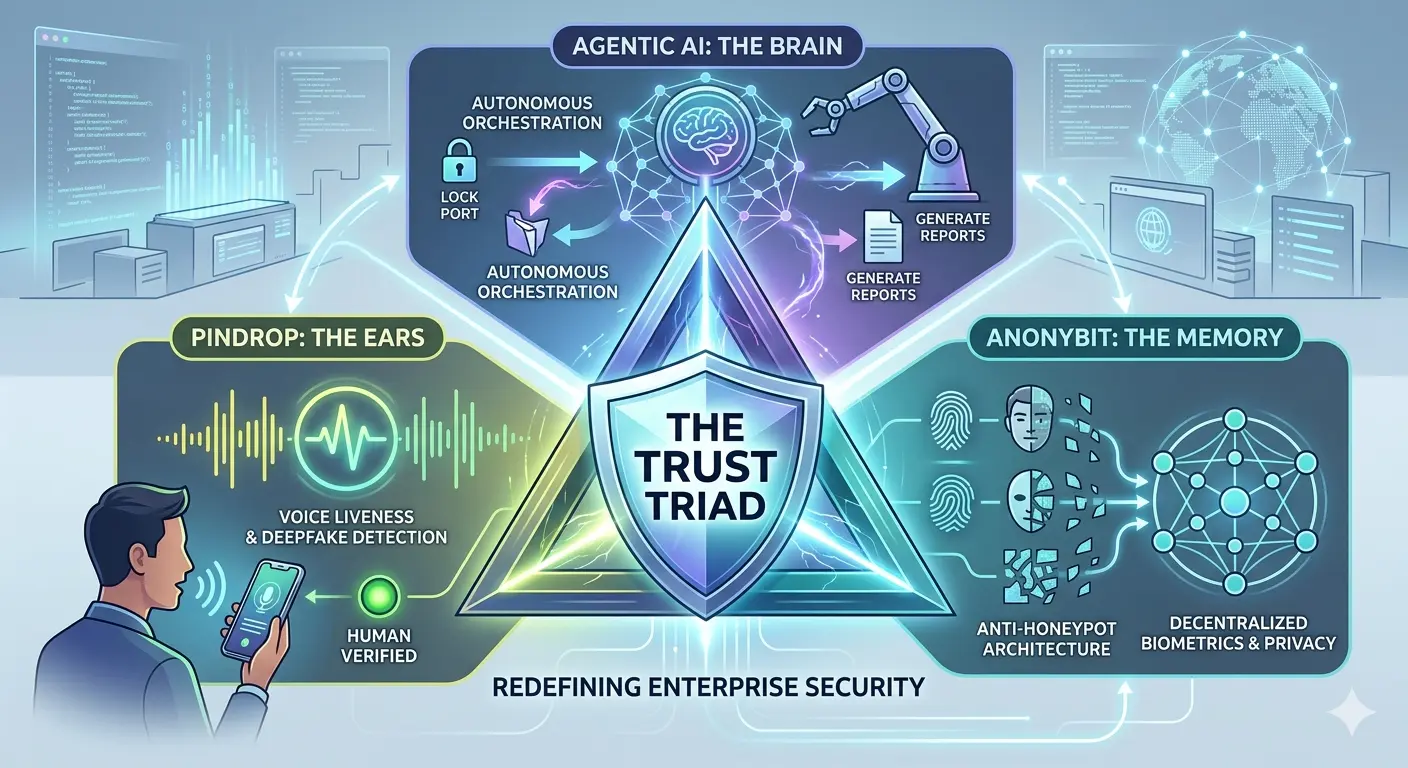
An enterprise security infographic titled "THE TRUST TRIAD" at its center within a glowing shield. The graphic is set in a modern digital operations center with server racks and screens displaying data. Arrows connect three main components to the central triad. At the top is "AGENTIC AI: THE BRAIN" for "AUTONOMOUS ORCHESTRATION," showing icons like locking ports and generating reports. On the left is "PINDROP: THE EARS" for "VOICE LIVENESS & DEEPFAKE DETECTION," with a man speaking into a phone showing a waveform and "HUMAN VERIFIED." On the right is "ANONYBIT: THE MEMORY" for "ANTI-HONEYPOT ARCHITECTURE" and "DECENTRALIZED BIOMETRICS & PRIVACY," displaying stylized faces, fingerprints, and a complex network. Text at the bottom states "REDEFINING ENTERPRISE SECURITY."

Imagine it is 3:00 AM. Your phone vibrates on the nightstand—not with a standard notification, but with a high-priority alert from your Security Operations Center (SOC). A high-value wire transfer was just initiated by your CFO. The voice on the recorded line was perfect. The credentials used were valid. Every traditional check-box was ticked.

Yet, your system flagged it as a fraud.

Why? Because your enterprise has moved beyond the “castle and moat” era of security. You are no longer just reacting to threats; you are anticipating them through a sophisticated, autonomous ecosystem. This is the reality of the Trust Triad. By weaving together Agentic AI, Pindrop, and Anonybit, you aren’t just building a bigger wall; you are creating a digital immune system that understands liveness, decentralizes identity, and acts with the speed of thought.

In this deep dive, we will explore how these three revolutionary technologies converge to solve the most pressing crisis in modern business: the total collapse of traditional trust.


Defining the Players: Who is the Trust Triad?

To understand how you can protect your organization in a world dominated by generative AI threats, you first need to understand the three pillars of modern defense. Each addresses a specific failure point in the legacy security stack.

Agentic AI: The “Brain” of the Operation

You’ve likely interacted with LLMs (Large Language Models) that answer questions. Agentic AI is different. It doesn’t just “know” things; it “does” things. It has agency. In your security architecture, Agentic AI acts as the connective tissue. It perceives an environment, reasons through a problem, and executes a multi-step plan to resolve it. Think of it as a senior security engineer that lives inside your network, capable of closing ports, revoking tokens, and investigating anomalies in milliseconds.

Pindrop: The “Ears” that Never Lie

As deepfake audio becomes indistinguishable from human speech to the naked ear, your call centers and remote authentication protocols are under siege. Pindrop provides the solution through voice liveness detection. It doesn’t listen to the words spoken; it analyzes the physics of the sound. By identifying the tell-tale signs of synthetic audio or digital playback, Pindrop ensures that when you hear a “person” on the other end, they are actually made of flesh and blood.

Anonybit: The “Memory” without a Target

The biggest vulnerability in your company is likely your biometric database. If you store thousands of faces or fingerprints in one central server, you’ve created a “honeypot” for hackers. Anonybit changes this by decentralizing identity. It takes a biometric template, breaks it into encrypted fragments, and scatters them across a decentralized cloud. There is no central record to steal, making your users’ identities virtually unhackable.
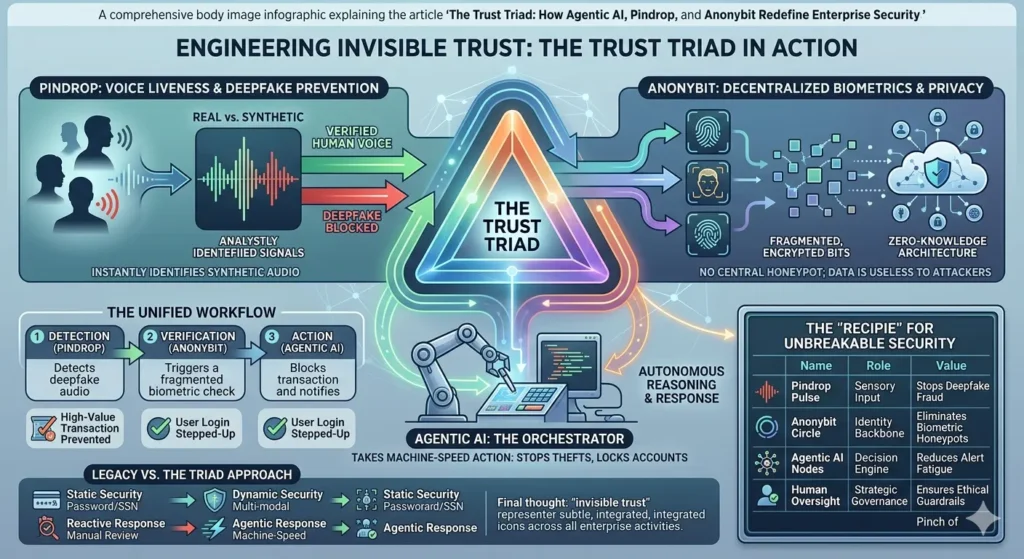

How Agentic AI, Pindrop, and Anonybit Work Together

When you integrate these three, you transition from a reactive posture to a proactive orchestration. Let’s look at how this triad manages a high-stakes authentication event in real-time.

The Unified Workflow

  1. Detection: A user attempts to access a restricted terminal via voice command. Pindrop immediately analyzes the audio stream for “liveness.”
  2. Verification: Simultaneously, the system requests a biometric “proof.” Anonybit retrieves encrypted fragments from across the network to verify the user without ever reconstructing the full biometric image in a single location.
  3. Action: The Agentic AI monitors this interaction. If Pindrop flags a 10% chance of synthetic audio, the AI doesn’t wait for a human. It autonomously decides to “step up” the authentication, perhaps requiring a hardware-based security key or a secondary biometric check, and alerts the SOC.

Comparative Analysis of Security Layers

To see why you need this triad, look at how it compares to the legacy systems you might still be running.

Security ComponentTraditional ApproachThe Trust Triad (Agentic AI, Pindrop, Anonybit)
Authentication SourceStatic Passwords/SSNDynamic Voice Liveness & Decentralized Biometrics
Threat ResponseManual/Rule-basedAutonomous/Agentic Reasoning
Storage RiskCentralized HoneypotsFragmented & Anonymous
Deepfake DefenseNone (Human judgment)Algorithmic Liveness Detection
ScalabilityHigh overhead for SOCMachine-speed automation

Solving the “Honeypot” Problem with Anonybit

You have probably spent millions of dollars securing your data, but have you considered the liability of your biometric storage? Under regulations like GDPR and CCPA, a breach of biometric data isn’t just a technical failure; it’s a legal catastrophe.

Anonybit allows you to adopt a “Zero-Knowledge” architecture. When you use Anonybit, you aren’t actually “storing” biometrics. You are storing mathematical representations that are useless on their own. This removes the incentive for attackers. If there is no central vault to crack, the “Return on Investment” for a hacker drops to zero. You are effectively making your enterprise an “identity-empty” target while maintaining the highest levels of user verification.


Countering Deepfakes with Pindrop Pulse

If you think your team can spot a deepfake, you are already behind. Modern “speech-to-speech” models can mimic tone, breathing patterns, and emotional inflection with 99% accuracy. Your contact centers are the front line of this war.

By implementing Pindrop, you provide your frontline staff with a “trust score” for every call. Pindrop Pulse detects:

  • Synthetic Speech: Audio generated by AI models.
  • Replay Attacks: Recorded voices played back through a device.
  • Voice Clones: AI-generated replicas of specific individuals.

This isn’t just about security; it’s about customer experience. When you trust the voice, you can reduce those annoying “security questions” that frustrate your genuine clients, streamlining your operations while tightening the net for fraudsters.


The Rise of Agentic AI as the Enterprise Orchestrator

The “secret sauce” that makes this triad work is the Agentic AI. For years, we’ve had AI that flags alerts—and then sits there waiting for a human to click “Approve” or “Deny.” That delay is where the damage happens.

Agentic AI acts as the “General” on the digital battlefield. It uses the data from Pindrop and Anonybit to make contextual decisions. For instance, if a user is verified via Anonybit but Pindrop detects high background noise consistent with a “fraud farm” environment, the Agentic AI can choose to limit the user’s transaction limit to $500 until a human can review the case. You are moving from a binary “Yes/No” security model to a nuanced, risk-weighted model that operates at the speed of the internet.


H3: The Recipe for an Unbreakable Security Stack

To implement this in your organization, think of it as a recipe where the quality of the ingredients determines the safety of the outcome.

IngredientRole in the TriadValue to the Enterprise
Pindrop PulseSensory InputEliminates “Identity Theft by Voice” and deepfake fraud.
Anonybit CircleIdentity BackboneRemoves the liability of biometric data storage.
Agentic AI NodesDecision EngineAutomates response, reducing “Alert Fatigue” for your team.
Zero Trust PolicyGovernanceEnsures no user is trusted by default, regardless of rank.

Frequently Asked Questions (FAQ)

How do Agentic AI, Pindrop, and Anonybit protect against insider threats?

While Pindrop and Anonybit verify the “who,” Agentic AI monitors the “what.” Even if an insider is authenticated, the Agentic AI tracks their behavior. If a trusted employee suddenly starts downloading the entire client database at 2:00 AM, the AI recognizes the anomaly and revokes access instantly.

Is this Triad difficult to integrate with legacy IAM systems?

No. Most modern enterprises use this triad as an “augmentation layer.” You don’t have to rip and replace your existing Identity and Access Management (IAM) stack. Anonybit and Pindrop plug into your existing flows via APIs, while Agentic AI sits on top as the orchestrator.

Does decentralized biometric storage affect the speed of login?

Surprisingly, it can be faster. Because Anonybit uses fragmented parallel processing, the verification often happens in under a second—comparable to or faster than traditional centralized database lookups, all while being significantly more secure.

What is the ROI of implementing the Trust Triad?

The ROI is measured in three ways:

  1. Fraud Prevention: Directly stopping million-dollar deepfake transfers.
  2. Efficiency: Reducing the time your SOC team spends on “false positives.”
  3. Compliance: Lowering insurance premiums and legal risks by eliminating biometric “honeypots.”

Conclusion: Engineering a Future of Invisible Trust

The “Trust Triad” represents a fundamental pivot in how you must think about security. We are leaving the era where you can trust what you see or hear. In its place, you must build a system where trust is earned through liveness, protected through decentralization, and enforced through autonomous agency.

By leveraging Agentic AI, Pindrop, and Anonybit, you are doing more than just stopping hackers; you are building a foundation of “Invisible Trust” that allows your business to move faster, innovate harder, and lead with confidence in the age of AI.

Don’t wait for the 3:00 AM alert that you can’t stop.

Call to Action

The window for “wait and see” has closed. If your enterprise is still relying on centralized biometrics and human-ear verification, you are one deepfake away from a crisis. Contact our security consultants today for a comprehensive audit of your identity stack and learn how the Trust Triad can be customized for your specific workflow. Let’s make your enterprise unhackable, together.

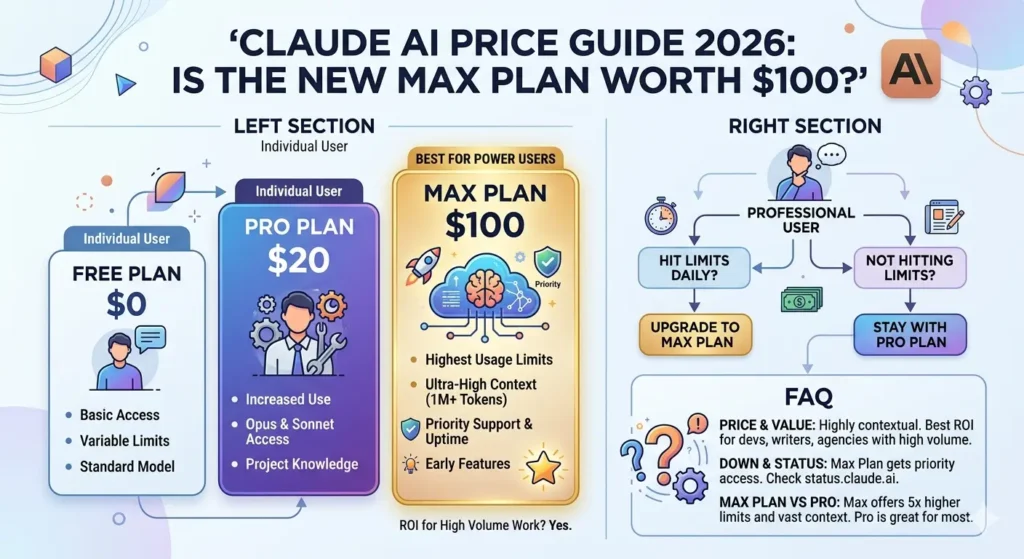
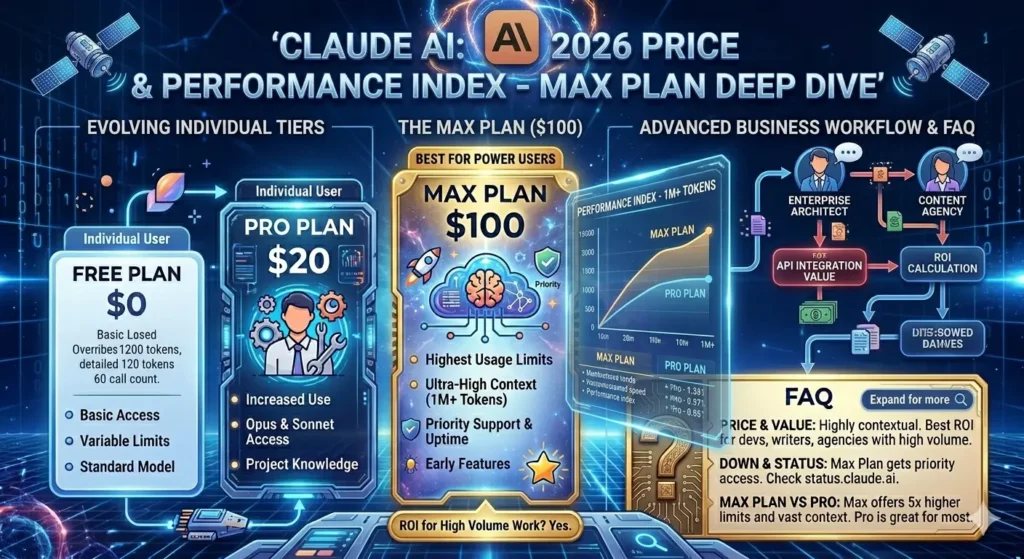
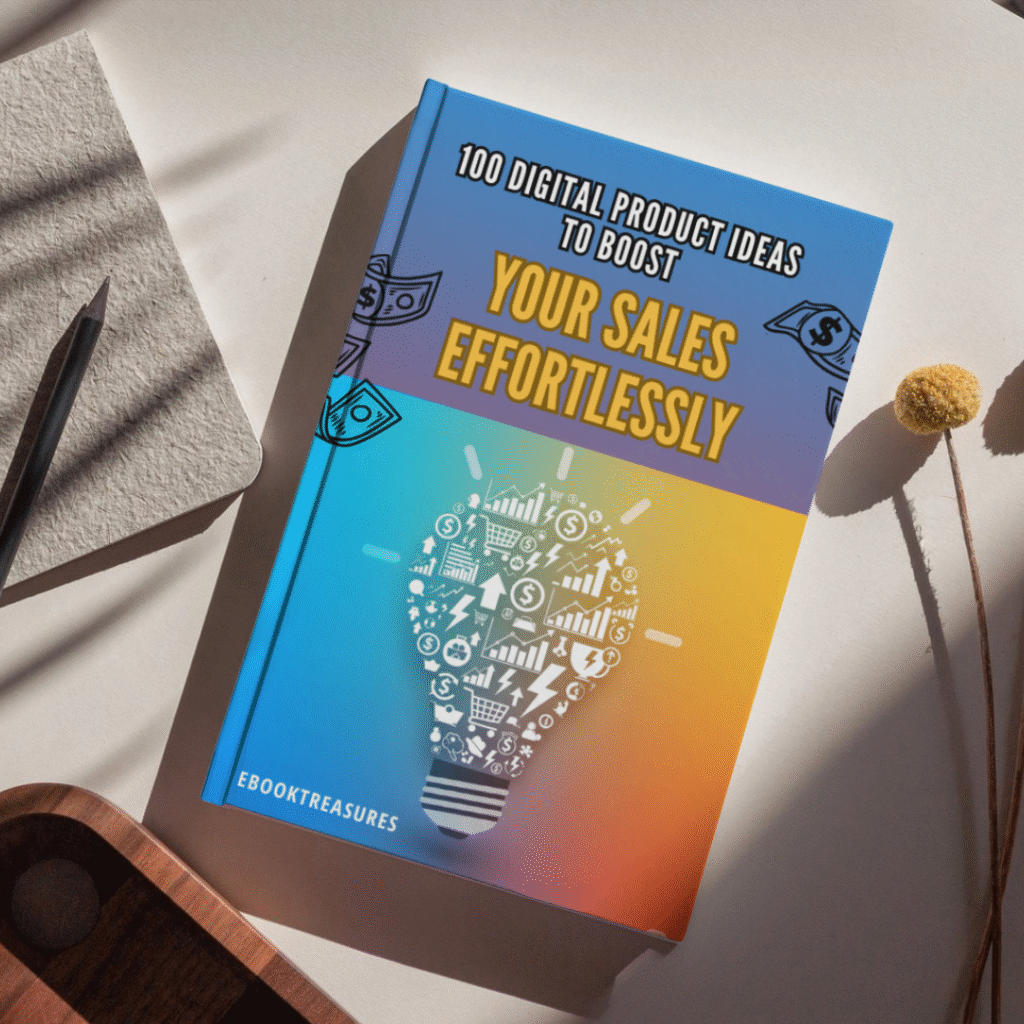
Claude AI Price Guide 2026: Is the New Max Plan Worth $100?

A sleek, high-tech hero image featuring a futuristic, translucent "nano banana" with glowing internal circuitry and fiber-optic lights resting on a modern mechanical keyboard. In the background, a computer monitor clearly displays the article headline: "Claude AI Price Guide 2026: Is the New Max Plan Worth $100?" The scene is set in a professional, dimly lit workspace with cool blue and purple ambient lighting, emphasizing a high-end AI technology theme.

We’ve all been there: staring at a “message limit reached” notification right in the middle of a breakthrough. Whether you’re a developer racing against a deadline or a creator in the flow of a new project, that sudden halt feels like a door slamming in your face. It’s frustrating because your tools should keep up with your ambition, not throttle it.

With the release of the Claude AI Max Plan, Anthropic is promising to throw those doors wide open—but at a triple-digit price point. It feels like a massive leap from the standard $20 we’ve grown used to. You might be wondering if this is finally the solution for your high-intensity workflows or just another monthly bill that drains your budget. Let’s break down the value and see if it’s truly time for you to upgrade.


1. Understanding the 2026 Claude AI Price Tiers

The landscape of generative AI has shifted toward high-capacity usage in 2026. Gone are the days when AI was just a chatbot; it’s now an infrastructure. Anthropic has restructured its offering to cater to everyone from the casual prompt-engineer to the professional architect.

The Evolution of Anthropic’s Pricing

Anthropic has moved away from a “one-size-fits-all” paid model. As of early 2026, the Claude AI price reflects a tiered ecosystem designed to prevent heavy users from being throttled. While the Free tier remains a great entry point, the gap between “Pro” and “Max” has become the primary talking point in the tech community.

Current Tiers Overview

If you’re trying to figure out where you fit, here is how the landscape looks today:

  • The Free Tier: Best for light research and casual writing. It uses a variable limit that resets every five hours.
  • The Pro Tier ($20/mo): The gold standard for most. It grants access to Claude Code and higher usage than the free version.
  • The Max Tier ($100/mo): The new “powerhouse” plan. It offers 5x the usage of Pro, higher output limits, and priority during server spikes.

Comparison of Subscription Tiers

FeatureFree PlanPro PlanMax Plan
Monthly Price$0$20$100
Model AccessSonnet 4.6 (Limited)Opus 4.6 & Sonnet 4.6Priority Opus 4.6 & “Ultra”
Message Limits~15-40 per 5h~45 per 5h~225 per 5h
Context WindowStandard200k Tokens1M+ Tokens
Project KnowledgeLimitedStandardEnhanced Sync

2. Deep Dive: What Do You Get for a $100 Claude AI Price?

A hundred dollars a month is a significant investment for a single software tool. To justify this, you need to look beyond the chat box.

The “Unlimited” Myth vs. Reality

In 2026, “unlimited” is rarely absolute. On the Max plan, you effectively get 500% more headroom than a Pro user. For a developer using Claude Code in the terminal, this means you can keep your agent running through complex refactoring tasks without seeing a “Usage Limited” warning before lunch. It’s about maintaining a state of flow.

The 1-Million Token Advantage

The massive context window is where the Claude AI price starts to make sense for specific professionals.

  • For Coders: You can feed an entire codebase into a single session.
  • For Researchers: You can upload multiple 500-page PDF documents and ask Claude to find contradictions between them.
  • For Writers: You can maintain the entire history of a 100,000-word novel in active memory, ensuring Claude never forgets a character’s eye color from Chapter 1.

Early Access to “Claude Code” and “Cowork”

Max users are the first to receive “Research Preview” features. Whether it’s the latest iteration of autonomous agentic workflows or new multi-modal tools that allow Claude to “see” and interact with your desktop, the Max plan ensures you’re at the front of the line.


3. Performance During Downtime: Does the Max Plan Keep You Online?

Reliability is a silent feature. When the rest of the world is seeing a Claude AI down message, Max users are often still operating on priority lanes.

Priority Server Access

During peak hours—usually Tuesday mornings when the corporate world is in full swing—compute resources get stretched. Anthropic uses “Priority Routing” for Max subscribers. While a Free or Pro user might experience “Thinking…” delays of 30 seconds, a Max user typically sees near-instant responses.

Handling a “Claude AI Status” Emergency

Even a $100 subscription can’t prevent a major AWS outage, but the way you’re treated during a recovery matters.

  • Dedicated Support: Max users have access to an expedited support channel.
  • Status Transparency: You get more granular updates on the Claude AI status via the subscriber dashboard, helping you decide whether to wait out a glitch or switch to a backup tool.

4. ROI Analysis: Who is the Max Plan For?

You need to treat this plan as a business expense. If it doesn’t save you time or generate more than $100 in value, it’s not for you.

The Developer’s Perspective

If you are a software engineer, your time is likely worth more than $50/hour. If hitting a message limit on the Pro plan costs you just two hours of productivity per month, the Max plan has already paid for itself. The ability to use Claude as a persistent pair-programmer in the terminal is a force multiplier.

The Content Agency & Marketing Expert

For those running high-volume workflows—like managing a subreddit or a WordPress blog with AI-assisted drafting—the higher output limits are essential. You can generate longer, more detailed articles (up to 5,000 words in one go) without the model getting “tired” or losing the thread.

The Student/Hobbyist “Sweet Spot”

Honestly? If you’re just using AI to summarize your homework or write emails, stay on the Pro plan. The Claude AI price for the Max tier is a “Pro-sumer” and “Professional” bracket. Don’t pay for 1 million tokens of context if you’re only ever sending 500-word prompts.


5. Maximizing Your Subscription: Tips for Claude AI Power Users

If you decide to take the plunge, don’t just use it like a better version of the Free tier. You need to leverage the architecture.

  • Utilize “Projects” for Every Client: Don’t mix your workflows. Create a Project for each major task to keep the “System Prompt” and “Knowledge Base” clean.
  • Use the /compact Command in Claude Code: Even with high limits, keeping your terminal sessions lean saves you from “context bloat” and keeps responses snappy.
  • Leverage Artifacts for UI Prototyping: Use the Max plan’s high compute priority to render React or Tailwind code instantly in the side window. It’s like having a live front-end developer sitting next to you.

FAQ: Everything You Need to Know About Claude AI Price & Status

Is there a discount for the annual Claude AI price?

As of 2026, Anthropic has introduced an annual billing option for the Pro plan (roughly $17/mo), but the Max plan remains a monthly $100 commitment to allow users to scale up or down based on project needs.

Why is the Claude AI price higher than competitors?

Claude’s focus is on “Deep Reasoning” and “High Context.” While competitors might be cheaper for quick chat tasks, Claude’s ability to handle 1 million tokens with near-perfect recall is a high-cost infrastructure feat that justifies the premium.

What should I do if Claude AI is down?

Always check the official Claude AI status page at status.claude.ai. If you are on the Max plan and the site is functional but slow, try switching your model to “Haiku” for a faster, though less “intelligent,” response to get through the crunch.

Can I share my Max Plan account with my team?

The Max plan is an individual license. For multi-user environments, the “Claude for Teams” or “Enterprise” tiers are more cost-effective and offer centralized billing and admin controls.


Conclusion

Deciding if the Claude AI price for the Max Plan is worth it comes down to one question: How much is your “flow state” worth? If you are a professional whose day involves deep-diving into massive datasets, managing complex code repositories, or producing high-volume content, the Max plan isn’t a luxury—it’s a tool that removes the ceiling from your potential. The $100 price tag buys you the peace of mind that when you need the AI most, it will be there, it will remember everything you’ve said, and it won’t tell you to “come back in four hours.”

Ready to stop hitting limits? Evaluate your usage today. If you’ve seen that “limit reached” message more than twice this week, it might be time to invest in your productivity and make the switch to Max.

claude ai down, claude ai status, claude ai price

  • Is Claude AI better than ChatGPT?
  • Is Claude AI free?
  • What is the 30% rule for AI?
  • Is Claude made by Google?

Is TikTok Down Right Now? Real-Time Server Status & Outage Map (January 2026)

Digital map of the United States showing TikTok server outage red zones during a winter storm, with a smartphone in the foreground displaying a connection error message and the TikTok logo glitching. is tiktok down ?

Updated: Sunday, January 25, 2026 | 2:15 PM EST

You are stuck inside. The roads outside are a sheet of ice, the schools have been canceled for the second day in a row, and the wind is rattling the windowpane. It’s the kind of Sunday that practically demands you curl up on the couch, wrap yourself in a blanket, and dissociate for a few hours into the endless scroll of the “For You” page.

You open the app. You wait. The familiar musical note logo pulses… and pulses… and pulses. Then, the dreaded message pops up: “Network Error. Tap to Retry.”

You tap. Nothing. You toggle your WiFi. Nothing.

A quiet panic sets in. Is it your router? Is it the storm messing with the lines? Or is it something bigger?

Take a deep breath. You aren’t crazy, and it’s almost certainly not your WiFi. Millions of users across the United States and parts of Europe are staring at that same blank screen right now. The digital town square has gone dark, and you are not alone in the silence. Here is exactly what is happening to TikTok right now, why the app is crashing, and when you can expect to get your dopamine fix back.


Current Status: Yes, TikTok Is Down

Let’s cut straight to the chase because you don’t have time for fluff when your app isn’t working. Yes, TikTok is currently experiencing a major service outage.

As of early this morning, user reports on DownDetector began to spike vertically, surpassing 35,000 reports within the first hour. This isn’t a localized glitch; it appears to be a widespread server-side failure affecting the core infrastructure of the app.

The Symptoms You Might Be Seeing

If you are experiencing any of the following, you are part of the outage:

  • The Infinite Load: The app opens, but videos refuse to play, buffering indefinitely.
  • The “Zero Views” Glitch: You can see your profile, but all your view counts show “0,” and your follower count might briefly display as zero.
  • Login Loops: You were logged out unexpectedly and now receive a “Something went wrong” error when trying to sign back in.
  • Frozen FYP: Your “For You” page is showing you videos from three days ago or isn’t refreshing at all.

This is a Code Red for the platform. While minor glitches happen often, a total blackout of this magnitude is rare.


The “Winter Storm” Outage Map: Who Is Affected?

While the outage is technically global, the heat map tells a specific story. The vast majority of error reports are concentrated in the United States, specifically aligning with the regions currently hammered by the massive winter storm sweeping the Northeast and the Midwest.

Why does the weather matter for an app?

It’s not that the snow is freezing the internet cables (mostly). It’s about load capacity.

With millions of Americans snowed in, internet usage has skyrocketed. Residential bandwidth in areas like New York, Chicago, and Boston is being pushed to its absolute limit. When you combine local ISP throttling due to high traffic with a potential server-side issue at TikTok, you get a perfect storm of connectivity failure.

Key Affected Regions:

  • New York / Tri-State Area: Red zone. High concentration of “Network Error” reports.
  • Texas: Significant outages reported in Dallas and Houston.
  • United Kingdom: Reports are trickling in from London, suggesting this might be more than just a US traffic jam.

Why Is TikTok Down? (The Oracle Migration Theory)

If you have been following the news, you know that TikTok has been undergoing massive structural changes to comply with US regulations and avoid the threatened ban.

Just earlier this week, news broke that the transition of US user data to the new “US TikTok” entity, managed on Oracle cloud servers, was entering its final critical phase.

The Leading Theory: Migration Glitch

Tech analysts are speculating that today’s outage isn’t a simple crash, but a migration failure. Moving petabytes of video data and billions of user interactions from one server infrastructure to another is like trying to change the engine of a Boeing 747 while it is still flying.

If a database synchronization error occurred during this hand-off, it would force engineers to take systems offline to prevent data corruption. This explains the “Zero Views” glitch—the front end of the app (what you see) can’t talk to the back end (where the data lives).

Official Word:

As of this writing, the @TikTokComms account on X (Twitter) has only issued a generic statement:

“We are aware that some people are having trouble accessing the app. We are working to resolve the issue as quickly as possible.”


Is It TikTok or Your WiFi? A Troubleshooting “Recipe”

Before you throw your phone across the room, you need to be 100% sure the problem isn’t on your end. Connection issues during bad weather are common, and sometimes a simple reset is all it takes to get back online.

Think of this as your “Troubleshooting Recipe.” Follow these ingredients step-by-step.

Table: The Connectivity Fix “Recipe”

StepAction“Ingredient” NeededExpected Result
1The Airplane ToggleYour Phone SettingsToggling Airplane mode on for 10 seconds and then off forces your phone to disconnect from a faulty cell tower and reconnect to a stronger one.
2The Cache ClearTikTok App SettingsGo to Profile > Menu > Settings and Privacy > Free up space. Tap Clear next to Cache. This removes corrupted temporary files that might be jamming the loading process.
3The WiFi SwapWiFi vs. DataTurn off your WiFi and try to load the app using only your cellular data (5G/LTE). If it works, your home internet is the problem, likely due to the storm.
4The Browser TestChrome / SafariOpen your mobile browser and type in tiktok.com. If the website loads but the app doesn’t, the issue is specifically with the app update, not the server itself.
5The RestartPower ButtonIt sounds cliché, but restarting your phone clears your RAM and can fix background process conflicts.

Pro Tip: If you have tried all five steps and you still see the spinning wheel, stop trying. Repeatedly refreshing the app only sends more “pings” to the already overloaded servers, actually making the crash last longer for everyone.


Whenever the clock app goes dark, the exodus begins. Within minutes of the outage, #TikTokDown became the number one trending topic on X (formerly Twitter).

The collective sense of humor of the internet remains undefeated, even in a crisis.

The “Refugee” Camp:

You have likely seen the memes by now—users posting videos of themselves “running” to X to check if everyone else is having the same problem. It has become a ritual.

The Top Memes Trending Right Now:

  • The Productivity Joke: “TikTok is down, and I just stared at a wall for 5 minutes. I might actually have to speak to my family today. Send help.”
  • The “Ban” Panic: “Did the ban finally happen? Did I sleep through the apocalypse? Why is my screen black?”
  • The Snow Day Irony: “The universe really said: ‘Oh, you have a snow day? Enjoy reading a book, nerd.’ TikTok down is a personal attack.”

It is worth scrolling through the hashtag on X purely for the camaraderie. Knowing that millions of others are suffering the same boredom makes the wait slightly more tolerable.


What Marketers & Creators Should Do Right Now

If you use TikTok for business, this isn’t just an annoyance; it’s a potential loss of revenue. You might be watching your analytics flatline and feeling your heart rate spike.

Here is your crisis management playbook for the next few hours.

1. DO NOT Delete Your Content

This is the most critical mistake creators make. You post a video, notice it has 0 views after 20 minutes, panic, and delete it.

Don’t do it.

The “0 views” is a visual glitch. Your video is likely still queued on the server. When the app comes back online, those metrics often backfill. If you delete and repost, you trigger the algorithm’s spam filters, which can shadowban your account. Leave the video alone.

2. Pause Your Ad Spend

If you are a media buyer running paid campaigns, log into your TikTok Ads Manager (on desktop—it often works even when the app is down).

If the app is buggy, ad delivery will be erratic. You don’t want to pay for impressions that users are scrolling past because the video isn’t loading properly. Pause your high-budget campaigns until the status returns to “Operational.”

3. Pivot to Shorts and Reels

You have the content file on your phone. The audience is still hungry for entertainment—they just can’t get it on TikTok.

Upload that same video to YouTube Shorts and Instagram Reels immediately.

  • Why? Users who can’t open TikTok are flocking to these other apps right now. We historically see a 20-30% spike in traffic on Reels during TikTok outages. Capture that overflow traffic.

Frequently Asked Questions (FAQ)

You likely have specific worries about your account data. Let’s address the most common questions flooding the search engines right now.

Q: Is TikTok being banned right now?

A: No. While the legal battles regarding the ban are ongoing, a government ban would not look like a server error. It would be a removal from the App Store or a geo-block message. This is a technical failure, likely related to the Oracle migration or server overload.

Q: Will I lose my drafts if TikTok is down?

A: You shouldn’t, but you need to be careful. Drafts are saved locally on your device, not on TikTok’s servers.

  • DANGER: Do NOT uninstall and reinstall the app in an attempt to fix the outage. If you delete the app, you delete your drafts forever. There is no way to recover them. Just wait for the update.

Q: Why does my account say 0 followers?

A: This is a display error. Your followers haven’t unfollowed you. The app is simply failing to fetch the number from the database. Once the servers are restored, your count will return to normal.

Q: When will TikTok be back up?

A: Predicting server repair times is tricky, but looking at historical data gives us a clue. The major outage of 2024 lasted approximately 4 hours. The 2025 “New Year” crash lasted 2 hours. Given the scale of this outage and the weather conditions affecting staffing at data centers, you should expect the app to be unstable for the rest of the afternoon, likely returning to full functionality by 6:00 PM EST.


Conclusion: Surviving the Great Scroll-Blackout

It is strange how quiet the world feels when the infinite loop of music and voices in our pocket goes silent.

While you wait for the engineers to untangle the wires (or finish migrating the database to the US cloud), try to resist the urge to refresh the page every three seconds. It won’t make the servers heal any faster.

This outage is a reminder of how fragile our digital habits really are. Maybe take this forced break to charge your phone, check in on the snow storm outside, or—heaven forbid—watch a movie horizontally.

TikTok will be back. The memes will flow again. But for now, you have a free pass to disconnect.

Stay Updated:

We are monitoring the server status minute-by-minute. Bookmark this page and refresh for the latest updates.

The Best Free AI Tools for Marketing 2026 : How to Scale Your Strategy Without Blowing Your Budget

Best free AI tools for marketing helping a digital marketer automate tasks and scale strategy on a laptop.

You know the feeling. It’s Sunday evening, and instead of winding down, your mind is racing. You’re staring at the ceiling, dreading the moment you have to open your laptop on Monday morning. The content calendar is looking worryingly empty, the engagement numbers from last week were lukewarm at best, and your boss—or your client—is asking for “more volume” with the same zero-dollar budget.

It’s the modern marketer’s quiet crisis. You are expected to be a data scientist, a graphic designer, a copywriter, and a video editor all at once. The pressure to produce viral hits daily is relentless, and doing it all manually is a one-way ticket to burnout.

But here is the good news: you don’t have to do it alone, and you certainly don’t need an enterprise-level budget to get enterprise-level help. The landscape has shifted. We aren’t just talking about clunky automation anymore; we are talking about sophisticated AI marketing assistants that live in your browser, ready to work for free.

This guide isn’t just a list; it’s your survival kit. We are going to break down the best free AI tools for marketing that will help you reclaim your time, spark your creativity, and finally scale your strategy without spending a dime.


Why Your Toolkit Needs an AI Upgrade in 2025

If you are still writing every tweet from scratch or manually resizing images for five different platforms, you are fighting a losing battle. The sheer volume of content required to stay relevant today is impossible for a single human to manage efficiently.

There is a common misconception that “free” tools are just toys—watered-down versions of software that hold your data hostage until you pay up. While that used to be true, the AI marketing boom has democratized access to powerful technology.

Integrating these tools isn’t about cutting corners; it’s about shifting your energy. When you offload the repetitive, grinding tasks to an algorithm, you free up your brain space for what actually matters: strategy, connection, and storytelling.

Here is why adopting a “free-first” AI approach is the smartest move you can make right now:

  • Risk-Free Testing: You can experiment with bold new strategies—like generating AI video or automated newsletters—without having to justify a budget request to finance. If it doesn’t work, you’ve lost nothing but a few minutes.
  • Immediate Scalability: Imagine going from writing one blog post a week to five. Or turning that one blog post into ten social media snippets, a video script, and an email blast in under an hour. That is the power of leverage.
  • Creative Unblocking: The blank page is the enemy. AI tools act as a collaborative partner, throwing ideas at you until something sticks. It’s easier to edit a bad draft than to write a perfect one from nothing.

Top Free AI Writing Assistants for SEO and Copy

Writer’s block doesn’t care about your deadlines. Sometimes the words just won’t come. Whether you are crafting a 2,000-word pillar page or a pithy two-sentence Instagram caption, having an AI writing assistant is like having an editor sitting on your shoulder, 24/7.

These are the heavy hitters that give you the most value for zero dollars.

ChatGPT (OpenAI)

By now, you’ve heard of it, but are you using it to its full potential? ChatGPT remains the undisputed king of versatility among the best free ai tools for marketing. While the paid version offers advanced reasoning, the free tier (currently utilizing efficient models like GPT-4o mini) is more than capable of handling the bulk of your marketing grunt work.

How to use it effectively:

Don’t just ask it to “write a blog post.” The output will be generic and bland. Treat it like a junior copywriter. Give it context.

  • Bad Prompt: “Write a post about coffee.”
  • Good Prompt: “You are an expert barista. Write a 500-word blog post about the benefits of cold brew coffee for busy office workers. Use a witty, energetic tone. Include three subheadings.”

Key features for marketers:

  • Ideation: Stuck on a topic? Ask for “20 contrarian angles on [your industry].”
  • Meta Data: Paste your finished article into the chat and ask it to generate 10 SEO-optimized meta titles and descriptions.
  • Repurposing: Feed it a transcript of your latest video and ask it to turn it into a LinkedIn carousel.

Copy.ai (Free Plan)

If ChatGPT is your generalist, Copy.ai is your specialist. This tool is built specifically for marketers. The interface is designed to get you from a blank screen to a finished asset as quickly as possible.

Why it belongs in your stack:

Copy.ai shines when you need short-form copy that sells. Their free plan is generous enough for freelancers or small business owners getting started.

Key Features:

  • Templates: They have pre-built templates for almost everything: “Pain-Agitate-Solution” frameworks, Facebook Ad primary text, and cold outreach emails. You don’t have to engineer the prompt; the structure is already there.
  • Brand Voice: Even on limited plans, you can often input examples of your writing so the AI mimics your specific tone—whether that’s professional and dry, or quirky and emoji-heavy.

Hemingway Editor (AI Features)

You have written the content, but is it readable? SEO isn’t just about keywords; it’s about user experience. If your sentences are winding and confusing, readers bounce, and Google takes notice.

Hemingway isn’t a writer; it’s a ruthless editor. It highlights sentences that are too complex, adverbs that are unnecessary, and passive voice that weakens your message.

The AI Upgrade:

Recently, Hemingway has integrated AI features that don’t just point out the error—they offer to fix it for you. You can highlight a “very hard to read” sentence and click a button to have the AI simplify it instantly. This ensures your content stays accessible to a broad audience, which is a massive factor in keeping users on your page.


Visual Content Creators: Free AI Image and Video Generators

We live in a visual economy. A post without an image is a ghost. But stock photos are expensive, and hiring a graphic designer for every tweet is sustainable for almost no one. This is where generative AI changes the game.

Canva Magic Studio

Canva was already a staple, but their “Magic Studio” updates have propelled it into the top tier of AI marketing tools. It is the most user-friendly entry point for visual AI.

Best ways to use it:

  • Magic Media (Text-to-Image): deeply integrated into their design dashboard. You can type “minimalist workspace with a neon blue coffee cup” and get a unique image to drag and drop directly into your Instagram template. No more using the same Unsplash photo as your competitors.
  • Magic Edit: Did you take a great product photo but forgot to clean the table? Or maybe you want to change a red rose in the background to a yellow sunflower? You can brush over the area and type what you want to change. It is Photoshop-level magic without the learning curve.

Leonardo.ai

If you need something more artistic or high-fidelity than Canva, Leonardo.ai is your next stop. While tools like Midjourney require a paid subscription and a Discord account, Leonardo offers a robust web interface and a generous daily allowance of free tokens.

Why it stands out:

Leonardo is incredible for creating specific “assets” for your campaigns. Need a mascot for your brand? A futuristic background for your website header?

  • Style Consistency: You can choose from fine-tuned models (like “3D Animation Style” or “Photorealistic”).
  • Daily Refresh: The free tier resets your tokens daily, meaning if you are patient, you can generate high-quality assets every single day without paying.

Lumen5

Video is the highest-converting medium, but it’s also the hardest to produce. Lumen5 solves the “I don’t have time to edit video” problem. It uses AI to turn text into video.

The Workflow:

You simply paste the URL of your latest blog post into Lumen5. The AI reads your content, summarizes the key points, and overlays them onto relevant stock footage from its massive library. It times the text to the music automatically.

Free Plan details:

The free plan usually includes a watermark and limits resolution to 720p, but for social media stories or quick LinkedIn updates, this is often sufficient. It is the fastest way to repurpose written content into engaging video content.


Smart Social Media Management and Analytics

Creating the content is only half the battle. You have to distribute it and, more importantly, understand if it is actually working. Switching between tabs for LinkedIn, X (Twitter), Instagram, and TikTok is a recipe for distraction.

Buffer (AI Assistant)

Buffer has been a reliable scheduling tool for years, but their AI Assistant has revitalized the platform. It helps you work smarter, not harder.

The AI Advantage:

Let’s say you have a great post for LinkedIn. You can’t just copy-paste that to Twitter; the character count is different, and the tone should be different. Buffer’s AI can take your core idea and “rewrite for Twitter” or “expand for Facebook” with one click.

Free Plan Limits:

Buffer’s free plan is excellent for solopreneurs. It typically allows you to connect up to three channels and schedule 10 posts per channel at a time. For a “free stack,” this is perfect for planning your week ahead every Sunday.

Google Analytics 4 (Intelligence)

Data is scary. Most marketers look at the dashboard and want to cry. Google Analytics 4 (GA4) knows this, which is why they introduced “Analytics Intelligence.”

Your Personal Data Analyst:

This is a search bar inside your analytics dashboard that uses natural language processing. You don’t need to know how to build a custom report or set up a complex filter.

  • You can literally type: “Which channel had the highest conversion rate last month?”
  • Or: “What are my top-selling products this week?”

The AI parses the data and gives you a direct answer. It also offers “Insights”—automated tips that pop up when the AI detects an anomaly, like a sudden drop in mobile traffic or a spike in user engagement from a specific city.


Comparison of the Best Free AI Tools for Marketing

It can be overwhelming to track which tool does what. Use this quick-reference table to identify exactly which gap in your workflow needs filling today.

Tool NamePrimary FunctionFree Plan LimitsBest Use Case
ChatGPTContent WritingUnlimited (model dependent)Ideation, Outlines & SEO Metadata
CanvaDesign & VisualsDaily limits on Magic MediaSocial Media Graphics & Quick Edits
BufferSocial Scheduling3 Channels / 10 posts queueContent Distribution & Rephrasing
Lumen5Video CreationWatermarked / 720p exportRepurposing Blogs into Video
Copy.aiAd CopyWord count limits (approx 2k)Email Subject Lines & Ad Hooks
Leonardo.aiArt GenerationDaily Token AllowanceHigh-Quality Blog Headers/Assets
HemingwayEditingFree web versionReadability & Clarity Checks

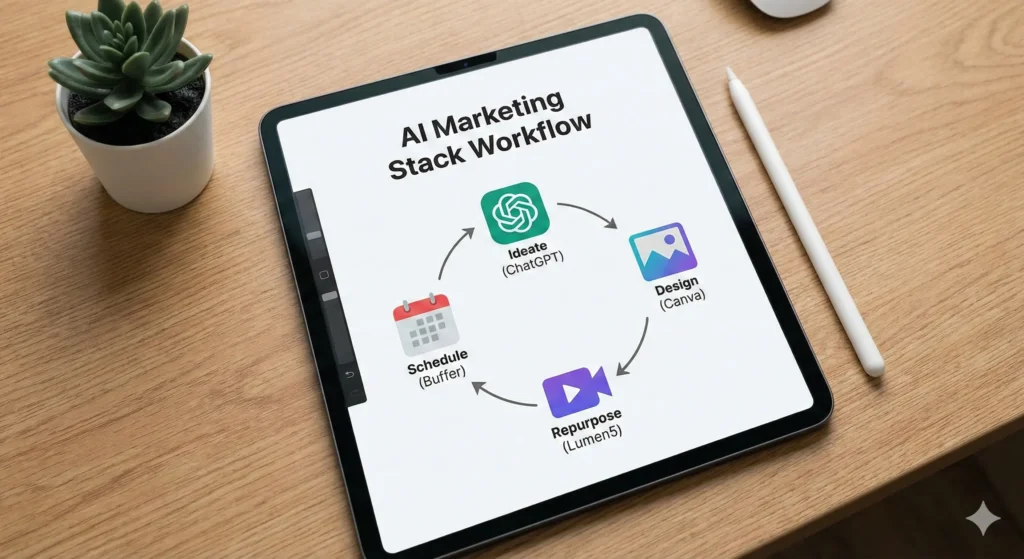
How to Build a “Free Stack” Workflow

Now that you have the tools, how do you actually use them together? You don’t want to bounce randomly between apps. You need a pipeline. Here is a practical workflow you can use tomorrow morning to create a week’s worth of content in a few hours.

Step 1: The Brainstorm (ChatGPT)

Open ChatGPT. Paste in your company’s mission statement and ask: “Give me 5 blog post ideas that address the pain points of [Target Audience].” Pick the best one. Ask ChatGPT to create a detailed outline.

Step 2: The Draft (ChatGPT + Hemingway)

Write the draft using ChatGPT to expand on the points. Then, copy that text into Hemingway Editor. Fix the red and yellow sentences until the readability grade is around Grade 6-8. This ensures your content is punchy.

Step 3: The Visuals (Leonardo.ai / Canva)

Take the main headline of your article. Go to Leonardo.ai or Canva Magic Media and generate a custom image that visualizes that concept. Download it.

Step 4: The Repurpose (Lumen5)

Take your finished blog text and feed it into Lumen5. Let it auto-generate a 60-second video summarizing the article.

Step 5: The Distribution (Buffer)

Log into Buffer. Upload your video and your image. Use the Buffer AI assistant to write a caption for LinkedIn (professional) and a caption for Instagram (casual) based on the blog content. Schedule them to go out on Tuesday and Thursday.

Result: You have just created a blog, a unique image, a video, and scheduled social posts across multiple platforms. Total cost: $0.


Frequently Asked Questions (FAQ)

It’s natural to have reservations. When you rely on best free ai tools for marketing, you want to be sure you aren’t compromising safety or quality.

Are free AI marketing tools safe for business use?

Generally, yes, but you must be careful with sensitive data. Never paste customer lists, passwords, or proprietary financial data into a public LLM like ChatGPT or Copy.ai. These models may use your inputs to train future versions. For general marketing copy and creative work, they are perfectly safe.

Will using AI tools hurt my SEO rankings?

No, but lazy content will. Google has explicitly stated that their ranking systems reward original, high-quality content demonstrating “E-E-A-T” (Experience, Expertise, Authoritativeness, and Trustworthiness), regardless of how it is produced. If you use AI to generate spammy, unedited text, you will rank poorly. If you use AI to help you write a comprehensive, helpful guide (like this one!), you will be fine.

Can I use AI-generated images for commercial purposes?

This depends on the platform. Canva and Leonardo.ai generally grant you commercial rights to the images you create, even on free plans, but terms can change. Always check the specific Terms of Service for the tool you are using. Avoid using AI to generate images of trademarked characters (like Disney figures) or real celebrities.

What is the best free AI tool for marketing beginners?

If you can only pick one, start with Canva. It touches on almost every aspect of marketing—visuals, video, and even basic copywriting with its Magic Write feature. It offers the most immediate “visual upgrade” to your brand with the shallowest learning curve.


Conclusion: Reclaiming Your Time

The marketing landscape is noisy, and the pressure to shout louder than everyone else is real. But shouting louder isn’t the strategy; speaking clearer is.

The tools we’ve covered—ChatGPT, Canva, Buffer, and the rest—are not magic wands that will fix a broken strategy. They are force multipliers. They exist to strip away the drudgery of formatting, resizing, and staring at blinking cursors.

By building a stack of the best free AI tools for marketing, you are giving yourself permission to stop being a robot and start being a marketer again. You get to focus on the human side of the equation: the empathy, the humor, and the insight that no algorithm can replicate.

Here is your next step: Don’t try to learn all seven tools at once. That’s a recipe for overwhelm. Pick one tool from this list that solves your biggest headache right now. Is it writing emails? Sign up for Copy.ai. Is it graphics? Open Canva.

Set up your free account today and automate just one single task. Your future self—the one actually enjoying their Sunday evening—will thank you.

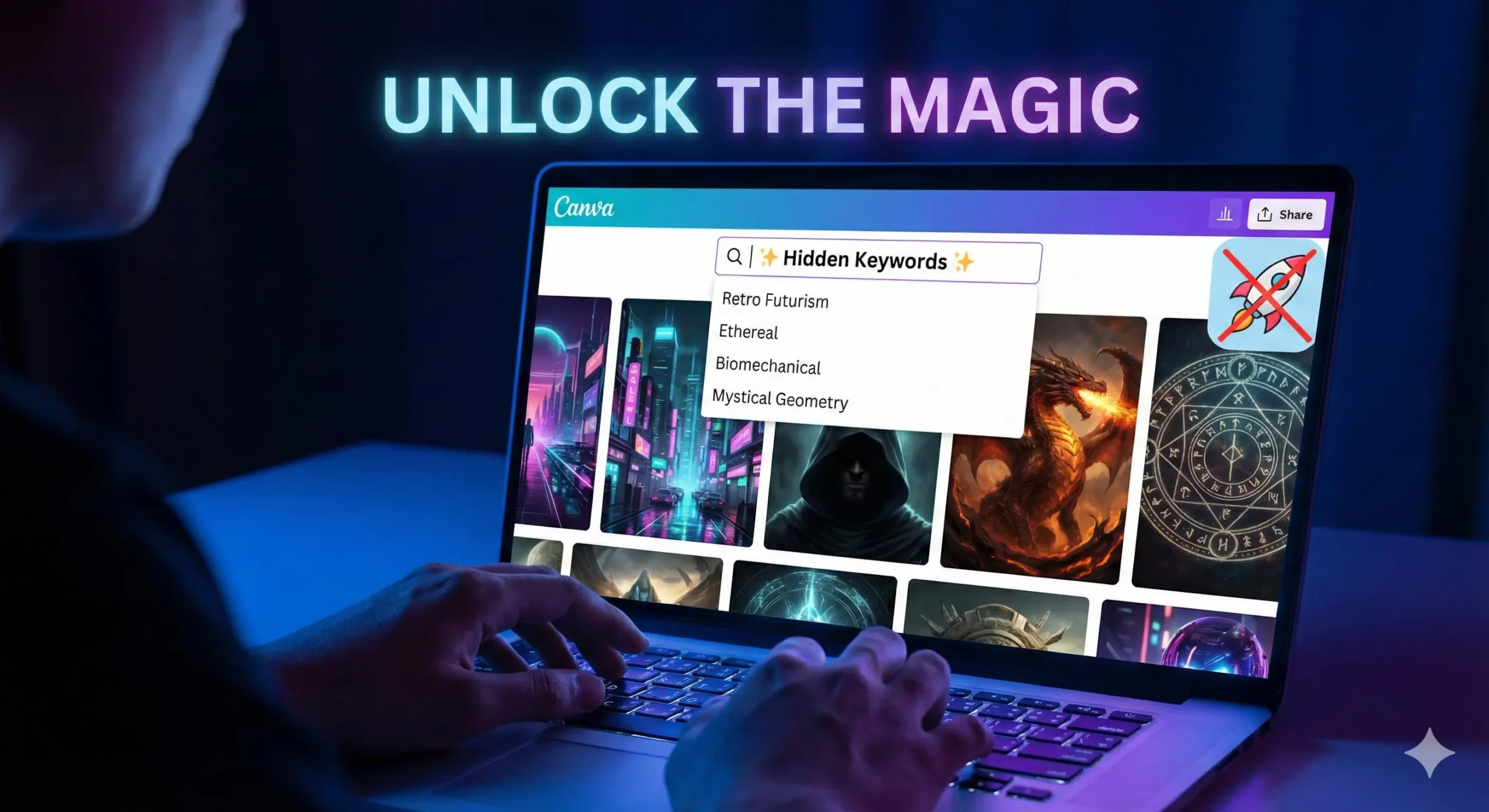
Unlock the Magic: 10 Hidden Canva Keywords for Sci-Fi & Fantasy Book Covers [2026 Cheat Sheet]

A laptop screen displaying the Canva design interface featuring a split view: one side showing a neon 'Retro Futurism' Sci-Fi book cover and the other a glowing 'Mystical Geometry' Fantasy book cover, illustrating hidden design keywords for authors. Canva keywords.

You know the feeling.

It is 11:00 PM. You have finished writing your novel. The hard part is supposed to be over. You open Canva, full of hope, ready to design a placeholder cover that doesn’t look terrible. You type “Spaceship” into the search bar.

And then your heart sinks.

Instead of the epic, interstellar dreadnought you imagined, Canva gives you a cartoon rocket that looks like it belongs on a kindergartner’s lunchbox. You type in “Magic,” and you get a clip-art rabbit in a hat.

This is the “Stock Photo Nightmare.” It is the moment you realize that your wallet can’t afford a $500 professional designer, but your pride can’t stomach a cover that looks amateur. You feel stuck. You start wondering if you should just use a solid color background and call it “minimalist.”

But here is the secret that professional designers don’t want you to know: Canva isn’t the problem. The platform is packed with incredible, high-definition, cinematic art that looks like it cost thousands of dollars to commission. The problem isn’t the library; it is your vocabulary.

You aren’t finding the good stuff because you don’t know the magic words to ask for it.

By the end of this article, you will have a “Cheat Sheet” of Canva keywords that unlocks the hidden tier of design assets. We are going to turn your free account into a high-end design studio.


Why the Right Canva Keywords Change Everything

To understand why your searches are failing, you have to understand how the algorithm works. Canva’s search bar is literal, not intuitive. If you search for generic terms, you get generic results.

When you type “Space,” the algorithm serves you the most popular, most used assets. Unfortunately, the most used assets are often simple icons used by teachers and students for presentations. They are flat, colorful, and completely wrong for a serious Sci-Fi novel.

Professional designers—even those using Canva—do not search for “Space.” They search for art styles and texture types.

They know that to get a gritty, realistic look, you need to use keywords that describe the mood and the technique, not just the object. Mastering these Canva keywords is the difference between a cover that screams “Self-Published” and a cover that looks like it belongs on a Barnes & Noble shelf next to Andy Weir or Sarah J. Maas.


The “Book Cover Recipe”: Ingredients for a Bestseller

Before we dive into the specific keywords, you need to understand how to build the scene. A professional book cover is never just one photo. If you just slap a photo of a dragon on a page and add text, it will look flat.

Great covers are composites. They are like sandwiches; you need layers to make them taste good. You generally need three specific types of assets to build a cohesive scene.

Use this recipe table to understand what you should be searching for.

The 3-Layer Cover Recipe

LayerThe Role it PlaysWhy You Need ItCanva Keyword Examples
1. The BaseSets the atmosphere and setting.This fills the background. It should never be plain white or black.Nebula, Dark Forest, Cyberpunk City, Grunge Texture
2. The HeroThe focal point.This is what catches the eye. Usually a character or a symbolic object.Silhouette Man, Cyborg, Hooded Figure, Rusty Sword
3. The GlueBlends layers together.This hides the bad Photoshop lines and adds depth/lighting.Dust Overlay, Lens Flare, Smoke, Fog, Vignette

If you skip Layer 3 (The Glue), your cover will look like a collage. If you skip Layer 1, it will look boring. You need all three.


Top 5 Hidden Canva Keywords for Sci-Fi Covers

If you are writing Space Opera, Cyberpunk, Dystopian, or Techno-Thriller fiction, you need imagery that feels sharp, technological, and vast. Stop searching for “Robot” and “Future.” Try these instead.

1. “Retro Futurism”

This is the goldmine for that 1980s, Blade Runner, Stranger Things aesthetic.

  • What you get: You will find neon grids, chrome typography, vintage sunsets, and laser landscapes.
  • Best for: Synth-wave style covers or “Space Opera” that wants to feel nostalgic.
  • Pro Tip: Combine this with a bold, metallic font to instantly signal “80s Sci-Fi.”

2. “Glitch”

In 2026, the “clean” future look is out. Readers want gritty, broken tech.

  • What you get: Distorted text, static noise, pixelated strips, and “broken screen” effects.
  • Best for: Techno-thrillers, stories about AI going rogue (like yours?), or dystopian hacking novels.
  • How to use it: Don’t use this as a background. Use it as an overlay on top of your title text to make it look like a computer error.

3. “Biomechanical”

This is arguably the creepiest keyword on the list, heavily inspired by H.R. Giger (the artist behind Alien).

  • What you get: Unsettling blends of human flesh and machinery, wires embedded in skin, and metallic bones.
  • Best for: Sci-Fi Horror or deep Space adventures where the aliens are terrifying, not cute.
  • Why it works: It provides texture. Even if you don’t use a full biomechanical creature, using a “biomechanical texture” background adds a sense of unease.

4. “HUD” (Heads Up Display)

This stands for “Heads Up Display.” It is the secret weapon for making a cover look “techy” without cluttering it.

  • What you get: Glowing targeting circles, data streams, coding lines, and cybernetic framing elements.
  • Best for: Military Sci-Fi or LitRPG.
  • How to use it: Lower the transparency to 20% and place these circles behind your main character. It instantly makes them look like they are being targeted or scanned.

5. “Synthwave Landscape”

If you need a background and you are tired of generic starry skies, this is your savior.

  • What you get: Infinite purple grids, mountains made of wireframes, and low-poly horizons.
  • Best for: Cyberpunk and Virtual Reality (VR) based stories.

Top 5 Hidden Canva Keywords for Fantasy Covers

Fantasy is harder to pull off in Canva because “bad” fantasy art looks really cheesy (think dragons that look like plastic toys). To get that gritty, Game of Thrones or Fourth Wing look, you need keywords that emphasize lighting and atmosphere.

6. “Ethereal”

This is the “Romantasy” (Romance Fantasy) essential.

  • What you get: Soft, ghostly clouds, dreamlike lighting, and spirits that fade into mist.
  • Best for: Paranormal romance, ghost stories, or High Fantasy involving elves.
  • Why it works: It softens the edges of your design. If your character cutout looks too sharp, put an “Ethereal” cloud in front of them.

7. “Mystical Geometry”

Stop searching for “magic circle.” It usually gives you cartoons.

  • What you get: Intricate mandalas, glowing gold lines, alchemy symbols, and sacred shapes.
  • Best for: “Magic Academy” books or Urban Fantasy.
  • How to use it: Place a gold geometric shape behind your title text. It frames the title and makes it look like a spell.

8. “Cinematic Lighting”

This is a “modifier” keyword. This is the single most important tip in this article.

  • The Hack: Do not just search for “Woman.” Search for “Woman Cinematic Lighting.”
  • What you get: Instead of a flat stock photo, you get 3D renders with dramatic shadows, rim lighting, and high contrast.
  • Best for: Finding your main character. This keyword filters out the “corporate stock photos” and leaves you with the epic, movie-poster style images.

9. “Dark Academia”

This trend is still huge in 2026.

  • What you get: Dusty libraries, burning candles, parchment textures, skulls, and leather-bound books.
  • Best for: Urban fantasy, secret society thrillers, or vampire novels.
  • Pro Tip: Use a “Dark Academia” background and darken it significantly so your white text pops off the cover.

10. “Double Exposure”

This is a specific artistic technique that blends two images together (usually a silhouette and a nature scene).

  • What you get: A wolf shape filled with a forest; a woman’s profile filled with a galaxy.
  • Best for: Literary fiction or high-concept fantasy.
  • Why it works: It looks incredibly expensive. If you find a good “Double Exposure” element, you often don’t need anything else on the cover except the title.

How to Combine These Elements (The “Blending” Secret)

Now that you have the ingredients, how do you cook the meal?

The biggest giveaway of an amateur cover is that the elements look “pasted on.” The character is clearly sitting on top of the background, not in it. The lighting doesn’t match.

To fix this, you need the “Glue“ (Layer 3 from our recipe table).

The “Gradient Fade” Trick

Search for “Gradient Fade” or “Black Gradient.”

You will get a square that fades from black to transparent. Place this at the bottom of your book cover. It hides the feet of your character (which are usually the hardest part to blend) and creates a dark area where your Author Name will be perfectly readable.

The “Smoke Overlay” Trick

Search for “Smoke Black Background” or “Fog.”

Place this over your character but under your text. Then, use the Transparency Slider (the checkerboard icon in the top right) to lower it to 30-50%. This creates “atmosphere” between the reader and the character, making the character feel like they are standing in a real environment.

The Color Filter Consistency

Once you have all your elements on the page, select your background image. Go to “Edit Photo” -> “Filters.” Pick a filter (like “Nordic” for cold fantasy or “Solar” for warm sci-fi).

Crucial Step: Apply that same filter to your character cutout. This forces the color grading to match, tricking the eye into thinking they were photographed in the same room.


FAQ: Mastering Canva Keywords for Book Design

Can I use Canva images for commercial book covers?

Yes, but you need to know the rules. According to Canva’s licensing agreement, you can use both Free and Pro elements in a design that you sell (like a book cover or PDF).

  • The Catch: You cannot sell the raw element. You can’t put a Canva dragon on a white background and sell it as a “Dragon Logo.” But if it is part of a composite design (Dragon + Background + Text), you are safe to publish on Amazon KDP.
  • Note: Always check Canva’s latest licensing page, as terms can update.

How do I find more Canva keywords like these?

There is a “Rabbit Hole” feature inside Canva.

  1. Find an element you love (e.g., a specific cyberpunk city).
  2. Hover over it in the side menu.
  3. Click the Three Dots (…).
  4. Select “See more like this.”
  5. Look at the keywords tags listed. Click on those tags to see everything else that artist has tagged with that hidden word.

Are these keywords available on the free plan?

Many of these keywords will show a mix of Free and Pro results. If you are strictly on the free plan, click the “Filter” icon in the search bar (the sliders) and check the box for “Free.”

However, specific lighting keywords like “Cinematic” or “3D Render” tend to have much better results in the Pro library. If you are serious about your book, the monthly fee for Pro is cheaper than buying one stock photo from Shutterstock.


Conclusion: Your Book Deserves a Best-Selling Face

You have spent hundreds of hours building worlds in your head. You have written dialogue that makes you cry and plot twists that keep you awake at night. Do not let all that work die in obscurity because of a “cartoon rocket” cover.

You do not need a degree in graphic design to create something beautiful. You just needed the right vocabulary. Now you have it.

Your book is the product, but the cover is the packaging. With these Canva keywords, you can finally create packaging that matches the quality of the story inside.

Now, I want to see what you create.

Open Canva right now. Pick one keyword from this list—maybe “Mystical Geometry” or “Retro Futurism”—and type it in. Just see what comes up.

Did you find a hidden gem? A perfect texture? Screenshot your design (even if it’s a rough draft) and tag us on Pinterest or Instagram. Let’s get your book the attention it deserves.

“Once you have the perfect cover, make sure your description is just as good by checking our guide to rewriting book blurbs.”

The Blurb Doctor: How to Rewrite Book Descriptions to Double Your Sales 2026

A creative illustration of a 'Blurb Doctor' examining a book manuscript with a stethoscope, symbolizing the process of rewriting book descriptions to fix low sales. The background features a rising sales graph, representing the goal to double book revenue. rwrite book

It is 7:00 AM. The house is quiet. You are sitting at your desk with a fresh cup of coffee, the steam still rising. You open your laptop, navigate to your KDP dashboard, and hold your breath.

You click “Reports.”

The line is flat. Zero sales. Maybe one page read (probably your mom).

The coffee suddenly tastes a little bitter.

You know your book is good. You spent months agonizing over the dialogue. You paid for a professional editor. You know that if a reader just opened the first page, they would be hooked. But they aren’t opening it. They are scrolling right past it.

This is the “Invisible Book” syndrome. It is the most painful condition an author can suffer from because it has nothing to do with your talent as a storyteller. It has everything to do with your storefront.

It is not your writing that is failing. It is your packaging.

Welcome to the clinic. Today, we are going to play “Blurb Doctor.” We aren’t just going to tweak a few adjectives; we are going to perform emergency surgery on your sales copy. We are going to take that flatlined book description and inject it with enough adrenaline to turn casual browsers into obsessed buyers.

If you are ready to rewrite book descriptions that actually convert, scrub in. It’s time to operate.


Why You Need to Rewrite Book Descriptions (It’s Not a Summary, It’s an Ad)

The single biggest mistake authors make—and the reason most self-published books fail—is a misunderstanding of what a blurb actually is.

Most authors think a blurb is a synopsis. They think their job is to summarize the plot so the reader knows what happens.

This is wrong.

A synopsis is for a book report. A blurb is an advertisement.

When a reader lands on your Amazon page, you are effectively on a blind date. You do not have thirty minutes to explain your life story. You have about six seconds. That is the “Six-Second Rule.” A potential reader looks at the cover art, glances at the title, and reads the first sentence of your description.

If they are not intrigued by the end of that first sentence, they click “Back.”

You need to shift your mindset. You aren’t explaining the story; you are selling the emotion of the story. You are selling the thrill, the romance, or the mystery. If your current description reads like a police report (“John went here, then he found a clue, then he went there”), you are killing your sales.

Learning to rewrite book blurbs is a marketing skill, distinct from creative writing. The good news? It is a skill you can learn quickly.


The Diagnosis: 3 Signs Your Blurb is Killing Sales

Before we can prescribe the cure, we need to diagnose the illness. Most ineffective book descriptions suffer from one of three common diseases. Read through these symptoms and see if any look familiar to you.

Symptom 1: “The Character Soup”

This happens when an author loves their world-building too much.

  • The Symptoms: The blurb introduces the protagonist, their best friend, the villain, the villain’s henchman, and the name of the magical sword within the first paragraph.
  • Why it kills sales: Readers are cognitively lazy. They don’t know these people yet. If you throw five proper nouns at them in two sentences, their brain shuts down. They feel overwhelmed before they have even bought the book.
  • The Cure: Focus on one character (or two for romance). Everyone else is just “the enemy” or “the ally.”

Symptom 2: “The Play-by-Play”

This is the “and then” problem.

  • The Symptoms: The description lists plot points in chronological order. “First, Sarah loses her job. Then she moves to New York. Then she meets a billionaire. Then they go to dinner.”
  • Why it kills sales: It removes all curiosity. If you tell the reader exactly what happens in the first 50%, why should they pay $4.99 to read it?
  • The Cure: Focus on the conflict, not the timeline.

Symptom 3: “The Vague Promise”

This is common in Thrillers and Sci-Fi.

  • The Symptoms: The blurb uses grand, empty phrases like “Secrets will be revealed,” “Everything will change,” or “The world will never be the same.”
  • Why it kills sales: These are clichés. They mean nothing because we don’t know what the specific danger is.
  • The Cure: Specificity. Don’t say “she risks everything.” Say “she risks losing custody of her daughter.”

The “Blurb Recipe”: Essential Ingredients for High-Converting Copy

A great book description isn’t magic; it is chemistry. You need the right elements in the right order. If you leave out the sugar, the cake tastes like flour. If you leave out the stakes, the book sounds boring.

Use this table to check if your current description has the necessary nutrients.

Ingredients of a 5-Star Blurb

IngredientAmount NeededThe Purpose
The Hook1 SentenceThis is your “Inciting Incident.” It must grab attention instantly. It disrupts the status quo.
The Hero1 ParagraphEstablishes who we are rooting for. We need to know their flaw or their desire immediately.
The Conflict1 ParagraphThe obstacle standing in the Hero’s way. The “But” that stops them from getting what they want.
The Stakes1 SentenceWhat happens if the Hero fails? This is the “Or Else.” Without stakes, there is no tension.
The Twist1 PinchA hint of mystery or a question that can only be answered by buying the book.

Step-by-Step: How to Rewrite Book Descriptions That Sell

You have your diagnosis, and you have your ingredients. Now, let’s perform the surgery. Follow this step-by-step process to rewrite book descriptions that convert.

Step 1: Identify the Hook (The “Status Quo” Disruptor)

Start with the moment the character’s life changes. Do not start with backstory. Do not start with the weather. Start with the problem.

  • Bad: “James was a detective who lived in London for twenty years.”
  • Good: “The body was found in the one place James swore he would never return to.”

Step 2: Raise the Stakes (The “Or Else”)

This is where most authors fail. They establish a problem but forget the consequences. Why should we care if James solves the murder?

You need to make it personal. “Saving the world” is boring. “Saving his reputation” is better. “Saving his wife” is best.

  • Action: Look at your current blurb. Add the words “If he fails, then…” to the end. What comes next? That is your stakes.

Step 3: Cut the Fluff (The Adjective Purge)

Go through your draft and remove every word that does not add tension. Adjectives are usually the enemy.

  • Cut: “Beautiful,” “amazing,” “stunning,” “complex.”
  • Keep: “Dangerous,” “impossible,” “broken,” “deadly.”You want to use “Power Verbs” that imply action, not description.

Step 4: The Cliffhanger Ending

Never resolve the tension in the blurb. You must leave the reader standing on the edge of a cliff. The only way down is to click “Buy Now.”

End with a question or a binary choice.

  • Example: “Now, she must choose between the kingdom she loves, or the man who stole her heart.”

Before vs. After: A “Blurb Doctor” Case Study

Ideally, you want to see this in action. Let’s look at a hypothetical Romance novel to see the difference between a “Summary” and a “Sales Pitch.”

The “Patient”:

A Historical Romance about a Duchess who has to marry a broke Duke to save her estate.

The “Before” Version (The Summary)

Lady Eleanor is a Duchess who lives in a big house. Her father lost all their money gambling, so now she is poor. She decides she needs to marry someone rich. She meets Duke Arthur, who is very handsome but has a bad reputation. They don’t like each other at first, but then they start to fall in love. But Arthur has a secret from his past that might ruin everything.

Why it fails: It’s boring. It’s a list of events. It feels like a school essay. “They start to fall in love” is passive.

The “After” Version (The Sales Pitch)

She needs a fortune. He needs a wife. Neither expected to lose their heart.

Lady Eleanor has one season to save her family from ruin. With her father’s gambling debts spiraling, she must auction herself off to the highest bidder. She needs a rich husband, and she needs him now.

Enter Duke Arthur. He possesses a scandalous reputation, a vast fortune, and a burning need for a convenient bride to secure his inheritance. Ideally, one who won’t ask questions.

It was supposed to be a cold business arrangement. But when a dark secret from Arthur’s past threatens to destroy them both, Eleanor realizes she isn’t just fighting for her estate… she’s fighting for a man who might break her.

Can love survive a foundation of lies?

Why it works:

  1. Bold Tagline: “She needs a fortune. He needs a wife.”
  2. Clear Stakes: “Save family from ruin.”
  3. Conflict: “Supposed to be a cold business arrangement.”
  4. Cliffhanger: “Can love survive…?”

Tools of the Trade: Using AI to Help Rewrite Book Summaries

If you are staring at a blank screen, you don’t have to do this alone. This is one of the best use cases for AI tools. You aren’t asking the AI to write the book; you are asking it to be your marketing copywriter.

Tools like ChatGPT or Claude are excellent at summarizing and punching up text.

Try this Prompt:

“I need to rewrite my book blurb. Here is the plot summary: [Insert Summary]. Act as a bestselling copywriter. Rewrite this into a compelling 150-word Amazon book description. Focus on the emotional stakes and end with a cliffhanger. Use short, punchy sentences.”

Note: For more on how to set up these tools, check out our guide on AI Tools for Authors.


FAQ: Common Questions About Rewriting Book Descriptions

How long should my book description be?

For Amazon KDP, the sweet spot is generally between 150 and 250 words.

  • Too short (under 100 words), and it feels insubstantial.
  • Too long (over 400 words), and the reader sees a “wall of text” on their mobile device and scrolls past.You want it to look inviting and easy to read.

Should I rewrite book blurbs for older books?

Absolutely. This is the “low hanging fruit” of book marketing. If you have a backlist book that isn’t selling, a new cover and a rewritten blurb are the cheapest ways to revive it. You don’t need to rewrite the book itself—just the store window.

Can I use quotes from reviews in my blurb?

Yes, but be careful.

  • Editorial Reviews: If you have a quote from a famous author or a big blog, put it at the very top (in bold).
  • Reader Reviews: If “Jane from Ohio” loved it, put that at the very bottom.Do not let quotes interrupt the flow of the story hook. The reader is there for the story, not the validation.

How often should I test a new description?

If you are sending traffic to your book (via ads or social media) and getting clicks but no sales, that is a red flag. It means your cover worked (they clicked), but your blurb failed (they didn’t buy). In that case, change the blurb immediately.

If you aren’t running ads, review your portfolio every 6 months to keep things fresh.


Conclusion: Your Book Deserves to Be Read

You have spent hundreds of hours writing your manuscript. You have lived with these characters in your head. You have edited, formatted, and polished until your eyes hurt.

Do not let all that work die because of a boring paragraph of text.

Your book is finished, but your job isn’t done until the sales copy sings. The “Invisible Book” syndrome is curable. You have the diagnosis, you have the ingredients, and you have the surgical tools.

Now, it is time to operate. Go to your dashboard, open that description box, and start cutting. Your future readers are waiting.

Do you have a blurb that needs a check-up? We want to help. Paste your current book description in the comments below, and I (or a fellow community member) will give it a quick “Blurb Doctor” critique! Let’s get those sales numbers moving.

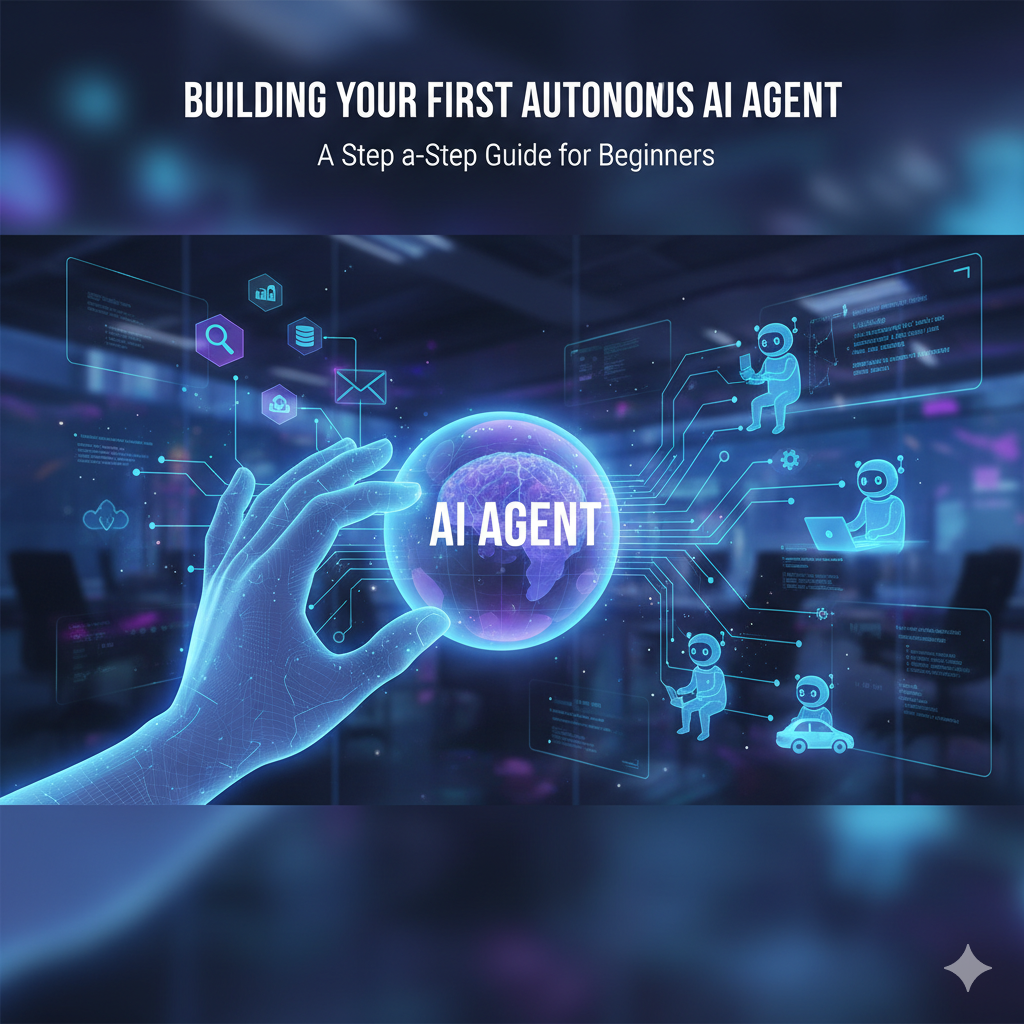
How to Build Your First AI Agent: A Step-by-Step Tutorial for Non-Techies (2026 Guide)

A modern home office workspace featuring a computer screen with a friendly AI robot avatar and automation icons. A handwritten note on the desk reads "My First AI Agent - No Code!", illustrating the concept of building an AI agent for beginners.

You know that feeling. It’s 2:00 PM on a Tuesday. You have 15 tabs open on your browser. Your inbox is displaying a number that makes your blood pressure spike. You are bouncing between replying to emails, updating a spreadsheet, and trying to remember if you sent that invoice.

You aren’t doing “deep work.” You are just keeping the lights on.

For years, the advice for this problem was simple: “Hire an assistant.” But hiring is expensive, time-consuming, and risky.

Then came the AI revolution. Suddenly, everyone was talking about ChatGPT. But be honest—mostly, you’re just using it as a fancy search engine or a text generator. You ask a question, it gives an answer. It’s helpful, but it doesn’t do anything for you. It doesn’t take tasks off your plate; it just helps you complete them slightly faster.

That stops today.

We are moving past static chatbots. We are entering the era of the AI Agent.

Building an AI agent sounds like something that requires a Computer Science degree or thousands of dollars in software. It doesn’t. In fact, if you can write a clear email and upload a file, you have all the technical skills required to build a digital intern that works 24/7, never drinks your coffee, and doesn’t ask for a raise.

In this guide, you are going to learn exactly how to build your first AI agent from scratch—no code required.


What Exactly is an AI Agent? (And Why Should You Care?)

Before we start glueing tools together, we need to clarify what we are actually building. There is a massive difference between a standard AI tool (like basic ChatGPT) and an AI Agent.

Think of it like the difference between a Calculator and an Accountant.

  • A Calculator (Standard AI): It is passive. It sits on your desk waiting for you. If you type “2+2,” it says “4.” If you walk away, it does nothing. It requires your constant input to function.
  • An Accountant (AI Agent): It is active and goal-oriented. You give it a stack of receipts and say, “File my taxes.” It knows what to do, what rules to follow, and it completes the process without you hovering over its shoulder.

The “Remote Intern” Metaphor

The best way to think about your new AI agent is as a remote intern.

This intern is incredibly smart (they have read the entire internet), but they have zero common sense and they don’t know anything about your specific business. They don’t know your tone of voice, your pricing, or your rules.

Your job in this tutorial isn’t to write code. Your job is to create the Employee Handbook for this intern. Once you give them the handbook (instructions) and the files (knowledge), they can run on autopilot.


The “Ingredients” You Need Before You Start

You wouldn’t start baking a cake without checking the pantry first. Building an automated agent is no different. You don’t need complex software, but you do need a specific “stack” of tools to make this work.

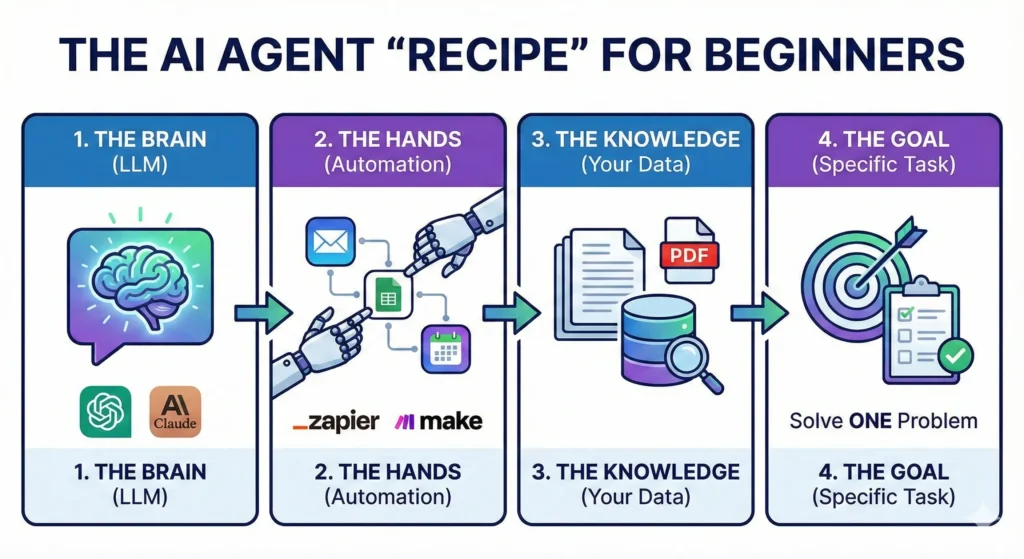
Here is your recipe for success.

The Automation Recipe Table

Ingredient (Tool)Role in the “Recipe”Cost (Estimated)Difficulty Level
The BrainLarge Language Model (e.g., ChatGPT Plus, Claude Projects)~$20/moEasy
The HandsAutomation Platform (e.g., Zapier, Make.com)Free – $20/moMedium
The KnowledgeYour Proprietary Data (PDFs, Spreadsheets, Past Emails)FreeEasy
The GoalA clear, single problem to solve (e.g., “Sort my emails”)FreeEasy

For this tutorial, we are going to focus on the most accessible entry point for non-techies: OpenAI’s Custom GPTs. This allows you to build a contained agent that lives inside ChatGPT but follows your specific rules.


Step 1: Define Your Agent’s “One Job”

The number one reason people fail at AI automation is ambition.

You might be tempted to build an agent that “Running My Entire Business.” You want it to answer emails, write blog posts, post to Instagram, and do your bookkeeping.

That will fail.

AI agents thrive on specificity. If you ask a human intern to “do everything,” they will panic and do nothing well. An AI is the same. You need to pick one specific workflow.

The “Boring Task” Test

To find your first agent idea, look at your calendar from last week. Identify a task that meets these three criteria:

  1. It happens frequently (daily or weekly).
  2. It requires data you already have (info is in a document or email).
  3. It is boring (you dread doing it).

Good Examples for a First Agent:

  • “Analyze this spreadsheet of monthly expenses and categorize them.”
  • “Take this meeting transcript and turn it into a list of Trello tasks.”
  • “Read this customer support email and draft a reply using our refund policy.”

Bad Examples:

  • “Make me viral on Twitter.” (Too vague).
  • “Write a bestselling book.” (Too complex).

For this guide, let’s build a “Customer Support Drafter.” This agent will take a messy email from an angry customer and draft a polite, policy-accurate response instantly.


Step 2: Choose Your No-Code Platform

Now that we have a job description, we need an office for our agent.

For non-techies in 2026, you generally have two main paths:

Option A: The “Walled Garden” (Custom GPTs)

This is what we will use today. It lives inside ChatGPT. You click “Create a GPT,” and you have a dedicated bot.

  • Pros: Zero setup time, no API keys, very cheap ($20/mo subscription covers it).
  • Cons: It usually can’t “leave” the chat window (unless you add advanced actions). It gives you text, but you still have to copy-paste that text into your email.

Option B: The “Workflow Builder” (Zapier / Make.com)

This is the advanced tier. This connects apps together.

  • Pros: It can actually send the email for you. It moves data from Gmail to Slack to Excel automatically.
  • Cons: It breaks easily if you don’t know logic paths, and it can get expensive.

The Strategy: Start with Option A. Build a Custom GPT. Once you trust it to write good emails, then you can graduate to automating the sending part with Zapier later.


Step 3: Writing the “System Instructions” (The Prompt)

This is the most critical step. If the “Brain” is the engine, the System Instructions are the steering wheel.

In a Custom GPT, there is a box called “Instructions.” Most people write two sentences here. That is why their agents suck. You need to write a detailed prompt using the Role-Context-Task framework.

The Role-Context-Task Framework

  1. Role: Who is the AI? Give it a persona.
  2. Context: What is the business? Who is the customer?
  3. Task: What exactly should it do? What are the constraints?

Example Prompt (Copy and Tweak This)

Role: You are an expert Customer Success Manager for “eBookTreasures,” a digital marketplace for authors. You are polite, empathetic, but firm on policy.

Context: We sell digital downloads. Customers often email us claiming they didn’t receive their file, or they want a refund because they didn’t realize it was a PDF.

Task: Whenever I paste a customer email below, you must:

  1. Analyze the customer’s sentiment (Are they angry? Confused?).
  2. Check our uploaded “Refund Policy” document to see if they qualify.
  3. Draft a response.

Constraints:

  • Never promise a refund if it has been more than 30 days.
  • Use a friendly, professional tone.
  • Keep the email under 150 words.
  • Sign off as “The eBookTreasures Support Team.”

Do you see the difference? You aren’t just asking for an email; you are giving it a brain.


Step 4: Giving Your AI Agent “Knowledge”

Standard ChatGPT knows everything about the world up to its training cutoff. But it knows nothing about your business. If you ask it about your refund policy, it will hallucinate (guess).

To fix this, we use a concept called RAG (Retrieval-Augmented Generation). In simple terms: we upload files.

In your Custom GPT setup, look for the section called “Knowledge” or “Upload Files.”

What should you upload?

This is where you give your intern their training manual.

  • PDFs: Your refund policy, your brand style guide, your employee handbook.
  • Excel/CSV: Your pricing list, your product catalog.
  • Text Files: Past examples of “perfect” emails you have written. (This is huge—AI mimics style very well).

Pro Tip: Clean your data first. If you upload a messy document with contradictory info, the AI will get confused. Create a clean, simple PDF called “Master Rules for Support” and upload that.

Now, update your instructions from Step 3 to say: “Always check the uploaded ‘Master Rules’ document before answering.”


Step 5: Testing and Refining Your Agent

You have built the bot. You have given it a brain and a handbook. Now, you need to try to break it.

Do not skip this step. If you deploy an untested agent, it might hallucinate a policy that costs you money.

The Stress Test

Open the chat window with your new agent and simulate worst-case scenarios.

  • The “Karen” Test: Paste a fake email that is incredibly rude and demanding a refund for a product bought 2 years ago. Does the agent stay polite but firm on the 30-day rule?
  • The “Vague” Test: Paste an email that just says “It doesn’t work.” Does the agent ask clarifying troubleshooting questions?

Iterating

Your first draft will not be perfect. It might be too formal, or it might be too long.

  • If it sounds robotic: Go back to Instructions and add: “Use casual language. Use contractions like ‘don’t’ instead of ‘do not’.”
  • If it misses facts: Go back to Instructions and add: “Read the Knowledge file ‘Pricing.pdf’ step-by-step before answering.”

Keep tweaking until you can trust the output 99% of the time.


FAQ: Common Questions About Building AI Agents

Do I need to know Python to build an AI agent?

Absolutely not. As we demonstrated, tools like OpenAI’s GPT Builder use natural language. If you can type English, you can program the agent. The skill you need is not “coding,” it is “communication.”

How much does it cost to run a personal AI agent?

For the method described in this guide (Custom GPTs), the cost is simply the subscription to ChatGPT Plus (usually $20/month). There are no “per usage” fees or server costs for this level of automation. If you move to API-based tools like Zapier later, costs may scale with usage.

Can my AI agent steal my data?

Security is a valid concern. When you upload files to a Custom GPT, that data stays within the OpenAI ecosystem. If you are on a generic “Free” or “Plus” plan, OpenAI may use interactions to train their models (though you can opt-out in settings). For sensitive business data, consider using ChatGPT Team or Enterprise, which legally guarantees your data is excluded from model training.

What is the best AI agent for beginners?

For absolute beginners, a Custom GPT is the best starting point. It is contained, safe, and easy to edit. Once you are comfortable, you can look into Microsoft Copilot Studio or Zapier Central for more complex integrations.


Conclusion: Your Future is Automated

We have covered a lot of ground. You learned the difference between a tool and an agent. You gathered your ingredients—the Brain, the Hands, and the Knowledge. You defined a specific role, wrote the “Employee Handbook” (instructions), and uploaded the training data.

The agent you built today might seem simple. Maybe it just drafts emails or summarizes meetings. But do not underestimate the compound interest of time.

If this agent saves you 20 minutes a day, that is 100 hours a year.

That is two and a half weeks of extra vacation. That is time you can spend writing your next book, playing with your kids, or just sleeping.

The future of work isn’t about who can type the fastest or who can work the longest hours. It is about who can build the best systems. You are no longer just a worker; you are the manager of a digital workforce.

Ready to build your first agent? Don’t overthink it. Open ChatGPT right now, click “Create a GPT,” and try creating a helper for the one task you are dreading today.

And hey, if you get stuck, drop a comment below or join our community discussions. We’d love to see what you build.

7 Viral YouTube Title Templates to Fix Your Low CTR in 2026 (Copy & Paste)

Conceptual illustration showing a digital interface for generating viral YouTube titles, featuring a rising "CTR Skyrocket" graph, a keyboard typing out template examples like "Stop Doing This" and "2026 Guide," and a "Click to Copy" button.

You know the feeling. It’s a physical knot in your stomach.

You spent the last week sweating over a video. You wrote the script, you nailed the lighting, you edited until 3:00 AM, and you finally hit “Publish” with a surge of adrenaline. You sit back, waiting for the views to roll in.

An hour passes. 10 views.

A day passes. 45 views.

And half of them are just you checking on your phone to see if the counter is broken.

It’s not broken. The video isn’t broken, either. In fact, your content might be Oscar-worthy. But nobody knows that, because nobody clicked. You just learned the hardest lesson of being a creator in 2026: The best content doesn’t win. The best packaging wins.

If your YouTube title doesn’t stop the scroll, the video doesn’t exist. It’s that simple.

The good news? You don’t need to be a poetic genius to write titles that get clicks. You just need to understand human psychology. The top 1% of creators—from MrBeast to productivity gurus—use the same handful of frameworks over and over again because they work on a biological level.

In this guide, we are going to fix your Click-Through Rate (CTR). We’re going to dismantle the exact “Title Recipes” used by the pros so you can copy, paste, and finally get the views your hard work deserves. YouTube Title


Why Your Current YouTube Titles Are Failing (The 2026 Algorithm)

Before we get to the templates, we need to address the elephant in the room. Why did your last video flop?

Most new creators think the YouTube algorithm is a robot that scans for keywords. They write titles like “How To Bake A Cake For Beginners” and wonder why they get buried.

Here is the reality of 2026: The algorithm is not a robot. The algorithm is a mirror of human behavior.

YouTube cares about one metric above all others: Click Satisfaction.

  1. Did they click? (CTR)
  2. Did they stay? (Average View Duration)

If you fail step one, step two doesn’t matter. YouTube Title

The 3-Second Rule

Research suggests that the average mobile user scrolls through their feed at a terrifying speed. You have roughly 3 seconds (often less) to grab their attention.

In those 3 seconds, your viewer’s brain is asking three rapid-fire questions:

  1. Is this for me?
  2. Is this new/surprising?
  3. Is this worth my time?

If your YouTube title is vague, boring, or looks like homework, the brain says “No” before the thumb even stops moving.

A “good” CTR for a small channel typically hovers between 4% and 8%. If you are sitting at 1% or 2%, your titles are the bottleneck. But don’t worry—we can fix that right now by adding the right ingredients. “YouTube Title”


The “Title Recipe” Table: Ingredients for Virality

Cooking a viral title is just like cooking a meal. If you leave out the salt, it tastes bland. If you leave out the “hook” in a title, it reads flat.

Here are the five core psychological triggers that force the human brain to pay attention. Every successful template we discuss later will use at least one of these.

IngredientWhy it MattersBoring VersionViral Version
Curiosity GapCreates an “itch” the brain must scratch. We hate not knowing the end of a story.“My Trip to Japan”“I Flew to Japan and Made a Huge Mistake”
Specific NumbersAdds credibility. “Some” is vague; “7” is a promise of structure.“Tips for Weight Loss”“Lost 10lbs in 14 Days: The Exact Diet”
Negativity BiasHumans are wired to avoid danger 2x more than they seek gain.“How to Invest Money”“Stop Investing Until You Watch This”
UrgencyMakes the viewer feel they are missing out (FOMO) if they don’t click now.“iPhone 16 Review”“Don’t Buy the iPhone 16 Yet”
TransformationPromises a clear result. We don’t want videos; we want the outcome.“Coding Tutorial”“From $0 to Hired: My Coding Journey”

Keep this table in mind. If you write a title and it feels weak, check this list. Did you forget the salt? YouTube Title


7 Viral YouTube Title Templates (Copy & Paste)

Here is the meat of the article. These are the frameworks used by channels with millions of subscribers. You don’t need to reinvent the wheel. Just take your niche, plug it into these templates, and watch your CTR climb.

1. The “Negative” Warning

This is arguably the most powerful template for beginners. Why? Because fear is a stronger motivator than desire.

If you tell someone “How to make $100,” they might click.

If you tell someone “You are losing $100 every day,” they must click.

This template targets the viewer’s insecurity that they are doing something wrong. It positions you as the expert who is going to save them from a disaster.

  • The Template: Stop [Action] If You Want [Result]
  • The Variation: [Number] Mistakes That Are Killing Your [Goal]

Examples in Different Niches:

  • Gaming: “Stop Playing Minecraft Like This (You’re Wasting Time)”
  • Finance: “7 Money Traps Keeping You Poor in 2026”
  • Fitness: “Stop Doing Sit-Ups! Do This Instead”
  • Cooking: “Why You Are Cooking Steak Wrong”

Why it works: It challenges the viewer’s current behavior. They think, “Wait, am I doing it wrong? I need to check.” YouTube Title”

2. The “Extreme” Case Study

Humans are voyeurs. We love watching other people do crazy, difficult, or extreme things—especially things we are too lazy to do ourselves.

This template leverages the concept of “Spectacle.” You are taking a journey and inviting the viewer to see the result. It works exceptionally well because it proves you put in effort. High-effort titles imply a high-quality video.

  • The Template: I [Did Extreme Thing] for [Timeframe] and This Happened
  • The Variation: I Tried [Popular Trend] So You Don’t Have To

Examples in Different Niches:

  • Self-Improvement: “I Woke Up at 4 AM for 30 Days (Here’s The Truth)”
  • Tech: “I Ditched My iPhone for a Flip Phone for 1 Week”
  • Art: “I Drew for 10 Hours Straight – Here Are The Results”
  • Business: “I Sent 1000 Cold Emails. Here Is How Much Money I Made.”

Pro Tip: For this to work, the result needs to be teased in the thumbnail. Don’t give away the ending in the title. YouTube Title

3. The “Beginner’s Guide” (The Search Engine Winner)

While viral hits are nice, sometimes you just want consistent, reliable traffic from Google and YouTube Search. This is where the “Beginner’s Guide” shines.

This template targets “High Intent” viewers. These are people actively searching for a solution. They don’t want mystery; they want clarity. They want to know that your video is the complete resource so they don’t have to watch five other videos.

  • The Template: How to [Skill] in 2026 (Step-by-Step)
  • The Variation: The Ultimate Guide to [Topic] for Beginners

Examples in Different Niches:

  • Marketing: “How to Start a Blog in 2026 (Complete Guide)”
  • DIY: “How to Change a Tire (Step-by-Step for Beginners)”
  • Gaming: “The Ultimate Elden Ring Guide for New Players”

Why it works: By adding the year (2026) and words like “Complete” or “Step-by-Step,” you signal that this is the most up-to-date and comprehensive resource available. YouTube Title

4. The “Listicle” with a Twist

Lists have been a staple of the internet since the dawn of blogging. But in 2026, a generic list isn’t enough. “10 Tips for Gardening” is boring.

To make a list viral, you need to add a “Twist” or a “Curiosity Hook” to the end. You need to imply that these aren’t just generic tips—they are secrets.

  • The Template: [Number] [Topic] Tips That Actually Work
  • The Variation: 7 [Topic] Hacks I Wish I Knew Sooner

Examples in Different Niches:

  • Productivity: “7 Productivity Apps That Aren’t Just Hype”
  • Photography: “5 Camera Tricks That Look Like Magic”
  • Travel: “10 Cheap Cities in Europe (That Tourists Don’t Know)”

Why it works: The brain loves order. A number promises a structured, easy-to-digest video. The “Twist” (e.g., “That Tourists Don’t Know”) adds the necessary curiosity to force the click. “YouTube Title”

5. The “Secret/Truth” Reveal

This template plays on the “Us vs. Them” mentality. It suggests that there is a mainstream lie that everyone believes, but you know the truth.

It creates an “Information Gap.” The viewer feels like they are on the outside looking in, and the only way to get “inside” is to click your video. YouTube Title

  • The Template: The Truth About [Popular Topic] (Nobody Tells You This)
  • The Variation: Why I Stopped [Popular Action]

Examples in Different Niches:

  • Career: “The Truth About Being a Software Engineer in 2026”
  • Health: “Why I Stopped Drinking Coffee (It Wasn’t Easy)”
  • Tech: “The Dark Side of AI That Nobody Talks About”

Pro Tip: Be careful not to lie. If you use “The Truth” in your title, your video needs to deliver an honest, raw, or controversial opinion.

6. The “Comparison” Battle

This is the “Money Maker” template. This targets viewers who are at the bottom of the funnel—they are ready to buy something or make a decision, but they are stuck between two options.

These videos often have high RPM (Revenue Per Mille) because advertisers love them.

  • The Template: [Product A] vs. [Product B]: Which is Worth It?
  • The Variation: Don’t Buy [Product A] Until You Watch This

Examples in Different Niches:

  • Tech: “MacBook Air vs. Pro: The Honest Review”
  • Software: “Rank Math vs. Yoast: Which SEO Plugin Wins?”
  • Beauty: “Cheap vs. Expensive Makeup: Can You Tell the Difference?”

Why it works: It promises to save the viewer money or prevent buyer’s remorse.

7. The “Instant Fix” Promise

We live in a lazy society. We want results, and we want them now.

This template appeals to the desire for speed and efficiency. It promises to solve a painful problem in a very short amount of time.

  • The Template: How to Fix [Problem] in [Short Time]
  • The Variation: Get [Result] in Just [Timeframe]

Examples in Different Niches:

  • Audio: “How to Fix Bad Audio in 1 Click (Free)”
  • Social Media: “Get Your First 100 Subscribers in 24 Hours”
  • Home: “Clean Your Entire House in 15 Minutes”

Why it works: It lowers the barrier to entry. The viewer thinks, “Oh, it only takes 15 minutes? I can spare that.”


The “Cheat Code” (Don’t Write From Scratch)

Let’s be honest for a second.

Reading these templates is great. But when you are staring at a blank screen after a long day of filming, your brain turns to mush. You try to remember “The Negative Warning” or “The Curiosity Gap,” but you end up writing something boring like “My Video About Cats.”

Writer’s block is the enemy of consistency.

That is exactly why I built a shortcut. You don’t have to guess or memorize these formulas.

I created a Free Viral YouTube Title Generator specifically for creators who struggle with CTR.

It’s not just a random word scrambler. It uses the exact psychological triggers we just talked about. You simply type in your topic (like “Bitcoin,” “Makeup,” or “Gaming”), and it instantly generates 50+ viral-style titles categorized by:

  • Clickbait/Curiosity
  • Listicles
  • Negative/Fear
  • How-To Guides

It’s completely free to use, there are no ads, and you don’t need to sign up. Just bookmark it and use it whenever your brain freezes up.

Try the Viral Title Generator Here


3 Rookie Mistakes That Kill Your YouTube Title

Even with the best templates, you can still ruin a title if you make these formatting errors. Avoid these three common traps:

Mistake 1: The “Cut-Off” Disaster

The majority of YouTube views come from mobile. On a phone screen, YouTube only displays about 50 to 60 characters of your title before cutting it off with an ellipsis (…).

  • Bad: “In this video I am going to show you exactly how to lose weight fast in the summer”
  • Mobile View: “In this video I am going to show you exact…”
  • Good: “Lose Weight Fast: The Summer Guide”

Fix: Put your “Hook” or your most important keyword at the very beginning of the title.

Mistake 2: Being “Too Clever”

There is a difference between “Curiosity” and “Confusion.”

If your title is an inside joke that only you understand, nobody will click. A confused mind always says no. Your title needs to be understood by a 5th grader instantly.

  • Confusing: “The Paradigm Shift of Solipsism”
  • Clear: “Is Reality Even Real?”

Mistake 3: Keyword Stuffing

This isn’t 2015. You don’t need to cram every keyword into the title.

  • Spammy: “How to cook steak, best steak recipe, cooking steak for dinner tutorial”
  • Viral: “The Perfect Steak (Only 3 Ingredients)”

Write for humans first, robots second.


FAQ: Mastering the Perfect YouTube Title

Since launching the Title Generator, I get asked a lot of specific questions about optimization. Here are the quick answers to help you rank.

How long should a YouTube title be?

Aim for under 60 characters to ensure it is fully visible on mobile devices. However, you can go up to 70 characters if the most critical information is at the start.

Should I put my channel name in the YouTube title?

No. Unless you are already famous (like PewDiePie or MrBeast), nobody is searching for your name. It just wastes valuable space. Put your channel name in the tags or description instead.

Can I change my YouTube title after posting?

Yes! In fact, you should. If a video is performing poorly after the first 24 hours, change the title and thumbnail. This “re-indexes” the video and gives it a second chance to find an audience.

Do caps lock titles help?

Used sparingly, yes. Capitalizing ONE important word (e.g., “Stop doing THIS”) draws the eye. But writing the WHOLE TITLE IN CAPS looks like spam and can actually hurt your CTR.

Do hashtags work in the title?

Don’t put hashtags in the title itself. YouTube allows you to put 3 hashtags in your description, and it will automatically display them above your title. Keeping them out of the title keeps it clean and easy to read.


Conclusion: It’s Time to Stop Being Ignored

Here is the hard truth about content creation: You are not owed an audience.

You can be the funniest, smartest, most talented creator on the platform, but if you don’t master the art of the YouTube title, you will remain invisible.

It feels unfair that you have to be a marketer and a creator, but that is the game we are playing.

The good news is that you don’t have to guess anymore. You have the psychology. You have the 7 Templates. You have the ingredients for curiosity, fear, and desire.

Your homework for your next video is simple:

  1. Don’t leave the title for the last minute.
  2. Write at least 5 different versions of your title before choosing one.
  3. If you get stuck, use the Viral Title Generator to spark some ideas.

The world needs to see the content you are making. Don’t let a bad title be the reason they miss it.

Now, go fix that CTR.

Reddit Traffic Strategy: The “Anti-Marketing” Guide to Avoiding Bans (2026)

"Digital illustration of Reddit marketing strategy showing upvote arrows and traffic growth charts for 2026."

A Letter to the Frustrated Creator

We have all been there. You spend ten hours writing the perfect blog post or three weeks coding a free tool. You are proud of it. You look at it and think, “The world needs to see this.”

You log into Reddit, find a community that loves exactly what you built, and you hit “Post.”

Three minutes later, you refresh the page, excited to see the upvotes rolling in. Instead, you see the red banner of death:

“Sorry, this post has been removed by the moderators of r/…”

It feels like a punch in the gut. It feels personal. It feels like the internet is a gated community and you don’t have the key. You start to think the system is rigged or that the moderators are on a power trip.

But here is the hard truth: You aren’t being banned because your content is bad. You are being banned because you are acting like a marketer in a room full of friends. You walked into a house party and immediately tried to sell insurance.

Today, we are going to change that. We are going to stop “marketing” and start “contributing.” If you can flip that switch in your brain, Reddit becomes the single most powerful source of free, high-quality traffic on the internet.

Here is how you can finally crack the code to driving massive Reddit traffic in 2026.


Understanding the “Reddit Hivemind”: Why Most Marketers Fail

Before you post a single link, you need to understand the psychology of the battlefield. Reddit is not social media. It is not Twitter, and it is definitely not Instagram.

On Instagram, the culture is “Look at me.” On Reddit, the culture is “Look at this.”

The platform is divided into thousands of “Subreddits” (communities), each acting as a walled garden. These gardens have their own inside jokes, their own culture, and—most importantly—their own immune system. The users and moderators act as white blood cells. Their job is to identify foreign objects (marketers) and kill them before they can infect the host.

The 2026 Context: The AI Spam War

Why is it harder now than it was five years ago? Because of AI.

In 2026, moderators are fighting a war against bots. Low-quality, AI-generated spam is flooding every subreddit. This means the “immune system” is on high alert. If you sound even remotely robotic, corporate, or salesy, you will be caught in the crossfire. To survive, you must be undeniably human.


Step 1: The “Warm-Up” Phase (Don’t Skip This)

If you just created a new account today, do not post a link. If you try to post a link from a brand-new account (Day 0), you are waving a giant red flag that says “I am a spammer.”

You need to establish a history. You need to look like a real person who has interests outside of your own business.

The 3-Month Rule

Ideally, you want an account that is “aged.” A 3-month-old account is infinitely more trusted than a 3-day-old account. If you don’t have one, create one today and let it sit. Browse. Upvote things. Let it “season.”

The 9:1 Ratio of Value to Promotion

This is the golden rule of Reddit marketing.

  • 9 Posts/Comments should be purely for the community (jokes, advice, questions, helpful comments).
  • 1 Post can be self-promotional (linking to your site).

If your profile history is just a list of links to yourwebsite.com, you will be shadowbanned. Reddit’s algorithm looks at your “domain frequency.” If 100% of your posts go to the same domain, you are marked as a spammer.

Karma is your credit score. Many large subreddits (like r/marketing or r/entrepreneur) have a hidden filter: “If Karma < 50, Auto-Delete.”

You need to get your Karma up quickly and safely.

  • Do: Go to r/AskReddit, sort by “Rising,” and answer simple questions honestly.
  • Don’t: Go to “FreeKarma4U” subreddits. Serious moderators will ban you just for participating there.

Step 2: Finding the Right Subreddits for Your Niche

This is where most people mess up. They either aim too high or too low.

If you post in r/funny (40 million members), you will be drowned out in seconds. If you post in r/SpecificCatFood (50 members), nobody will see it. You need the “Goldilocks Zone.”

The Subreddit Selection Recipe

You want to find communities that are active enough to give you traffic, but small enough that your post stays on the front page for a few hours.

Here is the exact data you should look for when choosing where to post:

Ingredient (Metric)Recommended AmountWhy it Matters
Member Count50,000 – 500,000Big enough for meaningful traffic, small enough to be noticed.
Active Users100+ currently onlineEnsures your post won’t die in “New” immediately.
Link Policy“Links allowed in comments”Check the sidebar. If it says “No external links,” don’t waste your time.
Moderation LevelMediumYou want mods who delete spam, but not mods who delete everything.

Pro Tip: Read the “Rules” sidebar on the right side of every Subreddit. If Rule #1 is “No Self Promotion,” respect it. Do not try to be clever. They will ban you.


Step 3: The “Trojan Horse” Content Strategy

Now that you have the account and the target subreddit, how do you get them to your website? You use the Trojan Horse method.

You must bring a gift inside the gates (Value) before you let the soldiers out (The Link).

Method A: The Full-Value Post

This is the safest and most effective way to drive free traffic.

Instead of posting a link that says “Click here to read my article about SEO,” you simply copy and paste the entire article into Reddit.

I know what you are thinking: “But if I give it away for free, why would they click my link?”

Because you are building authority. You format the post beautifully on Reddit (using Bold, Lists, and Headers). You give them 90% of the value right there in the feed. Then, at the very bottom, you add the “Plug.”

Example of the Plug:

“Thanks for reading! This guide ended up being way longer than I expected. I actually included a few more charts and a video breakdown in the original post on my blog, but I think I covered the main points here. If you want to see the charts, you can check them out [Link].”

This works because you gave first. You earned the right to ask for a click.

Method B: The “Tool” Approach

Redditors hate blogs, but they love tools.

If you have built a YouTube Title Generator or a Thumbnail Downloader, you have a golden ticket.

Do not post it as a “marketing” post. Post it as a “project.”

  • Title: “I was tired of Writer’s Block, so I built a free tool to generate viral titles (No ads, no signup).”
  • Body: Explain why you built it. Explain the problem you had. Then drop the link.

Method C: The “I Made This” Narrative

Stories sell. Corporate announcements do not.

  • Bad: “Check out this new software for email marketing.” (Boring. Corporate. Ad.)
  • Good: “I spent 6 months coding this in my basement because I hated Mailchimp. Here is the result.” (Human. Struggle. Story.)

Even if your content is great, technical traps can still catch you. Reddit’s spam filters are aggressive.

Do not use Bit.ly, TinyURL, or any other shortener. Reddit hates them because they hide the destination. It looks like you are trying to trick people into clicking a virus. always use the full, naked URL or a clean hyperlink.

2. The “First Comment” Technique

If you are posting an image or a video (which often get more upvotes than text), you cannot put a clickable link in the title.

Instead, post the visual, and then immediately comment on your own post:

“Hey everyone, OP here. A lot of people asked for the source code / full guide, so I put it up here: [Link]”

This is a classic Reddit move. It feels helpful rather than intrusive.

3. Contextual Linking

The best links happen in the comments section of other people’s posts.

Find a question related to your niche. Answer it thoroughly. Write two paragraphs of genuine help.

Only then do you add: “I actually wrote a specific guide on this exact problem if you need more details: [Link]”

If you just drop the link without the two paragraphs of help, you get downvoted. If you help first, you get upvoted.


Common Mistakes That Will Get You Shadowbanned

You can do everything right and still get banned if you trip one of these wires.

Upvote Manipulation

This is the fastest way to lose your account forever.

Do not send your Reddit link to your friends on WhatsApp and say “Hey, go upvote this.”

Do not post the link in a Discord server asking for “engagement.”

Reddit tracks where traffic comes from. If a post gets 10 upvotes in 1 minute from 10 different accounts that all clicked a direct link, Reddit knows. They will “Shadowban” you—meaning you can keep posting, but nobody else will ever see your posts again.

The “Copy-Paste” Sprint

Do not take your article and post it to 10 different subreddits in 5 minutes.

This is “spam behavior.”

Post to one subreddit. Wait 4 hours. Reply to comments. Then post to a second subreddit. Slow down.

Using AI-Generated Text

As mentioned earlier, users can smell ChatGPT from a mile away. Words like “delve,” “paramount,” “landscape,” and “testament” are dead giveaways. Write like you speak at a bar. Be messy. Use slang. Be human.


FAQ: Mastering Reddit Traffic

Q: How much Reddit traffic can I realistically get?

A: It varies wildly. A single viral post on a medium-sized subreddit (like r/SideProject) can drive 5,000 to 20,000 visitors in 24 hours. However, don’t bank on “viral.” A consistent strategy of helpful comments and smaller posts usually yields 100–500 highly targeted visitors per week.

Q: What should I do if my Reddit post gets removed?

A: Do not argue with the moderator. I repeat: Do not fight the mods. Read the specific rule you broke, apologize if they message you, and try again in a few weeks with a different angle. If you argue, you risk a permanent ban from that community.

Q: Is it safe to use my main Reddit account for marketing?

A: It is risky. If your main account has embarrassing history or political arguments, you don’t want that tied to your business. It is often better to have a dedicated account for your niche (e.g., a “Developer” persona or a “Writer” persona) so your history stays relevant to the topic.

Q: Can I automate my Reddit posting?

A: Absolutely not. Automation tools that “auto-post” to Reddit are the fastest way to get your domain blacklisted site-wide. Reddit requires a human touch.


Conclusion

Driving free traffic from Reddit isn’t about outsmarting the algorithm; it’s about respecting the room.

The “Anti-Marketing” strategy is simple: You must stop looking at Reddit users as “Traffic” and start treating them as “People.” If you show up to give value first, if you entertain them, if you help them solve a problem, they will happily click your link. They will view your site not as spam, but as a resource.

Stop trying to “extract” clicks. Start trying to “contribute” knowledge.

The traffic will follow.

Now, go find your subreddit, read the room, and start engaging.

How to Write an eBook in One Hour: The Ultimate AI Blueprint (Step-by-Step) 2026

A digital illustration of a writer working on a laptop with glowing AI elements and book icons, representing how to write an eBook fast using artificial intelligence.

Write an eBook !! We have all had the dream. You are scrolling through Amazon or seeing a competitor’s post on LinkedIn, and you see it: they published another book. They are building authority, capturing leads, and making passive income while they sleep.

And then there is you. You have the expertise. You have the stories. You probably have a dozen half-started drafts sitting in a folder on your desktop labeled “Book Ideas.”

But then reality hits. You sit down to write, and the cursor just blinks. The coffee you poured twenty minutes ago is now cold. The sheer mountain of writing 2,000 or 5,000 words feels impossible to climb when you have a full-time job, a family, and a life. So, you close the laptop. “I’ll do it when I have more time,” you tell yourself.

But we both know “more time” never comes.

100 Digital Product Ideas to Boost Your Sales Effortlessly

Original price was: $ 19,99.Current price is: $ 1,99.

Feeling stuck in the “idea phase”? 🤔 Turn your creative passion into profit with this ultimate list of digital product ideas!

This guide is your secret weapon to finally stop brainstorming and start selling. 🚀

Here is the good news: the rules have changed. The barrier to entry has crumbled. Today, you don’t need a cabin in the woods and six months of solitude to become an author. You need a solid idea, an internet connection, and about sixty minutes.

This isn’t about cheating. It isn’t about letting a robot churn out garbage. It is about using technology to bypass the resistance that keeps you silent. Today, we are going to walk through exactly how to write an eBook in one hour using AI, transforming you from an “aspiring writer” to a published authority figure before lunch.


Why You Should Write an eBook with AI Today

You might be hesitating. Is this “real” writing? Is it cheating? Let’s reframe that. If you hire a ghostwriter, is that cheating? CEOs and politicians do it every day. AI is simply the most affordable, fastest ghostwriter you will ever hire.

Speed is the New Currency

In the digital economy, speed matters. While traditional authors spend years perfecting a manuscript, digital creators are publishing weekly. By the time the perfectionist releases one book, the AI-assisted creator has released ten, gathered feedback, and built a massive email list.

Crushing the Blank Page

The hardest part of writing isn’t editing; it’s creating the first draft. AI eliminates the “blank page syndrome.” It gives you clay to mold. It is infinitely easier to fix a mediocre page of text than to fill an empty one.

The Market is Waiting

The e-learning and digital product market is exploding. People are hungry for specific, actionable information. They don’t want a 300-page memoir; they want a 2,000-word solution to their problem. If you can solve that problem, they will pay you for it.


The “Prompt Recipe” for AI Success

Most people fail at writing with AI because they treat it like a search engine. They type, “Write a book about gardening,” and get a generic, robotic mess.

To get high-quality output, you need to think like a chef. You need a recipe. If you leave out the salt, the bread tastes like cardboard. If you leave out the context in a prompt, the writing sounds like… well, a robot.

Below is the ingredient list you must include in every single prompt you feed the AI to ensure the output sounds like you.

IngredientAmount/TypePurpose
Role/Persona1 Expert PersonaTells the AI who to be (e.g., “Act as a Senior Marketing Strategist with 10 years of experience”).
Topic1 Specific NicheKeeps the content laser-focused (e.g., “Affiliate Marketing for Busy Moms,” not just “Marketing”).
Word Count~500 Words per sectionDefines the scope. AI struggles to write 2,000 words at once; break it down.
FormatStructured (H1, H2, Bullets)Ensures readability so you don’t get a wall of text.
ToneEngaging & DirectPrevents the AI from using fluffy, academic language.

Table: The AI eBook Ingredient List

Step 1: The “Skeleton” Strategy (5 Minutes)

Do not start writing yet. If you start generating text without a map, you will end up with a wandering, repetitive mess. You need a skeleton.

Your goal in the first 5 minutes is to get a rock-solid outline that covers the “Reader’s Journey.” Where are they starting (pain point), and where do they end (solution)?

Copy and paste this prompt into ChatGPT or Claude:

“Act as an expert book editor. I want to write a short, actionable eBook (approx. 2,000 words) about [INSERT YOUR TOPIC]. The target audience is [INSERT AUDIENCE] who are struggling with [PAIN POINT].

Please create a detailed 5-chapter outline.

  • Chapter 1: The Hook/Problem.
  • Chapters 2-4: The Actionable Steps/Solution.
  • Chapter 5: Conclusion and Call to Action.

Under each chapter title, list 3 bullet points of exactly what needs to be covered. Keep the titles catchy and benefit-driven.”

The Human Check:

Once the AI generates the outline, spend two minutes tweaking it. Does Chapter 3 make sense? Is the order logical? If not, tell the AI: “Swap Chapter 2 and 3, and make Chapter 4 more focused on beginner tips.”


Step 2: The “Chunking” Method (45 Minutes)

Here is the secret sauce. The biggest mistake rookies make is asking the AI: “Write the whole book now based on this outline.”

If you do that, you will get a 600-word summary that glazes over the details. To get a 2,000-word eBook that actually provides value, you must use the Chunking Method. You are going to write one chapter at a time.

Generating Chapter 1: The Hook

You need to grab the reader by the throat (metaphorically) in the first paragraph.

  • The Prompt: “Great. Now, write Chapter 1 in full. Use a storytelling tone. Start with a relatable scenario that illustrates the reader’s pain point. Use short sentences and avoid academic jargon. Aim for 400 words.”

Generating the “Meat” (Chapters 2-4)

This is where the value lives. These chapters need to be instructional. You want actionable steps, not fluff.

  • The Prompt: “Now write Chapter 2. This is a ‘How-To’ chapter. Use a clear, instructional tone. Include a numbered list of steps the reader should take. Use bold text for key terms. Aim for 500 words.”

Repeat this process for Chapter 3 and 4, tweaking the prompt slightly if you need a specific format (like a checklist or a case study).

Generating the Conclusion

Don’t just fade to black. Your conclusion is your sales pitch. It’s where you tell them what to do next.

  • The Prompt: “Write Chapter 5. Summarize the key takeaways in a bulleted list. Then, transition into a strong Call to Action encouraging them to [INSERT YOUR GOAL: e.g., sign up for my newsletter / buy my course]. make it empowering and high-energy.”

Step 3: The Human Polish (10 Minutes)

At this point, you have about 2,000 words of raw text. It took you roughly 45 minutes. But you aren’t done.

If you publish this raw, it will read like a Wikipedia entry. It will lack soul. You now need to switch hats from “Manager” to “Editor.”

Scan through your document and look for the “AI Tells.” These are words that AI loves but humans rarely use in casual conversation.

The “Banned Word” List:

  • “In the digital landscape…”
  • “Delve into…”
  • “Unlock your potential…”
  • “A tapestry of…”
  • “In conclusion…”

Delete these. Replace them with how you actually talk.

  • Instead of “Let us delve into the nuances of…” write “Let’s look at…”
  • Instead of “In the fast-paced digital landscape…” write “Online, things move fast.”

Fact-Checking:

AI is a creative writer, not a fact-checker. If your book mentions a specific statistic (e.g., “80% of businesses fail”), verify it. AI effectively “hallucinates” data to make a point stronger. Never publish a number you haven’t Googled yourself.


Tools You Need to Write an eBook Fast

You don’t need expensive software. You likely have everything you need already.

  1. ChatGPT (Plus) or Claude 3.5 Sonnet: These are currently the gold standard for long-form writing. Claude has a larger “context window,” meaning it remembers earlier chapters better than the free version of ChatGPT.
  2. Google Docs / Microsoft Word: For compiling your text. Use the “Voice Typing” feature if you want to dictate some personal anecdotes to mix in with the AI text.
  3. Canva: You need a cover. Go to Canva, search “eBook Cover,” pick a template, and change the text. Do not spend more than 10 minutes on this.
  4. Grammarly: AI makes grammatical mistakes too. Run your final draft through Grammarly to catch any weird phrasing or commas in the wrong places.

Frequently Asked Questions (FAQ)

You might still have a few questions about the ethics and logistics of this process. Let’s answer them.

Q: Can I legally sell an eBook written by AI?

A: Generally, yes. In the US and most regions, you can sell content generated by AI. However, you cannot copyright the AI-generated text itself (meaning you can’t sue someone for copying it). If you edit it significantly (Step 3), it becomes a human-AI collaboration, which is safer. Note: Always check the Terms of Service of the specific AI tool you use.

Q: Will the content sound robotic if I write an eBook with AI?

A: It will only sound robotic if you skip Step 3: The Human Polish. AI is a tool for drafting, not for final publishing. Your unique voice comes from the editing process and the specific anecdotes you add.

Q: Can AI really write 2,000 words in one hour?

A: Absolutely. The actual text generation takes seconds. If you have your outline ready (Step 1), the AI can generate 500 words in about 30 seconds. The “hour” timeline includes your prompting, reading, and refining time.

Q: What is the best AI tool to write an eBook?

A: Right now, Claude 3.5 Sonnet is widely considered the best for writing because it sounds more natural and human-like than GPT-4. However, ChatGPT is excellent for brainstorming the outline and chapter ideas.


Conclusion

The era of the “tortured artist” is over. You do not need to suffer to create value. You do not need to lock yourself away for months to become an author.

The only thing standing between you and a finished product—a product that can generate leads, build trust, and make sales—is one hour of focused work. You have the blueprint. You have the “Ingredient Recipe.” You have the strategy.

So, here is your challenge: Don’t just bookmark this article. Don’t save it for “someday.” Open a new tab right now. Open your AI tool of choice. Copy the prompt from Step 1, and hit enter.

By this time next hour, you could be an author.

Ready to start? Copy the prompt below and generate your outline now.

FOR SEO :

Write an eBook, Write an eBook, Write an eBook, Write an eBook, Write an eBook, Write an eBook, Write an eBook, Write an eBook, Write an eBook, Write an eBook, Write an eBook, Write an eBook, Write an eBook, Write an eBook,

How to Generate 50 Click-Worthy Blog Titles in 1 Minute with AI

"A content creator working on a laptop, using AI software to rapidly generate a list of creative blog titles."

It is 9:00 PM. The house is finally quiet. You have your coffee (or maybe it’s cold by now), and you are sitting in front of your laptop. You have done the hard part—or so you thought. The research is done. The outline is ready. You know exactly what you want to say about your topic.

But the cursor is just blinking at you.

You type a headline. Delete. You type another one. Delete. You stare at the empty white space at the top of your document, feeling that creeping anxiety that maybe, just maybe, nobody is going to read this hard work because you can’t figure out what to call it.

We have all been there. It is the writer’s specific brand of paralysis. You know that a bad title renders the best article invisible, and that pressure can be paralyzing.

But what if you had a brainstorming partner who never got tired? What if you could sip that coffee and watch a digital assistant spit out 50 distinct, creative, and optimized options before you could even find your mouse? This isn’t about letting a robot do your thinking; it’s about survival in the content game. It’s about leveraging technology to get past the “blank page” hurdle so you can focus on the magic only you can create.

Here is how you can stop staring at the cursor and start generating click-worthy headlines in seconds.

+4,500 Premium Fonts Vol 1

Original price was: $ 5,99.Current price is: $ 1,99.

Stop searching for the perfect font and start designing with a collection that gives you all the creative freedom you need, right at your fingertips. 🤩 Add this essential “A” font bundle to your cart today and give your work a head start! 🛒


Why Your Blog Title Matters More Than the Content

You might have written the most insightful, life-changing article on the internet. But if the sign on the door is boring, nobody is walking in.

There is an old adage in the copywriting world, often attributed to advertising legend David Ogilvy: On average, five times as many people read the headline as read the body copy. This is often called the 80/20 rule. 80% of your visitors will read the headline, but only 20% will actually click through to finish the article.

In the modern era of infinite scrolling, TikTok attention spans, and crowded search results, that statistic is probably even more brutal.

The SEO Reality Check

Beyond human psychology, there is the algorithmic reality. Your blog title (often functioning as your H1 and Title Tag) is the primary signal you send to search engines. It tells Google exactly what your page is about. If your title is vague, Google gets confused. If Google gets confused, you don’t rank.

A mediocre post with a brilliant, keyword-rich title will almost always outperform a masterpiece with a vague, “clever” title. Your title has two jobs, and it must do them simultaneously:

  1. Hook the Human: Invoke curiosity, urgency, or benefit.
  2. Feed the Bot: Clearly state the topic and keyword relevance.

If you fail at either, the content dies in the dark. That is why using AI to generate volume—giving you options you might not have thought of—is a strategic superpower.


The “Secret Recipe” for the Perfect AI Prompt

Most people fail with AI for one simple reason: they are lazy with their requests. If you open ChatGPT and type, “Write me catchy titles about baking,” you will get generic, boring results. You will get “The Joys of Baking” or “How to Bake.”

To get 50 usable, high-converting titles, you need to treat the AI like a junior copywriter. You have to give it a brief. You need to feed it the right ingredients.

Think of your prompt as a recipe. If you leave out the salt, the bread tastes like cardboard. If you leave out the constraints in a prompt, the output feels robotic.

The Ultimate Blog Title Prompt Ingredients

Here is the exact breakdown of what you need to include in your request to get professional-grade results.

IngredientQuantity/TypeWhy It Matters
Topic1 Specific SubjectGives the AI a clear focus (e.g., “Vegan Baking” instead of just “Food”).
Target Audience1 Defined PersonaEnsures the language resonates (e.g., “Busy Moms” vs. “Professional Chefs”).
Primary Keyword1 Main SEO TermEssential for search ranking (e.g., “Gluten-free cookies”).
Tones of Voice3 Distinct StylesProvides variety. If you only ask for one tone, you get repetitive results. (e.g., Witty, Urgent, Educational).
Formatting Rules2 ConstraintsKeeps titles concise and usable (e.g., “Under 60 characters,” “Use numbers”).

When you combine these elements, you force the AI to think laterally. You stop it from being generic and force it to be specific to your needs.


Step-by-Step: Generating 50 Titles in 60 Seconds

Now that you understand the ingredients, let’s look at the method. You don’t need to be a “prompt engineer” to do this, but you do need a process. Follow these three steps to turn your 1-hour brainstorming session into a 1-minute task.

Step 1: Define Your Angle

Before you even open your AI tool (whether it’s ChatGPT, Claude, or Jasper), you need to know your goal. A blog post can take many forms, and the title must reflect the structure.

Ask yourself:

  • Am I teaching something? (You need “How-To” titles).
  • Am I curating resources? (You need “Listicle” titles).
  • Am I sharing a controversial thought? (You need “Opinion” titles).
  • Am I trying to rank for a specific term? (You need SEO-heavy titles).

Jot down your primary keyword. For this example, let’s say you are writing about “Container Gardening.”

Step 2: The “Mega-Prompt” Strategy

Do not ask for one title. Do not ask for five. Ask for a massive batch categorized by psychological triggers. This helps you see the same topic from different emotional angles.

Copy and paste this prompt structure:

“Act as a professional SEO copywriter. I am writing a blog post about [TOPIC: Container Gardening] for [AUDIENCE: Urban dwellers with small balconies].

Please generate 50 blog titles. To ensure variety, categorize them into these 5 specific groups (10 titles per group):

  1. Fear of Missing Out (FOMO)/Urgency: Focus on mistakes to avoid or secrets.
  2. How-To / Educational: Clear, benefit-driven guides.
  3. Listicles: Numbered lists (e.g., 7 ways, 10 tips).
  4. Controversial / Opinion: Challenge common beliefs.
  5. SEO-Optimized: Focus strictly on the keyword ‘[KEYWORD: small balcony garden]’ at the start of the title.

Constraints: Keep all titles under 60 characters where possible. Make them sound human, not robotic.”

Step 3: Review and Refine

You hit enter. In about 30 to 60 seconds, the AI will spit out a categorized list.

Now, you scan. You are looking for diamonds in the rough.

  • Check for Hallucinations: AI might generate a title like “How to Grow Watermelons in a Coffee Mug.” If your article doesn’t teach that (or if it’s impossible), discard it.
  • Mix and Match: Maybe you like the beginning of Title #3 and the ending of Title #12. Combine them. The AI provides the raw clay; you are the sculptor.

How to Choose the Winner from the List

You now have 50 options. Having too many choices can sometimes be as paralyzing as having none. How do you pick the one that will actually drive traffic? You need a filtering system.

1. The “Eyebrow Test”

Read the title out loud. Does it make your eyebrow go up?

  • Boring: “How to Garden on a Balcony.” (No reaction).
  • Better: “Why Your Balcony Garden Keeps Dying (And How to Fix It).” (Eyebrow raised—curiosity piqued).

If the title feels flat to you, it will be invisible to your reader. You are looking for an emotional reaction—surprise, fear, excitement, or relief.

2. Check the Search Volume

Take your top 3 favorites and run them through a keyword tool (like Ahrefs, Ubersuggest, or even Google Trends).

Does the phrase used in the title actually have search volume?

Sometimes AI gets “creative” and uses words nobody searches for. For example, AI might suggest “Horticulture for Tiny Spaces.” It sounds fancy, but real people search for “small apartment gardening.” Always default to the language your audience actually types into Google.

3. Inject Power Words

Look at your shortlist. Can you punch them up with “Power Words”? These are emotionally charged words that increase click-through rates (CTR).

  • Instead of “Good ways to…” use “Proven ways to…”
  • Instead of “Things to avoid…” use “Deadly mistakes…”
  • Instead of “Fast tips…” use “Instant hacks…”

Words like Ultimate, Essential, Easy, Fast, Mistakes, Secret, and Complete are staples in copywriting for a reason—they work.

rank math pro

3 Common Mistakes When Using AI for Titles

Using AI is a skill. If you aren’t careful, you will end up with titles that scream “I was written by a robot.” Here are the three traps to avoid.

1. Being Too Vague

We touched on this, but it bears repeating.

  • Bad Prompt: “Write titles about dogs.”
  • Result: “All About Dogs.”
  • Good Prompt: “Write titles about training stubborn beagles who bark at the mailman.”
  • Result: “How to Stop Your Beagle’s Barking: A Mailman’s Guide.”

The more context you give, the less generic the output. Specificity is the enemy of AI hallucinations and boredom.

2. Ignoring Brand Voice

AI tends to default to a very enthusiastic, salesy tone (often using words like “Unleash,” “Unlock,” or “Elevate”).

If you run a serious medical blog or a high-end financial consultancy, a title like “Unleash the Power of Your 401k!” sounds cheap and untrustworthy.

You must tell the AI your voice. If you want to be serious, tell it: “Use a professional, corporate tone. Avoid exclamation points.”

3. Forgetting Human Edits (The “Colon” Problem)

AI loves the “Colon Structure.” You have definitely seen this before:

  • The Art of Gardening: How to Grow Plants
  • Digital Marketing: The Ultimate Guide
  • Remote Work: Tips for Success

While this is grammatically correct, it is incredibly repetitive and signals “AI-generated.” Humans speak more fluidly.

  • AI: “Remote Work: Tips for Success”
  • Human: “The Real Reason You’re Failing at Remote Work.”

Always manually tweak the syntax to break that robotic rhythm.


Frequently Asked Questions (FAQ)

You might still have some reservations about handing the keys over to an algorithm. Here are the answers to the most common questions creators ask.

Q: Can Google penalize me for using AI to generate my blog title?

A: No. Google has explicitly stated that they care about helpful content, regardless of how it is produced. As long as the title is relevant, accurate, and not misleading (clickbait that doesn’t deliver), Google does not care if you brainstormed it or ChatGPT did. The penalty comes from low-quality content, not the tool used to create it.

Q: How do I include my SEO keyword in an AI-generated blog title?

A: You cannot just hope the AI guesses your keyword. You must explicitly tell it in the prompt. Use a command like: “Include the exact phrase ‘[Your Keyword]’ in every title, preferably at the beginning.” If the AI misses it, ask for a revision: “Rewrite list #3 but ensure the keyword is included.”

Q: Which AI tool is best for generating blog titles?

A: For pure creativity and understanding nuance, ChatGPT (GPT-4) and Claude are currently the industry leaders. However, if you want a tool that is specifically built for marketing copy, tools like Jasper or Copy.ai have pre-built templates specifically designed for headlines that might save you even more time.

Q: Should I use clickbait titles?

A: There is a difference between “Clickbait” and a “Curiosity Gap.”

  • Bad Clickbait: “You Won’t Believe What This Dog Did!” (And the video is just a dog sitting). This destroys trust and increases your bounce rate (people leaving your site immediately).
  • Good Curiosity: “The One Training Mistake That Makes Beagles Aggressive.” This promises specific value.
  • Rule: If your title promises a solution or a shock, your article must deliver it. If you lie in the title, you lose the reader forever.

Conclusion

Writer’s block is often treated like a curse—something that just happens to you. But in the age of AI, staring at a blank page is a choice.

You have the tools at your fingertips to generate more ideas in one minute than most writers generate in a year. By using the “Mega-Prompt” strategy and understanding the ingredients of a perfect headline, you can turn the most agonizing part of blogging into the easiest.

The goal isn’t to let the robot take over your blog. It isn’t to sound like a machine. The goal is to let the AI handle the heavy lifting of structure and variety so you can focus on the creative magic. You are the editor; the AI is just the intern.

So, here is your next step. Do not just close this tab. Open ChatGPT right now. Copy the prompt recipe from the table above. Plug in your latest topic, hit enter, and watch 50 ideas flood your screen.

Ready to fill your content calendar? Generate your list, pick the winner, and start writing content that actually gets read.

blog titles, blog titles, blog titles, blog titles, blog titles, blog titles, blog titles, blog titles, blog titles, blog titles, blog titles, blog titles, blog titles, blog titles, blog titles, blog titles, blog titles, blog titles, blog titles, blog titles, blog titles, blog titles,

Building Your First Autonomous AI Agent: A Step-by-Step Guide for Beginners 2025

A digital hand interacts with a glowing orb labeled AI AGENT at the center of a circuit board. Lines of light connect the orb to small robot icons performing autonomous tasks like driving, typing, and managing data, illustrating workflow automation.

It starts with a feeling: that low, constant hum of repetitive tasks stealing your time, or the frustrating sense that you’re just managing a workflow instead of actually innovating. Perhaps you’ve spent countless hours manually sorting data, drafting email summaries, or switching between a dozen digital tools just to complete one simple project. You know there’s a better way.

For years, Artificial Intelligence was this abstract, intimidating force—something only PhDs could touch. But what if I told you that the power to automate your life and business, to go from managing tedious, multi-step tasks to creating an intelligent, autonomous partner, is now within your reach?

This guide is your map. We’re not just building a static chatbot that answers simple questions; we’re creating an independent, thinking entity—an AI agent—ready to follow a complex plan, utilize external tools, and even learn from its actions. This is the next frontier of productivity, and mastering it puts you leagues ahead. Let’s embark on the most exciting journey in tech right now and turn that digital potential into tangible, real-world autonomy.


Section 1: Decoding the AI Agent: Core Concepts for Beginners

Before you start building, you need to understand the fundamental mechanics. The shift from using a general Large Language Model (LLM) like a writing tool to deploying an autonomous AI agent is profound. It’s the difference between having a super-smart assistant who waits for your command and having a specialized employee who executes a project start-to-finish without supervision.

Agent vs. Assistant: The Critical Distinction

Your typical AI Assistant (like many consumer-facing chatbots) is primarily designed for conversation and information generation. It has a phenomenal memory for text but operates within a constrained environment.

An AI agent, however, is designed for action and autonomy. It possesses a critical, multi-stage loop that allows it to interact with the world: it can perceive its environment, reason about its goals, create a plan, and then execute that plan by using tools. Agents have a stateful memory that allows them to remember progress across multiple steps, making them truly autonomous.

The Key Components of an AI Agent Architecture

Every functional AI agent is built upon a modular architecture. Understanding these four core components will clarify what you need to configure in your own project:

  1. Perception (The Senses): This is the input mechanism. It gathers and interprets information from the environment. This could be a user’s text prompt, a trigger from an external system (like a new entry in a Google Sheet), or the results of a previous web search. It tells the agent the current state of the world.
  2. Planning/Reasoning (The Brain): This is the core Large Language Model (LLM) intelligence. When the agent receives input and a goal, the Reasoning Module uses its intelligence to break the complex objective down into smaller, actionable steps. This planning ability is the engine of autonomous AI.
  3. Memory (The Knowledge): Agents need both short and long-term memory.
    • Short-Term Memory: The immediate context of the current conversation or task.
    • Long-Term Memory: The agent’s knowledge base. This is often a Vector Database (RAG) that stores specific, proprietary data (like company policies or past customer interactions) that the agent can retrieve and use.
  4. Action/Tools (The Hands): This is the most crucial difference. The Action Module allows the agent to call external functions (APIs, code interpreters, web browsers) to interact with the world outside of the LLM itself. If your agent needs to search the web, it calls a search tool. If it needs to email a client, it calls an email tool.

Section 2: Choosing Your First AI Agent Project (Keep It Simple!)

The key to a successful first build is to choose a project that is specific, repetitive, and digital. Do not try to solve your company’s entire CRM problem on day one. Your first AI agent use case should be a task that you currently find tedious, yet involves clear steps.

3 Beginner-Friendly AI Agent Project Ideas

Focus on projects that showcase the agent’s ability to use a tool and follow a multi-step plan.

  1. The Research Summarizer:
    • Input: A user provides a URL to a news article or white paper.
    • Agent Steps: The agent is instructed to: 1) Browse the URL using a web-scraping tool. 2) Filter the content for key data points and conclusions. 3) Summarize the top five findings into a concise, professional, bulleted list.
    • Value: Instant information synthesis without manual reading.
  2. The Data Sorter and Logger:
    • Input: A trigger indicating a new email has arrived in a specific inbox (e.g., “sales leads”).
    • Agent Steps: The agent is instructed to: 1) Read the email and extract the name, company, and primary request. 2) Use a Google Sheets tool to append this structured data to a master “New Leads” spreadsheet.
    • Value: Automates lead capture and ensures clean, structured data logging.
  3. The Basic Lead Qualifier:
    • Input: A list of customer names and company names.
    • Agent Steps: The agent uses a web search or LinkedIn API tool to find the company’s recent press releases or main service offering. It then assigns a simple “Hot/Warm/Cold” qualification tag based on the latest activity and logs this to a database.
    • Value: Pre-qualifies leads, saving a human sales representative significant research time.

Section 3: The Toolkit: Essential Platforms for Building Your AI Agent

The barrier to entry for building an AI agent is dramatically lower than it was even a year ago, thanks to innovative frameworks and visual builders. Your choice of tool depends on your comfort level with coding.

Choosing Your Agent Building Ecosystem

Tool TypePlatform ExamplesBest ForTechnical Skill Level
No-Code/Low-CodeMake (formerly Integromat), Flowise, Dify, ZapierWorkflow Automation, Quick MVP, Visual BuildingBeginner (No Coding Required)
Code FrameworkLangChain (Python), CrewAI (Python)Deep Customization, Complex Internal Logic, Multi-Agent SystemsIntermediate (Familiarity with Python)

Export to Sheets

If this is truly your first project, start with a no-code AI agent platform like Flowise or Make. These tools allow you to visually design the workflow, connect the LLM, and integrate external applications simply by dragging and dropping nodes—no complex libraries or local setup required.

The Brain (The LLM): Regardless of your platform, your agent needs a powerful reasoning core. For modern autonomous tasks, you will want to select one of the top commercially available models (e.g., GPT-4o, Anthropic’s Claude 3.5, or Google’s Gemini). These models are optimized for multi-step reasoning and tool-use, which is the heart of a good LLM agent.

Section 4: The 5-Step Process to Build Your First Agent

This is the actionable AI workflow setup sequence. We will walk through the mental model and the technical steps necessary to bring your first agent to life.

1. Define the Goal (The North Star)

Your goal must be precise. Write it down: “The agent’s goal is to extract a lead’s contact details from an email and log them into our CRM, confirming the logging was successful.”

2. Design the Prompt/Persona (The Instruction)

The prompt is the most powerful and often overlooked component. It defines the agent’s personality, its boundaries, and how it handles ambiguity. This is where you conduct your AI agent prompt engineering.

The 4 Rules of a Strong Agent Prompt

  1. Role: Define who the agent is. (“You are a meticulous, error-checking data entry specialist.”)
  2. Goal: Restate the main objective clearly. (“Your single purpose is to parse the provided text and utilize your tools to log the necessary data.”)
  3. Tools Available: Explicitly list the tools it can use and when to use them. (“You have access to ‘CRM_API’ and ‘Web_Search’. Only use ‘Web_Search’ if a company name is missing.”)
  4. Constraints (Guardrails): Define what it must not do and the output format. (“NEVER hallucinate or invent data. Respond only with a final confirmation status.”)

3. Select and Configure the Tools (The Hands)

In your chosen platform (e.g., Flowise or LangChain), you must integrate the external services. For the Data Sorter agent, you would connect:

  • Tool A: An Email Parser/Reader (Perception).
  • Tool B: A Google Sheets or CRM API Connector (Action).
  • Tool C: A Web Search Function (Fallback/Action).

Each tool must be configured with the necessary API keys and permissions.

4. Assemble the Workflow (The Logic Loop)

This step involves connecting the components you defined in your builder. The AI agent will follow this basic logic:

Input (Perception)→LLM Reasoning (Planning)→Tool Action→Action Outcome→Final Output

The reasoning step is where the LLM decides which tool to use next, based on the input and its current status. This chain reaction is what makes the agent “autonomous.”

5. Test, Evaluate, and Iterate

Deployment is not the finish line—it’s the start of the AI agent testing phase. Run multiple scenarios:

  • Success Case: Provide a perfect email and verify the data logs correctly.
  • Failure Case: Provide an incomplete email (e.g., missing the company name) and see if the agent correctly identifies the missing information and attempts to use its Web Search tool as instructed in the prompt.
  • Boundary Case: Provide an out-of-scope request (e.g., “Write me a poem.”)—the agent should reject the task based on its strict Role and Constraints. If it fails a test, adjust the prompt first, then troubleshoot the tool configuration.

Section 5: Best Practices: Avoiding Common Beginner AI Agent Pitfalls

As you move from theory to practical building, keep these essential AI agent best practices in mind to ensure efficiency and reliability.

  • Prompt Specificity is King: A generic prompt like “Help me manage leads” will fail. A hyper-specific prompt like, “Your ONLY output is a JSON object containing the fields: ‘name’, ‘company’, and ‘status’. If any field is empty, mark the status as ‘Incomplete,'” will succeed. The more you constrain the output, the more reliable your agent becomes.
  • The Tool Reliability Test: Your autonomous AI agent is dependent on external tools. If your CRM’s API is slow, the agent will be slow. If an API key expires, the agent will fail its task. Prioritize tools known for stability and clear documentation.
  • Managing LLM Costs (The Hidden Expense): Autonomous agents can fall into reasoning loops if their plan fails repeatedly. This can lead to unexpected high token usage. Always configure your builder to:
    • Set a maximum number of steps for any single task (e.g., “If you fail three times, stop and ask for human intervention”).
    • Monitor usage frequently during the initial training and testing period.
  • The “Hallucination” Trap: Even the best LLMs can generate plausible but incorrect information. For your first build, never rely on the agent for factual verification. Include a “Human-in-the-Loop” step for critical decision points or final output reviews. This ensures both agent safety and data accuracy.

Conclusion: Your Autonomous Journey Has Just Begun

You have successfully navigated the architecture, planning, and build-out of your first intelligent, action-oriented AI agent. You’ve moved beyond the passive use of generative AI and stepped into the realm of true autonomous intelligence.

This isn’t just about automation; it’s about transformation. By building an agent, you have created a piece of technology that actively works for you, freeing up your cognitive energy for high-level strategy and creativity.

The next step is scaling. Start by challenging your first agent with more data, then integrate a second, specialized agent, connecting them to create a powerful multi-agent system.

Take Action Now: Pick that one task you dread doing this week—the data entry, the research summary, the form sorting—and use the 5-step process outlined here to build an agent that does it for you. Your journey into the autonomous future starts with that single click of the “Deploy” button.

AI Agent FAQ (Frequently Asked Questions)

What is the difference between a chatbot and an AI agent?

A chatbot is primarily designed for conversation and providing information. Its capabilities are often limited to the data it was trained on. Conversely, an AI agent is designed for action. Agents have the ability to call external tools (APIs, databases, web search) to complete multi-step, real-world goals autonomously without needing a human to prompt each step.

Do I need to know how to code to build my first AI agent?

No. While code frameworks like LangChain offer maximum customization, platforms like Flowise, Make, and Zapier allow you to build functional, multi-step AI agents using a visual, drag-and-drop interface. These low-code tools are perfect for beginners focused on workflow automation and logic design.

What is the most crucial component for a successful autonomous AI agent?

The most crucial part is a clear, constrained System Prompt combined with reliable Tools. The prompt ensures the agent knows its role, goal, and limits (the thinking part), while the tools allow it to interact with the environment (the doing part). Poor planning or unreliable tools will always result in a failed execution.

Claude vs ChatGPT: The Ultimate Guide for Writers, Developers, and Marketers 2025

An illustrative comparison between Claude vs ChatGPT. On the left side, a blue and white theme represents Claude, showing icons for a quill pen and notebook (Creative Writing), code snippets (Code Generation), a megaphone and social media icons (Marketers), and a large "C" logo. Labels like "Nuance," "Long-form Content," and "Contextual Understanding" highlight its strengths. On the right, a darker theme represents ChatGPT, with chat bubbles on a screen and two user avatars, symbolizing its strengths in "Marketing Copy" and "Content Brainstorming." A large "VS" separates the two sections.

In this guide, we will explore the nuances of claude vs chatgpt to help you understand which AI is better suited for your needs.


This fundamental difference in their DNA is the key to understanding why each model excels in different scenarios. When you’re weighing Claude vs ChatGPT, you are essentially choosing between two distinct approaches to AI.

Understanding the AI Giants: Core Differences and Philosophies

When considering claude vs chatgpt, it’s essential to grasp their fundamental approaches.

When considering claude vs chatgpt, it’s essential to grasp their fundamental approaches. The world of generative AI has rapidly evolved from a fascinating novelty to an indispensable tool for professionals everywhere.

At the forefront of this transformation are two names: ChatGPT from OpenAI and Claude from Anthropic. While they might seem similar at a glance, their underlying philosophies and design principles create distinct experiences for the user.

Let’s dive deeper into the claude vs chatgpt debate, particularly in the realm of creative writing and technical tasks.


When evaluating claude vs chatgpt for technical content, consider their unique strengths. For those whose livelihoods are built on words, the choice of an AI co-pilot is a critical decision.

In marketing contexts, the claude vs chatgpt discussion often highlights speed and effectiveness.

Let’s dive deeper into the claude vs chatgpt debate, especially in the realm of creative writing.

In the discussion of claude vs chatgpt, one can’t overlook how each model handles creative tasks.

The Writer’s Workspace: A Head-to-Head Content Creation Battle

When evaluating claude vs chatgpt for technical content, consider their unique strengths.

In this guide, we will explore the nuances of claude vs chatgpt to help you understand which AI is better suited for your needs.

Creative Writing & Storytelling

In marketing contexts, the claude vs chatgpt discussion often highlights speed and effectiveness.

When you’re crafting fiction, poetry, or scripts, the ability of an AI to capture a unique voice and maintain narrative consistency is paramount. Claude has often been praised by writers for its more natural and expressive prose. It tends to generate more “human-like” dialogue and rich, descriptive passages, making it an excellent partner for brainstorming story ideas or even writing first drafts. Its Constitutional AI framework seems to foster a more thoughtful, less mechanical style of writing.

In the fast-paced world of digital marketing, speed and versatility are non-negotiable. Here, ChatGPT’s broad training and rapid response times make it a powerful ally.

Technical & Long-Form Content

If your work involves creating comprehensive guides, whitepapers, or detailed research articles, the sheer size of the AI’s “working memory” becomes a major factor. This is where Claude’s massive context window gives it a significant advantage. It can process and synthesize enormous documents—think entire books or lengthy reports—and then use that information to generate a cohesive response. This is particularly useful for tasks like summarizing long transcripts, extracting key data from a series of documents, or writing a detailed article on a complex topic without losing its train of thought.

SEO & Marketing Copy

As we analyze the claude vs chatgpt comparison, remember their different core philosophies.

While Claude is also capable, ChatGPT’s vast experience with diverse datasets makes it especially good at adapting to different brand voices and marketing formats.

In the fast-paced world of digital marketing, speed and versatility are non-negotiable. Here, ChatGPT’s broad training and rapid response times make it a powerful ally. It can quickly generate a wide variety of marketing assets, from catchy headlines and ad copy to social media posts and email sequences. While Claude is also capable, ChatGPT’s vast experience with diverse datasets makes it especially good at adapting to different brand voices and marketing formats.

Table: Content Creation Showdown

MetricClaudeChatGPT
Natural Language FlowStrong. Often more expressive and human-like.Very Strong. Highly versatile and adapts well to various tones.
Factual Accuracy / Hallucination RateVery Strong. “Constitutional AI” makes it less likely to generate false info.Strong. Generally reliable but can occasionally “hallucinate.”
Long-form CohesionExcellent. Superior context window ensures consistency over thousands of words.Good. Can lose track in very long documents without repeated prompting.
SpeedGood. Fast enough for most tasks.Excellent. Known for its rapid generation of text and code.
Creative FlairStrong. Excels at rich, descriptive creative prose.Strong. Very good for brainstorming and diverse creative tasks.
SEO Keyword IntegrationGood. Integrates keywords naturally into the flow of content.Very Strong. Excellent at creating content optimized for a specific keyword density and structure.

Export to Sheets


The Developer’s Toolkit: Which AI Codes Smarter?

For software engineers and developers, an AI assistant is no longer a luxury but a necessity for streamlining workflows and tackling complex problems. The right model can act as a tireless pair programmer, debugging code and helping you learn new languages.

Code Generation & Bug Fixes

When it comes to writing code, both models are incredibly competent. You can ask them to write a script in Python, create a component in React, or generate a database query, and they will deliver. However, where they differ is in their approach to problem-solving. Claude’s step-by-step reasoning often leads to more accurate and logical code. Its deep understanding of codebases, as evidenced by its strong performance on benchmarks like SWE-bench, makes it an excellent choice for complex engineering challenges. It can faithfully adhere to instructions and pinpoint the exact spot for a fix without introducing new bugs.

Learning New Languages & Frameworks

If you’re learning a new programming language or framework, you need an assistant that not only provides the code but also explains the why behind it. Both models are fantastic for this, but ChatGPT’s vast, general knowledge base often allows it to provide more comprehensive, ready-made solutions for common problems. Claude, in contrast, offers a more deliberate, educational approach, breaking down complex concepts and showing you its “thought process.”

  • For the new developer, ChatGPT’s speed and versatility with boilerplate code make it a great tool for rapid prototyping.
  • For the experienced engineer, Claude’s superior reasoning and ability to handle large, multi-file changes make it a powerful ally for refactoring or debugging extensive projects.

The Marketer’s Arsenal: From Strategy to Execution

Marketing is a blend of creativity, data analysis, and technical execution. The right AI can help you with all three, from brainstorming your next campaign to analyzing its performance.

Data Analysis & Insight Generation

AI tools are invaluable for processing large datasets to uncover trends and customer insights. You can use either model to analyze customer feedback, social media comments, or even sales data. The key is in the prompting—you must feed the AI the right information. Once you do, it can quickly spot patterns, summarize findings, and help you make data-driven decisions.

Persona Creation & Customer Research

Creating detailed customer personas is a foundational marketing task. You can give an AI a set of demographic data, behavioral patterns, and pain points, and it will generate a comprehensive profile that can inform your content and ad strategies. Both Claude and ChatGPT are highly effective at this, allowing you to quickly iterate on different persona types.

When comparing claude vs chatgpt, pricing models are also worth exploring.

Multi-modal Capabilities (Images & more)

When comparing claude vs chatgpt, pricing models are also worth exploring.

Here, ChatGPT has a significant and unique advantage: its seamless integration with DALL-E. As a marketer, this means you can generate both text and images from a single interface. Need an ad for a new product? You can prompt ChatGPT to write the headline, body copy, and then generate a corresponding image, all in one go. This multi-modal capability is a game-changer for social media campaigns, blog posts, and digital ads. Claude, while excellent at analyzing images and providing descriptions, does not generate them. A simple prompt can generate an entire week’s social media calendar, including text, hashtags, and even image ideas. Here’s a quick example:

Prompt: “Create a 5-day social media content calendar for an eco-friendly coffee brand. Focus on Instagram. Include a post for each day with a headline, body copy, relevant hashtags, and a prompt for an image idea.”

As we analyze the claude vs chatgpt comparison, remember their different core philosophies.

The Practical Comparison: Pricing, Availability, and User Experience

Ultimately, the claude vs chatgpt decision should reflect your needs and goals.

In the realm of coding, the claude vs chatgpt discussion becomes even more nuanced.

Beyond the technical capabilities, practical factors like cost and user experience play a major role in your choice.

The interface is another critical factor in the claude vs chatgpt debate.

Understanding the context window can illuminate the claude vs chatgpt comparison.

Pricing & Plans

Both Claude vs. ChatGPT offer a free tier that’s great for basic tasks. For professionals, the paid versions are a necessity.

Finally, as we conclude the claude vs chatgpt analysis, consider your personal preferences.

Understanding the context window can illuminate the claude vs chatgpt comparison.

  • ChatGPT Plus: Around $20/month. This gives you access to the most advanced models, priority access during peak times, and the ability to use the multi-modal features like DALL-E and web browsing.
  • Claude Pro: Around $17/month. This grants you more usage of its most powerful models and is particularly useful for those who need to process large documents frequently.

Interface & Usability

Both platforms feature clean, intuitive interfaces that are easy to navigate. However, some users find Claude’s interface to be particularly polished and its “Artifacts” feature—which displays generated code, text, or reports in a separate window—is a nice touch for organization. ChatGPT’s strength lies in its custom GPTs, which allow users to create and share tailored versions of the model for specific tasks, creating a vast ecosystem of specialized tools.

Context Window & Memory

Your experience with claude vs chatgpt will shape your choice significantly.

The context window is an AI’s short-term memory, or the amount of information it can consider at once. Claude has a significantly larger context window (up to 200,000 tokens) than ChatGPT (up to 128,000 tokens). What does this mean for you? It means you can paste entire books, lengthy contracts, or massive codebases into Claude and it will remember all of it for a single conversation, which is a major benefit for tasks that require deep, long-form analysis.


Ultimately, the claude vs chatgpt decision should reflect your needs and goals.

Conclusion: Which AI is Right for You?

So, after this deep dive, which model should you choose? The truth is, there is no single winner. The best tool is the one that aligns with your specific needs.

The final takeaway in the claude vs chatgpt discussion is to assess your priorities.

  • Choose ChatGPT if you are a creative generalist. If you need an all-in-one tool that can handle everything from writing emails to generating unique images for your social media feed, ChatGPT’s versatility and vast ecosystem make it an ideal choice.
  • Choose Claude if you are a specialist who works with long-form content or code. If your work requires deep reasoning, factual accuracy, and the ability to analyze and process vast amounts of text, Claude’s superior context window and thoughtful output will be your greatest asset.

Many users align their projects with the claude vs chatgpt insights shared in this guide.

Ultimately, your journey into the world of AI is just beginning. Experiment with both models. Push their limits, and see which one feels like a natural extension of your mind. The more you use them, the more you’ll uncover their unique strengths and the incredible ways they can transform your work.


Both models have their advantages in the claude vs chatgpt debate, and your choice matters.

https://youtu.be/bTCNOIee31c?si=JYzlpNs1Hh_mdcyu

FAQs about Claude vs. ChatGPT

  • Is Claude better than ChatGPT for creative writing?
    • While both are excellent, many writers find the distinction between Claude vs ChatGPT for creative tasks shows Claude to be more human-like and nuanced in its output. It excels at capturing tone and voice, making it a favorite for fiction.
  • Which AI is cheaper, Claude or ChatGPT?
    • For paid subscriptions, the pricing is highly competitive at around $20/month for ChatGPT Plus and $17/month for Claude Pro. However, the true value depends on your usage. If you need multi-modal features like image generation, ChatGPT offers more for the money. If you need to process large documents, Claude’s larger context window provides immense value.
  • Which one is better for SEO content creation?
    • Both are highly capable. ChatGPT is often faster for generating a high volume of shorter content, while Claude can provide more detailed and well-researched long-form articles that often rank well. The “better” choice in the Claude vs. ChatGPT debate for SEO depends on your specific strategy and content format.
  • Can these AI models replace a human writer or developer?
    • No. These tools are assistants, not replacements. They can automate repetitive tasks, break through writer’s block, and speed up research, but they lack the human experience, critical judgment, and strategic insight to create truly original, impactful work. Your role is to be the conductor, guiding the AI to produce its best work while you focus on the higher-level strategy and creativity.

The final takeaway in the claude vs chatgpt discussion is to assess your priorities.

How to Use AI to Automate Your Business in 2025: The Ultimate Guide

A digital illustration in a 16:9 aspect ratio shows a diverse group of business professionals in a modern office environment, engaging with various digital interfaces and projections that visualize AI automation. In the foreground, a prominent female figure in a business suit gestures towards a large, central holographic display showing interconnected robotic arms, automated vehicles, data centers, and delivery trucks, symbolizing automated business processes. The year "2025" is clearly visible on this display. Surrounding her, other professionals interact with tablets, laptops, and smaller holographic screens displaying data analytics, workflows, and cloud computing icons. The overall color palette is a clean, futuristic blue and white, conveying innovation and efficiency.

Introduction: The Dawn of a New Era

Remember the feeling of being overwhelmed? That never-ending to-do list, the repetitive tasks that eat up your time, the feeling that you’re always one step behind the competition. For many business owners, this is not a feeling of the past—it’s a daily reality. But what if there was a way to break free from this cycle? To not just work faster, but to work smarter? The good news is, the future is already here. In 2025, the power of AI automation is no longer a luxury for tech giants—it’s a necessity for every business looking to thrive. This guide isn’t about robots taking over; it’s about a new, powerful partnership. It’s about empowering you to reclaim your time, energy, and creativity so you can focus on what truly matters: growing your business and pursuing your passion.

The Shift: From Traditional RPA to Agentic AI

If you’ve heard of automation, you’ve probably heard of Robotic Process Automation (RPA). This technology was the first wave, allowing businesses to automate simple, repetitive tasks by following a strict set of rules. Think of it as a digital assistant that can click buttons and input data just like a human, but much faster. However, as powerful as it was, it had a major limitation: it couldn’t adapt. If the rules changed, the bot would break.

Today, the landscape has fundamentally transformed. We’ve moved beyond the rigid constraints of RPA and entered the age of Agentic AI. This new class of artificial intelligence isn’t just a rule-follower; it’s a problem-solver. AI agents are capable of handling complex, unstructured tasks because they can reason, learn, and make decisions on their own. They don’t just process data; they analyze it, understand its context, and take action.

For example, an old-school RPA bot might be tasked with copying customer data from an email into a spreadsheet. A modern AI agent, on the other hand, could read that same email, discern the customer’s intent, check their purchase history from your CRM, and autonomously generate a personalized response, all without a single pre-programmed rule for every possible scenario. This evolution signifies a fundamental change in how we think about automation, moving from simple execution to strategic action.

The Ultimate AI Automation Recipe: A Step-by-Step Framework

Ready to get started? This practical framework will guide you through the process of integrating intelligent automation into your business.

  1. Step 1: Identify Your Business Automation Needs

Before you jump into the tools, you need a clear strategy. Start by looking inward at your daily operations. What are the “pain points” that hold your team back? Are there specific tasks that feel like a waste of human talent?

  • Audit Your Time: Track how you and your team spend your days. You might be surprised to find that a significant portion of your week is dedicated to administrative work that could be easily automated.
  • Look for Repetition and Predictability: The most immediate candidates for automation are tasks that are done over and over again, like data entry, email filtering, or social media scheduling.
  • Categorize Opportunities: Think about your business in terms of departments. What could AI do for your marketing team? Your sales process? Your customer service? By breaking it down, you’ll find manageable starting points.

Don’t feel pressured to automate everything at once. The most successful implementations begin with a single, high-impact project. This approach allows you to build momentum, see a quick return on investment, and gain a deeper understanding of how the technology works.

  1. Step 2: The Right Tools for the Job

The market is full of powerful AI-driven tools, but choosing the right ones can feel daunting. Here’s a look at some of the top contenders in 2025 and what they’re designed for.

  • The Glue: Tools like Zapier and Make (formerly Integromat) are crucial. They act as the “glue” that connects all your different applications and allows data to flow seamlessly between them, forming the foundation of your automations.
  • The Brains: This is where the true AI resides. Platforms like Gumloop are emerging as leaders, allowing you to build sophisticated, multi-step workflows powered by large language models (LLMs). They enable the creation of true AI agents.
  • The Specialists: These tools are built for specific functions. HubSpot and ActiveCampaign are powerhouses for marketing and sales automation, while Notion AI and Jasper excel at content creation and productivity.

Table: Popular AI Automation Tools and Their Strengths

Tool NamePrimary Use CaseBest For
ZapierConnecting apps and creating simple workflowsBeginners & Small Businesses
HubSpotMarketing, sales, and customer service automationAll-in-one CRM solution
GumloopBuilding custom AI automations with LLMsMarketers & Startups
Notion AIProductivity, content generation, and knowledge managementPersonal & Team Productivity
JasperHigh-quality content generation and creative writingContent teams and solo entrepreneurs

Export to Sheets

  1. Step 3: Implement Your First AI-Powered Workflow

Let’s walk through a concrete example. One of the most common and high-return automations is lead nurturing.

  • Example Recipe: How to Automate Lead Nurturing with AI
    • Ingredients:
      • Lead Capture Form (e.g., from HubSpot, Typeform, or your website)
      • An Integration Tool (e.g., Zapier, Make)
      • An AI Assistant for personalization (e.g., a custom GPT or Gumloop agent)
      • An Email Marketing Service (e.g., Mailchimp, ActiveCampaign)
    • The Recipe:
      1. Capture: A new lead fills out your form, expressing interest in a specific product or service.
      2. Trigger: Zapier instantly detects the new lead and sends the form data to your AI assistant.
      3. Personalize: The AI assistant analyzes the lead’s information and generates a personalized email draft that addresses their specific interests. It also segments the lead into the appropriate list based on their input.
      4. Nurture: The personalized email is automatically sent to the lead through your email marketing service, and they are added to the correct nurturing sequence. This entire process happens within seconds, ensuring your response is timely and highly relevant.

This simple workflow frees your team from the tedious task of manually sending emails, allowing them to focus on high-value interactions.

The Future-Proof Business: Leveraging AI Automation in Key Areas

Now that you understand the framework, let’s explore how AI automation is being applied to revolutionize core business functions.

  • Marketing & Sales Automation
    • AI is changing the game from broad marketing to hyper-personalization.
    • Content Generation: AI can draft blog posts, social media updates, and ad copy in minutes. While human oversight is still critical for brand voice, this drastically reduces the time and effort required to maintain a strong content presence.
    • Lead Scoring & Prospecting: AI agents can analyze vast amounts of data to identify your ideal customers, predict which leads are most likely to convert, and even find new prospects automatically.
    • Dynamic Email Campaigns: No more one-size-fits-all emails. AI can analyze a user’s behavior on your site and send them an email with perfectly timed and tailored product recommendations.
  • Customer Service & Support Automation
    • The goal here isn’t to replace your support team, but to empower them.
    • 24/7 Support: AI-powered chatbots can handle a high volume of common queries, such as tracking an order or asking about business hours. This means your human agents are free to handle more complex or sensitive issues.
    • Sentiment Analysis: AI automation tools can analyze customer feedback from emails and social media to gauge their emotions. This allows you to quickly identify and address unhappy customers before their frustration escalates.
    • Proactive Resolutions: Imagine an AI system that identifies a potential shipping delay and automatically sends a personalized apology and a discount code to the affected customer before they even have a chance to complain.
  • Internal Operations & HR Automation
    • Internal processes are often the most fertile ground for automation.
    • Automated Finance: AI can streamline payroll, expense reporting, and invoice processing, reducing human error and ensuring timely payments.
    • Talent Acquisition: AI agents are now being used to screen resumes, schedule interviews, and send follow-up communications, allowing HR professionals to focus on the human side of hiring.
    • Onboarding: New hires can be automatically added to the right software systems, receive onboarding documents, and get answers to common questions from an internal AI knowledge base.

With great power comes great responsibility. While AI automation offers incredible benefits, you must approach it with a clear understanding of its challenges.

  • Data Privacy and Security: When automating processes that handle sensitive customer data, you must be compliant with regulations like GDPR and CCPA. Ensure your chosen tools have robust security features and that you understand how they manage your data.
  • The Role of Humans: Concerns about AI replacing jobs are understandable. However, the reality is that the most successful companies are using AI to augment their human teams. By automating repetitive tasks, you are freeing your employees to perform work that requires creativity, empathy, and strategic thinking—skills that are uniquely human.
  • The Human-in-the-Loop: For critical decisions, especially in areas like finance or legal, a human must always be in the loop. Think of the AI as your most valuable assistant, providing insights and executing tasks, but ultimately, the final decision rests with you.

FAQ Section: Your Questions About AI Automation Answered

  • Q: What is the biggest mistake businesses make with AI automation?
    • A: The biggest mistake is trying to automate everything at once. This often leads to overwhelm, failed projects, and a waste of resources. The key to successful AI automation is starting small, proving the concept with a high-impact task, and then gradually expanding your efforts.
  • Q: How can a small business afford to use AI automation?
    • A: Many modern AI tools offer flexible, tiered pricing models, and some even have free plans. The focus should be on the ROI—the time and money saved by automating key tasks often far outweighs the cost of the tools. Consider the value of what you could be doing with the time you’re currently spending on manual work.
  • Q: Will AI automation eliminate my job?
    • A: While AI automation will change many job roles, it is more likely to augment human work than eliminate it. The focus is shifting to jobs that require creativity, critical thinking, and human connection, skills that AI cannot replicate. By embracing these tools, you are positioning yourself as a more valuable and adaptable professional.

Conclusion: Embracing the Future of Work

The year 2025 is a turning point. It’s a year where the promise of AI automation becomes a practical reality for businesses of all sizes. By strategically implementing AI tools, you are not just adopting new technology; you are building a more resilient, efficient, and innovative business. You are reclaiming the time you need to innovate, connect with your customers, and focus on your passion.

Don’t let the future pass you by. Take the first step today. Identify one process in your business that you can automate, choose the right tool, and start building. The future belongs to those who embrace this change, and the time to start is now.

AI Automation

Business Automation

AI for Business

Hyperautomation

tags : AI Automation, Business Automation, AI for Business, Hyperautomation, AI Agents, Robotic Process Automation (RPA), AI Workflows, Digital Transformation, Business Strategy, Future of Work, Marketing Automation, Sales Automation, Customer Service, Small Business, Business Efficiency, 2025 Trends