I Built a YouTube Shorts Machine: Mastering AI Video Automation 2026 with n8n
Table of Contents
ai video automation : It starts with a specific kind of exhaustion. You know the one.
It’s 11:00 PM on a Tuesday. Your eyes are burning from the blue light of your monitor. You have three tabs open: a stock footage site where you’ve scrolled past the same “corporate handshake” clip for the tenth time, a video editor that keeps crashing, and a Google Doc with a half-written script about “Roman Gladiators.”
You calculated that this 60-second video would take you four hours to produce. If you are lucky, it might get 2,000 views. If you are unlucky, 12.
You aren’t a creator. You are a factory worker on a digital assembly line, and you are falling behind quota.
I was there six months ago. I realized that if I wanted to scale—if I wanted to run five channels instead of struggling with one—I had to stop being the Editor and start being the Producer. I needed to fire myself from the manual labor and hire a machine.
So, I built one.
Today, I don’t “edit” videos. I wake up, pour my coffee, and check my Google Drive. By the time my mug is empty, 30 fresh, original, captioned, and voiced videos are waiting for me, ready to upload. This isn’t magic, and it isn’t “spam.” It is ai video automation 2026. With the rise of ai video automation, I can focus on creating content rather than getting bogged down in editing.
Here is the exact blueprint of how I did it, and how you can too.
Faceless 2.0: Why “Agentic Video” is Taking Over
If you are still dragging and dropping clips in CapCut, you are living in 2024. That was Faceless 1.0: human beings acting like robots, stitching together generic stock footage.
We have now entered the era of Faceless 2.0, or “Agentic Video.”
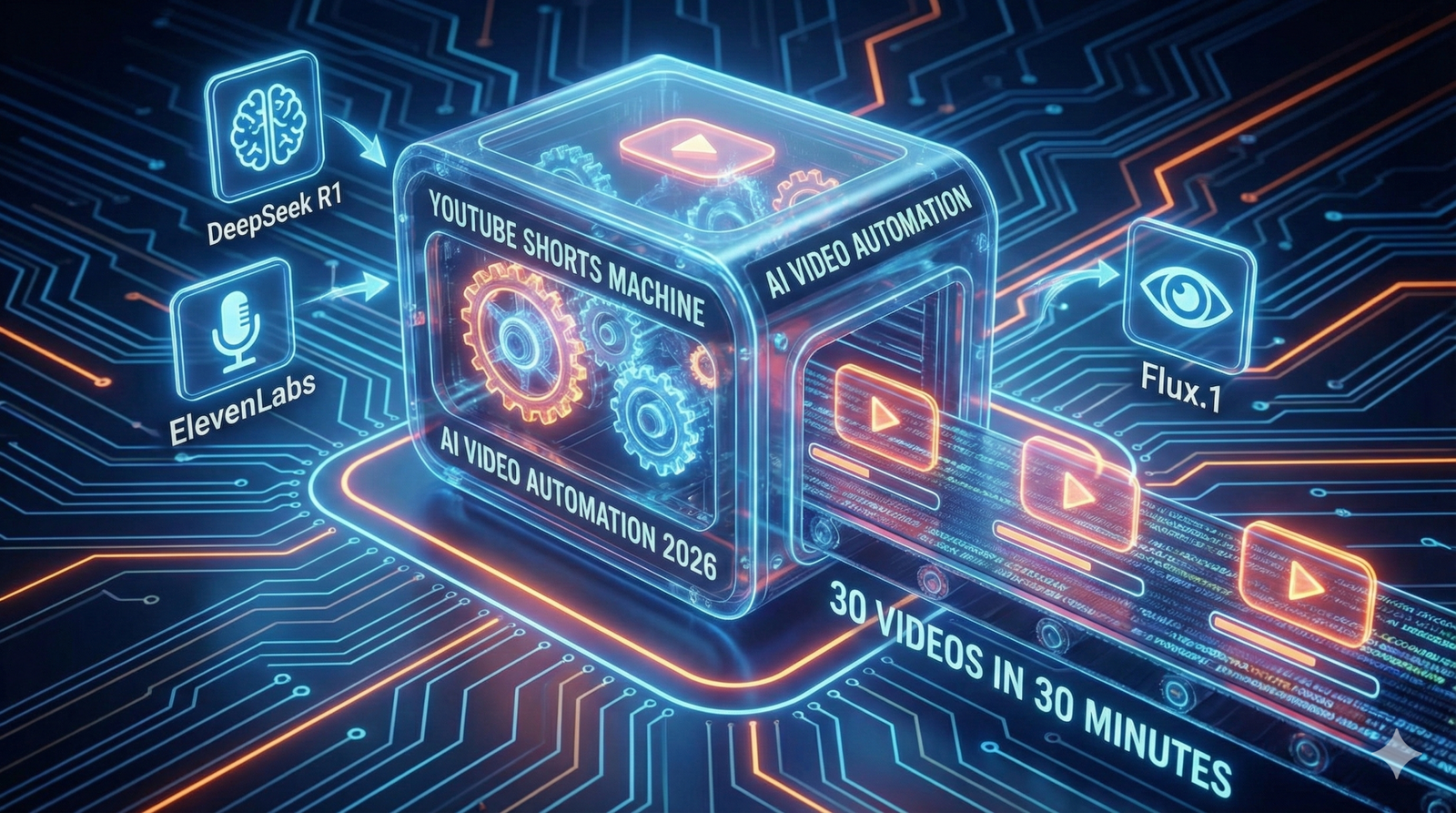
In this new model, you don’t touch the video file. You manage a team of “Agents”—specialized AI software—that talk to each other. One agent writes the script. Another paints the images. A third speaks the audio. And a “General Contractor” (automation software) puts it all together.
The secret weapon that makes this possible in 2026 is a tool called Creatomate. Unlike traditional editors, Creatomate has an API (Application Programming Interface). This means your automation software can “talk” to the timeline. It can say, “Hey, put this image at 0:05 and add a fade transition,” and the software obeys instantly.
Why does this win? Volume and Consistency. The YouTube algorithm is a hungry beast. It rewards channels that feed it daily. My machine never sleeps, never gets writer’s block, and never burns out.
The “Ingredients”: Building Your Video Factory
To build this machine, you need a “Tech Stack.” Think of this like a kitchen. You need a Chef, a Sous-Chef, and someone to plate the food.
I use n8n as my kitchen manager. It is a powerful workflow automation tool (similar to Zapier, but better for complex tasks) that connects all these tools together.
Here is the exact stack I use to produce videos for pennies:
| Component | The Tool | Function | Cost Estimate |
| The Manager | n8n | The “General Contractor” that tells every tool what to do. | Free (Self-Hosted) |
| The Brain | DeepSeek R1 | Writes viral hooks, scripts, and video metadata. | ~$0.14 / 1M tokens |
| The Voice | ElevenLabs API | Generates high-retention, human-like narration. | ~$5.00 / mo |
| The Eyes | Flux.1 (via Fal.ai) | Creates consistent, unique AI images (No stock footage). | ~$0.03 / image |
| The Editor | Creatomate | Stitches audio, images, and subtitles into an MP4. | Free Tier / $45 mo |
Step 1: The Trigger (Automating Content Ideas)
You should never stare at a blank page. The first step of your AI Video Automation 2026 workflow is to create a “Command Center.”
I use a simple Google Sheet. It has columns for:
- Topic
- Status (e.g., “To Do”, “Done”)
- Video URL (where the final link goes)
The Automation
In n8n, I set up a “Google Sheets Trigger” node. It watches my sheet like a hawk. The moment I add a new row—say, “The History of Coffee”—the automation kicks off.
To make this even lazier (in a smart way), I have a separate n8n workflow that scrapes Reddit (r/TodayILearned) or Google Trends every morning. It picks the top 3 trending topics and automatically adds them to my Google Sheet.
Now, I don’t even have to think of ideas. The internet tells me what it wants to watch, and my machine starts building it.
Step 2: The Script & Voice Agents
Once the trigger fires, n8n sends the topic to our “Brain”—DeepSeek R1.
I switched from GPT-4o to DeepSeek R1 because it is significantly cheaper for reasoning tasks and just as creative.
The System Prompt
You cannot just say “Write a script.” You need to engineer the prompt for retention. Here is the exact prompt I use in my n8n node:
“You are a viral YouTube Shorts scriptwriter. Write a 3-sentence script about {{Topic}}. Sentence 1 must be a controversial or surprising hook. Sentence 2 provides the core fact. Sentence 3 is a twist or a call to action. Do not use emojis. Do not use intro text.”
The Voice
Next, n8n takes that text and sends it to ElevenLabs.
Do not skimp here. Viewers will swipe away instantly if they hear a robotic “Siri” voice. I use the “Adam” or “Antoni” voice models with stability set to 50% for a natural, slightly imperfect delivery.
ElevenLabs returns an MP3 audio file. n8n catches this file and uploads it to a temporary storage spot (or directly to Creatomate).
Step 3: The Visuals (Why Stock Footage is Dead)
This is where Faceless 2.0 destroys the competition.
Most automation channels use “B-Roll” from Pexels. This means the same clip of a “Woman Drinking Coffee” appears in 500 different videos. It looks cheap.
My workflow uses Flux.1, a state-of-the-art image generator, accessed via the Fal.ai API. Flux is currently superior to Midjourney for automation because it handles text rendering better and is incredibly fast.
The Logic
In n8n, I ask DeepSeek to generate an image prompt based on the script.
- Script: “The Romans used urine to whiten their teeth.”
- Generated Prompt: “Cinematic close-up shot of an ancient Roman citizen smiling, holding a clay cup, historical setting, 8k resolution, photorealistic, 9:16 aspect ratio.”
n8n sends this to Fal.ai. Three seconds later, we get a unique, high-definition image that nobody else on YouTube possesses. We generate 3-4 images per video to keep the visual pacing fast.
Step 4: The Assembly (Programmatic Editing)
Now comes the magic. We have the audio. We have the images. We need to bake the cake.
We use the Creatomate node in n8n.
Before you run the automation, you log into Creatomate’s website and build a Template.
- You drag in a placeholder image.
- You add a “Ken Burns” effect (slow zoom) so the image isn’t static.
- You add a subtitle layer that auto-syncs to the audio.
- You add background music (lo-fi or phonk) set to 10% volume.
Once the template is saved, it has an ID.
Back in n8n, we map our data to the template:
- Image-1 Placeholder → Replaced by our Flux Image URL.
- Audio Placeholder → Replaced by our ElevenLabs MP3.
- Text Overlay → Replaced by our DeepSeek Script.
When the n8n workflow executes this node, Creatomate renders the video in the cloud. It takes about 30 seconds. When it finishes, it spits out a URL: https://creatomate.com/render/video_123.mp4.
Step 5: The Upload (Set and Forget)
The final step is delivery.
I use the YouTube API node in n8n.
- Video File: I map the URL from Creatomate.
- Title: DeepSeek writes a clickbaity title (e.g., “You Won’t Believe What Romans Drank 🤢”).
- Description: DeepSeek writes a short description with hashtags like #HistoryFacts #Shorts.
- Visibility: Unlisted.
The “Draft” Strategy
I highly recommend setting the visibility to “Unlisted” or uploading as a Draft.
Why? Because AI isn’t perfect. Sometimes Flux generates a person with six fingers. Sometimes the script says something factually wrong.
By uploading as Unlisted, I can batch-review 30 videos in 10 minutes. I quickly watch them on my phone. If they look good, I flip them to “Public.” If one is bad, I delete it. This quality control step is what separates a professional automation empire from a spam channel.
FAQ: Common Questions About AI Video Automation 2026
Will YouTube demonetize this content?
This is the most common fear. YouTube targets “Low Effort” or “Repetitious” content. If you just scrape Wikipedia and use stock footage, yes, you are at risk.
However, this workflow creates Original Content. The script is unique (written by DeepSeek with specific prompts). The images are unique (generated by Flux). The edit is custom. YouTube sees this as a high-value creation. I have multiple channels monetized with this exact stack.
How much does this cost per video?
Let’s break down the unit economics:
- Script: $0.0001
- Images (4 per video): $0.12
- Voice: $0.05
- Rendering: $0.05
- Total: ~$0.22 per video.
Compare that to hiring a human editor ($30 – $50 per Short). You are producing content at 1/200th of the cost.
Can I use this for long-form videos?
Technically, yes. However, long-form requires “storytelling”—pacing, B-roll changes, and emotional arcs—that AI still struggles to automate perfectly without human intervention. I recommend mastering YouTube Shorts first because the linear structure (Hook → Body → CTA) is perfect for automation.
Conclusion: From Creator to Media Operator
The shift from “YouTuber” to “Media Operator” is a mental one.
A Creator thinks, “I need to make a video today.”
A Media Operator asks, “Is the server running?”
By building this n8n YouTube Shorts Machine, you are building an asset. You are detaching your time from your output. Once this workflow works for a “History Facts” channel, you can simply duplicate the n8n workflow, change the DeepSeek prompt to “Space Facts,” and launch a second channel in 15 minutes.
You stop trading time for views. You start trading compute for views.
Ready to build your factory?
You don’t need to be a coder to set this up. The tools have dragged-and-drop interfaces that make it accessible. Start with the Google Sheet. Connect DeepSeek. Generate your first script.
The machine is ready. You just have to turn it on.