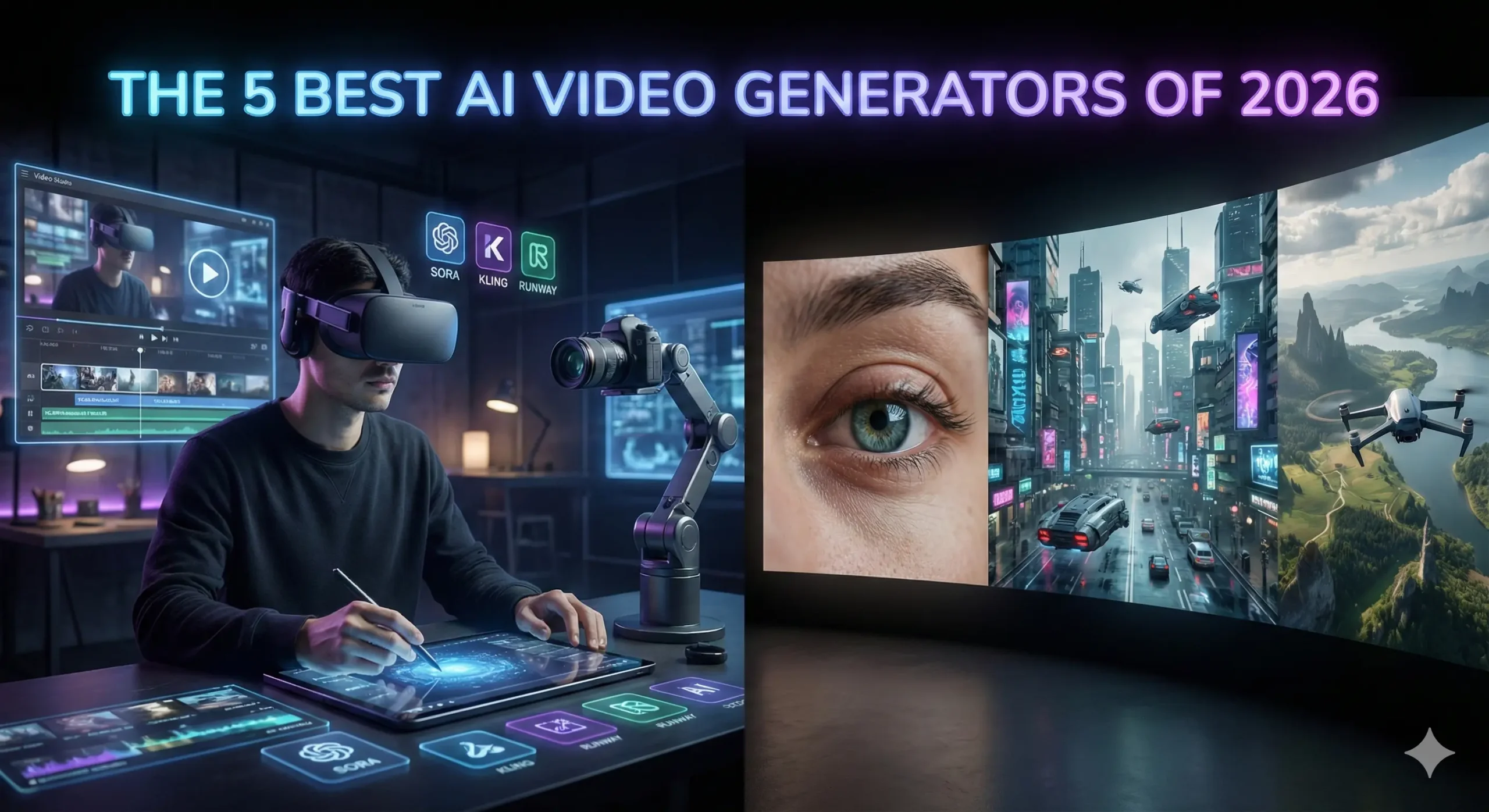
The 5 Best AI Video Generators of 2026 (Ranked by Realism & Speed)
Table of Contents
Best AI Video Generators : You remember the feeling, don’t you? The “Creative Gap.”
It’s that frustrating disconnect between the movie playing in your head and what you can actually put on a screen. For years, if you wanted to bridge that gap, you needed a $5,000 camera rig, a lighting crew, and a master’s degree in After Effects. Or, you had to settle for cheesy stock footage of “business people shaking hands” that cost you $50 a clip.
You had the story. You just didn’t have the budget.
But 2026 has flipped the script. The barrier to entry for high-end filmmaking has collapsed. We aren’t just talking about “text-to-video” anymore; we are talking about Prompt-to-Cinema. The new wave of AI video generators can conjure rain-slicked cyberpunk cities, emotional close-ups, and sweeping drone shots that look so real, they feel like memories.
But here is the problem: The market is flooded. Between OpenAI, Google, and a dozen hungry startups, it is impossible to know which subscription is actually worth your money.
We tested the heavy hitters so you don’t have to. Whether you are a YouTuber, a filmmaker, or a marketing agency, this is your definitive guide to the Best AI Video Generators of 2026.
The New Standard: What Changed in 2026?
Before we dive into the rankings, you need to understand why this year is different.
In 2024 and 2025, AI video was… okay. It was impressive, sure, but it had tell-tale signs. Hands morphed into spaghetti. People walked like they were sliding on ice. And the lighting? It never quite matched the background.
The models we are reviewing today have solved the “Physics Problem.”
The top tools in 2026 understand how light refracts through glass. They understand gravity. They understand that if a character turns their head, their face shouldn’t melt. This shift from “Pattern Recognition” to “World Simulation” is why you can finally use these clips in professional productions without your audience cringing.
Let’s look at the contenders.
Quick Comparison: The 2026 Leaderboard “Best AI Video Generators”
If you are in a rush, here is the cheat sheet.
| AI Model | Best Use Case | Realism | Speed | Cost |
| 1. OpenAI Sora | Photorealism & Physics | 10/10 | Slow | High |
| 2. Kling AI | Human Characters | 9.5/10 | Fast | Medium |
| 3. Runway Gen-3 | Music Videos/Art | 9/10 | Medium | Medium |
| 4. Google Veo | Documentary/Film | 9/10 | Variable | Enterprise |
| 5. Luma Dream Machine | Social Media/Memes | 8/10 | Instant | Low |
1. OpenAI Sora: The “Reality Simulator” Best AI Video Generators
The Verdict: The absolute gold standard for physics-based realism.
When OpenAI first teased Sora, the internet didn’t believe it. It looked too good. Now that it is in the hands of creators, the hype was justified. Sora isn’t just generating pixels; it is simulating a 3D world.
Why It Wins on Physics Best AI Video Generators
If you prompt Sora to create a “reflection of a neon sign in a rainy puddle,” it doesn’t just paste a blurry light on the ground. It calculates the angle of reflection based on the camera’s position. It creates ripples in the water that distort the light accurately.
This creates a subconscious feeling of “truth” for the viewer. Your brain knows when physics are wrong, even if you can’t explain why. Sora tricks your brain into thinking the footage was shot on a lens.
The “60-Second” Advantage Best AI Video Generators
Most competitors struggle to keep a video coherent for more than 5 or 10 seconds. Characters start to warp; backgrounds shift. Sora can hold a scene for up to 60 seconds without breaking the illusion. This allows for long, lingering tracking shots that feel cinematic rather than frantic.
Pros:
- Unmatched understanding of light and textures.
- Consistent character identity over long clips.
- Handles complex camera movements (pan, tilt, dolly) flawlessly.
Cons:
- Render Time: It is computationally heavy. Do not expect instant results.
- Cost: It remains the most expensive option on this list.
2. Kling AI: The “Sora” Killer “Best AI Video Generators”
The Verdict: The best choice for storytellers who need believable human actors.
While the world was waiting for Sora, a competitor emerged from the shadows and stunned everyone. Kling AI has rapidly become the favorite tool for narrative filmmakers. Why? Because it understands people.
The “Uncanny Valley” Solution “Best AI Video Generators”
AI has historically been terrible at human movement. AI people tend to float, or their limbs move at weird angles. Kling AI has cracked the code on kinetics.
If you prompt a character to “walk down the street, stop, check their phone, and look frustrated,” Kling executes that sequence with human weight. You can see the shift in posture. You can see the micro-expressions on the face.
Eating and Drinking
This sounds trivial, but it’s a massive technical hurdle. Most AIs cannot depict someone eating without merging the burger into the person’s face. Kling handles these complex object interactions effortlessly. If you are making a commercial involving food or products, this is your tool.
Pros:
- Best-in-class human movement and facial expressions.
- Fast generation times compared to Sora.
- Allows for video extensions (turning a 5s clip into 2 minutes).
Cons:
- Sometimes struggles with very abstract or surreal prompts compared to Runway.
3. Runway Gen-3 Alpha: The Artist’s Brush “Best AI Video Generators”
The Verdict: The ultimate creative suite for music videos and abstract art.
Runway has never tried to be just a “generator.” They are building a Photoshop for video. If you are a control freak (in a good way) who wants to dictate exactly how every pixel moves, Gen-3 Alpha is your weapon of choice.
The Magic of “Motion Brush”
This is the feature that leaves other tools in the dust. With Motion Brush, you don’t just type a prompt and hope for the best. You can literally paint over specific parts of your image to tell the AI what to move.
- Want the clouds to move left? Paint them and drag an arrow left.
- Want the water to flow right? Paint it and drag an arrow right.
- Want the person in the foreground to stay perfectly still? Don’t paint them.
This granular control makes Runway the king of B-Roll and Music Videos. You aren’t gambling with your credits; you are directing the shot. Best AI Video Generators
Pros:
- Motion Brush: Unbeatable control over specific elements.
- Style Presets: Easily mimics anime, claymation, or 35mm film styles.
- Timeline Editor: Built-in editing tools to splice clips together.
Cons:
- Can be less “photorealistic” out of the box than Sora; requires more tweaking.
4. Google Veo: The Filmmaker’s Choice
The Verdict: Perfect for documentary makers and commercial directors.
Google Veo wasn’t trained on random internet videos; it feels like it was trained on cinema history. It speaks the language of a Director of Photography.
It Speaks “Director”
With other tools, you have to describe the visual: “Show a close up that moves back.”
With Veo, you can use industry terminology: “Start with an extreme close-up on the eye, then dolly zoom out to reveal the chaotic city.”
Veo understands what a “Rack Focus” is. It knows the difference between a “Pan” and a “Truck.” If you are a film student or a professional using AI for storyboarding, this tool will feel the most natural to you. “Best AI Video Generators”
High Definition Output
Veo excels at native 1080p+ generation. The footage is crisp, with less of the “AI fuzz” or noise that plagues lower-tier models. This makes it ideal for YouTube documentaries where image clarity is non-negotiable.
Pros:
- Understands cinematic camera terminology perfectly.
- High-resolution output suitable for large screens.
- Deep integration with other Google Workspace tools (coming soon).
Cons:
- Access is often gated behind enterprise tiers or waitlists.
5. Luma Dream Machine: The Speed Demon
The Verdict: The best tool for social media managers, memes, and quick reactions.
Not every video needs to be a cinematic masterpiece. Sometimes, you just need a funny clip for a Tweet, or a cool visual for a TikTok background, and you need it now.
Luma Dream Machine is built for speed. “Best AI Video Generators”
Content at the Speed of Social
While Sora might take 10-20 minutes to render a complex scene, Luma churns out high-quality 5-second loops in under two minutes. In the fast-paced world of social media, that speed is money.
Image-to-Video Excellence
Luma shines when you give it a starting image. Do you have a funny meme format or a product photo? Upload it to Luma, type “make the camera orbit around the product,” and boom—you have a dynamic video asset ready for Instagram Stories.
Pros:
- Fast: The quickest render times on the market.
- Free Trial: Very generous free tier for testing.
- User Friendly: The simplest interface for beginners.
Cons:
- Physics aren’t as solid as Sora; you might see some morphing glitches.
- Short duration (usually caps at 5 seconds per generation).
How to Build a “Faceless” Channel Strategy in 2026
So, you have the tools. Now, how do you actually make money with them?
The biggest mistake creators make is thinking the video is the hard part. It’s not anymore. The hard part is the workflow. Here is how to combine these AI generators with other free utilities to build a content factory.
Step 1: The Script (The Backbone)
Visuals attract the click, but the story keeps the retention. Use ChatGPT or Claude to draft your script.
- Pro Tip: YouTube Shorts need to be punchy. Aim for 130–150 words for a 60-second video.
- Tool: Use a Free Word Counter to check your script length before you start generating voiceovers. If you are over 160 words, you are going to talk too fast.
Step 2: The Voice (The Soul)
Don’t use the robotic TikTok voice. Use ElevenLabs or OpenAI’s Voice Mode. A warm, human-sounding voice is critical for trust.
Step 3: The Visuals (The Hook)
This is where your new AI video tools come in.
- Use Kling for scenes involving people (e.g., “A detective walking in the rain”).
- Use Runway for abstract concepts (e.g., “A brain glowing with electricity”).
- Use Luma for quick transition clips.
Step 4: The Thumbnail (The Click)
You can spend days making a video, but if the thumbnail is bad, nobody watches it.
- Generate a high-contrast image using Midjourney.
- Ensure it is the right size (1280×720) and under 2MB so it loads fast.
- Tool: Use a Free Image Resizer to optimize your thumbnail without losing quality.
Frequently Asked Questions (FAQ)
Q: Can I monetize AI-generated videos on YouTube?
A: Yes. As of 2026, YouTube fully allows monetization of AI content. However, you are required to check the “Synthetic Media” box when you upload. If you hide the fact that it is AI, you risk getting your channel suspended. Transparency is key.
Q: Which tool is the best value for money?
A: If you are on a budget, Luma Dream Machine offers the best “bang for your buck” with its generous free tier. If you are a professional, the subscription to Kling AI pays for itself in one project.
Q: Do I need a powerful computer to run these?
A: No. That is the beauty of 2026. All these tools are “Cloud-Based.” The rendering happens on their massive servers, not your laptop. You could generate a 4K movie on a Chromebook if you wanted to.
Q: How do I keep the characters consistent?
A: This is the “Holy Grail” of AI video. Currently, OpenAI Sora and Kling have the best character consistency (Cref). You can upload a photo of a person and tell the AI to keep using that same face in multiple scenes.
Conclusion: The Director is You
We are living through a creative renaissance. The “Gatekeepers” of Hollywood—the budget, the gear, the connections—have been bypassed.
The only limit left is your ability to describe what you see in your mind.
If you are just starting out, don’t get paralyzed by the choices. Start with Luma to get the hang of prompting. When you are ready to tell a deeper story, upgrade to Kling or Sora.
But remember: AI is just a tool. It generates the pixels, but you generate the vision. A beautiful video with a bad script is still a bad video. Focus on your storytelling first.
Ready to start creating?
- Check your script length: Word Counter
- Resize your thumbnails: Image Resizer
- Format your bio: Instagram Font Generator
The cameras are rolling. Action.