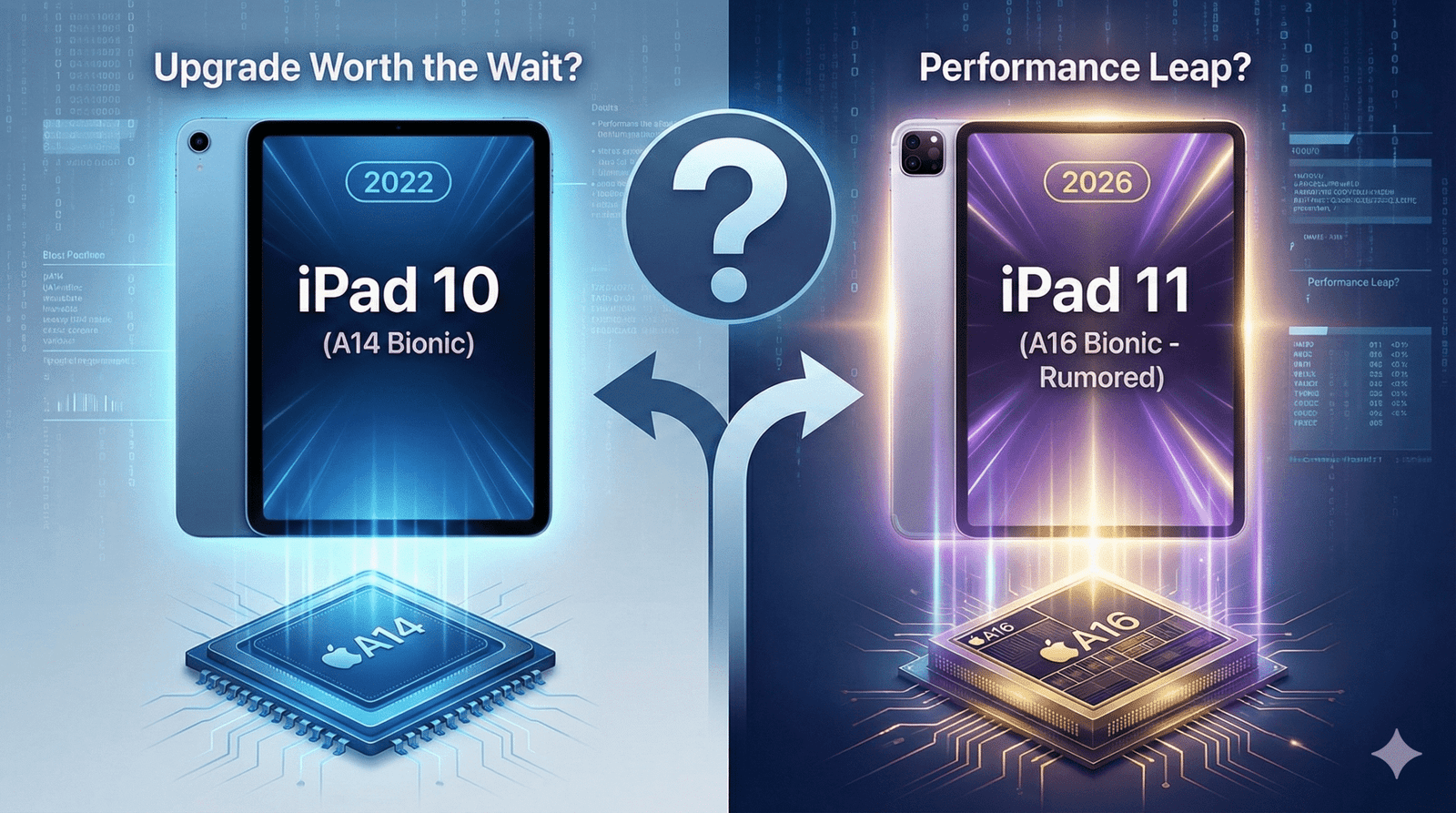
iPad 10 vs. The Rumored iPad A16 (11th Gen): Is the Performance Leap Worth the Wait?
Table of Contents
You know that specific, sinking feeling in the pit of your stomach. You walk into the store, swipe your credit card for a shiny new gadget, peel off the protective plastic, and set it up with excitement. You spend the weekend downloading apps and customizing your home screen.
Then, two weeks later, you see the headline: “Apple Announces New iPad with Faster Chip and Better Battery.”
Suddenly, your brand-new device feels obsolete. It’s the classic “Buyer’s Remorse” trap, and in the world of Apple technology, it is a constant fear. You are paralyzed by the analysis. You need a tablet now—perhaps for the upcoming semester, a new design project, or just because your old one finally gave up the ghost—but you are terrified of buying tech that is about to be replaced.
If you are currently hovering over the “Buy” button for the iPad 10 (10th Generation), pause for just a moment. Rumors of the iPad A16 (likely the iPad 11th Generation) are heating up.
In this guide, we are going to stop the guessing game. We will analyze whether the upcoming iPad A16 represents a massive leap forward or just a minor bump in specs, helping you decide if you should swipe your card today or hold onto your wallet for a few more months.
The Heart of the Beast: A14 Bionic vs. A16 Bionic
To understand if the upgrade is worth it, you have to look under the hood. The processor is the brain of the tablet. It dictates how long the device will last, how fast apps open, and how quickly your battery drains.
The Current Standard: iPad 10 (A14)
The current iPad 10 runs on the A14 Bionic chip. To put this in perspective, this is the same chip that powered the iPhone 12 lineup back in 2020. Is it slow? Absolutely not. For browsing the web, watching Netflix, and editing light PDFs, the A14 is still a capable workhorse in 2025.
However, technology ages like milk, not wine. The A14 is built on a 5-nanometer process. In the fast-moving world of silicon, that is starting to look a bit “retro.”
The Future Upgrade: iPad 11 (A16)
The rumored 11th Generation iPad is expected to jump straight to the A16 Bionic. This is the chip found in the iPhone 14 Pro and the base iPhone 15.
Why does this specific chip change matter for you?
- Efficiency over Raw Speed: The jump from A14 to A16 isn’t just about opening apps faster. It is about the architecture. The A16 is built on a more advanced 4-nanometer process. In plain English? It delivers more power while using less energy. This translates directly to better battery life during heavy tasks like gaming or rendering video.
- The “Updates” Clock: This is the most practical reason to wait. Apple typically supports its chips with iPadOS updates for about 6-7 years. By buying the A14 now, you are buying a chip that is already several years into its lifecycle. If you wait for the iPad A16, you are effectively buying yourself two extra years of future software updates.
- Benchmarks: In Geekbench testing, the A16 chip usually scores about 30-40% higher in multi-core performance compared to the A14. That is a noticeable difference if you plan on keeping this tablet for the long haul.
Display and Design: Will We Finally Get Lamination?
If you have ever used an iPad Air or iPad Pro, and then switched to the budget iPad, you noticed something felt “off.” That is the screen.
The “Air Gap” Issue
The iPad 10 features a non-laminated display. This means there is a tiny, visible gap of air between the cover glass (where your finger touches) and the LCD pixels underneath.
When you are watching a movie, you won’t notice it. But if you are an artist or a digital planner using an Apple Pencil, it feels like you are drawing above the paper rather than on it. It produces a hollow “thud” sound when you tap the screen with the stylus.
The Rumor Mill: Will the iPad A16 Fix It?
Here is the hard truth: Probably not.
Apple needs to differentiate the “budget” iPad from the more expensive iPad Air. Lamination is one of the main features they keep behind the “Pro/Air” paywall. While we all hope the iPad 11 brings a laminated screen, industry leaks suggest Apple will stick to the non-laminated design to keep costs down and repairability high (non-laminated screens are much cheaper to fix if you crack them).
The Apple Pencil Confusion
The biggest headache of the iPad 10 was the Apple Pencil situation. It required a USB-C adapter to pair the First Generation Pencil. It was clunky, easy to lose, and generally hated by users.
With the iPad A16 model, expectations are high that Apple will streamline this. The hope is full support for the Apple Pencil (USB-C) without dongles, or perhaps even magnetic support for the Pencil 2 (though this is less likely). If you hate cables and dongles, waiting for the 11th Gen to see how they handle the stylus might be necessary for your sanity.
The “Tech Ingredients” Spec Sheet
Sometimes you just need to see the numbers side-by-side. Think of this like a recipe. You are checking if the new dish has better ingredients than the one you already have in the fridge.
Table 1: The Upgrade Ingredients
| Component (Ingredient) | iPad 10 (Current Menu) | iPad A16 (Expected Menu) |
| The Brain (Chip) | A14 Bionic (6-core CPU) | A16 Bionic (Faster, 4nm process) |
| The Memory (RAM) | 4GB RAM | 6GB RAM (Strongly Rumored) |
| The Canvas (Display) | 10.9″ Liquid Retina (Non-Laminated) | 10.9″ Liquid Retina (Likely Non-Laminated) |
| Connectivity | Wi-Fi 6 | Wi-Fi 6E (Faster Downloads/Lower Latency) |
| Battery Life | ~10 Hours | ~11-12 Hours (Efficiency Gains) |
| Rear Camera | 12MP Wide | 12MP Wide (Potential for Photonic Engine) |
| Starting Price | $349 | ~$349 – $399 |
The most important, hidden spec in that table? RAM.
The jump from 4GB to 6GB of RAM is a game-changer for longevity. It means fewer apps reloading in the background when you switch tasks, and it is crucial for AI features (more on that later).
Real-World Performance: Who Needs the A16?
Specs are boring. Real-world usage is what matters. Let’s break down who actually needs the power of the iPad A16 and who would be perfectly fine saving money on the older model.
For the Gamer
If your idea of “using an iPad” involves dropping into Call of Duty: Mobile, exploring the massive world of Genshin Impact, or trying out the latest Apple Arcade titles, you should wait.
The GPU (Graphics Processing Unit) in the A16 chip is significantly stronger than the A14. Games that stutter on “High” settings on the iPad 10 will likely run smooth as butter on the iPad 11. Furthermore, the A16 runs cooler, meaning your screen won’t dim automatically after 20 minutes of intense gaming because the device got too hot.
For the Digital Planner & Student
Do you live your life in GoodNotes, Notion, or Apple Notes? Are you buying an iPad to organize your semester or track your habits using digital planners?
If so, the iPad 10 is enough. You do not need a Ferrari engine to drive to the grocery store. Digital planning is not a resource-heavy task. The A14 chip renders PDFs instantly and handles handwriting input with zero lag. Waiting for the A16 won’t make your digital planner feel any faster.
For the Content Creator (Procreate & Video)
This is where it gets tricky. If you are an artist or you edit videos for TikTok/Reels using CapCut, you might want to wait.
The “Layer Limit” Factor:
In apps like Procreate, the number of layers you can use depends on the device’s RAM.
- iPad 10 (4GB RAM): You might hit a limit of 30-40 layers on a high-res canvas.
- iPad A16 (6GB RAM): That extra RAM could bump your layer limit significantly, giving you more creative freedom without having to merge layers constantly.
If you are just starting out with digital design, check out the resources available to help you. Once you have your iPad, you can grab Premium Fonts and Assets to elevate your Procreate designs instantly, regardless of which model you choose.
Price vs. Value: The Inflation Factor
Here is the kicker that nobody likes to talk about: “Price Creep.”
Apple rarely lowers the launch price of a new product. The iPad 10 launched at a higher price than its predecessor ($449 originally, before dropping to $349).
There is a strong possibility that the iPad A16 (11th Gen) will launch at $399 or even $429.
- The “Wait and Save” Strategy
Even if you don’t care about the new chip, waiting might still be the smartest financial move.
Why? Because the moment Apple announces the iPad 11, the price of the iPad 10 will crash. Retailers like Amazon, Best Buy, and Walmart will clear out their stock. You might be able to snag the iPad 10 for $299 or less.
So, by waiting, you give yourself two winning options:
- Buy the new iPad A16 if the reviews say it’s amazing.
- Buy the perfectly capable iPad 10 for a bargain-basement price.
Frequently Asked Questions (FAQ)
Q: When is the iPad A16 (11th Gen) expected to release?
A: Apple typically follows an October or November release cycle for its base-model iPads. If rumors hold true, we should see an announcement in late 2025 or very early 2026.
Q: Will the iPad A16 support “Apple Intelligence” (AI)?
A: This is the million-dollar question. Currently, Apple Intelligence features are restricted to devices with M-Series chips (M1, M2, M4) and the A17 Pro. It is very likely that the A16 chip will NOT support the full suite of Apple’s new generative AI features. If AI is a “must-have” for you, you need to look at the iPad Air (M1/M2), not the base iPad.
Q: Is the A16 chip overkill for a budget iPad?
A: For watching Netflix and checking email? Yes. But “overkill” today means “usable” five years from now. Buying a powerful chip ensures your iPad doesn’t feel slow and laggy in 2028.
Q: Does the A16 iPad have a better screen?
A: While the resolution will likely stay the same, the A16 chip allows for better image processing. However, don’t expect the 120Hz “ProMotion” display—that stays exclusive to the iPad Pro.
Conclusion
The decision to upgrade or wait ultimately comes down to your patience and your specific needs.
The iPad A16 (11th Gen) is shaping up to be a significant “under-the-hood” update. It won’t look much different on the outside, but the combination of the A16 chip, likely 6GB of RAM, and Wi-Fi 6E makes it a device that will last well into the late 2020s.
You should BUY the iPad 10 (A14) NOW if:
- You need a tablet immediately for school or work.
- You are on a strict budget and $349 is your limit.
- Your main use cases are streaming, reading eBooks, and light digital planning.
You should WAIT for the iPad 11 (A16) if:
- You are a mobile gamer who wants high frame rates.
- You are a digital artist who needs more RAM for Procreate layers.
- You keep your devices for 5+ years and want maximum software support longevity.
- You want to see if the Apple Pencil situation gets less annoying.
Whether you decide to upgrade to the latest powerhouse or stick with the classic budget-friendly option, your iPad is essentially a blank canvas. It is what you put on it that matters.
Once you have your device in hand, stop by the eBook Treasures Shop. From productivity templates to premium fonts that make your designs pop, we have the digital tools to turn that slab of glass and metal into a true productivity powerhouse.
Don’t let the fear of missing out paralyze you. Weigh the specs, check your wallet, and make the choice that helps you create today.
ipad a16, ipad a16, ipad a16, ipad a16, ipad a16, ipad a16,ipad a16,ipad a16, ipad a16, ipad a16, ipad a16,
ipad a16 tech specs, 13 or 11, How old is iPad version 16? Is the iPad A16 the same as the iPad 10th generation? What model iPad is A16?